
TL;DR
Open a free Amazon Business account
Business pricing, bulk buying and tax-exempt orders.
Create a free accountAs an affiliate, we earn on qualifying purchases.
Cambridge University has published a detailed guide to help archivists and institutions recover and preserve data from old, fragile floppy disks. The guide aims to address the growing challenge of digital preservation for obsolete media. The development is confirmed and part of ongoing efforts to safeguard digital heritage.
Cambridge University has released a detailed preservation guide aimed at helping archivists, libraries, and institutions recover data from fragile floppy disks. The guide addresses a pressing issue as many old disks are deteriorating and increasingly unreadable, risking the loss of valuable digital information.
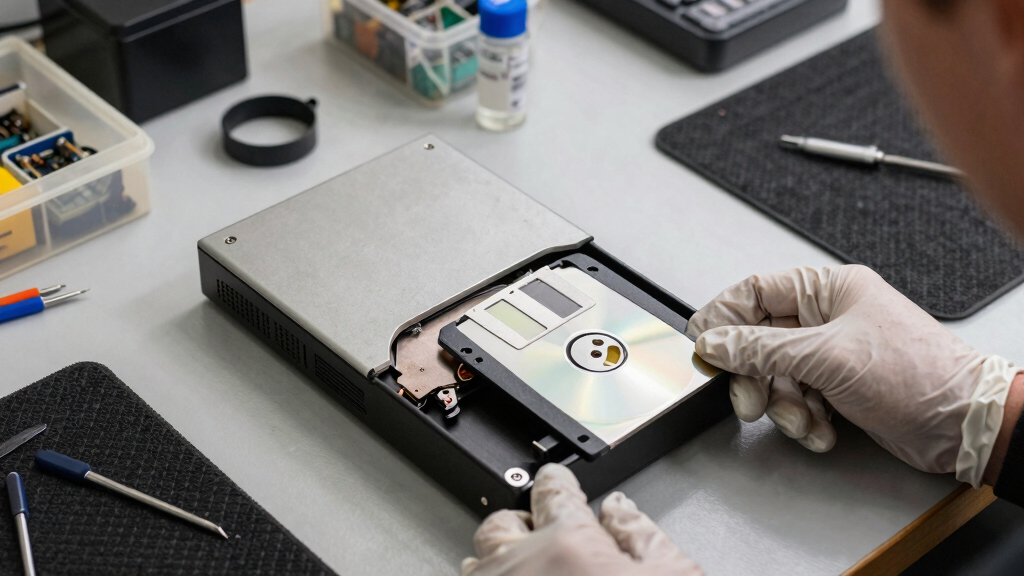
The new ‘Copy That Floppy’ guide provides step-by-step instructions on how to safely handle, read, and digitize old floppy disks, including tips on equipment, environmental conditions, and data recovery techniques. It was developed by a team of digital preservation experts at Cambridge’s Centre for Digital Heritage.
According to the lead researcher, Dr. Emily Carter, the guide aims to extend the lifespan of these disks and prevent the irreversible loss of historical and institutional data. The guide emphasizes the importance of early intervention, as floppy disks are known to deteriorate rapidly once their protective coatings break down.
While the guide offers practical advice, it also highlights the need for specialized hardware and software to read various floppy disk formats, some of which are no longer supported by modern computers. The team has collaborated with digital archivists and hardware specialists to compile a comprehensive resource for preservation efforts.
Why Preserving Floppy Disk Data Is Crucial Now
This development matters because many organizations and individuals still hold valuable data on floppy disks, which are now considered obsolete media. Without proper preservation, this data risks being lost forever, including historical records, research data, and early digital documents.
The guide provides a practical tool to prevent this loss, supporting efforts to maintain digital heritage and ensure future access to early digital content. It also underscores the broader challenge of digital preservation in an era of rapidly evolving technology.
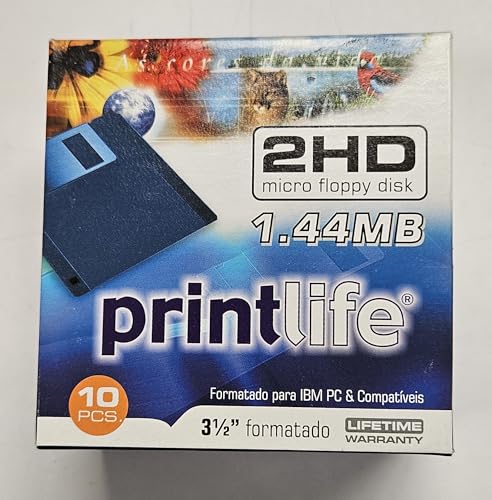
Generic Floppy Disks–New 10 Pack, 1.44MB. Floppy diskettes formatted in 2024!, Blue/black
- Storage Capacity: 1.44MB DS/HD
- Tested for Reliability: Formatted and tested in 2025
- Pack Size: 10 floppy diskettes
As an affiliate, we earn on qualifying purchases.
As an affiliate, we earn on qualifying purchases.
Growing Concerns Over Obsolete Digital Storage Media
Floppy disks, introduced in the 1970s, became a common data storage medium for decades. As technology advanced, their use declined, but many institutions and individuals still possess disks containing important information. Over time, the physical media deteriorates, with magnetic coatings degrading and mechanical parts failing.
Previous efforts to recover data from floppy disks have often been hampered by lack of suitable hardware or knowledge about older formats. The recent publication by Cambridge aims to fill this gap, providing a standardized approach to data recovery and preservation.
“Our guide offers practical, tested methods to recover data from disks that are rapidly deteriorating, helping prevent valuable digital history from being lost.”
— Dr. Emily Carter, Lead Researcher at Cambridge
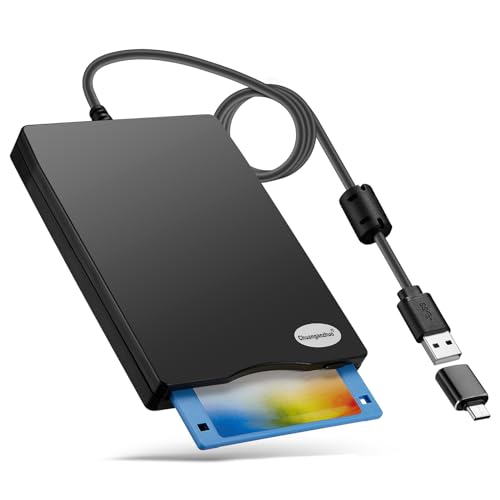
Floppy Disk Reader, 3.5 inch 1.44mb External USB Type A/C Floppy Disk Drive for PC, Laptop and Desktop Compatible with Windows 11/10/8/7/2000/XP, Not Compatible With Mac and Chrome (Frosted Texture)
- Compatible with Windows: Supports Windows 11/10/8/7/2000/XP
- Easy Plug and Play: Automatic detection via USB connection
- Retrieves Old Files: Reads and writes floppy disks easily
As an affiliate, we earn on qualifying purchases.
As an affiliate, we earn on qualifying purchases.
Remaining Challenges in Floppy Disk Data Recovery
It is not yet clear how widely the guide will be adopted or how effective it will be in recovering data from disks that are severely damaged or have format-specific issues. The availability of compatible hardware and software remains a concern, especially for rare or proprietary formats.
Additionally, some disks may be beyond recovery due to physical degradation, and the guide does not address all potential technical barriers.
Floppy Disk Reader, 3.5 inch 1.44mb External USB Type A/C Floppy Disk Drive for PC, Laptop and Desktop Compatible with Windows 11/10/8/7/2000/XP, Not Compatible With Mac and Chrome (Frosted Texture)
- Compatible with Windows: Supports Windows 11/10/8/7/2000/XP
- Easy Plug and Play: Automatic detection via USB connection
- Retrieves Old Files: Reads and writes floppy disks easily
As an affiliate, we earn on qualifying purchases.
As an affiliate, we earn on qualifying purchases.
Next Steps for Digital Preservation of Obsolete Media
Cambridge plans to collaborate with national archives, museums, and libraries to promote the guide and facilitate training sessions. Researchers and archivists will begin applying the recommended methods to their collections, with ongoing monitoring of recovery success.
Further development may include creating specialized tools or hardware solutions for reading particularly challenging disks, as well as expanding the guide to cover other obsolete media types.

GODBPNYMU External USB-C Floppy Disk Drive,3.5-inch Floppy Disk Drive
- Compatibility: Works with Windows, Mac, Linux
- Plug-and-Play: Automatic recognition without drivers
- Easy File Access: Copy, paste, and open files easily
As an affiliate, we earn on qualifying purchases.
As an affiliate, we earn on qualifying purchases.
Key Questions
What types of floppy disks does the guide cover?
The guide covers common formats such as 3.5-inch and 5.25-inch disks, including various formats used in personal computers and industrial applications.
Do I need special equipment to follow the guide?
Yes, some recovery methods require floppy disk drives compatible with older formats, as well as specific hardware or adapters. The guide provides recommendations for sourcing this equipment.
Is the guide suitable for non-experts?
While it offers detailed instructions, some technical knowledge about hardware and data formats is helpful. The team plans to develop training resources for broader accessibility.
Will the guide help recover data from severely damaged disks?
The guide provides best practices for attempting data recovery, but disks with extensive physical damage may be unrecoverable. It emphasizes early intervention to maximize chances of success.
How does this effort fit into broader digital preservation initiatives?
This guide is part of a wider movement to preserve digital heritage, addressing the challenge of obsolete formats and media that threaten to become unreadable as technology advances.
Source: hn
Back to school Picks
back to school
As an affiliate, we earn on qualifying purchases.