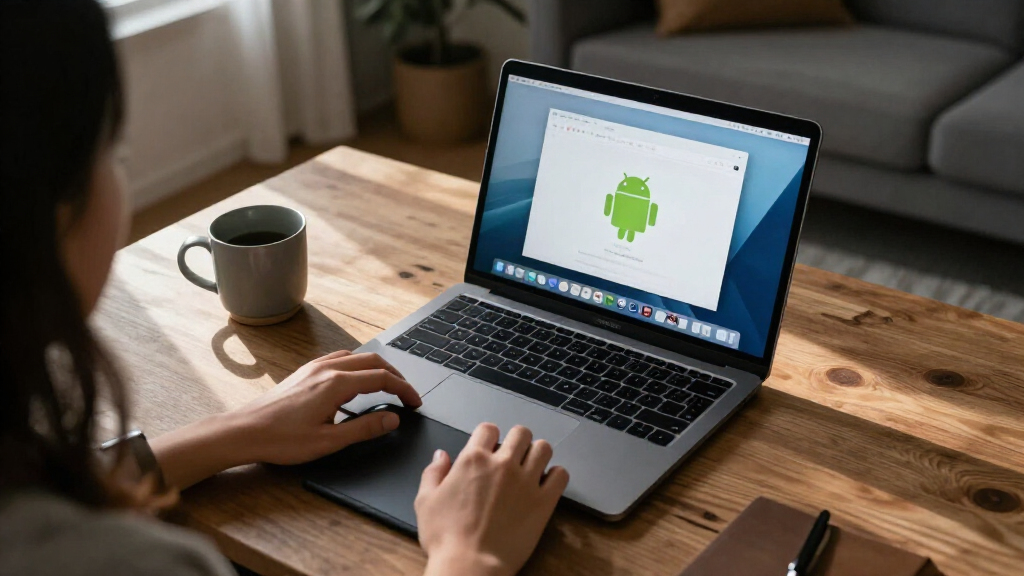

TL;DR
Mac.apk is an early-stage, open-source project that runs Android apps directly on Apple Silicon Macs, presenting compatible apps as ordinary macOS windows and processes. It does not use an emulator or virtual machine, but app support varies, Intel Macs are unsupported, and the project warns that Android apps run with the user’s macOS permissions.
Mac.apk, an open-source project in alpha, is developing a way to run Android apps directly on Apple Silicon Macs as macOS processes, without a conventional emulator or virtual machine. The project says compatible apps can open in their own Mac windows, but support is uneven and the software is still under active development.

Get business pricing on your home office setup
- Business-only prices and quantity discounts
- Tax-exempt purchasing
- Multiple users, one account, clear invoices
According to the project’s GitHub page, Mac.apk implements an Android application environment on macOS. Its description says apps execute on the Mac’s CPU, draw using its GPU and appear in the Dock with resizable windows. Android TV apps can be controlled by keyboard, and the project says some game launchers can open other installed apps.
The developer describes the software as alpha: some apps run well, some only partly work, and others do not run. The page points users to a compatibility list based on apps tested by hand and to release-specific known issues. The material does not state how many apps have been tested or provide an overall compatibility rate.
The listed requirements are macOS 26.4 or newer and an Apple Silicon Mac; Intel Macs are not supported. The project says macOS 27 works from Mac.apk version 1.0.1702. The app itself needs about 280 MB of disk space, while each installed Android app uses roughly 1.5 to 3 times the size of its APK file.
Android Apps as Mac Processes
Mac.apk offers a different approach from running Android inside a separate emulator window: it aims to make supported apps behave more like individual Mac applications. If the project continues to improve, that could give Apple Silicon users another way to access Android software that has no suitable macOS version, while letting them use familiar Mac window controls and the Dock.
That convenience comes with a substantial security caveat. Mac.apk says apps run as native code with the user’s macOS account permissions and do not receive a phone-style app sandbox. An Android app may be able to read and write files available to the user. The project advises installing only APKs from trusted sources and says it cannot audit or vouch for third-party apps.
The alpha label also matters for anyone relying on a particular app. A project demonstration or a successful test of one app does not establish that other apps, services or updates will work. The compatibility list and known-issues page are more useful indicators for an individual use case than the broad claim that Android apps can run on a Mac.
Products Worth Considering

Makita SP6000J 6-1/2-Inch Plunge Circular Saw

DEWALT 20V MAX Cordless Drill and Impact Driver Combo Kit (DCK240C2)

EGO Power+ Electric Lawn Mower, Cordless Push, includes 56V 4.0Ah battery and charger
As an affiliate, we earn on qualifying purchases.
What the Project Requires
Mac.apk is distributed through the project’s GitHub releases, with source code and documentation in the repository. The project says it is licensed under the GNU AGPL v3.0, with a commercial license available to organizations that want to distribute or offer it under different terms. Its stated system requirements mean the current offering is limited to newer macOS installations and Apple Silicon hardware, rather than older Intel Macs.
To install an app, users download Mac.apk, install its runtime from within the program, and open an Android package file. The page lists support for .apk, .apkm, .xapk, .apks and .apkx files. The first launch can take up to a minute while the software prepares an app; later launches are described as faster. App data is stored separately under the user’s Library folder, and the project says its in-app uninstall option can remove that data or preserve saves for a later reinstall.
The project says the download is signed and notarized by Apple, allowing it to open through macOS normally. That describes the app’s distribution status; it is not a statement that Apple endorses Mac.apk or certifies the safety of Android apps installed through it.
“Some apps run beautifully, some run partially, and some do not run yet.”
— Mac.apk project description on GitHub
App Support and Security Limits
The supplied project information does not identify which specific apps work, how many have been tested, or how frequently the compatibility list changes. It also does not provide independent testing of performance, reliability or security. Those details should be checked against the project’s live compatibility list and the notes for the specific release, rather than inferred from the general description.
Mac.apk’s claim that it operates without an emulator, virtual machine or Linux kernel is the developer’s account of its design. The provided material does not include an independent technical review. It also does not clarify how individual Android services or apps that depend on particular devices, Google services or other platform components behave across releases.
The project states that it cannot audit third-party APKs and accepts no responsibility for consequences of running them. Users therefore need to make their own trust decisions before installing software. The repository’s existence and the app’s Apple notarization do not establish that any particular APK is safe.
Check Releases and Compatibility
Mac.apk is under active development, and the project says it improves with each build. Users considering it can check the release notes, known issues and hand-tested compatibility list before installing, especially if they need a specific Android app for regular use. The project directs users to send bug reports by email or open a GitHub issue, including the Mac.apk and macOS versions, the app and its source, a description of the problem and relevant logs. It advises reviewing logs before posting them publicly.
No launch date for a stable release, wider hardware support or specific compatibility milestone is provided in the supplied material. For now, the confirmed status is an actively developed alpha for Apple Silicon Macs running the listed macOS versions, with results that depend on the app being installed.
Key Questions
Does Mac.apk run Android apps in an emulator?
The project says it implements the Android application environment directly on macOS, without an emulator, virtual machine or Linux kernel running underneath. This is the developer’s description of how the software works; the supplied material does not include an independent technical review.
Which Macs can run Mac.apk?
The project lists Apple Silicon Macs and macOS 26.4 or newer as requirements. It says macOS 27 works from version 1.0.1702 and that Intel Macs are unsupported.
Will every Android app work?
No. Mac.apk describes itself as alpha software and says some apps work well, some work partially and some do not run. Check the project’s compatibility list for individual apps; the supplied information does not give a total compatibility rate.
Are Android apps installed through Mac.apk sandboxed?
The project says they are not protected by a phone-style app sandbox and run with the macOS user’s permissions. It recommends installing only APKs from sources the user trusts.
Where does Mac.apk keep an app’s data?
The project says app data is stored in ~/Library/Application Support/MacApk/<package>, separately from the app’s launcher entry. It says using the in-app uninstall option cleans up that data and can preserve saves for a reinstall.
Source: hn


