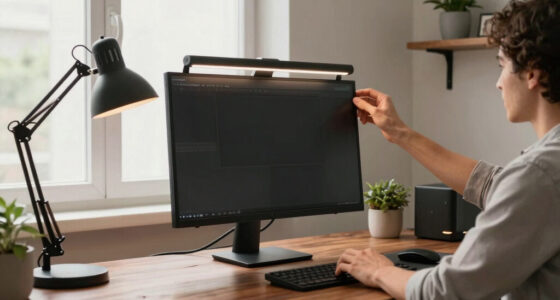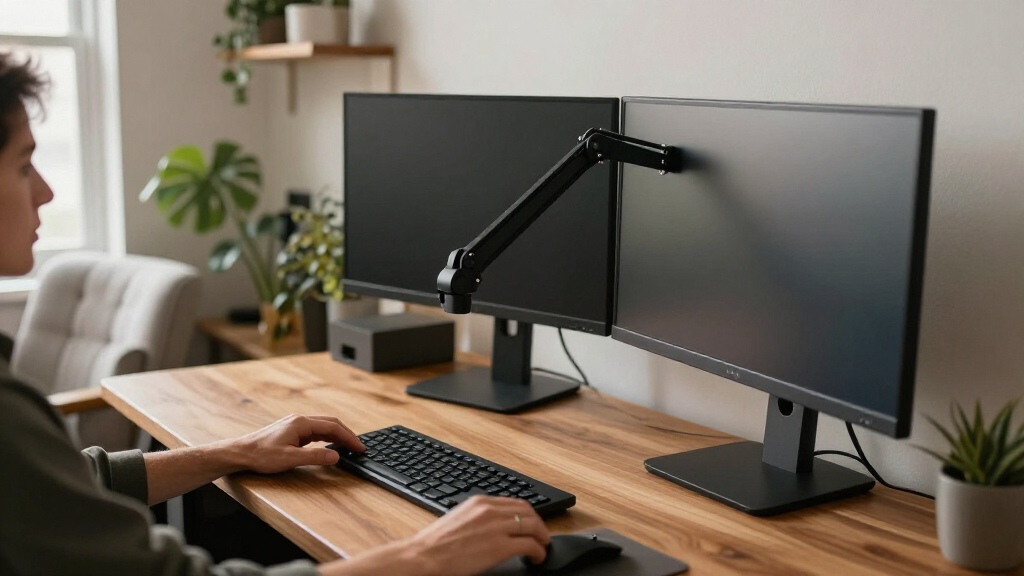
Choosing between a single and dual adjustable monitor arm is really a choice between keeping one display easy to position and mounting two displays together on one desk. A single arm is usually the simpler, less expensive fit for one-monitor work; a dual arm can clear more desk space and make a two-screen layout easier to organize, but only if the desk, mounts, and arm can handle both monitors. The right choice depends less on the number of screens you might someday own and more on your current setup, monitor weight and size, and how often you rearrange your workspace.

Get your home office setup delivered free — and shop member deals
- Fast, free delivery on millions of items
- Access to Prime Big Deal Days deals on October 6–7
- Prime Video, Amazon Music and more included

NB Extra-Height Gaming Monitor Arm for 32–60-Inch Screens
- ✔ Compatible screen size: 32–60 inches
- ✔ Supported monitor weight: 2–20 kg
- ✔ VESA compatibility: 75 × 75 mm or 100 × 100 mm

NB SmooVex Mechanical Spring Monitor Arm, Black
- ✔ Compatible screen size: 17–32 inches
- ✔ Movement type: Articulating mechanical spring
- ✔ VESA compatibility: 75 × 75 mm and 100 × 100 mm

HUANUO FlowLift Dual Monitor Desk Mount
- ✔ Monitor count and size: Two screens, 13–32 inches each
- ✔ Weight capacity: 4.4–19.8 lb per arm
- ✔ VESA compatibility: 75 × 75 mm and 100 × 100 mm
This comparison focuses on the two common formats rather than specific products, since arm capacity, mounting hardware, and adjustment range differ by model. Single arms generally win for affordability and straightforward installation. Dual arms win for consolidating two displays, though they ask more of the desk and may limit independent positioning. If you use one screen, choose a single arm; pay for a dual arm when you have two compatible displays and will benefit from moving them as a pair or arranging them side by side.
At a Glance
| Criteria | Single adjustable monitor arm | Dual adjustable monitor arm | Winner |
|---|---|---|---|
| Display capacity | Supports one display | Supports two displays from one base or clamp | Depends |
| Desk space and mounting | Uses one mount point; leaves room for other desk items | One mount point serves two screens, but both occupy more arm and desk area | A |
| Cost and value | Usually less expensive, with no unused second mount | Costs more; value improves when both positions are needed | A |
| Positioning flexibility | Straightforward positioning for one screen | Can position two screens together, subject to arm geometry and range | B |
| Load and monitor compatibility | Capacity is dedicated to one monitor; still check weight and VESA fit | Must support each monitor and the combined setup within stated limits | A |
| Installation and adjustment | Typically simpler to assemble and tune | More parts and adjustments; alignment can take longer | A |
| Workspace appearance | Keeps the setup visually and mechanically simple | Can create a unified two-screen workstation, but may look crowded | Depends |
NB Extra-Height Gaming Monitor Arm for 32–60-Inch Screens
For buyers with a large or heavy display, the NB F7 is the most capable single-arm option in this lineup. Its stated compatibility spans 32–60-inch monitors weighing 2–20 kg, and its height adjustment reaches up to 27 inches above the desk. That extra reach makes it a better fit than the SmooVex if you need to lift a screen well above a typical seated viewing position, or want more clearance below a large display.Its movement range is broad: the arm offers 360-degree rotation, up to 50 degrees of tilt in either direction, and 90 degrees of swivel to either side. It also includes cable management and a quick-release design, with both C-clamp and grommet mounting. RGB lighting is a distinctive extra, but buyers choosing an arm primarily for ergonomics should weigh the height and screen capacity more heavily than the lighting.The tradeoff is that its large-screen capacity does not mean universal compatibility. The monitor still needs 75 × 75 mm or 100 × 100 mm VESA holes, and its weight must fall within the stated range. At 7.2 kg, the arm itself is also considerably heavier than the 2.5 kg SmooVex. For a modest 24- or 27-inch monitor, that extra capacity may be unnecessary; the SmooVex is a more proportionate single-screen choice, while the FlowLift makes more sense if you need two displays rather than one oversized one.
Pros:
- Supports 32–60-inch monitors within a 2–20 kg weight range.
- Offers up to 27 inches of height adjustment, more than the other listed options.
- Combines 360-degree rotation, ±50-degree tilt, and ±90-degree swivel.
- Includes cable management, quick release, and clamp or grommet mounting.
Cons:
- Requires a 75 × 75 mm or 100 × 100 mm VESA mounting pattern.
- Its large-screen capacity and 7.2 kg arm weight may be excessive for a small, lightweight monitor.
Best for: People mounting a 32–60-inch monitor who need substantial vertical reach and broad positioning adjustment.
Not ideal for: Shoppers with a monitor outside the 2–20 kg range, without the specified VESA holes, or who only need a simple arm for a small screen.
Bottom line: We rank the NB F7 first for its unusually broad screen-size range and 27-inch lift, provided the monitor meets its weight and VESA requirements.
“We rank the NB F7 first for its unusually broad screen-size range and 27-inch lift, provided the monitor meets its weight and VESA requirements.”
NB SmooVex Mechanical Spring Monitor Arm, Black
For a conventional desk with one monitor, the NB SmooVex is the more focused alternative to the larger F7. It supports flat or curved screens from 17 to 32 inches and uses a mechanical spring system intended to make repositioning smooth and stable. Its 230 mm of height travel is clearly stated, giving buyers a useful reference point when comparing their current screen position with the height they need.The SmooVex can tilt from −25 to 90 degrees, rotate ±90 degrees, and swivel for changes in viewing angle. Like the F7, it accepts either a C-clamp or grommet installation and requires 75 × 75 mm or 100 × 100 mm VESA holes. This combination makes it versatile for everyday single-monitor arrangements, but its movement range and compact screen limit do not make it a substitute for the F7’s much greater lift and 60-inch capacity.Nor does it solve a two-screen requirement: the FlowLift is the only dual-monitor choice here. The SmooVex’s clearest compromise is its 32-inch maximum screen size, which rules it out for many large-display setups. The product details also do not provide a supported monitor-weight range, so buyers should verify that their particular screen is suitable before committing rather than assuming that screen size alone establishes fit. Choose it for a compatible single display and useful articulation, not for maximum reach or multi-monitor expansion.
Pros:
- Mechanical spring system is designed for smooth repositioning.
- Supports flat and curved monitors from 17 to 32 inches.
- Provides 230 mm of height travel plus tilt, rotation, and swivel adjustment.
- Offers both C-clamp and grommet mounting options.
Cons:
- Limited to monitors no larger than 32 inches.
- Requires a compatible 75 × 75 mm or 100 × 100 mm VESA pattern.
- A supported monitor-weight range is not specified in the supplied details.
Best for: People who want an adjustable arm for one 17–32-inch monitor and value articulated positioning with a mechanical spring system.
Not ideal for: Owners of monitors larger than 32 inches, anyone needing a dual-screen mount, or buyers who cannot confirm their monitor’s weight compatibility.
Bottom line: The SmooVex is our single-monitor positioning pick for compatible screens up to 32 inches, but buyers should confirm weight fit and look elsewhere for extra-high lift or two displays.
“The SmooVex is our single-monitor positioning pick for compatible screens up to 32 inches, but buyers should confirm weight fit and look elsewhere for extra-high lift or two displays.”
HUANUO FlowLift Dual Monitor Desk Mount
If the main goal is to mount two displays on one desk, the HUANUO FlowLift fills a role neither NB arm can. It supports two monitors sized 13–32 inches, with a stated 4.4–19.8 lb capacity per arm. Both screens can tilt, swivel, and rotate, while built-in cable management helps keep the area behind a dual-screen setup more orderly. For users replacing two separate stands, the mount can also free up space beneath the screens.The FlowLift’s headline distinction is screen count, not vertical reach. It raises monitors up to 15.75 inches, less than the F7’s maximum 27-inch adjustment. The SmooVex is the more suitable comparison if you only have one screen and want a mechanical-spring single arm; the FlowLift is worth choosing when the second mount point is essential. Its per-arm weight range is specific, so check each display independently rather than combining their weights or relying on size alone.Desk compatibility deserves particular attention. The supplied details specify wooden desks only, with thickness from 0.59 to 3.54 inches, and advise against glass or plastic surfaces. It accepts C-clamp or grommet mounting and requires standard 75 × 75 mm or 100 × 100 mm VESA holes on each monitor. These conditions narrow its fit compared with the two NB arms. For a suitable wooden desk and two compatible screens, however, its dual-arm layout is a more direct solution than buying a single-screen model and trying to adapt it.
Pros:
- Holds two 13–32-inch monitors, unlike the single-screen NB options.
- Supports tilt, ±90-degree swivel, and 360-degree rotation.
- Includes built-in cable management and can clear desk space beneath displays.
- Provides C-clamp and grommet mounting options for compatible desks.
Cons:
- Specified for wooden desks; not recommended for glass or plastic surfaces.
- Maximum height is 15.75 inches, below the NB F7’s stated 27-inch reach.
- Each monitor must meet the 4.4–19.8 lb capacity and VESA requirements.
Best for: People building a two-monitor workstation with compatible 13–32-inch screens and a suitable wooden desk.
Not ideal for: Anyone with a glass or plastic desk, monitors outside the stated per-arm size or weight limits, or a single screen needing extra-high lift.
Bottom line: We recommend the FlowLift when two compatible screens are the priority, as long as the desk is wooden and its lower lift suits your setup.
“We recommend the FlowLift when two compatible screens are the priority, as long as the desk is wooden and its lower lift suits your setup.”
As an Amazon Associate we earn from qualifying purchases.
Key Differences
The first dividing line is straightforward: a single arm is built around one screen, while a dual arm provides two mounting positions. That makes the dual format attractive for people who already use two monitors and want both off their stands. It does not automatically save more desk space, however. Both formats can free the area beneath a monitor, but two displays still need physical room, and a dual arm’s bars or joints may extend behind or beside them. A single arm is the more efficient purchase if a second screen is only a possibility rather than part of your current routine.
The second difference is the amount of coordination required. A single monitor is one load to fit, balance, and position. A dual arm requires checking both screens, their mounting patterns, and the arm’s stated capacity; then each display needs to be aligned with the other. In return, the dual arrangement can keep a two-screen workspace cohesive and convenient to reposition. The tradeoff is paying more and taking on more setup work for that shared support. For most one-monitor users, the single arm is the better value. For regular two-monitor users with compatible displays and a suitable desk, the added cost of a dual arm can be worthwhile.
Detailed Comparison
Display capacity (Dual adjustable monitor arm wins — major)
The dual arm wins on capacity by design: it can hold two screens, while the single arm holds one. This is a major difference if your daily workflow genuinely uses two monitors—for example, keeping reference material on one screen while working on another. A dual arm consolidates both mounts into one unit, but it is not automatically the right choice for someone who uses only one display. Buying unused capacity adds cost and hardware without a practical benefit.
Desk space and mounting (Single adjustable monitor arm wins — moderate)
A single arm is usually the easier fit for a compact or crowded desk because it supports only one display and leaves more room to place the screen. Both types can replace bulky monitor stands and free surface area, but a dual arm must accommodate two screens and a wider arrangement. Its one clamp or base may simplify mounting compared with two separate arms, yet the combined assembly can extend farther. The advantage is moderate and depends on desk width, depth, and layout.
Cost and value (Single adjustable monitor arm wins — moderate)
A single arm usually costs less, so it is the clear value choice when one screen is enough. A dual arm carries a premium for a second mounting position and the structure to support it; that premium makes sense only when both positions will be used. If you currently rely on two monitors, comparing the dual arm’s cost with buying two suitable single arms can help clarify value, but the cheaper configuration is not necessarily the better fit if you need a coordinated layout. The gap is moderate and varies by model.
Positioning flexibility (moderate difference)
The dual arm can be more useful for arranging two displays together, such as side by side or with one angled toward the user, though exact movement depends on the arm’s design. Its limitation is that two screens need to fit within the available range without colliding with each other, a wall, or nearby items. A single arm has fewer adjustments to coordinate and is often easier to place precisely when only one screen is involved. The winner depends on whether the task is positioning one screen or organizing a pair.
Load and monitor compatibility (Single adjustable monitor arm wins — moderate)
A single arm has the simpler compatibility check: confirm that the one monitor’s weight and mounting pattern fall within the arm’s specifications. A dual arm adds a second screen and may list separate per-arm weight limits as well as overall requirements; do not assume that two individually compatible monitors make every dual arm suitable. Screen size and shape also affect spacing and clearance, especially when two displays sit close together. The single arm wins for lower compatibility risk, a moderate advantage for owners with heavy or unusually sized monitors.
Installation and adjustment (Single adjustable monitor arm wins — moderate)
The single arm is generally easier to install and tune because there is one display to attach, balance, and position. A dual arm requires mounting two monitors and aligning their height, angle, and spacing; getting a seamless-looking pair may take more adjustment. Both can require a secure desk edge or a suitable mounting surface, so check clamp clearance and desk construction before buying. The difference is moderate: a careful installer can manage either, but the single format has fewer steps and fewer points to troubleshoot.
Workspace appearance (minor difference)
Neither format always looks better. A dual arm can make a two-screen setup feel unified and reduce the visual clutter of two unrelated stands, but its hardware and the wider display arrangement can appear crowded. A single arm looks cleaner when there is one screen and can be less imposing on a small desk. The right result depends on whether the workstation has one display or two, and on how neatly the arm can route cables. This is a minor, preference-led distinction rather than a reliable product advantage.
Single adjustable monitor arm: Pros and Cons
Pros:
- Usually the lower-cost choice for a one-screen setup.
- Simpler to install, balance, and reposition.
- Requires checking compatibility for only one monitor.
- Often a better fit for narrow desks or minimal workstations.
Cons:
- Cannot support a second display.
- Does not consolidate two monitors onto one mount.
- A second arm may mean another purchase and mount point if your setup grows.
Dual adjustable monitor arm: Pros and Cons
Pros:
- Supports two monitors from one mounting assembly.
- Can make an established two-screen setup easier to organize.
- Lets users position a pair of displays together without relying on their original stands.
Cons:
- Usually costs more than a single arm.
- Needs more desk area and more involved alignment.
- Both monitor loads, mounting patterns, sizes, and clearances must fit.
- Extra capacity is wasted if you use one screen.
Who Should Choose What
Choose Single adjustable monitor arm if:
- You use one monitor and want a less expensive way to lift it off the desk.
- Your desk is compact or already crowded, and a second screen is not part of your current plan.
- You prefer the easiest setup to install and adjust.
- Your monitor is heavy or unusual and you want to limit compatibility checks to one display.
Choose Dual adjustable monitor arm if:
- You regularly work with two monitors and want to mount them together.
- You have checked each monitor’s weight, VESA pattern, and dimensions against the arm’s specifications.
- Your desk and mounting surface have enough room and strength for two screens.
- The convenience and tidier arrangement of a shared two-screen mount justify the extra cost and setup.
Skip both if: Skip both until you verify that your desk can safely accept a clamp or grommet mount, or if your monitor lacks a compatible mounting pattern and you do not have an appropriate adapter. A desk stand or a compatible mounting solution may suit that setup better.
Value for Money
For one display, paying extra for a dual arm is usually poor value: the unused mount does not improve the position of the screen you have, and the larger assembly may take up more room. Choose a single arm that matches your monitor’s weight and mounting pattern rather than paying for spare capacity you may never use. If you expect to add a second monitor soon, compare the cost of a dual arm with the cost and desk impact of buying a second single arm later.
For two displays used every day, the premium can be worthwhile if the dual arm fits both monitors and your desk. It buys a shared mounting arrangement and the ability to organize both screens together, not a guarantee of better movement or a wider adjustment range. Check the product’s capacity and adjustment details before paying more. A dual arm is better value for a committed two-screen setup; a single arm is better value for almost everyone using one screen.
Final Verdict
Choose a single adjustable monitor arm if you use one monitor. It is generally cheaper, simpler to fit, and avoids paying for hardware you will not use. Choose a dual adjustable monitor arm if two displays are a settled part of your workflow, both meet the arm’s compatibility limits, and you have enough room to position them comfortably. The biggest deciding factor is not whether a second screen might be useful someday, but whether you need to mount two compatible monitors now. For most one-screen users, the single arm is the clear recommendation; for regular two-screen users, the dual arm earns its premium when its capacity and layout match the desk.
Frequently Asked Questions
Is a dual monitor arm better than two single arms?
Not in every setup. A dual arm uses one shared mounting assembly and can make a pair easier to organize, but two single arms may provide more independent placement options. Compare desk mounting points, available space, monitor compatibility, and total cost before choosing.
Will any dual arm hold two monitors of the listed maximum weight?
Do not assume so. Check the arm’s per-monitor limit and any total capacity rules, then compare those limits with each monitor’s weight. Also check screen size, mounting pattern, and clearance, since weight alone does not determine whether the pair will fit.
Does an adjustable arm save desk space?
It can free the area occupied by a monitor’s original stand, which is useful for either format. A dual arm still needs room for two displays and its hardware, so it may not make a small desk feel less crowded. Measure the desk and the intended screen arrangement.
Should I buy a dual arm if I plan to add a second monitor later?
Only if the second monitor is a concrete near-term plan and both displays will fit the arm. Otherwise, a single arm avoids paying for unused capacity now. If you later expand, compare a dual arm with adding a second single arm, including the available mounting space.
Halloween Picks
halloween
As an affiliate, we earn on qualifying purchases.