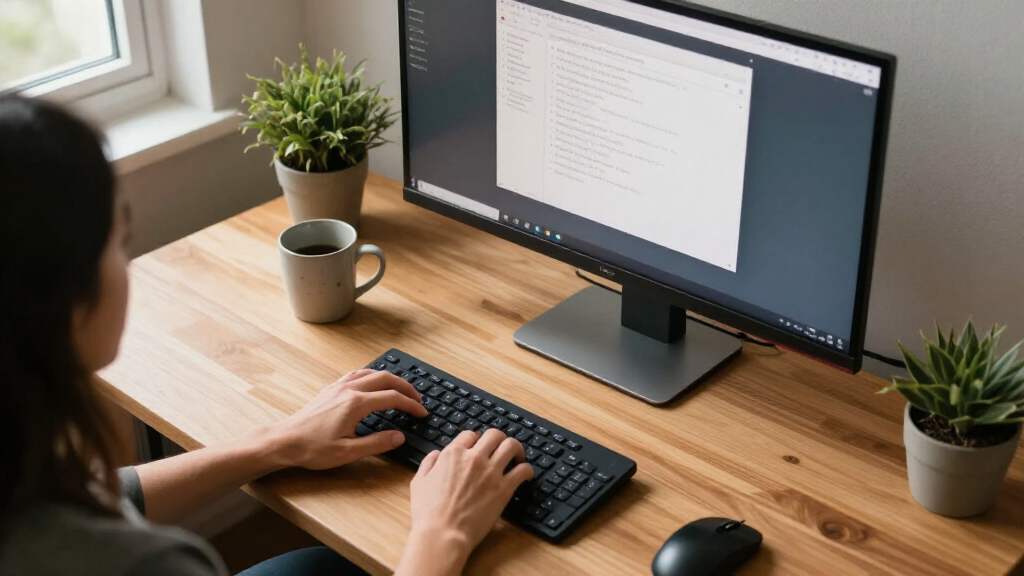

Among these ultrawide monitors for home offices, I rank the Samsung ViewFinity S65UA as the best overall for its 34-inch QHD curved screen, 100Hz refresh rate, USB-C, and height-adjustable stand. The Dell S3425DW is a strong alternative for buyers who want a 120Hz WQHD display with eye-comfort features, while the Samsung 49-inch Business Curved Ultrawide suits people who need room for several side-by-side windows. The main tradeoff is straightforward: larger and faster screens can improve multitasking, but they also demand more desk space and may prioritize gaming or entertainment features over work-focused connections. Resolution and USB-C support matter just as much as screen width when choosing a monitor for daily documents and calls. Read on for my full comparison, buying advice, and picks by work style.

Get your home office setup delivered free — and shop member deals
- Fast, free delivery on millions of items
- Access to Prime Big Deal Days deals on October 6–7
- Prime Video, Amazon Music and more included
Complete the kit



Key Takeaways
- The Samsung ViewFinity S65UA leads as the most balanced home-office pick: it combines 34-inch QHD resolution, 100Hz, USB-C, and height adjustment without jumping to an oversized 49-inch display.
- The 49-inch models serve a narrower purpose: Samsung’s Business monitor offers DQHD resolution and USB-C, while the INNOCN’s 3840 x 1080 resolution gives less vertical workspace across its extra-wide panel.
- Gaming refresh rates are common, but work connections separate the office-friendly choices: USB-C on the ViewFinity S65UA, Samsung Business model, and LG 34U530A-W can be more useful for a laptop desk than very high refresh rates.
- Not every 34-inch ultrawide offers the same text workspace: several models use 3440 x 1440 WQHD, while the LG 34U530A-W is WFHD, so buyers should check resolution rather than relying on screen size alone.
- Some picks add a different kind of convenience: the LG 34SR60QC-W includes webOS and screen-sharing features, while the ViewFinity S50GC offers a simpler 34-inch 100Hz option without the same stated USB-C focus.


| ultrawide monitors for home office | Refresh rate | Resolution | Aspect ratio | Display size |
|---|---|---|---|---|
| Samsung Viewfinity S65UA Serie | 100Hz | QHD (Ultra WQHD) | 21:9 | 34 inches |
| Samsung 49-Inch Business Curve | 120Hz | — | 32:9 | 49 inches |
| SANSUI 34-Inch Curved Ultrawid | 200Hz | 3440 × 1440 | 21:9 | — |
| LG 34SR60QC-W 34-Inch QHD Curv | 100Hz | 3440 × 1440 | 21:9 | — |
| INNOCN 49-Inch Curved Ultrawid | 144Hz | 3840 × 1080 (WDFHD) | 32:9 | 49 inches |
| Sceptre 34-Inch Curved Ultrawi | 180Hz | 3440 × 1440 (WQHD) | 21:9 | 34 inches |
| Samsung 34′ Odyssey G5 Ultra-W | 165Hz | WQHD | — | — |
| 34 Inch WQHD Ultrawide IPS Gam | 180Hz | 3440 × 1440 | 21:9 | 34 inches |
| LG 34U530A-W 34-inch UltraWide | 100Hz | 2560 × 1080 (WFHD) | 21:9 | — |
| CRUA 34 Inch 21:9 UWQHD Ultraw | 100Hz | 3440 × 1440 (UWQHD) | 21:9 | 34 inches |
| LG 34U60ZB-B 34-inch UltraWide | 120Hz | 3440×1440 WQHD | 21:9 | 34 inches |
| Dell 34 Monitor S3425DW | 120Hz | 3440 × 1440 | — | 34 inches |
| Amzfast 49 Inch Curved Ultrawi | 120Hz | 5120×1440 | 32:9 | 49 inches |
| Samsung 34" ViewFinity S50GC S | 100Hz | Ultra WQHD | — | 34 inches |
More Details on Our Top Picks
Samsung Viewfinity S65UA Series 34-Inch Ultrawide QHD Curved Monitor
I’d put the Samsung Viewfinity S65UA first for a home office because its 34-inch QHD workspace pairs well with a practical desk setup rather than demanding the space of a 49-inch screen. The 90W USB-C charging can power a compatible laptop while carrying the display signal, helping reduce cable clutter. Its 100Hz refresh rate and height-adjustable stand add comfort for long workdays, while TUV-certified eye care is a useful extra for extended screen time. Compared with the LG 34SR60QC-W, this Samsung prioritizes laptop docking over built-in streaming and speakers. The tradeoff is that its 1000R curve is pronounced, which may not suit every desk position, and the supplied details don’t establish a broad selection of extra ports or built-in audio.
Pros:- 90W USB-C charging can reduce laptop and display cable clutter.
- 34-inch QHD 21:9 screen provides room for side-by-side work windows.
- Height-adjustable stand supports a more comfortable viewing position.
- TUV-certified eye care and 100Hz refresh rate suit extended daily use.
Cons:- The 1000R curve is pronounced and may feel awkward for users who prefer a flatter display.
- A 34-inch screen still needs a suitably wide desk.
- Product details do not specify built-in speakers or a full range of additional ports.
Best for: Laptop-based home-office workers who want a 34-inch multitasking screen, one-cable USB-C connection, and height adjustment.
Not ideal for: People with shallow or narrow desks, or users who need built-in streaming apps and speakers without adding devices.
- Display size:34 inches
- Aspect ratio:21:9
- Resolution:QHD (Ultra WQHD)
- Refresh rate:100Hz
- Curvature:1000R
- USB-C power delivery:90W
- HDR:HDR10
- Stand:Height adjustable
Our verdict“Choose the S65UA if you want a well-balanced 34-inch office screen with 90W USB-C laptop charging and ergonomic height adjustment.”
Samsung 49-Inch Business Curved Ultrawide Dual QHD Computer Monitor LS49C954UANXZA
The Samsung LS49C954UANXZA is the lineup’s strongest choice for people who want a broad, continuous workspace instead of two separate monitors. Its 49-inch, 32:9 screen can keep several work areas visible at once, while USB-C with 90W charging, DisplayPort, HDMI, and USB make it suited to a connected home office. The height-adjustable stand and built-in speakers also reduce the need for separate desk accessories. Compared with the 34-inch Samsung Viewfinity S65UA, this model offers far more horizontal room, but it calls for a much wider desk and a deliberate seating position. Its 120Hz refresh rate is a bonus for smooth motion, not a reason to choose it over a more compact office display. HDR400 and built-in audio are convenient, but neither replaces dedicated equipment for demanding color work or sound.
Pros:- 49-inch 32:9 workspace can stand in for a two-monitor arrangement.
- USB-C with 90W charging supports a cleaner compatible-laptop setup.
- DisplayPort, HDMI, USB, and built-in speakers cover common desk needs.
- Height adjustment and eye-care features support longer work sessions.
Cons:- Its width requires substantial desk space and careful placement.
- A single very wide display may not suit users who prefer separate screens or distinct monitor positions.
- Built-in speakers may not meet the needs of users who rely on dedicated audio.
Best for: Professionals who regularly keep multiple documents, spreadsheets, or communication windows open and have a wide desk.
Not ideal for: Home-office users with limited desk depth or width, or those who prefer a smaller screen that is easier to position.
- Display size:49 inches
- Aspect ratio:32:9
- Display technology:VA
- Refresh rate:120Hz
- HDR:VESA DisplayHDR 400
- Connectivity:DisplayPort, HDMI, USB-C, USB
- USB-C power delivery:90W
- Built-in speakers:Yes
- Stand:Height adjustable
Our verdict“Pick this Samsung if your work benefits from an uninterrupted panoramic workspace and your desk can accommodate a 49-inch monitor.”
SANSUI 34-Inch Curved Ultrawide Gaming Monitor UWQHD 3440x1440P 200Hz
The SANSUI 34-inch UWQHD makes the most sense for a home office that doubles as a gaming setup. Its 3440 × 1440 resolution gives work applications more horizontal space than a standard widescreen, while the 200Hz refresh rate and VRR support are aimed at fast-moving games. HDMI 2.1 and DisplayPort 1.4 add flexible connections for a gaming PC or console. Against the office-focused Samsung Viewfinity S65UA, the SANSUI pushes refresh rate and gaming features ahead of USB-C convenience and ergonomic flexibility. That difference matters: the stand offers tilt only, and the supplied connectivity list does not include USB-C laptop charging. The 1500R curve is less pronounced than the Samsung’s 1000R curve, but this is still a gaming-led pick, with no built-in speakers listed.
Pros:- 3440 × 1440 resolution provides a detailed, wide workspace.
- 200Hz refresh rate and VRR support cater to fast-paced gaming.
- HDMI 2.1 and DisplayPort 1.4 offer useful gaming-device connections.
- 1500R curvature adds immersion without the S65UA’s tighter 1000R curve.
Cons:- The stand offers tilt adjustment but not height adjustment.
- No USB-C connection or laptop charging is listed.
- Built-in speakers are not listed, so separate audio may be needed.
Best for: PC or console gamers who also need a 34-inch ultrawide for home-office tasks and value high refresh rates.
Not ideal for: Laptop-first workers seeking USB-C charging or a stand with height adjustment; the listed stand provides tilt only.
- Screen size:34 inches
- Resolution:3440 × 1440
- Aspect ratio:21:9
- Panel type:VA LED
- Refresh rate:200Hz
- Response time:1ms
- Brightness:300 cd/m²
- Connectivity:DisplayPort 1.4, 2 × HDMI 2.1, 3.5mm audio
- Stand adjustment:Tilt from -5° to 15°; VESA 100 × 100mm compatible
Our verdict“Choose the SANSUI if gaming is a major part of your desk setup and you can accept limited stand adjustment and no listed USB-C charging.”
LG 34SR60QC-W 34-Inch QHD Curved Smart Monitor
The LG 34SR60QC-W suits a home office where the monitor also serves as an entertainment screen. Its 34-inch, 3440 × 1440 display gives documents and browser windows room to sit side by side, while webOS 23 and built-in streaming apps let it handle viewing without a separate streaming box. AirPlay 2, HomeKit compatibility, Bluetooth, and built-in speakers broaden its living-room appeal. Compared with the Samsung Viewfinity S65UA, the LG offers a more complete smart-screen experience, but the Samsung is the clearer fit for laptop docking thanks to its specified 90W USB-C charging. The LG’s refresh rate reaches 100Hz, which is ample for general work and casual play but less suited to competitive gaming than the SANSUI’s 200Hz. Streaming services also require internet access and, where applicable, subscriptions.
Pros:- webOS 23 and built-in streaming apps allow entertainment without a separate streaming device.
- 3440 × 1440 resolution and 21:9 format suit side-by-side office windows.
- AirPlay 2, HomeKit compatibility, and Bluetooth add flexible device connections.
- Built-in speakers and HDR10 support add convenience for mixed work and leisure.
Cons:- Streaming apps require an internet connection, and some services require subscriptions.
- The 100Hz refresh rate is less suited to competitive gaming than the SANSUI’s 200Hz.
- A Magic Remote is compatible but is not included.
Best for: Remote workers who want a 34-inch ultrawide for daily tasks and direct access to streaming apps, AirPlay, and built-in audio.
Not ideal for: Laptop users who need specified high-wattage USB-C charging, or competitive gamers seeking a very high refresh rate.
- Screen size:34 inches
- Resolution:3440 × 1440
- Aspect ratio:21:9
- Refresh rate:100Hz
- Curvature:1800R
- Color gamut:99% sRGB
- HDR:HDR10
- Ports:2 × HDMI, 3 × USB
- Smart features:webOS 23, streaming apps, AirPlay 2, HomeKit
Our verdict“Choose the LG if you want your office monitor to double as a smart streaming display and do not need high-wattage USB-C laptop charging.”
INNOCN 49-Inch Curved Ultrawide Gaming Monitor 144Hz 32:9 WDFHD
The INNOCN 49-inch ultrawide is a broad-screen option for people who want one display for office multitasking and gaming, with more stand flexibility than the Samsung LS49C954UANXZA. Its height, tilt, and swivel adjustments make it easier to tune a wide screen to a particular seating position, while USB-C, DisplayPort, HDMI, USB, and RJ45 provide a varied connection set. The key compromise is resolution: its 3840 × 1080 panel spreads pixels across a 32:9 display, whereas the Samsung 49-inch model is described as Dual QHD. That difference can affect how much detail and desktop space you get for dense office work. The 144Hz refresh rate and HDR400 support suit mixed use, but its large footprint remains a major desk requirement.
Pros:- 49-inch 32:9 screen provides an expansive area for multiple open windows.
- Height, tilt, and swivel adjustments offer more positioning options than the Samsung 49-inch model’s listed height adjustment.
- USB-C, DisplayPort, HDMI, USB, and RJ45 provide a varied connection selection.
- 144Hz refresh rate supports smoother motion for gaming and everyday use.
Cons:- 3840 × 1080 resolution is lower than the Samsung 49-inch model’s Dual QHD specification.
- The 49-inch width demands substantial desk space.
- Built-in speaker performance is not specified in the supplied product details.
Best for: Home-office users with a wide desk who want a 49-inch panoramic screen, flexible stand adjustment, and gaming-capable refresh rate.
Not ideal for: People who prioritize high pixel detail across a 49-inch workspace or lack room for an exceptionally wide monitor.
- Display size:49 inches
- Resolution:3840 × 1080 (WDFHD)
- Aspect ratio:32:9
- Panel type:VA
- Refresh rate:144Hz
- Curvature:1800R
- HDR:HDR400
- Color gamut:99% sRGB
- Connectivity:USB-C, DisplayPort 1.4, HDMI 2.1, USB-A, USB-B, RJ45, 3.5mm audio
Our verdict“Pick the INNOCN if you want a highly adjustable 49-inch screen and broad connectivity, but favor the Samsung 49-inch model if resolution detail matters more.”
Sceptre 34-Inch Curved Ultrawide WQHD Monitor, 3440 x 1440, 180Hz, FreeSync Premium, Built-in Speakers, Black
The Sceptre 34-inch pairs a sharp 3440 × 1440 workspace with a 180Hz refresh rate, making it a better fit for a home office that doubles as a gaming setup than a strictly work-focused display. That resolution gives you room for side-by-side windows without the lower vertical detail of the LG 34U530A-W’s 2560 × 1080 panel. Its 99% sRGB coverage and built-in speakers add useful everyday flexibility, while the 1500R curve draws the screen toward your field of view.
Compared with the IPS 34-inch option in this group, the Sceptre adds speakers and a brighter listed specification, but its stand adjustment details are missing and the viewing technology is listed only as LED. The 180Hz rate is a bonus for gaming, not a home-office necessity, so buyers focused on desk ergonomics may prefer a monitor with a confirmed adjustable stand.
Pros:- 3440 × 1440 resolution provides room for multiple work windows with more vertical detail than WFHD displays.
- 180Hz refresh rate and 1ms response time suit gaming after work.
- 99% sRGB coverage supports vivid general-purpose color.
- Built-in speakers reduce the need for separate audio hardware.
Cons:- Height and swivel adjustments are not specified, leaving an ergonomic gap for long desk sessions.
- The 180Hz gaming emphasis may be unnecessary for typical office work.
- Connectivity details do not list USB ports for peripherals or display charging.
Best for: Remote workers who also play fast-paced games and want one 34-inch display for both wide desktop layouts and high-refresh gaming.
Not ideal for: Buyers who need confirmed height or swivel adjustment, or who mainly want an office display and would rather prioritize documented ergonomics over gaming speed.
- Display size:34 inches
- Resolution:3440 × 1440 (WQHD)
- Aspect ratio:21:9
- Refresh rate:180Hz
- Curvature:1500R
- Brightness:400 cd/m²
- Color gamut:99% sRGB
- Connectivity:2× DisplayPort, HDMI, 3.5mm audio
Our verdict“Choose the Sceptre if your home-office monitor also needs to handle high-refresh gaming, but favor an option with documented stand adjustments if desk ergonomics come first.”
Samsung 34′ Odyssey G5 Ultra-Wide Gaming Monitor with 1000R Curved Screen
The Samsung Odyssey G5 is the most strongly gaming-shaped choice here, with a pronounced 1000R curve that wraps the 34-inch screen around the viewer. That can make a wide desktop feel more encompassing, though it is a more personal fit than the Sceptre’s gentler 1500R curve. Its WQHD resolution gives home-office users useful horizontal room, and 165Hz with FreeSync Premium makes the display capable of smooth gaming outside work hours.
Against the LG 34U530A-W, the Odyssey prioritizes curvature and gaming speed over a broad office feature set: the LG lists USB-C and an adjustable stand, while Samsung’s supplied details do not specify either. HDR10 support is included, but it does not change the central tradeoff: this is a gaming-first monitor whose steep curve may feel intrusive for some spreadsheets, layouts, or shared viewing. I’d choose it when immersion matters more than connection and ergonomic flexibility.
Pros:- 1000R curve creates a pronounced, immersive viewing shape.
- WQHD resolution supports a broad desktop for side-by-side work.
- 165Hz refresh rate and FreeSync Premium suit responsive gaming.
- HDR10 support adds HDR compatibility for supported content.
Cons:- The steep 1000R curve may feel distracting for office layouts or off-center viewing.
- Stand adjustment and ergonomic features are not specified.
- The supplied specifications do not list ports, limiting clarity for a multi-device home office.
Best for: Home-office users who spend substantial time gaming and prefer a strongly curved screen for a more wrapped-in view.
Not ideal for: People who frequently share their screen with someone beside them, prefer a subtle curve, or need confirmed USB-C and stand adjustments.
- Screen size:34 inches
- Resolution:WQHD
- Curvature:1000R
- Refresh rate:165Hz
- Response time:1ms (MPRT)
- Adaptive sync:AMD FreeSync Premium
- HDR:HDR10
Our verdict“Pick the Odyssey G5 if an immersive gaming curve is your priority, but choose the LG 34U530A-W for a more office-oriented feature set and listed stand adjustments.”
34 Inch WQHD Ultrawide IPS Gaming Monitor, 3440 x 1440, 180Hz
This 34-inch IPS ultrawide stands out for a home office because it combines 3440 × 1440 resolution with a listed adjustable-height stand. That pairing gives you both the desktop space to keep documents and calls visible and a way to set the screen position to your desk, advantages not confirmed in the Sceptre or Samsung Odyssey G5 specifications. Its 178-degree viewing angles are also useful when you move around your workspace or occasionally share the screen.
The 180Hz rate and 1ms response time give it gaming credentials, though office buyers may get more value from the stand and IPS panel than from the fast refresh. There are tradeoffs: the supplied details say there are no built-in speakers and list no USB ports, so you’ll need separate audio and may need another hub for peripherals. Compared with the CRUA, it offers a height-adjustable stand, while the CRUA lists wider color coverage and built-in speakers.
Pros:- 3440 × 1440 resolution gives more workspace detail than the LG 34U530A-W’s WFHD panel.
- Height-adjustable stand supports a more tailored desk position.
- IPS panel and 178-degree viewing angles help keep the image consistent across viewing positions.
- 180Hz refresh rate and 1ms response time support responsive gaming.
Cons:- No built-in speakers, so audio requires separate equipment.
- No USB ports are listed for connecting peripherals.
- The 180Hz gaming capability may be more than an office-focused buyer needs.
Best for: Remote workers who want a sharp 34-inch ultrawide with confirmed height adjustment, broad viewing angles, and the option to game at high refresh rates.
Not ideal for: Buyers who want built-in audio or USB hub connectivity, or who prefer a simpler, lower-refresh office monitor without gaming-focused specifications.
- Display size:34 inches
- Resolution:3440 × 1440
- Aspect ratio:21:9
- Panel type:IPS
- Refresh rate:180Hz
- Response time:1ms
- Brightness:350 cd/m²
- Ports:2× HDMI 2.0, 2× DisplayPort 1.4, audio jack
Our verdict“Choose this IPS model if screen positioning and WQHD workspace matter most, and plan on external speakers or headphones.”
LG 34U530A-W 34-inch UltraWide WFHD IPS Computer Monitor, 100Hz, VESA DisplayHDR 400, HDMI, DisplayPort, USB Type-C, Adjustable Stand, White
The LG 34U530A-W is the most office-directed pick in this batch. Its USB Type-C connection, built-in speakers, and stand adjustments for height, tilt, and swivel make it easier to fit into a home-work setup than the gaming-oriented Sceptre or Samsung Odyssey G5, whose supplied details do not confirm comparable ergonomics. The 21:9 IPS panel provides room for documents and communication windows, while 100Hz offers a smoother desktop feel than a basic 60Hz display.
The main compromise is 2560 × 1080 WFHD: across a 34-inch screen, it provides less pixel detail than the 3440 × 1440 options from Sceptre and CRUA. That may matter for small text, dense spreadsheets, and detailed creative work. HDR400 and up-to-99% sRGB coverage add multimedia flexibility, but the lower resolution makes this a stronger choice for everyday office tasks and convenient connections than for maximum workspace sharpness.
Pros:- USB Type-C adds a convenient connection option for a compatible computer.
- Height, tilt, and swivel adjustments offer more positioning flexibility than models with unspecified stand features.
- Built-in stereo speakers support everyday calls and media without separate audio gear.
- IPS panel and up-to-99% sRGB coverage suit general productivity and color-conscious tasks.
Cons:- 2560 × 1080 resolution is less detailed than the WQHD alternatives in this batch.
- Some features require software installation, adding setup steps.
- Built-in speakers may not satisfy buyers seeking fuller audio.
Best for: Remote workers who value USB-C connectivity, an adjustable stand, and built-in speakers for a tidy everyday office setup.
Not ideal for: People who work with dense spreadsheets, fine design detail, or small text and want the sharper 3440 × 1440 resolution offered by the Sceptre or CRUA.
- Screen size:34 inches
- Resolution:2560 × 1080 (WFHD)
- Aspect ratio:21:9
- Panel type:IPS
- Refresh rate:100Hz
- HDR:VESA DisplayHDR 400
- Connectivity:HDMI, DisplayPort, USB Type-C
- Stand adjustments:Height, tilt, and swivel
Our verdict“Choose the LG for USB-C, built-in sound, and documented stand adjustments, but pick a 3440 × 1440 model if screen sharpness is a priority.”
CRUA 34 Inch 21:9 UWQHD Ultrawide Curved Monitor with Speakers, White
The CRUA makes a case for home-office multitasking with 3440 × 1440 resolution, an IPS panel, and listed color coverage of 120% sRGB and 92% DCI-P3. That combination gives you a sharper workspace than the LG 34U530A-W’s WFHD screen and more color range on paper, while its 100Hz refresh rate keeps the spec focus closer to everyday work than the 180Hz Sceptre. Built-in speakers and two HDMI plus two DisplayPort connections also make it practical for a desk shared by work and personal devices.
The 3800R curve is gentler than the Samsung Odyssey G5’s 1000R design, which may suit office layouts better, though curved screens remain a matter of preference. The biggest ergonomic omission is height adjustment: the listing specifies tilt only. Compared with the height-adjustable IPS option in this batch, the CRUA trades confirmed vertical positioning for built-in audio and stated wide-gamut coverage. Its missing USB ports may also limit a clean peripheral setup.
Pros:- 3440 × 1440 resolution gives ample space and detail for multitasking.
- IPS panel with stated 120% sRGB and 92% DCI-P3 coverage supports colorful work and media.
- Two HDMI and two DisplayPort inputs help accommodate multiple devices.
- Built-in speakers and a gentler 3800R curve support a convenient everyday setup.
Cons:- Only tilt adjustment is specified, with no listed height adjustment.
- USB ports are not listed for peripherals or simplified desk connections.
- The 100Hz refresh rate is lower than the 180Hz Sceptre and IPS gaming monitor.
Best for: Home-office users who want a sharp WQHD ultrawide, broad stated color coverage, built-in speakers, and multiple video inputs.
Not ideal for: Buyers who need height adjustment, USB hub connections, or a flat screen for precise layout and shared viewing.
- Display size:34 inches
- Resolution:3440 × 1440 (UWQHD)
- Aspect ratio:21:9
- Panel type:IPS
- Refresh rate:100Hz
- Curvature:3800R
- Color gamut:120% sRGB, 92% DCI-P3
- Connectivity:2× HDMI 2.0, 2× DisplayPort 1.4, 3.5mm audio
Our verdict“Pick the CRUA for a colorful WQHD work surface with built-in sound and several video inputs, but skip it if height adjustment or USB connectivity is a must.”
LG 34U60ZB-B 34-inch UltraWide WQHD Curved Monitor, Black
The LG 34U60ZB-B is a strong fit for a home office where one screen needs to handle documents, side-by-side windows, and occasional gaming. Its 34-inch, 3440×1440 curved display gives you room to keep work apps visible together, while the height-adjustable stand makes it easier to set the screen at a comfortable position than monitors with fewer adjustment details, such as the Dell S3425DW. The 120Hz refresh rate also makes scrolling and motion look smoother than on the Samsung ViewFinity S50GC, which runs at 100Hz. The tradeoff is connectivity: LG lists DisplayPort and HDMI but no USB-C, so a laptop setup may need separate charging and display cables. Some screen-splitting features also require software, adding setup steps for buyers who want a simple plug-in workspace.
Pros:- 3440×1440 resolution and 21:9 width give side-by-side work windows useful space.
- Height and tilt adjustments support a more comfortable desk setup.
- 120Hz refresh rate offers smoother motion than the Samsung ViewFinity S50GC’s 100Hz.
- 99% sRGB coverage and HDR10 support suit mixed office and media use.
Cons:- No USB-C connection is listed for one-cable laptop docking or charging.
- Some screen-splitting features require software installation.
- The stated refresh rate can depend on the connected graphics hardware.
Best for: Home-office users who want a height-adjustable 34-inch workspace for multitasking, video, and casual gaming.
Not ideal for: Laptop-first workers seeking a single USB-C cable for display and charging, or anyone who wants screen-splitting features without installing software.
- Display size:34 inches
- Resolution:3440×1440 WQHD
- Aspect ratio:21:9
- Refresh rate:120Hz
- Response time:5ms
- Color coverage:99% sRGB
- Curvature:1800R
- Connections:DisplayPort, HDMI, headphone jack
- Stand adjustment:Tilt and height adjustment
Our verdict“Choose the LG if you want an adjustable 34-inch work screen with a faster refresh rate, and skip it if USB-C docking is a must.”
Dell 34 Monitor S3425DW, WQHD VA, 120Hz, FreeSync Premium, Eye Comfort
The Dell S3425DW makes the most sense for a laptop-based home office that benefits from USB-C with up to 65W power delivery. That connection can reduce desk cable clutter compared with the LG 34U60ZB-B, which lists HDMI and DisplayPort but no USB-C. The 34-inch WQHD screen provides the same broad workspace category as the LG, while 99% sRGB and 95% DCI-P3 give it a wider stated color range for creative work and media. Its 120Hz refresh rate and FreeSync Premium also support smooth motion, though the Samsung ViewFinity S50GC offers a simpler 100Hz alternative for buyers who do not need the extra refresh headroom. Dell’s large footprint may challenge a shallow desk, and the supplied details do not establish extensive stand adjustment or built-in speakers.
Pros:- USB-C supports up to 65W power delivery for a tidier laptop setup.
- 99% sRGB and 95% DCI-P3 coverage suit color-conscious work and media.
- 120Hz refresh rate and FreeSync Premium support smooth motion.
- Eye comfort technology is designed for extended screen sessions.
Cons:- Its 31.78-inch width and 8.73-inch depth call for substantial desk space.
- Stand adjustment details are not provided.
- Built-in speakers are not listed.
Best for: Laptop users who want an ultrawide work display with USB-C connectivity and strong stated color coverage.
Not ideal for: People with limited desk depth, or buyers who need confirmed built-in speakers and clearly specified ergonomic stand adjustments.
- Display size:34 inches
- Resolution:3440 × 1440
- Panel type:VA
- Refresh rate:120Hz
- Response time:0.03ms
- Contrast ratio:3000:1
- Color gamut:99% sRGB, 95% DCI-P3
- Ports:2 HDMI, 4 USB; USB-C supports up to 65W power delivery
- Dimensions:8.73″D × 31.78″W × 16.2″H
Our verdict“Pick the Dell for USB-C laptop convenience and broad color coverage, provided your desk can accommodate its large footprint.”
Amzfast 49 Inch Curved Ultrawide Gaming Monitor, 120Hz, DQHD (5120×1440), HDR, Adaptive Sync, Height Adjustable
If your home office regularly puts several full-size windows side by side, the Amzfast 49-inch DQHD offers a much broader canvas than the 34-inch LG 34U60ZB-B or Dell S3425DW. Its 5120×1440 resolution and 32:9 aspect ratio can replace a two-monitor arrangement for buyers who want fewer display bezels across the desk. Picture-in-picture and picture-by-picture support add options for working with more than one source, while height adjustment helps tailor the large screen to your seating position. This scale has a cost in desk space and setup demands: at nearly 11 kg, the monitor needs a sturdy desk or compatible mount, and its 1500R curve may not suit every workspace. Its two HDMI ports and two DisplayPort inputs provide options, but buyers should check whether those meet their device needs.
Pros:- 5120×1440 resolution provides substantially more horizontal workspace than the 34-inch options.
- 32:9 format and PIP/PBP support accommodate broad multitasking and multiple sources.
- 120Hz refresh rate and 1ms response time are suited to smooth motion.
- Height adjusts from 0 to 110mm, with 75×75mm VESA compatibility.
Cons:- The 49-inch screen needs considerably more desk width than the LG or Dell 34-inch monitors.
- At 10.95 kg, it requires a sturdy support or suitable mount.
- No USB-C port is listed, and the two HDMI ports may not suit every multi-device setup.
Best for: Multitaskers who keep several large windows or multiple computer sources visible and have a wide, sturdy desk.
Not ideal for: Small-desk users, people who prefer compact displays, or buyers who need USB-C docking and charging.
- Display size:49 inches
- Resolution:5120×1440
- Aspect ratio:32:9
- Refresh rate:120Hz
- Panel type:VA
- Curvature:1500R
- Ports:2 HDMI 2.0, 2 DisplayPort 1.4
- Height adjustment:0–110mm
- Weight:10.95 kg
Our verdict“Choose the Amzfast when maximum side-by-side workspace matters more than desk space and USB-C convenience.”
Samsung 34″ ViewFinity S50GC Series Ultra-WQHD Monitor, 100Hz, HDR10, AMD FreeSync, Black
The Samsung ViewFinity S50GC is the straightforward choice for buyers who want an ultrawide work surface without prioritizing a 120Hz refresh rate or laptop-docking features. Its 34-inch Ultra WQHD display supports broad multitasking, and the borderless design keeps the screen visually clean, especially in a multi-monitor setup. HDR10, eye-care features, and picture-in-picture add useful flexibility for work and entertainment. Compared with the LG 34U60ZB-B and Dell S3425DW, its 100Hz refresh rate is lower, so it is less suited to buyers who want especially fluid motion. The available details also do not list height adjustment or USB-C, limiting ergonomic flexibility and laptop connectivity. For a fixed desk setup focused on everyday office tasks, those omissions may matter less than the wide resolution and multiple video inputs.
Pros:- Ultra WQHD resolution and 21:9 format create room for side-by-side work.
- 100Hz refresh rate exceeds standard 60Hz display operation.
- HDR10 and support for over one billion colors add flexibility for media.
- Eye-care features and picture-in-picture support everyday mixed use.
Cons:- Its 100Hz refresh rate trails the 120Hz LG 34U60ZB-B and Dell S3425DW.
- USB-C and height adjustment are not listed in the provided specifications.
- Built-in speakers are not listed.
Best for: Office workers seeking a 34-inch ultrawide for documents, browser tabs, and occasional media, without needing USB-C docking.
Not ideal for: Laptop users who want one-cable charging and display, or buyers who prioritize 120Hz motion and height-adjustable positioning.
- Display size:34 inches
- Resolution:Ultra WQHD
- Refresh rate:100Hz
- Response time:5ms
- HDR:HDR10
- Contrast ratio:3000:1
- Brightness:300 cd/㎡
- Inputs:2 × HDMI 2.2, 1 × DisplayPort 1.2
- Design:Borderless
Our verdict“Choose the Samsung for a clean, capable ultrawide focused on everyday office work, but look elsewhere for USB-C docking or 120Hz performance.”
How We Picked
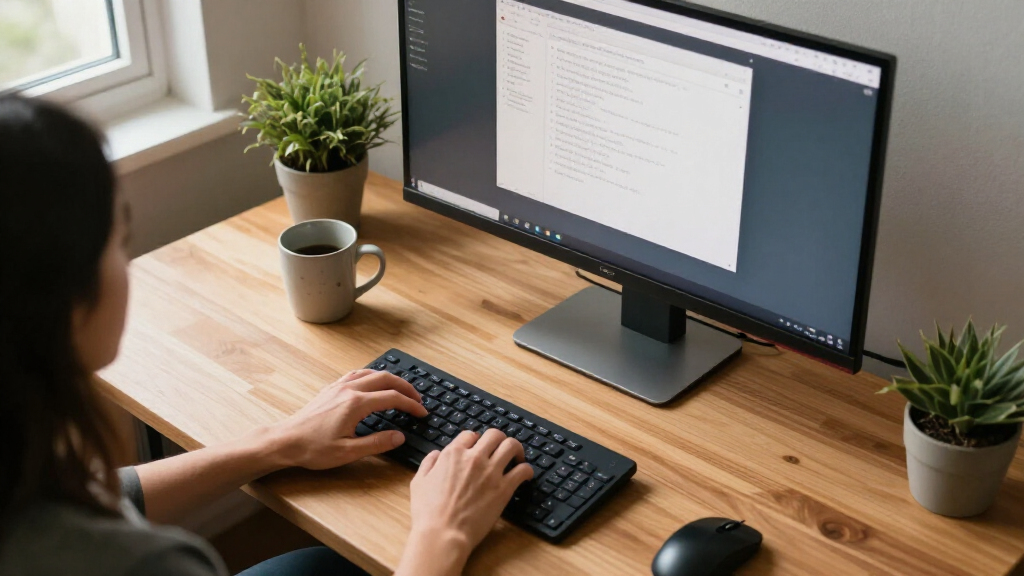
I ranked these monitors around how well they fit a real home-office desk: screen area and resolution for readable text and side-by-side windows, connection options for laptops and peripherals, and practical features such as an adjustable stand, eye-comfort functions, and built-in speakers. I also weighed whether the monitor’s strengths match office work or mainly serve gaming and entertainment. A high refresh rate can make motion look smoother, but it does not compensate for limited vertical resolution or missing connections when the main job is spreadsheets, writing, and video calls.
The order favors balanced work use over headline size or gaming specifications. That puts the Samsung ViewFinity S65UA first for its combination of QHD, USB-C, refresh rate, and stand adjustment; models with solid resolution and useful everyday features follow. The 49-inch options rank for buyers who can use their broad canvases and accommodate their footprint, while gaming-first and less fully specified options sit lower for general office use. Where product details do not establish a feature, I do not assume it is included.
| ultrawide monitors for home office | HDR | Panel type |
|---|---|---|
| Samsung Viewfinity S65UA Serie | HDR10 | — |
| Samsung 49-Inch Business Curve | VESA DisplayHDR 400 | — |
| SANSUI 34-Inch Curved Ultrawid | — | VA LED |
| LG 34SR60QC-W 34-Inch QHD Curv | HDR10 | — |
| INNOCN 49-Inch Curved Ultrawid | HDR400 | VA |
| Sceptre 34-Inch Curved Ultrawi | — | — |
| Samsung 34′ Odyssey G5 Ultra-W | HDR10 | — |
| 34 Inch WQHD Ultrawide IPS Gam | — | IPS |
| LG 34U530A-W 34-inch UltraWide | VESA DisplayHDR 400 | IPS |
| CRUA 34 Inch 21:9 UWQHD Ultraw | — | IPS |
| LG 34U60ZB-B 34-inch UltraWide | — | — |
| Dell 34 Monitor S3425DW | — | VA |
| Amzfast 49 Inch Curved Ultrawi | — | VA |
| Samsung 34" ViewFinity S50GC S | HDR10 | — |
Factors to Consider When Choosing Ultrawide Monitors For Home Offices
Choosing an ultrawide for a home office is less about finding the widest panel and more about matching its resolution, connections, and ergonomics to your desk and devices. I would settle those practical questions before weighing entertainment extras or refresh-rate claims.
Match Resolution to the Work You Do
Screen width helps keep multiple windows visible, but resolution determines how much detail and vertical workspace the panel can show. A 34-inch WQHD display at 3440 x 1440 gives more pixels than a 34-inch WFHD model, which can matter when reading dense documents or fitting rows into a spreadsheet. A 49-inch panel is not automatically a more productive choice: check its resolution and aspect ratio, since models with the same diagonal can offer very different workspace. Think about how far you sit from the screen and whether your most-used apps benefit from extra width or extra height. A common mistake is choosing by inches alone and discovering that text or window layouts do not suit the workload.
Check Laptop Connections Before Buying
If a laptop is the center of your home setup, USB-C can make the desk easier to manage by reducing cable clutter and, on some monitors, carrying video and power through one connection. Do not assume every USB-C port supplies enough power to charge your computer; check the monitor’s specifications and your laptop’s needs. HDMI and DisplayPort remain useful for desktops and for adding other video sources, but they do not replace a single-cable laptop connection. Consider how many devices you will switch between and whether you need a built-in hub or separate accessories. Paying more for a connection you will not use offers little benefit, while overlooking one you rely on can add adapters and cables to the desk.
Plan for the Desk Footprint and Curve
An ultrawide needs enough desk width and viewing distance for the far edges to remain comfortable to see. Curvature can help bring the sides of a wide screen into view, but curve strength varies; a more pronounced curve may suit a close viewing position and feel less natural if you regularly share the display with someone beside you. Measure the desk depth as well as its width, especially for 49-inch models and stands with substantial bases. A VESA mount can change how much desk space the setup uses, but confirm mounting compatibility before planning around an arm. Buyers often focus on panel dimensions and forget to leave room for a keyboard, speakers, or paperwork.
Prioritize Stand Adjustment for Long Workdays
Height and tilt adjustment help position the display so you can work without craning your neck, and they can be more useful day to day than a higher refresh rate. Check which adjustments the included stand actually supports: height adjustment is not guaranteed just because a monitor has a stand. If the supplied base offers limited movement, find out whether the monitor supports the mount you already own. A screen that sits too low can lead to improvised risers, while a large panel placed too high can make long sessions uncomfortable. For a shared home office, easy adjustment also helps different users set up the screen without changing the whole desk.
Treat Refresh Rate as a Secondary Office Spec
Refresh rates above 60Hz can make scrolling and cursor movement appear smoother, and they may suit people who also game after work. For writing, email, and spreadsheets, resolution, text clarity, and comfortable positioning usually deserve attention first. Check that your computer can output the monitor’s resolution at its stated refresh rate, since the result depends on the device and connection as well as the display. Gaming features such as adaptive sync can be a welcome extra, but they do not make an office monitor better if its connectivity or ergonomics are a poor fit. Avoid paying for a fast panel while overlooking the specifications that affect every workday.
Decide Whether Smart Features and Speakers Earn Their Space
Built-in speakers and smart-TV functions can reduce the number of devices on a compact desk or make a monitor useful for streaming when the computer is off. Their value depends on how you work: a dedicated headset or speakers may already provide better audio, and some people prefer to keep entertainment apps separate from a work display. Smart functions are most useful when you will regularly stream or share content directly; they matter less if the monitor stays connected to a laptop all day. Check which wireless features and services are listed rather than assuming every smart monitor works with your preferred devices. These extras should break a close decision, not outweigh screen resolution or a necessary laptop connection.
Frequently Asked Questions
Is a 49-inch ultrawide better than a 34-inch monitor for working from home?
It depends on whether your work benefits from keeping several full-size windows visible at once and whether your desk can accommodate the panel. A 49-inch screen can replace a two-monitor layout, but its resolution and aspect ratio affect how much usable workspace it provides. In this lineup, the Samsung Business model has DQHD resolution, while the INNOCN 49-inch option is listed at 3840 x 1080, so their wide formats do not offer the same vertical detail. A 34-inch WQHD monitor is easier to fit on many desks and can be a more practical balance for documents and calls. Measure your setup and compare resolution, not just diagonal size, before choosing.
Should I choose a WQHD or WFHD ultrawide for office work?
For work involving spreadsheets, long documents, or multiple windows, I would generally favor WQHD because the higher resolution gives more room for fine detail and vertical content. WFHD can still suit everyday tasks if you prefer a simpler display or have a computer setup that favors that resolution, but the larger panel size does not add pixels by itself. The LG 34U530A-W is listed as WFHD, while several 34-inch alternatives in this roundup are WQHD. Check the exact resolution in the listing and consider your usual viewing distance and text scaling. If you spend hours reading small text, do not choose by screen width alone.
Does USB-C on a monitor let me replace my laptop dock?
Sometimes, but the presence of a USB-C port alone does not tell you whether it can replace a dock. Check whether the port supports video, how much power it delivers to your laptop, and whether the monitor includes the USB ports you need for accessories. A single-cable setup can simplify a home desk, but insufficient charging power may still require your laptop’s own adapter. Some monitors list USB-C without enough detail to confirm full docking needs, so verify the manufacturer’s specifications for the exact model. If you use several wired peripherals or network accessories, compare the monitor’s ports with those on your current dock.
Is a curved ultrawide a good choice for spreadsheets and video calls?
A curve can make the edges of a wide display easier to see from a centered seat, which can help when a spreadsheet stretches across the screen. The effect depends on the curve and your viewing distance, so a deeply curved panel may feel less suitable if you often have someone looking at the display from the side. For video calls, check camera placement and how much room the monitor leaves for a separate webcam; built-in speakers do not mean a camera is included. If you share your screen in person or do visual work requiring straight-line judgments, weigh the curve carefully. A flat or gently curved display may suit those uses better.
Which feature should I prioritize if I work from a laptop all day?
Start with the connection that fits your laptop workflow, then check screen resolution and stand adjustment. USB-C can make connecting and disconnecting easier, but confirm video support and charging power rather than treating the port name as a guarantee. A height-adjustable stand helps set the screen for longer work sessions, while a WQHD panel gives useful room for documents and side-by-side apps. Refresh rate can improve the feel of scrolling, but it is usually a lower priority than a reliable one-cable connection and comfortable positioning for office tasks. If you move between rooms often, also consider how easily the monitor can be reconnected to your other devices.
Conclusion
For most home offices, I recommend the Samsung ViewFinity S65UA as the best overall because it combines 34-inch QHD, USB-C, 100Hz, and height adjustment in a practical size. The best value direction is a 34-inch WQHD model that covers your basic desk needs without paying extra for gaming or smart features; compare the Samsung ViewFinity S50GC and Dell S3425DW against the connections and stand adjustments you need. For a premium, maximum-workspace setup, choose the Samsung 49-inch Business monitor if your desk and workflow suit its DQHD canvas. For beginners, a 34-inch model is easier to place and set up than a 49-inch panel, and the ViewFinity S65UA is the clearest all-round starting point. For specific needs, choose the LG 34SR60QC-W for built-in streaming functions, or the Samsung Business model for a broad screen with office-oriented USB-C; skip gaming-first options unless their higher refresh rates matter to your work or leisure. Before ordering, match resolution, desk measurements, and laptop connections to your setup.
Fall Picks
fall essentials
As an affiliate, we earn on qualifying purchases.