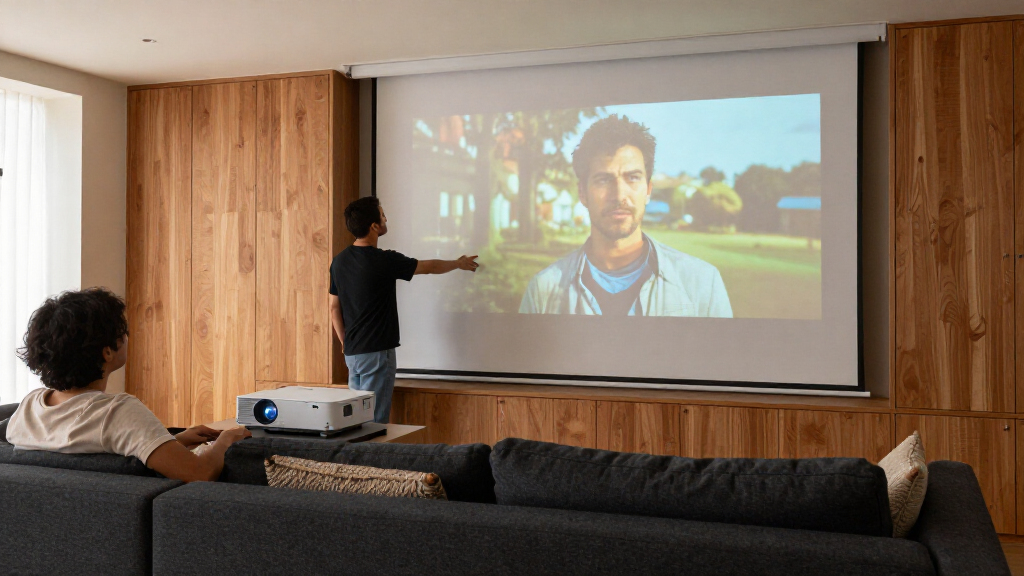

Among 4K projectors for media rooms, I rank the Epson Home Cinema LS11000 first for its laser light source and home-theater-focused design. The Valerion VisionMaster Pro2 stands out for premium triple-laser color features, while the Epson Home Cinema 2350 is a more accessible option with smart streaming built in. The main tradeoffs are native versus 4K-enhanced resolution, brightness versus black-level performance, and a fixed installation versus portable convenience. I also distinguish true 4K imaging from models that accept or decode 4K signals but display at lower resolution. Read on for the full ranking, room-planning advice, and help matching a projector to your setup.

Get business pricing on your home office setup
- Business-only prices and quantity discounts
- Tax-exempt purchasing
- Multiple users, one account, clear invoices
Complete the kit


Key Takeaways
- The Epson LS11000 leads this lineup for dedicated media rooms because it pairs a laser light source with a home-theater-oriented feature set; its higher-end positioning makes more sense for a planned installation than a casual setup.
- The Valerion VisionMaster Pro2 and XGIMI HORIZON 20 take a different route from Epson: both emphasize triple-laser color, a useful distinction for buyers who prioritize vivid color and premium image features.
- The Epson Home Cinema 2350 offers a simpler smart-projector path, while the ViewSonic PX701-4K and Optoma UHZ36 put more emphasis on dedicated projection performance than all-in-one streaming convenience.
- Several compact smart models are 4K-compatible rather than native 4K. KOGATA, HAPPRUN, VIDAA, X9 Pro, Jimveo, GOODEE, and ONOAYO buyers should check the displayed resolution, not just the input-format claim.
- Throw distance, lens placement, and ambient light can matter more than headline resolution. The LS901-4K and UHZ36 may suit different room and use priorities than portable models with auto focus and adjustable stands.
| Epson Home Cinema LS11000 4K PRO-UHD Laser Projector with HDR10+ |  | Best Overall for Dedicated Media Rooms | Resolution: 3840 x 2160 | Projection technology: 3-chip 3LCD laser | Brightness: 2,500 lumens color; 2,500 lumens white | VIEW LATEST PRICE | See Our Full Breakdown |
| ViewSonic PX701-4K UHD Projector |  | Best for Gaming-Focused Media Rooms | Resolution: 3840 x 2160 (4K UHD) | Display technology: DLP | Brightness: 3,200 ANSI lumens | VIEW LATEST PRICE | See Our Full Breakdown |
| HAPPRUN KC7 PRO Smart Projector with Built-In Apps and Auto Focus |  | Best for Simple Streaming Setup | Native resolution: 1920 x 1080 | 4K support: 4K decoding | Display type: LCD | VIEW LATEST PRICE | See Our Full Breakdown |
| Hisense M2 Pro 4K UHD Triple Laser Portable Projector |  | Best Portable Native 4K Pick | Resolution: 3840 x 2160 (4K UHD) | Light source: Triple laser | Brightness: 1,300 ANSI lumens | VIEW LATEST PRICE | See Our Full Breakdown |
| KOGATA VIDAA Smart Projector with Native 1080p, 4K Decoding, Auto Focus and Keystone Correction |  | Best for Family Streaming and Controls | Operating system: VIDAA | Native resolution: 1080p | Video support: 4K decoding, HDR10+ | VIEW LATEST PRICE | See Our Full Breakdown |
| XGIMI HORIZON 20 4K RGB Triple-Laser Home Projector |  | Best for Feature-Rich Media Rooms | Native resolution: 3840 × 2160 | Brightness: 3200 ISO lumens | Display technology: RGB triple laser | VIEW LATEST PRICE | See Our Full Breakdown |
| VIDAA Smart Projector with 4K Decoding, Wi-Fi 6, Dolby Audio, Auto Focus and 360° Stand |  | Best for Easy, Flexible Setup | Native resolution: 1080p | Video decoding: 4K | HDR: HDR10 | VIEW LATEST PRICE | See Our Full Breakdown |
| Optoma UHZ36 4K UHD Laser HDR Home Theater Projector |  | Best for Bright, Traditional Home Theater | Resolution: 3840 × 2160 | Display type: DLP | Brightness: 3,500 lumens | VIEW LATEST PRICE | See Our Full Breakdown |
| X9 Pro Smart Projector with VIDAA OS, 4K Decoding, Dolby Audio, Wi-Fi 6, and Auto Focus |  | Best for Smart Features on a Flexible Setup | Native resolution: 1080p | Video decoding: 4K | Brightness: 920 ANSI lumens | VIEW LATEST PRICE | See Our Full Breakdown |
| Jimveo J63Pro 4K-Compatible Smart Projector with Wi-Fi, Bluetooth, and 270° Stand |  | Best for Adjustable, Accessible Viewing | Native resolution: 1080p | 4K support: 4K decoding; displayed at native 1080p | Brightness: 650 ANSI lumens | VIEW LATEST PRICE | See Our Full Breakdown |
| GOODEE 4K Smart Projector with AI ToF Auto Focus, WiFi 6 & Bluetooth |  | Best for Built-In Audio and Easy Setup | Native resolution: 1920 × 1080 | Maximum display resolution: 4096 × 2160 (4K support) | Brightness: 4,000 lumens | VIEW LATEST PRICE | See Our Full Breakdown |
| Epson Home Cinema 2350 4K PRO-UHD Smart Streaming Projector | 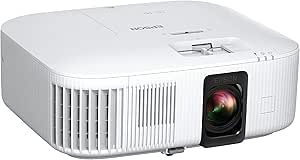 | Best for Color-Conscious Media Rooms | Native resolution: 3840 × 2160 | Display type: LCD, 3-chip 3LCD | Brightness: 2,800 lumens | VIEW LATEST PRICE | See Our Full Breakdown |
| Valerion VisionMaster Pro2 4K Triple Laser Projector with Anti-RBE |  | Best Premium Pick for Color and Gaming | Native resolution: 3840 × 2160 | Display type: DLP RGB triple laser | Brightness: 3,000 ISO lumens | VIEW LATEST PRICE | See Our Full Breakdown |
| ViewSonic LS901-4K 4K UHD Laser Projector |  | Best for Bright Rooms and Large Screens | Native resolution: 3840 × 2160 | Brightness: 5,500 ANSI lumens | Refresh rate: 240 Hz | VIEW LATEST PRICE | See Our Full Breakdown |
| ONOAYO ONO5Pro 2.0 Smart Projector with 4K Support, Wi-Fi 6, Bluetooth, and AI Auto Calibration |  | Best for All-in-One Casual Entertainment | Resolution support: 4K support; native resolution not specified | Operating system: Smart TV Pro OS 3.0 | Audio: Dual 80W Dolby Audio speakers | VIEW LATEST PRICE | See Our Full Breakdown |
| 4K projectors for media room | Brightness | Connectivity | Native resolution |
|---|---|---|---|
| Epson Home Cinema LS11000 4K P | 2,500 lumens color; 2,500 lumens white | Ethernet, dual HDMI (one with eARC), USB | — |
| ViewSonic PX701-4K UHD Project | 3,200 ANSI lumens | HDMI, USB | — |
| HAPPRUN KC7 PRO Smart Projecto | 3,000 ANSI lumens | Wi-Fi, Bluetooth, HDMI, USB, 3.5 mm jack | 1920 x 1080 |
| Hisense M2 Pro 4K UHD Triple L | 1,300 ANSI lumens | Wi-Fi, Bluetooth 5, HDMI, USB 3.0 | — |
| KOGATA VIDAA Smart Projector w | — | — | 1080p |
| XGIMI HORIZON 20 4K RGB Triple | 3200 ISO lumens | — | 3840 × 2160 |
| VIDAA Smart Projector with 4K | — | — | 1080p |
| Optoma UHZ36 4K UHD Laser HDR | 3,500 lumens | HDMI, USB, RCA | — |
| X9 Pro Smart Projector with VI | 920 ANSI lumens | — | 1080p |
| Jimveo J63Pro 4K-Compatible Sm | 650 ANSI lumens | Wi-Fi 6, Bluetooth 5.4, HDMI eARC/CEC, USB, 3.5 mm audio | 1080p |
| GOODEE 4K Smart Projector with | 4,000 lumens | Wi-Fi 6, Bluetooth 5.4, HDMI, 3.5 mm audio, Miracast | 1920 × 1080 |
| Epson Home Cinema 2350 4K PRO- | 2,800 lumens | HDMI, Wi-Fi, Bluetooth audio | 3840 × 2160 |
| Valerion VisionMaster Pro2 4K | 3,000 ISO lumens | Wi-Fi, HDMI, S/PDIF, USB 3.0 | 3840 × 2160 |
| ViewSonic LS901-4K 4K UHD Lase | 5,500 ANSI lumens | — | 3840 × 2160 |
| ONOAYO ONO5Pro 2.0 Smart Proje | — | Wi-Fi 6, Bluetooth, HDMI 2.1, HDMI-CEC, Chromecast | — |
More Details on Our Top Picks
Epson Home Cinema LS11000 4K PRO-UHD Laser Projector with HDR10+
The Epson LS11000 is the strongest fit here for a permanent media room, pairing 2,500 lumens of color and white brightness with broad HDR support and extensive motorized setup controls. Its lens shift, zoom, and focus make it easier to place the projector around a room’s layout, while 10 lens-memory presets help when switching between screen formats. That flexibility gives it an advantage over the more gaming-first ViewSonic PX701-4K, which emphasizes high refresh rates and simpler correction rather than motorized installation adjustments. The Epson also supports 120 Hz and input lag under 20 ms, so it can handle gaming without making that its main selling point. The tradeoff is a larger, more installation-oriented setup, and you’ll need a separate screen. I’d choose it for a room where image placement and HDR flexibility matter more than portability.
Pros:- 2,500 lumens of both color and white brightness suit a range of controlled-light viewing conditions.
- HDR10, HDR10+, and HLG support give the projector flexibility across HDR sources.
- Motorized lens shift, zoom, focus, and 10 memory presets simplify fixed installation and format changes.
- 120 Hz support and input lag under 20 ms make it usable for responsive gaming.
Cons:- Requires a separate projection screen and a more deliberate home theater installation.
- Its gaming response is less aggressive than the ViewSonic PX701-4K’s stated 4.2 ms input lag and 240 Hz refresh rate.
- The supplied details do not list a built-in streaming platform.
Best for: Home theater owners building a fixed media room who want motorized placement controls, broad HDR support, and occasional low-lag gaming.
Not ideal for: Buyers who need a portable projector, a built-in streaming platform, or a casual setup that avoids separate screen and installation planning.
- Resolution:3840 x 2160
- Projection technology:3-chip 3LCD laser
- Brightness:2,500 lumens color; 2,500 lumens white
- HDR formats:HDR, HDR10, HDR10+, HLG
- Refresh rate:Up to 120 Hz
- Input lag:Under 20 ms
- Lens shift:±47% horizontal; ±96% vertical
- Screen size support:Up to 300 inches
- Connectivity:Ethernet, dual HDMI (one with eARC), USB
Our verdict“Choose the LS11000 for a dedicated media room where installation flexibility and HDR range matter more than portability or competitive-gaming specs.”
ViewSonic PX701-4K UHD Projector
For a media room that doubles as a gaming space, the ViewSonic PX701-4K puts response ahead of installation refinement: its stated 4.2 ms input lag and 240 Hz refresh rate suit fast-play setups, while 3,200 ANSI lumens give it more brightness headroom than the Epson LS11000’s 2,500 lumens. That can help when the room isn’t fully dark. Auto-keystone, four-corner adjustment, and optical zoom ease basic setup, though they don’t offer the Epson’s motorized lens shift and lens-memory flexibility for a carefully planned theater. The tradeoffs are a DLP image that may show rainbow artifacts to sensitive viewers and a substantial throw distance for large pictures. There are no built-in streaming apps listed, so plan on an external source. I’d pick it for mixed gaming and movie use, not a screen-format-focused installation.
Pros:- Stated 4.2 ms input lag and 240 Hz refresh rate favor responsive gaming.
- 3,200 ANSI lumens provide more brightness headroom than the Epson LS11000.
- Auto-keystone, four-corner adjustment, and optical zoom make basic setup more forgiving.
- 4K UHD resolution with HDR and HLG support fits movie and game sources.
Cons:- Some viewers may notice rainbow artifacts associated with DLP projection.
- Large-screen placement can require significant throw distance.
- No built-in streaming apps are listed, so streaming requires an external device.
Best for: Gamers setting up a media room who want high refresh-rate support, low stated input lag, and brightness for some ambient light.
Not ideal for: Viewers sensitive to DLP rainbow artifacts, or theater builders who need extensive lens placement controls and built-in streaming apps.
- Resolution:3840 x 2160 (4K UHD)
- Display technology:DLP
- Brightness:3,200 ANSI lumens
- Refresh rate:240 Hz
- Input lag:4.2 ms
- Contrast ratio:12,000:1
- Maximum image size:300 inches
- Connectivity:HDMI, USB
- Light source life:6,000 hours
Our verdict“Choose the PX701-4K if gaming response and brighter-room flexibility outweigh lens-installation options and built-in streaming.”
HAPPRUN KC7 PRO Smart Projector with Built-In Apps and Auto Focus
The HAPPRUN KC7 PRO is the convenience pick for a media room where built-in apps and automatic setup matter more than native 4K detail. Its apps, auto focus, and automatic image alignment reduce the number of separate devices and manual adjustments, and the dual 10W speakers give casual viewing an onboard audio option. But its native resolution is 1920 x 1080: 4K decoding means it can accept 4K content, not display it at 4K resolution. That distinction puts it behind the Epson LS11000 and Hisense M2 Pro for buyers prioritizing fine detail. The listed 3,000 ANSI lumens and HDR10+ support add flexibility, but the product data does not change that resolution ceiling. I’d consider it for an easy-to-use, app-centered room, while dedicated 4K theater buyers should choose a native 4K alternative.
Pros:- Built-in streaming apps reduce reliance on external streaming hardware.
- AI autofocus and automatic image alignment simplify initial setup.
- Dual 10W speakers with Dolby Audio provide an onboard sound option.
- HDR10+ support and a stated 95% color gamut add image-format and color coverage.
Cons:- Native and maximum display resolution are 1920 x 1080; 4K is supported through decoding only.
- A maximum throw distance of 22 feet may constrain room placement.
- Its automatic setup features do not replace the Epson LS11000’s motorized lens shift and lens-memory controls.
Best for: Viewers who want built-in streaming apps, automatic image setup, and integrated speakers for a straightforward media room.
Not ideal for: Buyers who expect native 4K picture detail or need the more installation-focused lens controls of the Epson LS11000.
- Native resolution:1920 x 1080
- 4K support:4K decoding
- Display type:LCD
- Brightness:3,000 ANSI lumens
- HDR:HDR10+
- Speakers:Dual 10W with Dolby Audio
- Image adjustments:Autofocus, digital keystone correction, obstacle avoidance, auto screen alignment
- Image size:40 to 300 inches
- Connectivity:Wi-Fi, Bluetooth, HDMI, USB, 3.5 mm jack
Our verdict“Choose the KC7 PRO for a convenient streaming-first room, but skip it if native 4K resolution is your priority.”
Hisense M2 Pro 4K UHD Triple Laser Portable Projector
The Hisense M2 Pro brings native 4K resolution and a triple-laser light source to a portable design, making it a better match for buyers who want to move a projector between rooms than the fixed-installation-oriented Epson LS11000. Its optical zoom changes image size without relying on digital scaling, while VIDAA smart access and Dolby Vision support make it ready for streaming and HDR movie sources. The key compromise is brightness: at 1,300 ANSI lumens, it is aimed at dim viewing conditions, not a media room with substantial ambient light. The PX701-4K is a brighter alternative for that situation, though it does not offer the same listed triple-laser and Dolby Vision combination. The Hisense also supports projections up to 200 inches, below the Epson’s stated 300-inch maximum. I’d choose it for flexible placement in a room that can be darkened.
Pros:- Native 4K UHD resolution pairs with a triple-laser light source.
- Dolby Vision support suits HDR movie viewing.
- Optical zoom adjusts image size while preserving image detail.
- VIDAA Smart OS provides access to streaming apps, including Netflix.
Cons:- 1,300 ANSI lumens make it better suited to low-light viewing than the brighter ViewSonic PX701-4K.
- Its stated projection-size range tops out at 200 inches, below the Epson LS11000’s 300-inch support.
- Active 3D requires separately specified DLP-Link shutter glasses.
Best for: Movie fans who want native 4K, smart streaming, and portable placement in a dimmable media room.
Not ideal for: People watching with substantial ambient light or buyers who need the larger stated screen capacity of the Epson LS11000.
- Resolution:3840 x 2160 (4K UHD)
- Light source:Triple laser
- Brightness:1,300 ANSI lumens
- Projection size:65–200 inches
- Optical zoom:1.0–1.3:1
- Contrast ratio:5,000:1
- Operating system:VIDAA Smart OS
- Light source life:25,000 hours
- Connectivity:Wi-Fi, Bluetooth 5, HDMI, USB 3.0
Our verdict“Choose the M2 Pro for portable native 4K viewing in a darkened room, not for bright-room projection.”
KOGATA VIDAA Smart Projector with Native 1080p, 4K Decoding, Auto Focus and Keystone Correction
The KOGATA VIDAA Smart Projector is aimed at family rooms where app access and viewing controls are more useful than native 4K resolution. VIDAA, live TV channels, voice control, parental controls, and Kids Mode make it a more family-oriented choice than the HAPPRUN KC7 PRO, which also offers built-in apps but does not list those parental features. Autofocus and 6D keystone correction help get a picture in place with less manual adjustment, while Dolby Audio, DTS, and AirPlay round out its connected setup. Its central limitation is the same resolution distinction that matters with the HAPPRUN: native output is 1080p, and 4K refers to decoding support. The listed Bluetooth versions also conflict between the description and product information. I’d pick it for supervised family viewing, not a media room built around native 4K detail.
Pros:- VIDAA includes built-in apps and live TV channels.
- Parental controls and Kids Mode suit family viewing.
- Autofocus and 6D keystone correction simplify placement.
- Dolby Audio, DTS, and AirPlay support a flexible connected setup.
Cons:- Native resolution is 1080p; 4K is supported through decoding rather than native display.
- The supplied details conflict on Bluetooth version, listing 5.3 and 5.4.
- Compared with the native 4K Hisense M2 Pro, it is a weaker fit for buyers focused on UHD detail.
Best for: Families who want built-in streaming, live channels, parental controls, and simpler setup for shared indoor or outdoor viewing.
Not ideal for: Home theater buyers seeking native 4K picture detail or anyone who needs unambiguous Bluetooth version specifications.
- Operating system:VIDAA
- Native resolution:1080p
- Video support:4K decoding, HDR10+
- Audio:60W Dolby Audio, DTS
- Wireless connectivity:Wi-Fi 7, Bluetooth (version listed as 5.3 and 5.4)
- Image adjustment:3-second autofocus, 6D keystone correction
- Additional features:AirPlay, voice control, parental controls, Kids Mode
- Noise level:26 dB
- Warranty:3 years
Our verdict“Choose the KOGATA for family-friendly streaming and controls, but look to a native 4K model for a detail-focused theater.”
XGIMI HORIZON 20 4K RGB Triple-Laser Home Projector
The HORIZON 20 is the most complete media-room pick in this group: native 4K, a bright RGB triple-laser light source, and optical zoom plus lens shift give it both detailed playback and more placement flexibility than the simpler VIDAA models. Its support for Dolby Vision, HDR10+, IMAX Enhanced, and Filmmaker Mode suits viewers who switch between streaming releases and carefully mastered films. Google TV and Harman Kardon speakers also reduce the need for separate streaming and basic audio gear. Compared with the Optoma UHZ36, it adds built-in smart TV and much stronger gaming features, including 240Hz, 1ms response, VRR, and ALLM. The tradeoff is that a large image still needs room for throw distance, and its 180-watt draw is less convenient for portable use.
Pros:- Native 3840 × 2160 resolution with an RGB triple-laser light source
- Optical zoom and lens shift ease placement in a dedicated room
- Google TV and Harman Kardon speakers provide built-in streaming and sound
- 240Hz refresh rate, 1ms response, VRR, and ALLM support responsive gaming
Cons:- Large projected images require adequate throw distance and screen space
- The 180-watt power rating is a drawback for portable or battery-based setups
Best for: Media-room owners who want native 4K, flexible placement, built-in streaming, and gaming features in one projector.
Not ideal for: Buyers with a small room, limited throw distance, or a portable setup where power consumption and easy transport matter.
- Native resolution:3840 × 2160
- Brightness:3200 ISO lumens
- Display technology:RGB triple laser
- Contrast ratio:100,000:1
- HDR formats:Dolby Vision, HDR10+
- Gaming:240Hz, 1ms response, VRR, ALLM
- Smart TV platform:Google TV with licensed Netflix
- Audio:Harman Kardon speakers
Our verdict“Choose the HORIZON 20 if you want a feature-packed native-4K centerpiece with gaming and placement flexibility, and have room for its projection setup.”
VIDAA Smart Projector with 4K Decoding, Wi-Fi 6, Dolby Audio, Auto Focus and 360° Stand
This VIDAA projector is a better match for casual shared viewing than for a room built around fine 4K detail. Its native 1080p resolution means 4K decoding accepts that content but does not display it at 4K; compared with the XGIMI HORIZON 20, that is a clear step down for close viewing of high-detail films. What it offers instead is a low-fuss setup: autofocus, keystone correction, obstacle avoidance, and a 360° stand help adapt the image when the projector has to move between shelves, tables, or viewing positions. VIDAA apps, live channels, and 40W Dolby Audio add convenience without requiring immediate add-ons. The 1.0:1 throw ratio supports flexible placement, but the listed 100-inch image needs 2.2 meters, and USB 2.0 limits wired media options.
Pros:- Autofocus, keystone correction, obstacle avoidance, and screen fit simplify setup
- 360° rotatable built-in stand supports varied placement angles
- VIDAA includes streaming apps and live TV channels
- 40W speakers with Dolby Audio provide substantial built-in sound
Cons:- Native resolution is 1080p despite 4K decoding support
- USB connectivity is limited to USB 2.0
- A 100-inch image requires about 2.2 meters of projection distance
Best for: Casual viewers who move their projector between rooms and value automatic setup, built-in apps, and strong onboard speakers over native 4K.
Not ideal for: Dedicated home-theater buyers who want native 4K detail or need broader, faster USB connectivity.
- Native resolution:1080p
- Video decoding:4K
- HDR:HDR10
- Throw ratio:1.0:1
- Projection distance:100 inches from 2.2 m
- Smart TV platform:VIDAA Smart OS
- Wireless:Wi-Fi 6, Bluetooth 5.2
- Audio:40W speakers with Dolby Audio
Our verdict“Pick this model for flexible, easy-to-set-up casual viewing, but skip it if your media room needs true native-4K detail.”
Optoma UHZ36 4K UHD Laser HDR Home Theater Projector
The UHZ36 keeps the emphasis on projection rather than smart conveniences: native 4K DLP, 3,500 lumens, and a laser light source rated for up to 30,000 hours make it a straightforward choice for a media room that already has a streaming device and sound system. Its brightness gives viewers more latitude in rooms that are not fully dark, while Filmmaker Mode preserves intended frame rate, color, and aspect ratio for film-focused viewing. PureMotion offers a separate route for smoothing fast action. Compared with the XGIMI HORIZON 20, the Optoma has higher stated brightness but lacks the same built-in Google TV, Harman Kardon audio, and gaming-focused feature set. The included 15W speaker is modest for a theater setup, and the light-source warranty is limited, so buyers should weigh long rated life against the stated coverage.
Pros:- Native 3840 × 2160 DLP resolution with HDR support
- 3,500-lumen brightness suits rooms that are not completely dark
- Laser light source rated for up to 30,000 hours
- Filmmaker Mode and PureMotion serve distinct film and motion preferences
Cons:- 15W built-in speaker is limited for a dedicated media-room sound setup
- Light-source warranty is limited to one year or 20,000 hours, whichever comes first
- No smart TV platform is listed, so streaming typically requires a separate device
Best for: Media-room owners who want a bright native-4K laser projector for a fixed tabletop or ceiling installation and already use external streaming and audio gear.
Not ideal for: Buyers seeking a complete all-in-one setup with built-in smart TV, robust onboard audio, or the HORIZON 20’s gaming features.
- Resolution:3840 × 2160
- Display type:DLP
- Brightness:3,500 lumens
- Contrast ratio:1,500,000:1
- Light source life:Up to 30,000 hours
- Maximum image size:300 inches
- Connectivity:HDMI, USB, RCA
- Built-in speaker:15W
Our verdict“Choose the UHZ36 for bright, native-4K laser projection in a room with external streaming and audio, not for an all-in-one setup.”
X9 Pro Smart Projector with VIDAA OS, 4K Decoding, Dolby Audio, Wi-Fi 6, and Auto Focus
The X9 Pro is aimed at buyers who want a convenient smart projector for mixed home and outdoor viewing, not a native-4K cinema image. It accepts 4K video but displays at native 1080p, and its 920 ANSI lumens make it a more sensible fit for controlled lighting than a brighter option such as the Optoma UHZ36. Its strength is a broad set of practical conveniences: VIDAA apps and live channels, AirPlay 2, HomeKit, voice control, and automatic focus and screen adjustments reduce setup friction. Dual 20W Dolby Audio speakers and HDMI ARC/CEC give buyers a useful starting point for sound, with an easy path to a soundbar. The 3-year warranty is a differentiator in this group, but the 1080p image and unspecified dimensions make it less compelling as a fixed, detail-first media-room centerpiece.
Pros:- VIDAA includes streaming apps and access to live TV channels
- Auto focus, 6D keystone correction, obstacle avoidance, and screen fit simplify setup
- AirPlay 2, HomeKit, Wi-Fi 6, and voice control support connected-device use
- Dual 20W Dolby Audio speakers and HDMI ARC/CEC support flexible audio
Cons:- 4K video is decoded but displayed at native 1080p resolution
- 920 ANSI lumens are better suited to controlled lighting than bright rooms
- Physical dimensions and weight are not specified
Best for: Viewers who prioritize built-in streaming, casting, automatic setup, and connected-device features for flexible home or outdoor use.
Not ideal for: Dedicated theater viewers who expect native 4K detail or need high brightness for a room with substantial ambient light.
- Native resolution:1080p
- Video decoding:4K
- Brightness:920 ANSI lumens
- HDR:HDR10
- Smart TV platform:VIDAA OS
- Wireless:Wi-Fi 6, Bluetooth 5.4
- Audio:2 × 20W Dolby Audio speakers
- Warranty:3 years
Our verdict“Choose the X9 Pro for smart features and flexible setup, but choose a native-4K model like the Optoma UHZ36 for a detail-led media room.”
Jimveo J63Pro 4K-Compatible Smart Projector with Wi-Fi, Bluetooth, and 270° Stand
The J63Pro stands apart through its 270° adjustable stand, automatic image setup, and voice guide that reads menus and subtitles aloud—useful features for flexible viewing positions and viewers who benefit from spoken guidance. It is not a true 4K display: like the VIDAA Smart Projector, it decodes 4K but outputs at native 1080p. Its 650 ANSI lumens also make it the dimmest-brightness option in this set with a stated figure, so a controlled-light room is a better match than daytime viewing. Dual 30W speakers and HDMI eARC/CEC provide a stronger built-in audio proposition than the Optoma UHZ36’s 15W speaker, though an external sound system can still suit a dedicated media room better. The sealed optics and automatic setup help, but it needs external power and weighs 5.07 pounds.
Pros:- 270° damped gimbal stand supports varied viewing positions
- Auto focus, keystone correction, obstacle avoidance, and screen fit simplify setup
- Voice guide reads menus, prompts, and subtitles aloud
- Dual 30W speakers and HDMI eARC/CEC offer useful built-in and external audio options
Cons:- 4K content is displayed at native 1080p resolution
- 650 ANSI lumens are best suited to a darkened viewing space
- No built-in battery; outdoor use requires an external power source
Best for: Viewers who want flexible stand positioning, accessible spoken menu and subtitle guidance, and built-in apps in a dim room.
Not ideal for: Buyers seeking native 4K resolution, brighter-room performance, or a projector that can run outdoors without an external power source.
- Native resolution:1080p
- 4K support:4K decoding; displayed at native 1080p
- Brightness:650 ANSI lumens
- HDR:HDR10+
- Speakers:Dual 30W
- Connectivity:Wi-Fi 6, Bluetooth 5.4, HDMI eARC/CEC, USB, 3.5 mm audio
- Stand:270° adjustable damped gimbal
- Weight:5.07 lb
Our verdict“Pick the J63Pro for adjustable placement and spoken guidance in a dim room, but not for native-4K fidelity or untethered outdoor use.”
GOODEE 4K Smart Projector with AI ToF Auto Focus, WiFi 6 & Bluetooth
The GOODEE is aimed at media rooms where a simple setup and fewer add-on devices matter more than native 4K detail. Its built-in streaming apps, AI ToF autofocus, and keystone correction can make it easier to get a usable image without a separate streaming box or lengthy manual adjustments. The 60W Dolby Audio system is a major draw if you do not want to start with an external sound system. Compared with the Epson Home Cinema 2350, it promises stronger onboard audio and a larger stated image ceiling, but the Epson specifies native 3840 × 2160 resolution while the GOODEE is native 1080p with 4K decoding. Its 4,000-lumen claim and HDR10+ support may suit rooms with some ambient light, though brightness alone does not make it a substitute for a native-4K cinema projector. The 19-foot maximum throw distance may also limit placement in a deep room.
Pros:- Built-in Smart OS supports Netflix, YouTube, and Prime Video.
- AI ToF autofocus and keystone correction simplify image setup.
- 60W Dolby Audio can reduce the need for separate starter speakers.
- Wi-Fi 6 and Bluetooth 5.4 provide modern wireless connectivity.
Cons:- Native resolution is 1920 × 1080; 4K is supported through decoding rather than native display.
- Maximum throw distance of 19 feet can restrict placement in larger rooms.
- Wireless streaming features depend on a stable Wi-Fi 6 network.
Best for: Buyers setting up a casual media room who want integrated streaming, automatic image adjustments, and substantial built-in sound without starting with separate audio equipment.
Not ideal for: Viewers prioritizing native 4K image detail or owners of very deep rooms that need a projector placed beyond 19 feet.
- Native resolution:1920 × 1080
- Maximum display resolution:4096 × 2160 (4K support)
- Brightness:4,000 lumens
- Contrast ratio:2000:1
- Audio:60W Dolby Audio, AI SoundBalance
- Connectivity:Wi-Fi 6, Bluetooth 5.4, HDMI, 3.5 mm audio, Miracast
- Maximum image size:400 inches
- Maximum throw distance:19 feet
- Light source life:80,000 hours
Our verdict“Choose the GOODEE if simple streaming and powerful built-in audio matter more to you than native 4K resolution.”
Epson Home Cinema 2350 4K PRO-UHD Smart Streaming Projector
The Epson Home Cinema 2350 is the more sensible pick for viewers who want a balanced home-cinema image rather than the headline brightness or gaming figures of some alternatives. Its 3-chip 3LCD design displays the full RGB signal and avoids the rainbow effects that can distract some viewers on DLP projectors. Android TV adds direct access to streaming, while vertical lens shift gives more placement flexibility than a basic tabletop setup. Compared with the GOODEE, the Epson lists native 3840 × 2160 resolution, but its 2,800 lumens and 10W speaker make it less compelling for bright rooms or buyers who want robust built-in sound. The Valerion VisionMaster Pro2 offers richer specified color coverage and much faster gaming figures; the Epson instead keeps the appeal straightforward with a familiar streaming platform and under-20-ms input lag. Bluetooth audio is limited to Android TV content, which reduces its usefulness with HDMI sources.
Pros:- 3-chip 3LCD displays full RGB color and avoids DLP rainbow effects.
- Native 3840 × 2160 resolution supports detailed 4K images.
- Android TV, voice remote, and Google Assistant provide built-in streaming and control.
- Vertical lens shift and under-20-ms input lag suit flexible placement and casual gaming.
Cons:- The 2,800-lumen rating is lower than the GOODEE and ViewSonic LS901-4K figures listed here.
- The built-in speaker is only 10 watts, making external audio a likely upgrade for a theater-style room.
- Bluetooth audio is unavailable for content played through HDMI-connected devices.
Best for: Movie and streaming viewers who are sensitive to DLP rainbow effects and want Android TV, flexible placement, and native 4K resolution.
Not ideal for: Buyers needing high brightness for a room with substantial ambient light, powerful onboard audio, or Bluetooth audio from HDMI-connected sources.
- Native resolution:3840 × 2160
- Display type:LCD, 3-chip 3LCD
- Brightness:2,800 lumens
- Contrast ratio:35,000:1
- Maximum image size:500 inches
- Speaker power:10 watts
- Input lag:Under 20 ms
- Streaming platform:Android TV
- Connectivity:HDMI, Wi-Fi, Bluetooth audio
Our verdict“Pick the Epson if color presentation and native 4K matter more to you than maximum brightness or built-in speaker power.”
Valerion VisionMaster Pro2 4K Triple Laser Projector with Anti-RBE
The Valerion VisionMaster Pro2 is the standout choice here for buyers who want a feature-rich 4K centerpiece that can serve both films and fast games. Its triple-laser light source and 110% Rec.2020 color gamut target unusually broad color reproduction, while Dolby Vision, HDR10+, and Enhanced Black Level technology give it a wider set of picture tools than the GOODEE’s 1080p-native design. For gaming, the stated 4 ms input lag and 240 Hz refresh rate are stronger figures than the Epson Home Cinema 2350’s under-20-ms input lag. Google TV, wireless casting, and automatic focus and alignment also reduce setup friction. The tradeoff is that 3,000 ISO lumens is below the ViewSonic LS901-4K’s stated 5,500 ANSI lumens, so the ViewSonic is the more compelling option for a brighter room. The Valerion’s 25,000-hour light-source life and 40-inch minimum image size are other practical limits.
Pros:- Native 4K DLP with a triple-laser light source and 110% Rec.2020 color gamut.
- Supports both Dolby Vision and HDR10+.
- 4 ms input lag and a 240 Hz refresh rate suit fast gaming.
- Google TV, wireless casting, autofocus, and automatic screen alignment add convenience.
Cons:- The 3,000 ISO-lumen rating is below the ViewSonic LS901-4K’s stated 5,500 ANSI lumens.
- The 40-inch minimum image size rules it out for small-picture setups.
- The 25,000-hour light-source life is shorter than the GOODEE’s listed 80,000 hours.
Best for: Enthusiasts who want native 4K, wide color coverage, advanced HDR formats, and low-latency gaming in a dedicated media room.
Not ideal for: Buyers who need maximum brightness for a room with ambient light, a picture smaller than 40 inches, or a projector that must throw farther than 26.16 feet.
- Native resolution:3840 × 2160
- Display type:DLP RGB triple laser
- Brightness:3,000 ISO lumens
- Contrast ratio:15,000:1 with Enhanced Black Level
- Color gamut:110% Rec.2020
- Throw ratio:0.9–1.5
- Image size:40–300 inches
- Gaming performance:4 ms input lag, 240 Hz refresh rate
- Connectivity:Wi-Fi, HDMI, S/PDIF, USB 3.0
Our verdict“Choose the Valerion for premium color and responsive gaming when your room does not call for the ViewSonic’s higher stated brightness.”
ViewSonic LS901-4K 4K UHD Laser Projector
When a media room cannot be kept dark, the ViewSonic LS901-4K makes a clearer case than the more color-focused Valerion VisionMaster Pro2: it specifies 5,500 ANSI lumens, the highest brightness figure among these five picks. Native 4K resolution, HDR/HLG support, and a 240 Hz refresh rate help it cover both films and gaming, while 1.7× optical zoom and lens shift give installers more placement room than a fixed-lens design. The 4.2 ms input lag is close to the Valerion’s 4 ms figure, so the choice between them is less about responsiveness than room conditions and image priorities. ViewSonic’s stated maximum image size is only 150 inches, well below the Valerion’s 300-inch ceiling, and the LS901-4K lacks listed built-in streaming. It is best treated as a bright, installation-oriented projector paired with separate source and audio gear.
Pros:- 5,500 ANSI lumens is the strongest stated brightness figure in this group.
- Native 4K resolution with HDR and HLG support.
- 240 Hz refresh rate and 4.2 ms input lag suit responsive gaming.
- 1.7× optical zoom, lens shift, keystone adjustment, and 360° projection support varied installations.
Cons:- Maximum image size is 150 inches, half the Valerion VisionMaster Pro2’s stated 300-inch ceiling.
- No built-in streaming platform is listed, so a separate source may be needed.
- The installation range and ceiling-mount orientation may be excessive for a small or temporary media room.
Best for: Media-room owners who cannot fully control ambient light and want a bright native-4K projector with flexible ceiling-installation adjustments.
Not ideal for: Buyers seeking built-in streaming, a screen larger than 150 inches, or a compact setup that does not have room for a flexible installation distance.
- Native resolution:3840 × 2160
- Brightness:5,500 ANSI lumens
- Refresh rate:240 Hz
- Input lag:4.2 ms
- Aspect ratio:21:9
- HDR support:HDR/HLG
- Optical zoom:1.7×
- Maximum image size:150 inches
- Light source life:20,000 hours
Our verdict“Choose the ViewSonic when room brightness and installation flexibility matter more than built-in streaming or extra-large image capability.”
ONOAYO ONO5Pro 2.0 Smart Projector with 4K Support, Wi-Fi 6, Bluetooth, and AI Auto Calibration
The ONOAYO ONO5Pro 2.0 is for buyers who value convenience and room-filling onboard sound more than a clearly documented 4K image specification. Its Smart TV Pro OS 3.0, built-in apps, Chromecast, and AI auto calibration aim to bring streaming and basic setup into one unit. The dual 80W Dolby Audio speakers are the largest stated audio system in this group, outpowering even the GOODEE’s 60W setup on paper. HDMI 2.1, Wi-Fi 6, and an 18 ms input-latency claim add useful flexibility for connected devices and casual gaming. But unlike the Epson Home Cinema 2350, the ONOAYO does not list a native resolution, and it provides no measured brightness figure. That missing information makes it harder to judge sharpness and room suitability. I would favor it for a simple, sound-forward room, not for buyers choosing primarily on verified 4K image performance.
Pros:- Smart TV Pro OS 3.0 includes built-in streaming apps, with Chromecast support.
- Dual 80W Dolby Audio speakers offer substantial stated onboard sound power.
- Auto focus, keystone correction, obstacle avoidance, and screen fit simplify setup.
- Wi-Fi 6, Bluetooth, HDMI 2.1, and HDMI-CEC provide broad connectivity.
Cons:- Native resolution is not specified, so 4K support does not confirm native 4K display.
- No brightness measurement is provided, making room-light suitability difficult to judge.
- The supplied product details do not complete the long-term support information.
Best for: Casual streaming households that want built-in apps, strong onboard audio, automatic image alignment, and several ways to connect devices.
Not ideal for: Buyers who need documented native 4K resolution or measured brightness to plan a dedicated, carefully calibrated media room.
- Resolution support:4K support; native resolution not specified
- Operating system:Smart TV Pro OS 3.0
- Audio:Dual 80W Dolby Audio speakers
- Connectivity:Wi-Fi 6, Bluetooth, HDMI 2.1, HDMI-CEC, Chromecast
- Input latency:18 ms
- Auto calibration:Auto focus, keystone correction, obstacle avoidance, screen fit, orientation detection
- Dynamic zoom:50%–100%
- Color gamut:98% NTSC
- Color depth:1.07 billion colors
Our verdict“Pick the ONOAYO for a convenient, sound-forward streaming setup, but choose the Epson if verified native 4K specifications are your priority.”
How We Picked
I compared these 15 options for the demands of a media room: image detail, light-source type, stated resolution, HDR support where specified, and the ability to fit a planned screen and seating layout. I also weighed setup and everyday usability, including smart streaming, auto focus, keystone correction, portability, and whether a projector appears designed for a stable installation or flexible placement. A 4K input or decoding claim did not count as proof of native 4K display resolution; I treated that distinction as a buyer-facing qualification.
The order favors models with a clearer fit for a dedicated, large-screen viewing room, then separates options by their practical strengths. The Epson LS11000 ranks first for its laser-based home-theater focus; triple-laser models earn attention for their color-oriented feature set, while the Epson 2350 and ViewSonic PX701-4K offer different approaches to broader household use. Compact smart models remain relevant for convenience, but rank lower for a media-room-first shortlist when their specifications describe 4K decoding rather than native 4K. I also account for tradeoffs: a projector can be feature-rich and easy to place yet still be a weaker choice for a dark, fixed theater room.
Factors to Consider When Choosing 4K Projectors For Media Rooms
Before choosing a model, I would match the projector to the room and screen rather than treating “4K” as a complete specification. A good shortlist starts with resolution claims, then checks light, placement, connections, and who will operate the system.
Check What 4K Means on the Specification Sheet
Projectors can accept a 4K signal without displaying a native 4K image, so read the stated display resolution carefully. “4K decoding” or “4K support” may refer to compatible input video rather than the number of pixels projected. That difference may matter less on a smaller image viewed from farther away, but it becomes easier to notice on a large screen or at close seating distances. Compare resolution claims alongside the projector’s imaging method and the screen size you plan to use. Avoid paying a premium based on a 4K label alone when the product page does not clearly say what resolution reaches the screen.
Plan Screen Size, Throw Distance, and Lens Placement Together
Measure the distance from the intended projector position to the screen before buying; a model that cannot fill your screen from that spot may require a mount or room changes. Zoom range and lens shift can help with placement, while keystone correction can reshape the image but may reduce usable detail. Do not assume that an adjustable stand or auto keystone replaces proper throw-distance planning for a permanent installation. Check ceiling height, seating, cable paths, and whether the projector’s lens can sit near the center of the screen. A quick room sketch can prevent a common mismatch between a projector’s throw characteristics and the room’s layout.
Match Brightness to the Room, Not Just the Screen
Ambient light washes out contrast, so a projector intended for daytime viewing needs a different balance from one used in a darkened room. A bright image can be helpful with lights on, but brightness alone does not guarantee convincing dark scenes or rich blacks. Screen material, image size, wall color, and nearby windows all affect the result. If the room has uncontrolled light, consider whether curtains or a suitable screen could improve the picture before moving to a brighter projector. In a light-controlled room, buyers may prefer image depth and tonal detail over maximum output.
Choose a Light Source With Your Ownership Plans in Mind
Laser projectors can appeal to buyers who want a long-lasting light source and reduced lamp-replacement planning, while lamp-based designs may suit buyers focused on a more conventional installation. Check the manufacturer’s stated light-source life and warranty rather than assuming every laser model has identical longevity. Also account for ventilation, dust, and the projector’s operating environment; a room with poor airflow can create avoidable maintenance problems. For a ceiling-mounted projector, access matters if cleaning or service is needed. The better choice depends on how often you watch and how much ongoing upkeep you are willing to manage.
Decide Whether Streaming Should Be Built In
Built-in apps and smart operating systems can simplify casual viewing, but they should not be the main reason to buy a projector for a dedicated media room. App availability, software support, and interface speed can change over time, so check that the services you use are supported directly. An external streaming device can be easier to replace or upgrade and may offer a more familiar interface. Built-in audio can help with quick setup, though a separate sound system is usually a better fit for movie-focused viewing. Choose all-in-one convenience when fewer components matter more than flexibility.
Prioritize Placement Flexibility Only If You Will Use It
Portable designs, auto focus, and automatic keystone correction can make setup easier when the projector moves between rooms or viewing spots. Those features do not automatically make a portable model a stronger choice for a fixed media room, where stable mounting and precise alignment may matter more. Each correction step can add processing, and a tilted projector can complicate a clean rectangular image. Think about whether the unit will stay in one place or be set up repeatedly. Pay for convenience features when they solve a real placement problem, not simply because they appear on a feature list.
Frequently Asked Questions
Does a projector that supports 4K input actually display a 4K image?
Not always. Some models accept or decode 4K video but project at a lower native resolution, so the input capability and displayed resolution are separate specifications. This roundup includes compact smart projectors whose descriptions emphasize 4K support or decoding, making that distinction especially relevant. Check the manufacturer’s stated native resolution and imaging method before comparing them with dedicated 4K home-theater models. If you sit close to a large screen, displayed resolution is more likely to affect your choice.
Can I use these projectors in a room with windows or ceiling lights?
Yes, but ambient light reduces perceived contrast and can make dark scenes look washed out. Closing curtains, dimming lights, and choosing a screen suited to the room can improve the image without changing projectors. A model with stronger light output may help for casual viewing with some light present, but it will not make a bright room behave like a dark theater. If movie watching is the priority, plan for light control as part of the setup. Compare brightness claims under the same measurement standard rather than relying on headline figures alone.
Should I choose a laser projector or a lamp-based model?
A laser light source can reduce the need for routine lamp replacement and may suit frequent viewing or a permanent installation. A lamp-based projector can still be a sensible choice when its overall image and room fit meet your needs, especially if you are comfortable tracking lamp life and future replacement. Compare expected light-source life, warranty coverage, service access, and how many hours you watch each week. Neither light source guarantees better contrast or color by itself. In this roundup, the Epson LS11000 and several other laser models appeal to buyers who value that ownership convenience.
Do I need built-in streaming apps if I already use a streaming box?
No. An external streaming box can handle apps and updates, leaving the projector focused on displaying the image. Built-in streaming may reduce cable clutter and make a simple setup easier, but app support can vary and software may age differently from the projector hardware. If you already use a device you like, check the projector’s available inputs and audio connections before giving smart features much weight. A projector with fewer built-in apps can still be a better media-room choice if its image and installation fit are stronger. Keep sound-system compatibility in the same checklist.
How do I know whether a projector will fit my screen and seating layout?
Measure the planned screen width and the distance available between the screen and projector position, then compare those figures with the manufacturer’s throw information. Check zoom range, lens shift, and mounting limits as well as the advertised screen-size range. Seating distance also affects how visible fine detail appears, so a very large image is not automatically better for every room. Use keystone correction sparingly when possible; physical alignment usually preserves a cleaner image. If the projector will be ceiling-mounted, confirm that the lens can reach the screen position without blocking a light or crossing a walkway.
Conclusion
For a dedicated media room, my best overall pick is the Epson Home Cinema LS11000, thanks to its laser light source and home-theater focus. The best premium choice is the Valerion VisionMaster Pro2 for buyers drawn to triple-laser color features; the XGIMI HORIZON 20 is another contender in that group. For best value-minded shortlist, compare the ViewSonic PX701-4K and Epson Home Cinema 2350 against your room and streaming needs rather than choosing by label alone. The best for beginners is the Epson 2350 if built-in smart streaming matters, while HAPPRUN, KOGATA, and the other auto-focus smart models suit buyers who prize setup convenience and should verify displayed resolution. For a more installation-focused laser alternative, consider the ViewSonic LS901-4K or Optoma UHZ36; for portable placement and flexible viewing, look at the Hisense M2 Pro. Match the model to your screen, light conditions, and placement first, then use resolution and smart features to settle the final choice.
Black Friday Picks

Sony WH-1000XM6 Wireless Noise-Canceling Headphones, Black
As an affiliate, we earn on qualifying purchases.