For most home offices, I’d start with the Epson EX3290: its 3-chip 3LCD design and WXGA widescreen format suit presentations better than many compact entertainment-first models. The Epson EpiqVision Flex CO-W01 is another strong office-focused option, while the HAPPRUN 2500 ANSI Google TV Smart Projector stands out if you want a brighter, more self-contained setup. The main tradeoffs are readability in ambient light, portability, and whether you value business-friendly image performance or built-in streaming more. Small smart projectors can simplify casual use, but they may not be the best fit for detailed spreadsheets or bright rooms. Read on for the full breakdown and a guide to choosing the right projector for your workspace.

Get business pricing on your home office setup
- Business-only prices and quantity discounts
- Tax-exempt purchasing
- Multiple users, one account, clear invoices
Complete the kit


Key Takeaways
- The Epson EX3290 leads for office-first use: its 3-chip 3LCD approach and WXGA format make it the clearest match for presentations and shared documents among these picks.
- The Epson EpiqVision Flex CO-W01 is the other business-minded choice: it prioritizes practical projection over the built-in streaming features found on many competing models.
- Smart features are a major dividing line: Roku TV and Google TV models can reduce setup steps for video calls or breaks, but a smart interface does not make a projector better at displaying fine text.
- Native 1080p claims deserve closer attention than 4K decoding: decoding a 4K source does not mean the projector displays it at 4K resolution, so buyers should match actual output to their work.
- Compactness brings setup compromises: mini models such as the Magcubic HY300PRO are easier to place and move, while larger or brighter options are generally a better fit for a fixed office and ambient light.
| Epson EX3290 3-Chip 3LCD Widescreen WXGA Video Projector |  | Best for Bright Home Offices | Native resolution: 1280 × 800 (WXGA) | Brightness: 4,000 lm color / 4,000 lm white | Projection technology: 3-chip 3LCD | VIEW LATEST PRICE | See Our Full Breakdown |
| Roconia Native 1080p Portable Projector with Dual-Band Wi-Fi and Bluetooth |  | Best for Wireless Laptop Sharing | Native resolution: 1920 × 1080 | Display type: LCD | Brightness: 18,000 lumens (listed; performance not independently described) | VIEW LATEST PRICE | See Our Full Breakdown |
| Dxyiitoo Native 1080p Portable Projector with Wi-Fi and Bluetooth |  | Best for Multi-Device Compatibility | Native resolution: 1920 × 1080 | Maximum display resolution: 1920 × 1080 | Display type: LCD | VIEW LATEST PRICE | See Our Full Breakdown |
| HAPPRUN H1 Native 1080p Portable Bluetooth Projector |  | Best Simple Wired Setup | Native resolution: 1920 × 1080 | Maximum display resolution: 1920 × 1080 | Brightness: 300 ANSI lumens (listed) | VIEW LATEST PRICE | See Our Full Breakdown |
| Epson EpiqVision Flex CO-W01 Portable Projector |  | Best Compact Office-and-Home Pick | Native resolution: 1280 × 800 | Brightness: 3,000 lumens | Projection technology: 3-chip 3LCD | VIEW LATEST PRICE | See Our Full Breakdown |
| Magcubic HY300PRO Portable Mini Projector with Wi-Fi and Bluetooth |  | Best Compact Pick | Native resolution: 1280 x 720 | Maximum supported resolution: 3840 x 2160 pixels | Brightness: 200 ANSI lumens | VIEW LATEST PRICE | See Our Full Breakdown |
| XuanPad Portable Smart Mini Projector, Native 1080p with 4K Support, Wi-Fi and Bluetooth |  | Best for Flexible Setup | Native resolution: 1920 x 1080 | Maximum supported resolution: 3840 x 2160 | Display type: LCD | VIEW LATEST PRICE | See Our Full Breakdown |
| TMY V08 Native 1080p Portable Projector with Two-Way Bluetooth and 80-Inch Screen |  | Best Ready-to-Use Screen Bundle | Native resolution: 1920 × 1080 | Maximum supported resolution: 4K input | Brightness: Up to 300 ANSI lumens | VIEW LATEST PRICE | See Our Full Breakdown |
| Aurzen Roku TV D1R Smart Portable Outdoor Projector with WiFi and Bluetooth |  | Best for Built-In Streaming | Native resolution: 1920 x 1080 | Display type: LCD | Weight: 2.1 kg | VIEW LATEST PRICE | See Our Full Breakdown |
| HAPPRUN J7 Smart Projector, 1500 ANSI Lumens, 4K Decoding, Dolby Audio |  | Best for Brighter Rooms | Brightness: 1500 ANSI lumens | Native resolution: 1920 x 1080 | Maximum display resolution: 3840 x 2160 pixels | VIEW LATEST PRICE | See Our Full Breakdown |
| HAPPRUN 2500 ANSI Google TV Smart Projector |  | Best Overall for Home Offices | Native resolution: 1920 x 1080 | Brightness: 2500 ANSI lumens | Display type: LCD | VIEW LATEST PRICE | See Our Full Breakdown |
| YGSKK Mini Projector with Wi-Fi 6, Bluetooth 5.3, Built-In Streaming Apps, and Electric Focus |  | Best for Flexible, Compact Setup | Native resolution: 1080p | Brightness: 300 ANSI lumens | Projection size: 50–200 inches | VIEW LATEST PRICE | See Our Full Breakdown |
| HAPPRUN Outdoor Projector with Google TV and 4K Decoding |  | Best for Flexible Room Placement | Native resolution: 1920 x 1080 | Maximum display resolution: 3840 x 2160 pixels | Brightness: 2500 ANSI lumens | VIEW LATEST PRICE | See Our Full Breakdown |
| Aurzen Roku TV D1R Air Portable Smart Projector |  | Best for USB-C Portability | Native resolution: 1080p | Brightness: 300 ANSI lumens | Weight: 2.60 lb (1.18 kg) | VIEW LATEST PRICE | See Our Full Breakdown |
| AuKing Portable Smart Projector with Roku TV, Wi-Fi, and Bluetooth |  | Best for Roku-Based Work-and-Play | Native resolution: 1080p | Input support: 4K | Streaming platform: Roku TV | VIEW LATEST PRICE | See Our Full Breakdown |
| portable projectors for home office | Native resolution | Connectivity | Brightness | Image size |
|---|---|---|---|---|
| Epson EX3290 3-Chip 3LCD Wides | 1280 × 800 (WXGA) | 2 × HDMI, USB | 4,000 lm color / 4,000 lm white | 33–375 inches (listed) |
| Roconia Native 1080p Portable | 1920 × 1080 | 2.4/5 GHz Wi-Fi, Bluetooth 5.1, HDMI, USB, AV, VGA, 3.5 mm audio | 18,000 lumens (listed; performance not independently described) | — |
| Dxyiitoo Native 1080p Portable | 1920 × 1080 | HDMI, USB, VGA, AV, 3.5 mm audio, Lightning, Bluetooth, Wi-Fi | — | 27–300 inches |
| HAPPRUN H1 Native 1080p Portab | 1920 × 1080 | HDMI, USB, Bluetooth, 3.5 mm jack, IR | 300 ANSI lumens (listed) | 40–200 inches |
| Epson EpiqVision Flex CO-W01 P | 1280 × 800 | HDMI, USB | 3,000 lumens | Up to 378 inches |
| Magcubic HY300PRO Portable Min | 1280 x 720 | Wi-Fi, Bluetooth, HDMI, USB | 200 ANSI lumens | 30–130 inches |
| XuanPad Portable Smart Mini Pr | 1920 x 1080 | Wi-Fi, Bluetooth 5.2, HDMI, USB, 3.5 mm jack | — | — |
| TMY V08 Native 1080p Portable | 1920 × 1080 | HDMI, USB, two-way Bluetooth | Up to 300 ANSI lumens | 32–220 inches |
| Aurzen Roku TV D1R Smart Porta | 1920 x 1080 | Wi-Fi, Bluetooth 5.2, HDMI, USB, audio, wireless, wired | — | 40–200 inches |
| HAPPRUN J7 Smart Projector | 1920 x 1080 | Wi-Fi 6, Bluetooth 5.2, HDMI, USB, 3.5 mm headphone jack | 1500 ANSI lumens | 150–300 inches |
| HAPPRUN 2500 ANSI Google TV Sm | 1920 x 1080 | Wi-Fi 6, Bluetooth, HDMI with ARC, USB 2.0, 3.5 mm audio | 2500 ANSI lumens | — |
| YGSKK Mini Projector with Wi-F | 1080p | — | 300 ANSI lumens | — |
| HAPPRUN Outdoor Projector with | 1920 x 1080 | — | 2500 ANSI lumens | 30–300 inches |
| Aurzen Roku TV D1R Air Portabl | 1080p | Dual-band Wi-Fi, Bluetooth 5.2 | 300 ANSI lumens | — |
| AuKing Portable Smart Projecto | 1080p | — | — | — |
More Details on Our Top Picks
Epson EX3290 3-Chip 3LCD Widescreen WXGA Video Projector
I’d put the Epson EX3290 first for workspaces where daylight and overhead lights are hard to control. Its stated 4,000 lumens of both color and white brightness suit presentation slides and shared screens better than the HAPPRUN H1, whose listed output is 300 ANSI lumens. The EX3290’s 3-chip 3LCD design and WXGA resolution favor clear, colorful office material, though fine text and detailed spreadsheets won’t look as sharp as on native 1080p models such as the Roconia. Two HDMI inputs make it easier to leave a laptop and another source connected, while the built-in speaker can cover basic meeting audio. The tradeoff is a comparatively power-hungry 235-watt draw and less detail than full HD. I’d also check placement before buying: the supplied minimum throw distance is just one foot.
Pros:- Listed 4,000-lumen color and white brightness suits brighter rooms
- 3-chip 3LCD projection produces color without single-chip color sequencing
- Two HDMI ports allow a laptop and another source to stay connected
- Built-in speaker supports simple presentations without separate audio gear
Cons:- WXGA resolution is less detailed than the native 1080p Roconia and Dxyiitoo
- 235-watt power draw is high for a portable office projector
- The stated one-foot minimum throw distance may limit placement flexibility
Best for: Home-office presenters who need a large, bright image in a room that cannot be fully darkened and want two HDMI sources connected.
Not ideal for: People who regularly share dense spreadsheets or small text and need native 1080p detail, or buyers prioritizing low power use.
- Native resolution:1280 × 800 (WXGA)
- Brightness:4,000 lm color / 4,000 lm white
- Projection technology:3-chip 3LCD
- Contrast ratio:16,000:1
- Connectivity:2 × HDMI, USB
- Image size:33–375 inches (listed)
- Throw distance:1–10 ft (listed)
- Power consumption:235 W
Our verdict“Choose the EX3290 for bright-room presentations and convenient dual-HDMI setup, but choose a native 1080p model for finer document detail.”
Roconia Native 1080p Portable Projector with Dual-Band Wi-Fi and Bluetooth
The Roconia is a flexible pick for a home office where presentations may come from different devices and a direct cable is not always convenient. Its native 1920 × 1080 resolution gives documents and desktop interfaces more detail than the WXGA Epson EX3290 or CO-W01. Dual-band Wi-Fi supports screen mirroring, and Bluetooth 5.1 can send sound to compatible audio gear; HDMI remains available when a wired connection is preferable. That range of inputs is useful, but wireless mirroring can add setup variables compared with the EX3290’s straightforward dual-HDMI arrangement. I’d treat the brightness claim cautiously: the listed 18,000 lumens is not independently described or verified in the supplied information. The image-size range is also inconsistent, with one listing saying 30–300 inches and another saying 30–100 inches, so I wouldn’t choose it around its largest claimed screen.
Pros:- Native 1080p provides more desktop and document detail than the WXGA Epson models
- Dual-band Wi-Fi supports wireless screen mirroring
- Bluetooth 5.1 and built-in stereo speakers provide flexible audio options
- HDMI, USB, AV, VGA, and 3.5 mm audio cover a broad range of sources
Cons:- The 18,000-lumen brightness figure is not independently described or verified in the supplied data
- The stated maximum image size conflicts between 100 and 300 inches
- Wireless mirroring can require more setup than a direct HDMI connection
Best for: Hybrid workers who share slides from phones or laptops, want native 1080p, and value both wireless mirroring and several wired input choices.
Not ideal for: Buyers who need dependable brightness for a sunlit office or require a confirmed maximum image size before planning a fixed setup.
- Native resolution:1920 × 1080
- Display type:LCD
- Brightness:18,000 lumens (listed; performance not independently described)
- Contrast ratio:10,000:1
- Connectivity:2.4/5 GHz Wi-Fi, Bluetooth 5.1, HDMI, USB, AV, VGA, 3.5 mm audio
- Supported image size:30–300 inches listed; description also states 30–100 inches
- Throw distance:3.28 ft minimum; 32.8 ft maximum
- Light source life:100,000 hours (listed)
Our verdict“Pick the Roconia for native 1080p and varied wireless connections, but not if verified brightness or a reliable screen-size limit is your priority.”
Dxyiitoo Native 1080p Portable Projector with Wi-Fi and Bluetooth
For an office with a mix of laptops, phones, and older display equipment, the Dxyiitoo earns its place through connection flexibility rather than a verified brightness claim. It combines native 1080p with HDMI, USB, VGA, AV, Lightning, Wi-Fi, Bluetooth, and screen-mirroring options including AirPlay, DLNA, and Miracast. That makes it a more adaptable desk or meeting-room choice than the HAPPRUN H1, which relies on HDMI and does not cast video over Bluetooth. The Dxyiitoo can accept compatible 4K input, but its maximum display resolution remains 1920 × 1080; office users should read that as input compatibility, not 4K projection. It also lists several mounting options and a 300-inch maximum image. Without a supplied brightness figure, I wouldn’t rank it ahead of the Epson EX3290 for a bright workspace.
Pros:- Native 1080p resolution gives presentations more detail than the Epson CO-W01
- AirPlay, DLNA, Miracast, and screen mirroring support a range of compatible devices
- HDMI, USB, VGA, AV, Lightning, and 3.5 mm audio offer broad connection choices
- Desktop, tripod, ceiling, and wall mounting options support different office layouts
Cons:- 4K support is input compatibility; maximum display resolution is 1920 × 1080
- The supplied product data gives no brightness figure for judging bright-room performance
- Wireless mirroring depends on compatible devices and may be less direct than HDMI
Best for: Home-office users with several device types, including phones and older computers, who want native 1080p and multiple connection routes.
Not ideal for: People presenting in a bright room or anyone expecting 4K output rather than 4K input compatibility.
- Native resolution:1920 × 1080
- Maximum display resolution:1920 × 1080
- Display type:LCD
- Contrast ratio:10,000:1
- Connectivity:HDMI, USB, VGA, AV, 3.5 mm audio, Lightning, Bluetooth, Wi-Fi
- Wireless features:AirPlay, DLNA, Miracast, screen mirroring
- Image size:27–300 inches
- Throw distance:0.95–5.5 m
- Light source life:100,000 hours (listed)
Our verdict“Choose the Dxyiitoo when device compatibility and native 1080p matter more than a stated brightness advantage.”
HAPPRUN H1 Native 1080p Portable Bluetooth Projector
The HAPPRUN H1 suits a home office where the laptop is the main source and a simple HDMI connection is enough. Its native 1080p resolution offers sharper text than either Epson WXGA model, and desktop, tripod, or ceiling installation gives it more placement options than a fixed tabletop-only setup. Bluetooth 5.3 handles audio, but it does not cast video, so phone-based presentations need a separate adapter or wired route. Streaming sticks and phone-to-HDMI adapters are sold separately. The largest concern for office use is the listed 300 ANSI lumens: compared with the Epson EX3290’s stated 4,000 lumens, the H1 is better suited to dimmed rooms than daylight-heavy workspaces. Its 40-inch minimum image size also makes it less suited to very small projection areas than the Dxyiitoo, which lists a 27-inch minimum.
Pros:- Native 1080p resolution supports detailed slides and desktop text
- Desktop, tripod, and ceiling installation offer flexible placement
- Bluetooth 5.3 connects compatible audio devices
- Built-in stereo speakers provide basic sound without an external system
Cons:- Listed 300 ANSI lumens limits its suitability for well-lit offices
- Bluetooth supports audio only, not video casting
- Streaming sticks and phone-to-HDMI adapters are sold separately
Best for: Laptop-first home-office users who can dim the room, want native 1080p, and need desktop, tripod, or ceiling placement options.
Not ideal for: People who present in bright daylight, need built-in video casting, or want a compact image smaller than 40 inches.
- Native resolution:1920 × 1080
- Maximum display resolution:1920 × 1080
- Brightness:300 ANSI lumens (listed)
- Display type:LCD
- Connectivity:HDMI, USB, Bluetooth, 3.5 mm jack, IR
- Image size:40–200 inches
- Throw distance:1.2–7 m
- Installation options:Desktop, tripod, or ceiling mount
Our verdict“The H1 is a sensible pick for dimmable, laptop-led workspaces, but its listed brightness and lack of video casting rule it out for bright or wireless-first offices.”
Epson EpiqVision Flex CO-W01 Portable Projector
The Epson EpiqVision Flex CO-W01 is the more travel-friendly Epson option here: it pairs a portable build with 3,000 lumens of color and white brightness, making it a practical fit for home-office presentations and occasional use in other rooms. Its 3-chip 3LCD technology gives it a clear color-oriented advantage over the HAPPRUN H1, whose listed brightness is much lower, while the CO-W01’s WXGA resolution falls short of the native 1080p Roconia and Dxyiitoo for fine text. HDMI and USB keep the setup straightforward, and the built-in speaker can handle basic presentation audio. The supplied data also lists built-in Wi-Fi, though streaming devices may still need a wireless network. Its 5,000-hour light-source life is a notable limitation against models listing 100,000 hours, and its minimum throw distance is longer than the EX3290’s stated one-foot figure.
Pros:- Portable design suits moving between office spaces
- 3,000 lumens of color and white brightness supports varied lighting conditions
- 3-chip 3LCD technology provides color-focused projection
- HDMI, USB, built-in Wi-Fi, and a speaker support flexible everyday use
Cons:- WXGA resolution is less detailed than the Roconia and Dxyiitoo native 1080p models
- Listed 5,000-hour light-source life is shorter than the 100,000-hour claims on several alternatives
- Minimum throw distance is 2.11 feet, limiting very close placement
Best for: People who carry a projector between a home office and other rooms and want substantial stated brightness with simple HDMI connectivity.
Not ideal for: Users who need native 1080p for small text, a short-throw setup close to the wall, or a long stated light-source life.
- Native resolution:1280 × 800
- Brightness:3,000 lumens
- Projection technology:3-chip 3LCD
- Connectivity:HDMI, USB
- Built-in Wi-Fi:Yes
- Built-in speaker:Yes
- Image size:Up to 378 inches
- Throw distance:2.11–34.1 ft
- Light source life:5,000 hours
Our verdict“Choose the CO-W01 for portable, bright presentations and straightforward connections, but favor a 1080p model for detailed desktop text.”
Magcubic HY300PRO Portable Mini Projector with Wi-Fi and Bluetooth
The Magcubic HY300PRO is the easiest fit here for a home-office user who values a small, repositionable setup over crisp detail. At 0.8 kg, its 180-degree rotating stand can aim the image toward a wall or screen without adding a separate mount, while auto vertical correction helps tidy the picture after moving it. Built-in apps and Wi-Fi reduce the need for a streaming device, and HDMI and USB provide wired options for a laptop or other source. The tradeoff is its 720p native resolution and 200 ANSI lumens: text and spreadsheets will look less defined, and the image suits a dim room better than daylight. Compared with the XuanPad Portable Smart Mini Projector, it is lighter and easier to position, but gives up Full HD sharpness and AI autofocus. I’d choose it for occasional presentations or video, not all-day detailed desktop mirroring.
Pros:- Light 0.8 kg body is easy to move between rooms or pack away.
- 180-degree rotating stand supports flexible wall or screen placement.
- Wi-Fi, Bluetooth, HDMI, and USB offer both wireless and wired connections.
- Built-in apps, speaker, and auto vertical correction reduce setup accessories.
Cons:- Native 1280 x 720 resolution is less suited to fine office text than Full HD models.
- 200 ANSI lumens calls for a dim room to maintain a usable image.
- Manual focus takes more adjustment than the XuanPad’s AI autofocus.
Best for: Home-office users who need a lightweight projector for occasional presentations or video in a dim room, with flexible placement and built-in apps.
Not ideal for: People who regularly project fine text, spreadsheets, or detailed slides, or need a bright image in a sunlit office; its native 720p resolution and 200 ANSI lumens are limiting.
- Native resolution:1280 x 720
- Maximum supported resolution:3840 x 2160 pixels
- Brightness:200 ANSI lumens
- Connectivity:Wi-Fi, Bluetooth, HDMI, USB
- Rotation:180 degrees
- Image size:30–130 inches
- Throw distance:0.6–2.6 meters
- Weight:0.8 kg
Our verdict“Choose the HY300PRO for a compact, flexible projector used mostly for casual viewing or simple presentations in a darkened room.”
XuanPad Portable Smart Mini Projector, Native 1080p with 4K Support, Wi-Fi and Bluetooth
The XuanPad Portable Smart Mini Projector makes the most sense when an office has no fixed projection spot. Its detachable 360-degree stand, tripod and tabletop mounting options, and 50%–100% zoom give you more ways to fit an image around furniture or a temporary work area. Native 1080p is a better match for slide text than the Magcubic HY300PRO, while AI autofocus and 4P/6D keystone correction reduce manual alignment after repositioning. Built-in apps, wireless mirroring, HDMI, and USB broaden its use beyond laptop presentations. The main uncertainty for a work setup is that the supplied product data lists neither brightness nor battery life, so I can’t recommend it for bright offices or untethered sessions. Its 4K support is input compatibility, not native 4K detail. It is more setup-friendly than the TMY V08, but lacks that model’s included screen.
Pros:- Native 1080p provides clearer slide and video detail than the Magcubic HY300PRO.
- AI autofocus and 4P/6D keystone correction simplify setup after moving the unit.
- Detachable 360-degree stand and multiple mounting options support varied workspaces.
- Zoom and Wi-Fi, Bluetooth, HDMI, and USB give useful placement and connection flexibility.
Cons:- Brightness is not specified, making suitability for a bright office hard to judge.
- Battery life is not specified, so portable use may still depend on a power outlet.
- 4K is supported input rather than native display resolution.
Best for: Remote workers who move their projector between rooms or need flexible tripod, tabletop, or wall placement with automatic image adjustment.
Not ideal for: Buyers who need verified brightness or battery-life figures, or those who want an included projection screen for a ready-made setup.
- Native resolution:1920 x 1080
- Maximum supported resolution:3840 x 2160
- Display type:LCD
- Connectivity:Wi-Fi, Bluetooth 5.2, HDMI, USB, 3.5 mm jack
- Stand:Detachable, 360° rotatable
- Focus and correction:AI autofocus; 4P/6D keystone correction
- Zoom:50%–100%
- Weight:1.89 lbs
- Projection size:40–200 inches
Our verdict“Pick the XuanPad if automatic setup and adaptable placement matter more than a supplied screen or published brightness figures.”
TMY V08 Native 1080p Portable Projector with Two-Way Bluetooth and 80-Inch Screen
The TMY V08 is a practical pick for a home office that needs a projection surface as well as a projector: its included 80-inch foldable screen avoids relying on a blank wall or buying a separate screen. Native 1080p supports clearer slides than the Magcubic HY300PRO, and HDMI and USB let you connect common work devices. Two-way Bluetooth is useful for sending audio to an external speaker or using the projector as a phone audio output, but it does not replace screen mirroring. Phone and tablet projection needs an HDMI adapter that is not included, and protected streaming apps may block mirroring. At up to 300 ANSI lumens, it is best used with controlled room lighting rather than bright daylight. Compared with the XuanPad, the TMY supplies the screen but lacks listed automatic focus and keystone features, so it is less convenient when frequently repositioned.
Pros:- Included 80-inch foldable screen provides a ready projection surface.
- Native 1080p gives sharper presentation detail than the Magcubic HY300PRO.
- HDMI and USB support wired connections to a range of devices.
- Two-way Bluetooth supports external audio connections and phone audio streaming.
Cons:- Phone and tablet HDMI adapters are required but not included.
- Bluetooth does not provide smartphone screen mirroring, and protected apps may block mirroring.
- Up to 300 ANSI lumens is better suited to a dim room than a bright office.
Best for: Home-office users who want a Full HD projector and a supplied screen for a fixed or occasional presentation setup in a dim room.
Not ideal for: People who expect wireless phone mirroring, need a highly adjustable setup, or work in bright daylight; adapters are not included and the product lacks listed automatic focus features.
- Native resolution:1920 × 1080
- Maximum supported resolution:4K input
- Brightness:Up to 300 ANSI lumens
- Included screen:80-inch foldable screen
- Image size:32–220 inches
- Projection distance:1.5–6 m
- Connectivity:HDMI, USB, two-way Bluetooth
- Contrast ratio:10000:1
- Lamp life:10,000 hours
Our verdict“Choose the TMY V08 if the included 80-inch screen matters more than wireless mirroring or automated setup.”
Aurzen Roku TV D1R Smart Portable Outdoor Projector with WiFi and Bluetooth
The Aurzen Roku TV D1R is the straightforward choice for a home office that doubles as a shared viewing room. Its Roku platform puts streaming apps on the projector without requiring a separate streaming stick, while native 1080p and auto-focus and keystone correction make setup less involved than with the TMY V08. Dual 5 W speakers and Bluetooth 5.2 offer options for room audio or private listening, and HDMI and USB leave a path for a laptop or console. The tradeoff is that streaming features require internet access and a Roku account; this is not a standalone work display. Its 2.1 kg weight is still portable, but heavier than the Magcubic HY300PRO, and fan noise may be noticeable during quiet calls or presentations. Brightness is not listed in the supplied data, so I would not choose it based on a promise of daylight visibility.
Pros:- Built-in Roku gives access to streaming apps without a separate streaming stick.
- Native 1080p and auto-focus and keystone correction support quick setup.
- Dual 5 W speakers and Bluetooth 5.2 provide built-in and private-listening audio options.
- HDMI and USB support laptops, consoles, and other wired sources.
Cons:- Streaming features require internet access and a Roku account.
- At 2.1 kg, it is heavier than the Magcubic HY300PRO for frequent relocation.
- Fan noise may be noticeable in quiet office settings, and brightness is not listed.
Best for: Home-office users who also want an easy living-room streaming setup, with built-in Roku and automatic image adjustment.
Not ideal for: People who need streaming without an account or internet connection, want a lighter projector for frequent travel, or need confirmed brightness for a sunlit room.
- Native resolution:1920 x 1080
- Display type:LCD
- Weight:2.1 kg
- Connectivity:Wi-Fi, Bluetooth 5.2, HDMI, USB, audio, wireless, wired
- Speakers:Dual 5 W speakers with Dolby Audio
- Image size:40–200 inches
- Throw distance:3.71–18.58 ft
- Power supply:100–240V AC, 50/60Hz
- Wattage:60 watts
Our verdict“Choose the D1R if built-in Roku streaming and simple setup are priorities, and account requirements and fan noise are acceptable.”
HAPPRUN J7 Smart Projector, 1500 ANSI Lumens, 4K Decoding, Dolby Audio
The HAPPRUN J7 is the strongest fit in this group when a home office cannot be kept fully dark. Its listed 1500 ANSI lumens exceed the TMY V08’s up-to-300-lumen figure, giving it a more convincing case for larger images under some ambient light, though it is not a guarantee of clear projection in direct daylight. Native 1080p suits work slides and general video; 4K decoding does not make the displayed image native 4K. Built-in streaming apps, auto focus and screen adjustment, and 2 x 15 W Dolby Audio speakers also make it more self-contained than the XuanPad. The compromise is bulk and room setup: the listed minimum image size is 150 inches, so it may not suit a small office or modest wall. Its brightness advantage matters less if you only project occasionally in a dark room.
Pros:- Listed 1500 ANSI lumens exceed the TMY V08’s up-to-300-lumen rating.
- Native 1080p is suitable for Full HD slides and video.
- Auto focus and screen adjustment can simplify placement.
- Built-in apps, Wi-Fi 6, Bluetooth 5.2, and 2 x 15 W Dolby Audio speakers reduce extra equipment.
Cons:- Minimum listed image size of 150 inches can be impractical for a small home office.
- 4K refers to decoding support; native resolution is 1920 x 1080.
- The 1500 ANSI lumen rating does not guarantee a clear image in direct daylight.
Best for: Home-office users with room for a large image who need more brightness than the compact options provide and want built-in apps and speakers.
Not ideal for: People with a small office, who want a modest image size, or who require native 4K; the listed minimum image size is 150 inches and 4K is decoding rather than native resolution.
- Brightness:1500 ANSI lumens
- Native resolution:1920 x 1080
- Maximum display resolution:3840 x 2160 pixels
- Contrast ratio:20000:1
- Built-in speakers:2 x 15 W with Dolby Audio
- Connectivity:Wi-Fi 6, Bluetooth 5.2, HDMI, USB, 3.5 mm headphone jack
- Image size:150–300 inches
- Throw distance:3.94–26.25 feet
- Mounting options:Ceiling, table, tripod, or wall
Our verdict“Pick the HAPPRUN J7 for a larger home office where its higher listed brightness and built-in entertainment features outweigh its large minimum image size.”
HAPPRUN 2500 ANSI Google TV Smart Projector
For a home office that doubles as a streaming room, I’d put the HAPPRUN 2500 ANSI ahead of the dimmer YGSKK Mini: its 2500 ANSI lumens give presentations and video more room to remain visible when the room isn’t fully dark, while Google TV handles streaming without a separate stick. Native 1080p is a practical fit for slides and everyday video, but the advertised 4K is decoding support, not native 4K detail. Auto focus and screen alignment reduce setup fuss when the projector moves between a desk and a meeting space, and dual 10W speakers can cover casual viewing without external audio. The tradeoff is a less compact, higher-power setup than the small portable Roku options, and even this brighter model can’t match a business-focused projector like the Epson EX3290 for office-first presentation use.
Pros:- 2500 ANSI lumens suit larger images and rooms with some ambient light better than 300-lumen mini projectors.
- Google TV provides built-in access to streaming apps without an additional player.
- Auto focus and auto screen alignment simplify setup between work and entertainment spaces.
- Dual 10W speakers with Dolby Audio provide more built-in audio capacity than the smaller portable models.
Cons:- Native resolution is 1080p; 4K content is decoded rather than displayed at native 4K resolution.
- At 116 watts, it is less convenient for low-power portable setups than USB-C-powered alternatives.
- Bluetooth version information is inconsistent in the supplied specifications.
Best for: Home-office users who want a bright, self-contained projector for presentations and after-hours streaming in rooms with some ambient light.
Not ideal for: Buyers who need native 4K, a pocketable projector, or a presentation-first device with business-focused connectivity and setup.
- Native resolution:1920 x 1080
- Brightness:2500 ANSI lumens
- Display type:LCD
- Screen size:40–300 inches
- Connectivity:Wi-Fi 6, Bluetooth, HDMI with ARC, USB 2.0, 3.5 mm audio
- Speakers:Dual 10W with Dolby Audio
- Setup features:Auto focus, auto screen alignment, digital keystone correction
- Power:116 watts
Our verdict“Choose this HAPPRUN for a bright, flexible home-office projector with built-in streaming, provided native 1080p meets your needs.”
YGSKK Mini Projector with Wi-Fi 6, Bluetooth 5.3, Built-In Streaming Apps, and Electric Focus
The YGSKK is the most placement-flexible pick here: its 210° rotation and electric focus make it easier to aim at a wall or screen when a desk layout leaves few clear angles. Built-in apps and speakers also keep the setup simple, while native 1080p resolution is useful for documents and video. But 300 ANSI lumens puts it in a different class from the HAPPRUN 2500 ANSI models; I’d reserve it for a darkened office and modest image sizes rather than a bright meeting room. Wireless mirroring has limitations too: Android phones need an app, and Bluetooth is for audio devices rather than smartphone connection. Compared with the Roku-equipped Aurzen D1R Air, this option offers more rotation but lacks a stated USB-C power arrangement and Roku TV’s familiar interface.
Pros:- 210° rotation helps aim the image from awkward desk or shelf positions.
- Electric focus makes image adjustment easier after repositioning.
- Native 1080p and built-in apps support everyday work content and streaming without an extra player.
- Three-year warranty is stated in the supplied product information.
Cons:- 300 ANSI lumens can struggle with ambient light and large, bright-room presentations.
- Android wireless mirroring requires an app, and Bluetooth does not connect to smartphones.
- 4K compatibility does not change its native 1080p resolution.
Best for: People with compact home offices who need flexible projection angles and plan to present or watch in a darkened room.
Not ideal for: Users presenting in daylight or relying on straightforward Android screen mirroring, since brightness is limited and mirroring requires an app.
- Native resolution:1080p
- Brightness:300 ANSI lumens
- Projection size:50–200 inches
- Wireless connectivity:Wi-Fi 6; 2.4 GHz and 5 GHz
- Bluetooth:Bluetooth 5.3; supports audio devices
- Rotation:210°
- Ports:HDMI, USB, 3.5 mm audio
- Warranty:Three years
Our verdict“Pick the YGSKK if flexible aiming and a small-room setup matter more than brightness or hassle-free phone mirroring.”
HAPPRUN Outdoor Projector with Google TV and 4K Decoding
This HAPPRUN’s strongest home-office case is easy repositioning: auto focus, auto keystone correction, obstacle avoidance, and an adjustable stand make it more adaptable than the AuKing’s 360° rotating stand when the projector has to move between a desk, wall, and occasional outdoor setup. Its 2500 ANSI lumens also give it a clear brightness advantage over the Aurzen Roku TV D1R Air’s 300-lumen design, which is better kept to low-light use. Google TV cuts out the need for a streaming device, and HDR10+ support can help compatible video look more nuanced. Still, this is native 1080p, not a 4K projector. Ceiling projection is less automated, requiring manual focus and keystone adjustment, so it is not the easiest choice for a fixed overhead office installation.
Pros:- 2500 ANSI lumens offer substantially more brightness than the 300-lumen Aurzen Roku TV D1R Air.
- Google TV provides streaming apps without a separate media player.
- Auto focus, obstacle avoidance, and auto screen alignment help with frequent repositioning.
- Adjustable stand and multiple mounting options support varied placement.
Cons:- Native resolution is 1920 x 1080; 4K is supported through decoding.
- Ceiling projection requires manual focus and keystone adjustment.
- The supplied information does not state speaker wattage, making built-in audio capacity harder to judge.
Best for: Home-office users who move their projector between rooms or use it for both indoor presentations and outdoor viewing.
Not ideal for: Buyers seeking native 4K or a projector that will be mounted on the ceiling and must adjust itself fully.
- Native resolution:1920 x 1080
- Maximum display resolution:3840 x 2160 pixels
- Brightness:2500 ANSI lumens
- Contrast ratio:20000:1
- Image size:30–300 inches
- Maximum throw distance:28.4 feet
- Picture enhancement:HDR10+
- Setup features:Auto focus, auto obstacle avoidance, auto screen alignment, digital keystone correction
Our verdict“Choose this HAPPRUN for brighter, frequently repositioned work-and-entertainment setups, but not for native 4K or hands-off ceiling installation.”
Aurzen Roku TV D1R Air Portable Smart Projector
For a home-office user who needs to pack the projector away after work, the Aurzen D1R Air has the clearest portability advantage in this group: it weighs 2.60 pounds and can run from a compatible 65W-or-higher USB-C PD source. That power requirement is also its main catch; it is not a projector to assume will run from any laptop charger or ordinary USB port. Roku TV gives it a familiar built-in streaming route, while the gimbal, auto focus, and auto keystone help with quick placement. Compared with the much brighter HAPPRUN 2500 ANSI models, its 300 ANSI lumens make it a low-light choice, not a daylight presentation tool. Fan noise is another possible distraction during quiet calls, and the small dual speakers are better suited to casual viewing than filling a room.
Pros:- At 2.60 pounds, it is easy to carry between a home office and another room.
- Compatible 65W-or-higher USB-C PD power supports a flexible portable setup.
- Roku TV provides direct access to streaming apps.
- Rotating gimbal, TOF auto focus, and auto keystone simplify positioning.
Cons:- 300 ANSI lumens limit useful viewing to dark or low-light rooms.
- Operation requires a compatible 65W-or-higher USB-C PD power source.
- Fan noise is specified at 29–35 dB at one meter and may be noticeable in quiet work sessions.
Best for: Remote workers who want a lightweight projector for low-light presentations and streaming, and already have a compatible high-wattage USB-C PD power source.
Not ideal for: People who present in bright rooms, need built-in high-output audio, or want to power the projector from an unspecified USB-C adapter.
- Native resolution:1080p
- Brightness:300 ANSI lumens
- Weight:2.60 lb (1.18 kg)
- Dimensions:5.35 x 4.33 x 10.12 inches
- Power input:65W+ USB-C PD, 20V/3.25A
- Speakers:Dual 5W with Dolby Audio
- Connectivity:Dual-band Wi-Fi, Bluetooth 5.2
- Fan noise:29–35 dB at 1 meter
Our verdict“Choose the D1R Air for lightweight, low-light portability if you can supply compatible USB-C PD power and do not need a bright presentation image.”
AuKing Portable Smart Projector with Roku TV, Wi-Fi, and Bluetooth
The AuKing makes the most sense for a home office where the projector will mostly serve as an occasional large-screen display and evening streamer. Roku TV built in means no separate streaming stick, while auto focus, auto keystone, and a 360° rotating stand help adapt the image when a desk or wall layout changes. Compared with the Aurzen Roku TV D1R Air, it offers a more complete-sounding setup on paper with Dolby Audio and dual 5W speakers, but the Aurzen provides a stated weight and USB-C power option that make portability easier to plan. The AuKing’s supplied specs do not list brightness, so I wouldn’t choose it for a room where ambient light is a known challenge. Activation also requires a Roku account and internet connection.
Pros:- Roku TV offers built-in streaming without requiring an external player.
- Native 1080p resolution supports clear everyday work content and video.
- Auto focus, auto keystone, and a 360° rotating stand simplify setup and aiming.
- Dual 5W speakers with Dolby Audio and Bluetooth speaker mode support casual viewing.
Cons:- A Roku account and internet connection are required for activation.
- The supplied product data does not state brightness, making bright-room suitability difficult to judge.
- The AirPlay feature is listed, but the supplied information does not explain its capabilities or limitations.
Best for: Home-office users who want built-in Roku streaming, flexible stand positioning, and a projector for low-light work or after-hours viewing.
Not ideal for: Buyers who need a documented brightness level for a bright office or want to use Roku TV without an account and internet access.
- Native resolution:1080p
- Input support:4K
- Streaming platform:Roku TV
- Audio:Dolby Audio; dual 5W speakers
- Wireless connectivity:Dual-band Wi-Fi, 2.4 GHz and 5 GHz; Bluetooth 5.2
- Stand:Built-in 360° rotating stand
- Setup features:Auto focus and auto keystone correction
- Power supply:100–240V AC, 50/60Hz
Our verdict“Pick the AuKing if built-in Roku and flexible positioning are your priorities, and you can use it with reliable internet in a dim room.”
How We Picked
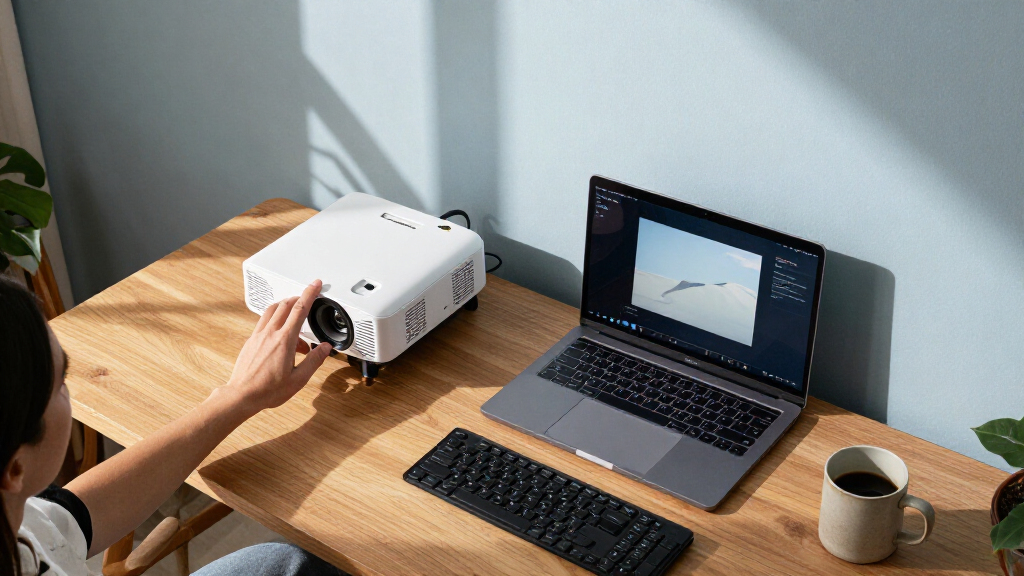
I ranked these portable projectors for home offices by how well their stated features support real workspace tasks: reading slides and documents, connecting a laptop, setting up in a small room, and switching between work and streaming. I gave more weight to office-relevant image characteristics and usable brightness claims than to entertainment extras, while also considering portability, focus and setup aids, connectivity, and whether built-in platforms reduce cable clutter.
The ranking reflects meaningful differences, not a claim that every model suits the same buyer. The Epson EX3290 leads because it is the most clearly office-oriented pick in this group; the CO-W01 follows as another practical presentation option. Smart and mini projectors rank higher for buyers who value convenience, streaming, or flexible placement, but lower when their listed features give less confidence for detailed work or brighter rooms. I also treated 4K decoding as a source-compatibility feature, not proof of native 4K image output.
Factors to Consider When Choosing Portable Projectors For Home Offices
A home-office projector has a different job from a movie-night model: it needs to make text comfortable to read, connect cleanly to your work devices, and fit the room where you actually present. I’d settle the workspace constraints first, then choose convenience features around them.
Prioritize readable text over headline resolution
Slides, spreadsheets, and shared screens expose image limitations faster than films do. Check the projector’s native resolution, not only labels such as “4K support” or “4K decoding,” which can refer to handling a high-resolution input rather than displaying every pixel. WXGA can suit large presentations, but small spreadsheet cells and dense browser text may look less crisp than on a native 1080p model. Before buying, think about the smallest text you regularly share and how large the projected image will be. A bigger image is not automatically easier to read if the projector’s resolution is modest. If fine detail is central to your meetings, favor the clearest stated native resolution over bundled screens or streaming apps.
Match brightness to the room, not the product label
Ambient light is often the limiting factor in a home office, especially if you cannot close blinds during a meeting. Brightness figures can use different measurement methods, so compare claims cautiously and avoid treating every lumen number as directly equivalent. A projector that looks adequate in a dark room may produce a washed-out image beside a sunny window. If you need daytime presentations, prioritize stronger, clearly specified brightness and plan to control light where possible. For a dim office used mostly after work, a smaller model may be sufficient and easier to position. The common mistake is paying for portability while expecting it to overcome a bright room on its own.
Plan the connection path before choosing smart features
For work, a dependable wired connection from a laptop can be more useful than a projector’s streaming platform. Check which inputs your computer actually supports, whether you need an adapter, and whether the projector can accept the content source you use for meetings. Built-in Roku TV or Google TV is useful for streaming and can make the projector more self-contained, but it does not replace a suitable laptop connection. Wireless casting may be convenient for casual sharing, yet corporate devices or meeting software can limit it. Decide whether the projector will stay connected to one computer or move between several devices. That answer often matters more than the number of apps listed on the box.
Measure throw distance and placement in your office
Before ordering, measure the distance from the likely projector position to the wall or screen and check that the desired image size works from that spot. A projector that is portable in weight may still be awkward if your desk, ceiling, or furniture leaves few placement options. Automatic focus, keystone correction, and flexible mounting can reduce setup time, but digital correction may affect the image and cannot solve every geometry problem. Keep ventilation and access to power in mind when planning a permanent desk location. For shared workspaces, a model that is quick to reposition may matter more than one that is slightly smaller. Confirm the throw details in the manufacturer’s specifications rather than assuming all compact projectors behave alike.
Choose portability that fits how you work
“Portable” can mean a projector that moves between rooms or one that simply fits on a shelf; those are different needs. Mini models are easy to store and reposition, but compact size may come with lower brightness or other compromises that matter for daily presentations. Larger office-focused models can make more sense if you will leave the projector set up and use it several times a week. Consider whether you need built-in audio, Bluetooth, or a separate speaker, since sound may be secondary for meetings but useful for training videos. Don’t pay for travel-friendly dimensions if the projector will live on the same desk. Conversely, a permanent installation is a poor match if you regularly carry the projector to another room.
Spend on the limitation you actually face
Paying more makes sense when it addresses a specific office problem, such as a bright room, frequent setup, or the need for more dependable document readability. Extra streaming services may add little value if your laptop already supplies video, while a bundled screen may be wasted if you have a suitable wall or display surface. Compare the complete setup cost too: adapters, mounting hardware, a screen, and external audio can change which projector is the better fit. Check warranty terms and the availability of replacement accessories before relying on a projector as a daily work tool. For occasional meetings in a controlled room, a simpler model may cover the basics without paying for features you will rarely use. Choose the upgrade that removes a real friction point, not the longest feature list.
Frequently Asked Questions
Is a portable projector a good replacement for a home-office monitor?
It can work for presentations, shared viewing, and occasional large-screen tasks, but it is rarely a direct substitute for a monitor used all day. Projected text depends on room light, throw distance, focus, and the surface, so fine details may be less comfortable to read for long periods. A monitor is usually more dependable for solo spreadsheet work or dense documents. If you want both uses, treat the projector as a presentation display and keep a monitor for close-up tasks. Check the projector’s native resolution and test the smallest text you expect to show before making it your only screen.
Should I choose native 1080p or a projector that supports 4K input?
For office use, native resolution is the more useful comparison because it describes the image the projector can display. “4K decoding” or “4K support” can mean the unit accepts a 4K source and scales it down, not that it projects a native 4K image. Native 1080p is often a practical target for slides and general computer use, while resolution needs rise when you regularly show small text or detailed diagrams. Also weigh brightness and room conditions, since a higher-resolution image can still be hard to read if it is washed out. Check the manufacturer’s exact resolution wording before treating a 4K label as a display specification.
Do I need built-in Roku TV or Google TV for a work projector?
No, not if your main source is a laptop and you can connect it reliably. A built-in platform can be handy for training videos, presentations from supported apps, or using the projector after work without another device. For work meetings, a laptop connection may offer better access to files and meeting tools than a smart interface. Wireless features can also depend on workplace network policies and device compatibility. Choose a smart model for the convenience you will use, rather than assuming its apps improve presentation quality.
Can a portable projector handle presentations in a bright home office?
It depends on how much daylight reaches the room and how much control you have over it. Strong ambient light lowers contrast and makes projected text harder to distinguish, even when a projector has a high stated brightness figure. Closing blinds, using a smaller image, or presenting on a suitable screen can help, but none guarantees monitor-like clarity in direct sunlight. Compare brightness claims carefully because measurement standards may differ among products. If daytime use is routine, favor a brighter model and plan around the room rather than relying on a mini projector to compensate.
What should I check before mounting or placing a projector on my desk?
Measure the distance to the projection surface and confirm that it produces an image size that fits your workspace. Check the throw specifications, available input ports, power access, and whether the projector needs a clear ventilation area. Keystone correction and auto-focus can make setup easier, but they do not remove the need for sensible placement or guarantee a perfectly square image. A short test with your laptop can reveal adapter, resolution, or wireless-sharing issues before an important meeting. If you will move the unit often, account for the time needed to refocus and reconnect it each time.
Conclusion
For an office-first balance, I’d choose the Epson EX3290 as the best overall, with the Epson EpiqVision Flex CO-W01 as another strong fit for presentation-focused buyers. The best value depends on your actual setup: choose a simpler native-1080p model if your room is controlled and you mainly need an affordable laptop display, rather than paying extra for streaming features. For a best premium direction, the HAPPRUN 2500 ANSI Google TV Smart Projector is the standout for buyers prioritizing a brighter, more self-contained system. Beginners who want fewer separate devices can look to a Roku TV or Google TV model, while buyers with tight storage or frequent room changes may prefer a compact mini projector. If fine text and daytime work are your main concerns, favor the Epson office-oriented picks; if streaming and flexible placement matter more, compare the smart and mini options against your room’s light and connection needs.