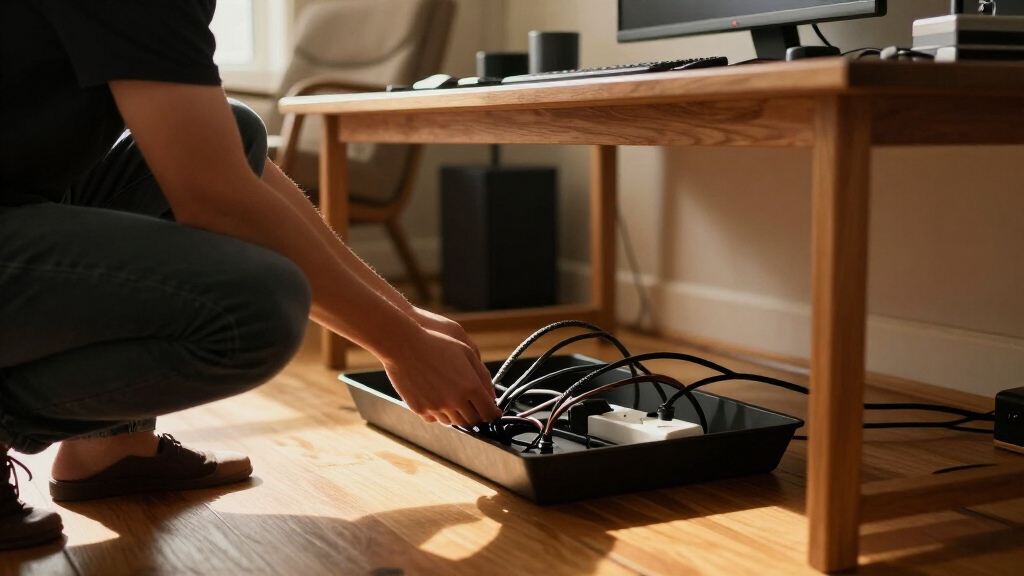

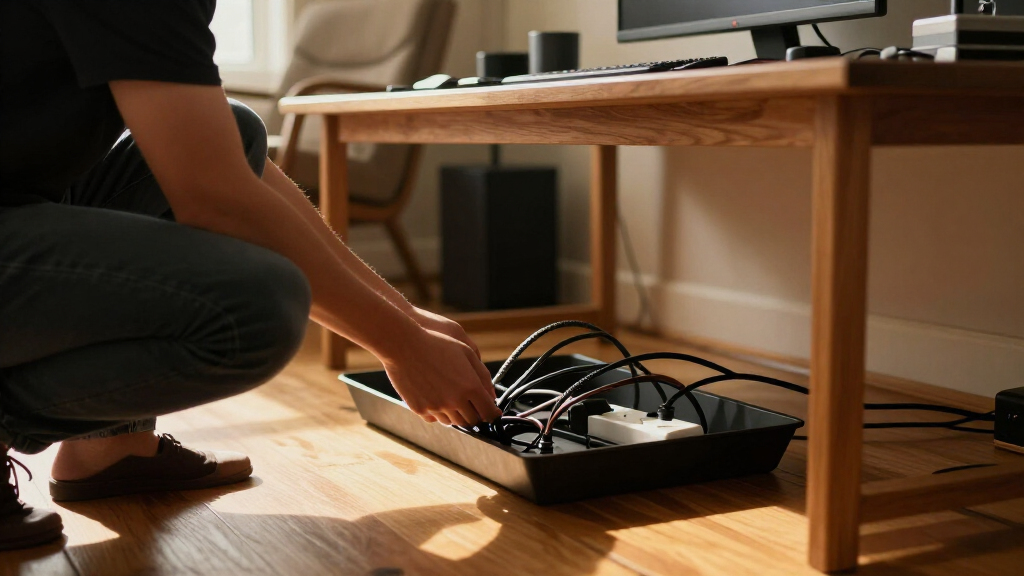
Under-desk cable management trays keep power strips and loose cords off the floor, but the right choice depends on your desk, cable load, and tolerance for drilling. My best overall pick is the Litwaro Clamp Mount Tray for shoppers who want a clamp-on setup without committing to holes in the desktop. For broader coverage, the Univivi 36-Inch Tray stands out, while the Scanfield 17-Inch 2-Pack offers two shorter trays for a split layout. The main tradeoffs are coverage versus clearance, clamp convenience versus screw-mounted stability, and rigid metal versus flexible fabric. Read on for the full breakdown, buying advice, and answers to common fit questions.

Get business pricing on your home office setup
- Business-only prices and quantity discounts
- Tax-exempt purchasing
- Multiple users, one account, clear invoices
Complete the kit


Key Takeaways
- Mounting method shapes the shortlist: Clamp-on and no-screw models suit renters and finished desks, while screw mounting can be a better match when a fixed installation matters more than reversibility.
- Tray length changes how you organize: Univivi‘s 36-inch option and Cotohim‘s 35.8-inch fabric tray offer long spans; the Scanfield 17-inch pair splits storage across two locations.
- A two-pack is not automatically better: Separate trays help divide cables or work around desk supports, but they need more placement planning than one continuous organizer.
- Compact trays favor a lighter setup: The 13.4-inch Cinati and 16.5-inch VIVO options are more suited to limited space than to collecting every cable and adapter in one place.
- Material affects day-to-day access: Metal and mesh offer a structured home for cables, while Cotohim’s fabric design brings a different feel and mounting choice; match the material to your access and clearance needs.


| under desk cable management tray | Material | Installation | Warranty | Color |
|---|---|---|---|---|
| Litwaro Under-Desk Cable Manag | Carbon steel | — | 1 year | Black |
| Scanfield No-Screw Under-Desk | Polyvinyl chloride (PVC) | Self-adhesive; no screws | — | White |
| Univivi 32-Inch Under-Desk Cab | Steel | C-clamp or screws | — | Black |
| Scanfield Under-Desk Cable Man | Polyvinyl chloride | — | — | Black |
| VIVO Low-Profile Under-Desk Ca | Metal | — | 1 year | Black |
| GZOKMOG Under Desk Cable Manag | Carbon steel | Clamp-on, no drilling required | 2 years | Black |
| Yecaye Under-Desk Cable Manage | 2 mm hard PVC plastic | Adhesive mount; no tools or screws | — | — |
| Cinati Under Desk Cable Manage | Metal | Clamp-on, no drilling | 2 years | White |
| Ucanng Under-Desk Mesh Cable M | Steel mesh | No-drill adjustable clamps | 1 year | — |
| LOVJOYSE 25.3-Inch Under-Desk | Stainless steel | Clamp, no drilling | 3 months | — |
| Xpatee 2-Pack Under-Desk Cable | Metal | Clamp mount; no drilling | 2 years | — |
| Cotohim Under-Desk Fabric Cabl | Oxford fabric | Clamp-on or screw-in | 2 years | Black |
| Univivi 36-Inch Under-Desk Cab | 600D Oxford fabric | Clamp-on or screw-in | 1 year | — |
| PAMO Under-Desk Cable Manageme | Alloy steel | Screw-in | — | — |
| Mzmaxy 25-Inch Under-Desk Cabl | Metal mesh | — | 3 months | — |
More Details on Our Top Picks
Litwaro Under-Desk Cable Management Tray with Clamp Mount
The Litwaro clamp-on tray suits desks where drilling is off the table but adhesive feels too permanent or uncertain. Its padded clamps fit flat edges from 0.4 to 2.4 inches thick, and the tray can face inward or outward, giving you options for cable access and clearance. At 13.4 inches long, it is more compact than the Univivi 32-Inch tray, so it makes more sense for a modest cable bundle than for several large power supplies. The mesh construction and roughly 15-pound capacity provide room for an outlet strip and accessories while leaving airflow around them. The tradeoff is fit: curved, beveled, or obstructed desk edges may not work, and the clamps need clear space along the edge.
Pros:- Clamp installation avoids drilling and adhesive.
- Can face inward or outward to suit access and desk layout.
- Rubber pads help protect the desk surface.
- Mesh tray supports airflow and holds about 15 pounds.
Cons:- Requires a flat desk edge between 0.4 and 2.4 inches thick.
- Clamps need unobstructed edge clearance.
- Its 13.4-inch length offers less room than the Univivi 32-Inch tray.
Best for: People with a flat-edged desk who want a removable, no-drill tray and need to store a power strip with a moderate cable bundle.
Not ideal for: Owners of desks with rounded or beveled edges, limited clamp clearance, or a large collection of bulky adapters that calls for a longer tray.
- Material:Carbon steel
- Color:Black
- Mounting:Clamp mount; no drilling required
- Desk thickness compatibility:0.4–2.4 in
- Weight capacity:About 15 lbs
- Dimensions:13.4 × 4.72 in
- Design:Mesh tray with two cable holes on each side
- Warranty:1 year
Our verdict“Choose the Litwaro if you want a removable clamp mount with useful orientation options and your cable load fits a compact tray.”
Scanfield No-Screw Under-Desk Cable Management Tray, 17-Inch, 2-Pack, White
This two-tray adhesive set is a practical way to organize two work areas or split cable storage between separate sections of one desk. Each tray is 17 inches long with a 3.5-inch interior width, giving it more coverage than the compact Litwaro while avoiding clamps and screws. That makes the Scanfield appealing when a desk edge is inaccessible or drilling is not allowed. The cost of that convenience is a fixed installation: the adhesive needs 24 hours to cure, and suitability depends on the underside surface. Compared with the black Scanfield two-pack, this white version may blend better with light desks, but the underlying capacity and installation tradeoffs are much the same. I would skip it for rough, dusty, or uncertain surfaces.
Pros:- Two trays can serve separate desks or cable zones.
- No screws, drilling, or installation tools are needed.
- 17-inch length accommodates power strips and chargers.
- White finish can blend with light desk surfaces.
Cons:- Adhesive must cure for 24 hours before use.
- Adhesive fit depends on the desk surface and is less adjustable than the Litwaro clamp mount.
- Fixed adhesive mounting is less convenient to remove or reposition.
Best for: Remote workers setting up two light-colored desks, or one desk with two separate cable zones, who can leave the adhesive undisturbed during curing.
Not ideal for: Renters or office users who need a readily removable mount, and anyone with an uneven or questionable desk underside where adhesive may not hold reliably.
- Brand:Scandinavian Hub
- Pack size:2 trays
- Color:White
- Dimensions:17 in L × 3.5 in W
- Installation:Self-adhesive; no screws
- Adhesive cure time:24 hours
- Material:Polyvinyl chloride (PVC)
- Usage:Indoor
Our verdict“Pick this white two-pack for two cable zones when the desk surface suits adhesive and you can wait through the curing period.”
Univivi 32-Inch Under-Desk Cable Management Tray, Black
For a desk crowded with power strips, chargers, and data cables, the 32-inch Univivi offers far more continuous storage than the 13.4-inch Litwaro. Its length helps keep a broader cable run together instead of scattering smaller organizers across the underside. I also value the choice between C-clamp mounting and screws: clamps spare the desk surface, while screws give buyers another route when clamp access does not suit their setup. Cable holes support routing, and the ventilated steel structure leaves openings around stored equipment. Those advantages bring a footprint and installation tradeoff: measure the underside before committing, and remember screw mounting requires drilling. Compared with the screw-in VIVO, Univivi gives a no-drill option, but its larger span is unnecessary for a small, simple setup.
Pros:- 32-inch length provides room for a broad cable run and multiple accessories.
- Offers both C-clamp and screw installation.
- Ventilated steel design allows airflow around stored equipment.
- Cable holes provide routing options.
Cons:- Large footprint may not suit short desks or crowded undersides.
- Screw installation requires drilling into the desk.
- Designed for indoor use only.
Best for: People with a wide desk and several power bricks or a long cable run who want substantial storage and a choice of clamp or screw installation.
Not ideal for: Owners of compact desks or anyone unwilling to accommodate a long tray; skip the screw option if you cannot drill and the clamps do not fit your desk.
- Brand:Univivi
- Length:32 in
- Color:Black
- Material:Steel
- Installation:C-clamp or screws
- Usage:Indoor
- Number of pieces:1
- Item weight:2.45 kg
Our verdict“Choose the Univivi when your main need is long, consolidated storage and you have space for a 32-inch tray.”
Scanfield Under-Desk Cable Management Tray, No-Screw, 17-Inch, 2-Pack, Black
The black Scanfield two-pack has the same 17-inch adhesive trays and 24-hour cure period as the white version, but its finish is the natural choice for dark desks or a less conspicuous underside. Two trays offer useful flexibility: place one near a power strip and the other near cable connections, or organize two workstations. Unlike the VIVO screw-in tray, this setup needs no holes or tools, though that also means placement depends on a suitable adhesive surface and is not as easy to revise later. Each tray is 3.5 inches wide inside, enough for cables and many power strips, but the product data does not specify a weight capacity. I would avoid loading it heavily until the bond is established and the desk surface is confirmed compatible.
Pros:- Two trays support separate cable zones or desks.
- Tool-free installation avoids drilling.
- 17-inch length and 3.5-inch interior width suit cables, chargers, and power strips.
- Black finish pairs naturally with dark desk undersides.
Cons:- Adhesive requires 24 hours to cure before use.
- Adhesive mounting depends on a suitable desk surface.
- No weight capacity is provided in the product data.
Best for: People organizing two dark desk areas who want tool-free cable storage and have a smooth, suitable underside for adhesive mounting.
Not ideal for: Buyers who need a removable mount, want a stated load limit, or cannot leave the trays unused during the 24-hour adhesive cure.
- Brand:Scandinavian Hub
- Number of pieces:2
- Color:Black
- Dimensions:17 in L × 3.5 in W
- Installation type:Self-adhesive; no screws
- Adhesive cure time:24 hours
- Material:Polyvinyl chloride
- Usage:Indoor
Our verdict“Choose the black Scanfield set for two dark cable zones if adhesive suits your desk and you do not need a published load limit.”
VIVO Low-Profile Under-Desk Cable Management Tray, 16.5 in, Black
The VIVO low-profile tray is a straightforward choice for buyers who prefer a fixed metal organizer over adhesive or clamp hardware. At 16.5 inches long, it sits between the compact Litwaro and the much longer Univivi 32-Inch, making it a sensible middle ground for one power strip and a manageable cable bundle. Its front opening keeps cords accessible, so adding or unplugging equipment is less awkward than with a fully enclosed holder. The tradeoff is installation: this tray screws into wood or particleboard, with mounting holes 11 inches apart, so it is not the pick for glass, metal, or a desk you cannot drill. Its 11-pound limit also leaves less headroom than the Litwaro’s approximate 15-pound capacity.
Pros:- Metal construction supports loads up to 11 pounds.
- Front opening keeps cables accessible.
- 16.5-inch length suits a moderate setup without the Univivi’s 32-inch span.
- Low-profile black design keeps storage tucked beneath the desk.
Cons:- Requires screw-in installation.
- Designed for wood or particleboard desk surfaces.
- Its 11-pound capacity is lower than the Litwaro’s approximate 15-pound capacity.
Best for: Desk owners with wood or particleboard surfaces who want a compact, fixed metal tray and regular access to stored cables.
Not ideal for: People who cannot drill into their desk, have a glass or metal desktop, or need more than 11 pounds of cable equipment stored underneath.
- Brand:VIVO
- Model:DESK-AC06-1C
- Material:Metal
- Color:Black
- Dimensions:16.5 × 3 in
- Mounting:Screw-in
- Mounting-hole spacing:11 in
- Weight capacity:11 lbs
- Warranty:1 year
Our verdict“Choose the VIVO for a fixed, accessible cable tray if your desk accepts screws and your stored gear stays under 11 pounds.”
GZOKMOG Under Desk Cable Management Tray, No-Drill Clamp-On Metal Organizer
The GZOKMOG is the strongest choice here for buyers who want a compact clamp-on tray with more stated load capacity: it supports up to 20 lbs, compared with 15 lbs for the LOVJOYSE and Ucanng. Its carbon-steel construction and rubber-padded clamps suit a power strip and several adapters, while side openings keep cords reachable without pulling equipment out. Installation needs no drilling, but the tray is only 15.75 inches long, so check the dimensions of both your power strip and desk edge before choosing it. The Ucanng adds ventilated mesh and adjustable mounting direction, while this GZOKMOG offers a higher stated capacity. Its fit is narrower in another way: it requires a flat-edged desk 0.2–2 inches thick.
Pros:- 20 lb stated capacity exceeds the 15 lb limits of the LOVJOYSE and Ucanng
- Clamp-on installation avoids drilling
- Rubber pads help protect the desk surface
- Side openings provide access for cable routing
Cons:- Fits only flat-edged desks between 0.2 and 2 inches thick
- The 15.75-inch length may not accommodate larger power strips
- Desk and power strip dimensions need checking before purchase
Best for: Desk owners with a flat edge who need a compact, no-drill tray for a heavier power strip and multiple adapters.
Not ideal for: People with rounded or unusually thick desk edges, or anyone whose power strip exceeds the tray’s compact dimensions.
- Material:Carbon steel
- Dimensions:15.75 × 4.72 × 3.15 in
- Weight:1.8 lbs
- Weight capacity:20 lbs
- Installation:Clamp-on, no drilling required
- Compatible desk thickness:0.2–2 in
- Color:Black
- Warranty:2 years
Our verdict“Choose the GZOKMOG if load capacity matters more than a longer tray or ventilated mesh and your desk has a compatible flat edge.”
Yecaye Under-Desk Cable Management Trays, 2 Pack, 31.5 in, Black
The Yecaye two-pack is the lineup’s clearest pick for buyers who want to spread cable storage across two areas without clamps or screws. Each tray is 15.7 inches long, for 31.5 inches total, and cutouts along the sides and bottom offer routing options that a single clamp-on tray such as the Cinati does not match across as much desk space. Cable holders and ties help keep loose leads sorted rather than simply hidden. The tradeoff is the mounting method: adhesive is suited to smooth surfaces, and the manufacturer recommends waiting 24 hours before loading the trays. Its 6 lb maximum capacity is also well below the GZOKMOG’s 20 lb rating, making this a lighter-duty organizer, not the choice for a heavy collection of power bricks.
Pros:- Two separate trays provide flexible placement across a desk
- Side and bottom cutouts allow several cable-routing paths
- Includes four cable holders and six cable ties
- Installs without tools or screws
Cons:- Maximum bearing capacity is 6 lbs, limiting heavier setups
- Adhesive is intended for smooth surfaces rather than textured ones
- Requires a 24-hour wait before adding cables or power strips
Best for: People with smooth desk undersides who want to organize cables in two locations and prefer tool-free adhesive mounting.
Not ideal for: Buyers with textured or dusty surfaces, heavy power strips, or a need to load the organizer immediately after installation.
- Pack count:2 trays
- Total length:31.5 in
- Tray dimensions:15.7 × 3.9 × 3.5 in each
- Material:2 mm hard PVC plastic
- Installation:Adhesive mount; no tools or screws
- Maximum bearing capacity:6 lbs
- Included accessories:4 cable holders and 6 cable ties
- Usage:Indoor
Our verdict“Pick the Yecaye set for light cable loads spread across smooth surfaces, but choose a clamp-on model such as the GZOKMOG for heavier equipment.”
Cinati Under Desk Cable Management Tray, 13.4-Inch Metal, White
Where the longer LOVJOYSE tray prioritizes space, the Cinati makes more sense when a desk has limited clearance or the cable bundle is modest. Its 13.4-inch metal tray clamps on without drilling and can be repositioned, while included clips and ties help manage leads outside the tray itself. Anti-scratch mats add protection at the desk edge. Its 10 lb capacity is enough for many basic power-strip setups, but it falls short of the GZOKMOG’s 20 lb rating and the Ucanng’s 15 lb limit. The white finish may also suit light-colored desks better than those black alternatives. Check desk thickness carefully: the Cinati accepts edges from 0.4 to 2.4 inches, a different range from the GZOKMOG and LOVJOYSE.
Pros:- Compact 13.4-inch length fits tighter desk layouts
- Clamp-on mounting avoids drilling and allows repositioning
- Anti-scratch mats help protect the desk edge
- Includes four cable clips and six cable ties
Cons:- 10 lb capacity is lower than the GZOKMOG and Ucanng limits
- Desk edge must be between 0.4 and 2.4 inches thick
- Shorter tray offers less space for large power strips or many adapters
Best for: People with a light cable bundle, a light-colored desk, and limited under-desk space who want a repositionable clamp-on tray.
Not ideal for: Owners of desks thinner than 0.4 inches or thicker than 2.4 inches, or buyers who need high load capacity or a long storage surface.
- Material:Metal
- Color:White
- Dimensions:13.4 × 4.6 × 3.1 in
- Installation:Clamp-on, no drilling
- Desk thickness compatibility:0.4–2.4 in
- Weight capacity:10 lbs
- Included accessories:4 cable clips and 6 cable ties
- Warranty:2 years
Our verdict“Choose the Cinati for a compact, light-duty setup on a compatible desk, rather than for a bulky power strip or heavier cable load.”
Ucanng Under-Desk Mesh Cable Management Tray
The Ucanng steel-mesh tray stands apart for buyers who want ventilation around a power strip and easy access to cables after installation. Its open mesh helps air circulate, while the side opening lets cables pass in and out without removing the tray. The clamps can mount inward or outward, giving more flexibility around desk legs than the Cinati’s compact, straightforward clamp-on design. Capacity is 15 lbs, between the GZOKMOG’s 20 lb limit and Cinati’s 10 lb limit. Fit is the main constraint: the tray accepts power strips up to 15 inches long and 4.32 inches wide, and the desk must be 0.4–2 inches thick. Its 1-year warranty is also shorter than the two-year coverage listed for the GZOKMOG and Cinati.
Pros:- Ventilated steel mesh allows airflow around stored equipment
- Side opening keeps cables accessible without removing the tray
- Clamps can mount inward or outward
- 15 lb maximum load suits many standard power-strip setups
Cons:- Power strips must fit within 15 inches long and 4.32 inches wide
- Desk thickness is limited to 0.4–2 inches
- One-year warranty is shorter than the GZOKMOG and Cinati warranties
Best for: People with a compatible desk who want a ventilated mesh tray and expect to access or rearrange cables regularly.
Not ideal for: Buyers with oversized power strips, desk edges outside the 0.4–2-inch range, or a preference for longer warranty coverage.
- Material:Steel mesh
- Installation:No-drill adjustable clamps
- Clamp thickness range:0.4–2.0 in
- Mounting:Inward or outward
- Maximum load:15 lbs
- Maximum power strip size:15.00 × 4.32 in
- Dimensions:15.35 in L
- Warranty:1 year
Our verdict“Choose the Ucanng if airflow and access matter more than a higher load limit or longer warranty.”
LOVJOYSE 25.3-Inch Under-Desk Cable Management Tray with Clamp
At 25.3 inches long, the LOVJOYSE offers substantially more continuous storage than the Cinati’s compact 13.4-inch tray, making it a better fit for a power strip plus several adapters arranged side by side. Its stainless-steel mesh construction, two cable-access holes, and clamp-on installation keep cords contained without drilling; rubber pads help protect the desk. The 15 lb capacity is a practical middle ground, though it does not match the GZOKMOG’s 20 lb rating. The longer tray also needs enough under-desk clearance, and its clamps fit desks no thicker than 2 inches. Warranty coverage is only three months, notably shorter than the GZOKMOG’s and Cinati’s two-year terms, so buyers who value longer stated coverage may prefer those alternatives.
Pros:- 25.3-inch length provides more continuous storage than the Cinati
- Clamp installation avoids drilling or tools
- Rubber pads help protect the desktop
- Mesh design and two access holes support cable routing
Cons:- Fits desks up to 2 inches thick only
- 15 lb capacity is below the GZOKMOG’s 20 lb limit
- Three-month warranty is shorter than the other clamp-on options listed here
Best for: People with a longer desk edge who want one continuous no-drill tray for a power strip, adapters, and several cords.
Not ideal for: Owners of desks thicker than 2 inches, tight under-desk layouts, or buyers who prioritize longer warranty coverage.
- Length:25.3 in
- Width:4.72 in
- Material:Stainless steel
- Installation:Clamp, no drilling
- Maximum desk thickness:2 in
- Weight capacity:15 lbs
- Cable access holes:2
- Warranty:3 months
Our verdict“Choose the LOVJOYSE for a longer cable run and a moderate load, provided the short warranty and 2-inch desk limit work for your setup.”
Xpatee 2-Pack Under-Desk Cable Management Trays, No-Drill Clamp Mount, Black
The Xpatee set suits buyers who want to spread cable storage across a desk rather than fit everything into one long channel. Its two 15.7-inch metal trays can be positioned separately or aligned for a combined 31.4 inches, while open sides make it easier to place a power strip inside. Clamp mounting avoids drilling, and the included mats help protect the desktop. Compared with the single-tray Mzmaxy 25-inch mesh tray, Xpatee gives you two placement zones and a higher stated desk-thickness ceiling, but each tray is limited to 10 pounds. That capacity calls for some restraint with heavy adapters or densely loaded power strips. The desk must also fall within its 0.4–2.4-inch clamp range, so this is not a fit for every work surface.
Pros:- Two trays allow separate placement or a combined 31.4-inch run
- Clamp mounting avoids drilling
- Anti-scratch mats help protect the desk
- Open sides simplify placement of power strips
Cons:- Each tray has a 10-pound maximum load
- Clamp fit is limited to desks 0.4–2.4 inches thick
Best for: Desk owners who want two separate cable-storage zones and need a no-drill setup for a 0.4–2.4-inch-thick desktop.
Not ideal for: People with heavy power bricks or dense equipment loads, since each tray is rated for 10 pounds, or desks outside the stated thickness range.
- Material:Metal
- Quantity:2 trays
- Dimensions per tray:15.7 × 4.7 × 5.9 inches
- Maximum load:10 pounds per tray
- Desk thickness compatibility:0.4–2.4 inches
- Installation:Clamp mount; no drilling
- Included accessories:4 cable clips and 8 cable ties
- Warranty:2 years
Our verdict“Choose Xpatee if you want two adjustable, no-drill cable zones; pick a higher-capacity option if your equipment is heavy.”
Cotohim Under-Desk Fabric Cable Management Tray, Clamp or Screw Mount, 35.8 × 5.6 in, Black
Cotohim is the adaptable pick for anyone who wants to choose between a removable clamp setup and a more fixed screw-in installation. Its Oxford fabric construction conceals adapters and cables, while the included fiber tubes and ties help bundle loose runs. That makes it a different proposition from the rigid steel PAMO two-tray set: Cotohim favors a covered, softer-sided channel, while PAMO offers defined metal trays and a more durable-feeling structure. The main drawback is uncertainty in the published dimensions: the title lists 35.8 inches, while product details give 28.6 inches. Load capacity is also unspecified, so I would not choose it for a notably heavy power strip or a large collection of adapters. Confirm the actual length before planning a full desk-width installation.
Pros:- Offers clamp-on and screw-in installation
- Fabric helps conceal power strips, adapters, and cords
- Includes fiber tubes and 12 cable ties
- Fits desktops from 0.4 to 2.4 inches thick
Cons:- Published length conflicts between the title and product details
- No load capacity is specified
- Fabric construction may be less suited to buyers wanting a rigid open tray
Best for: Renters or desk owners who want the choice of clamp mounting now and screw mounting later, and prefer fabric to an open metal tray.
Not ideal for: Buyers who need a verified exact length or a stated load limit before organizing heavy power supplies.
- Material:Oxford fabric
- Listed dimensions:35.8 × 5.6 inches in title; 28.6 × 5.6 inches in product details
- Installation:Clamp-on or screw-in
- Desktop thickness compatibility:0.4–2.4 inches
- Included:1 tray, 2 hardware brackets, 2 fiber tubes, 12 cable ties
- Color:Black
- Warranty:2 years
- Use:Indoor
Our verdict“Pick Cotohim for mounting flexibility and fabric concealment, but verify its length and avoid relying on it for heavy loads.”
Univivi 36-Inch Under-Desk Cable Management Tray
For a desk with cables spread across most of its width, the Univivi offers a 36-inch fabric channel that can hold and conceal a broad run of adapters, strips, and cords. Its unfoldable design makes cable access easier than a fixed, enclosed solution, and built-in ties help stop items from shifting. Unlike Cotohim, the Univivi listing gives one clear length and calls out bottom support for heavier loads; unlike the two-piece Xpatee set, it keeps the storage in one continuous span. That length comes with a fit constraint: the clamps need at least 5.3 inches of clearance along the desk edge, and their clips may remain visible on the tabletop. Clamp or screw installation adds flexibility, but this is still a larger, more conspicuous setup than a compact metal tray.
Pros:- 36-inch length accommodates a broad cable run
- Unfolds for easier access to stored cables and accessories
- Clamp-on or screw-in mounting options
- Bottom support and built-in ties help manage heavier, shifting items
Cons:- Requires at least 5.3 inches of clearance along the desk edge
- Mounting clips may remain visible on the tabletop
- One-year warranty is shorter than the two-year coverage listed for Xpatee and Cotohim
Best for: People with wide desks and cables distributed across a long stretch who want a fabric tray that opens for access.
Not ideal for: Owners with limited clearance at the desk edge or anyone who wants discreet, small-scale cable storage without visible tabletop clips.
- Length:36 inches
- Width:5.5 inches
- Height:5.5 inches
- Material:600D Oxford fabric
- Installation:Clamp-on or screw-in
- Item weight:3.1 pounds
- Pieces:1
- Warranty:1 year
Our verdict“Choose the Univivi for long-span fabric storage if your desk has the needed edge clearance and visible clamps are acceptable.”
PAMO Under-Desk Cable Management Trays, Set of 2, Black
PAMO is the choice here for buyers who favor a fixed, all-metal installation over removable clamps. The two powder-coated alloy-steel trays create separate storage areas for power strips and adapters, and their beveled shape keeps cables accessible rather than burying them in a covered channel. Compared with the clamp-mounted Xpatee set, PAMO avoids desk-thickness limits but requires screws in the underside of the desk, so it is less appealing for renters or anyone unwilling to drill. Each tray is relatively narrow at 3.94 inches, which can help keep the assembly unobtrusive but leaves less room for bulky equipment than wider options. The included cable guides and reusable ties help route cords, though the listing does not provide a load rating.
Pros:- Two powder-coated alloy-steel trays
- Beveled design keeps cables accessible
- Separate trays can organize power strips and adapters
- Includes cable guides, mounting screws, and six reusable ties
Cons:- Screw-in installation requires drilling into the desk
- Tray width is 3.94 inches, limiting room for bulky items
- No load capacity is listed
Best for: Desk owners who can screw into the underside and want two durable metal trays with easy cable access.
Not ideal for: Renters, users who cannot drill into their desk, or buyers needing a specified capacity for heavy equipment.
- Material:Alloy steel
- Steel thickness:1 mm
- Quantity:2 trays
- Dimensions per tray:17.32 × 3.94 inches
- Installation:Screw-in
- Included components:2 cable guides, mounting screws, 6 cable ties
- Item weight:1.6 kg
- Use:Indoor
Our verdict“Choose PAMO for a permanent two-zone steel setup if drilling is acceptable and your equipment fits its narrow trays.”
Mzmaxy 25-Inch Under-Desk Cable Management Tray
The Mzmaxy is a strong fit for buyers who want a single, moderately long metal tray without drilling and need more stated capacity than the Xpatee trays’ 10-pound limit per tray. Its mesh build supports approximately 15 pounds and allows airflow around power strips, while rubber pads help protect the desk at the clamp points. The option to face the tray inward or outward can make placement easier when leg frames or nearby furniture restrict access. Compared with the long fabric Univivi 36-inch tray, Mzmaxy is shorter and more open, trading broad coverage and concealment for a sturdier mesh format and a stated load figure. Assembly does require screwing its two sections together, and its warranty is only three months, so it is less reassuring as a long-term purchase.
Pros:- Approximately 15-pound capacity exceeds Xpatee’s stated 10 pounds per tray
- Clamp mounting avoids drilling
- Rubber pads help prevent desk scratches
- Mesh construction promotes airflow, with inward or outward installation
Cons:- Two tray sections must be screwed together during assembly
- Fits only desks 0.4–2 inches thick
- Three-month warranty is limited
Best for: Desk owners who need a no-drill metal tray for a moderately heavy power strip and want to choose its orientation.
Not ideal for: People who need a long, concealed channel, want a ready-to-mount one-piece assembly, or prioritize longer warranty coverage.
- Material:Metal mesh
- Length:25 inches
- Weight capacity:Approximately 15 pounds
- Mounting:Clamp; no drilling required
- Compatible desk thickness:0.4–2 inches
- Installation orientation:Inward or outward
- Pieces:1 tray assembled from 2 sections
- Warranty:3 months
Our verdict“Pick Mzmaxy for a no-drill mesh tray with a higher stated load capacity, but skip it if you need long coverage or stronger warranty support.”
How We Picked
I ranked these trays around the decisions that most affect fit and everyday use: mounting compatibility, usable span, cable capacity, and access. A long tray can cover more of a desk, but it may conflict with crossbars or reduce leg clearance. Shorter trays can be easier to place, and two-piece sets can make it simpler to separate power and data cables, though they require more layout planning.
I also weighed construction and installation flexibility rather than treating every no-drill design as interchangeable. Clamp mounts, no-screw formats, screw-mount options, metal, mesh, and fabric each suit different desks and routines. The ranking favors options with a clear use case and a practical balance of coverage and setup; products aimed at narrower needs rank lower for general use, not because those needs are unimportant.
Factors to Consider When Choosing Under Desk Cable Management Trays
Before choosing a tray, start with the desk and the cables you need to manage—not the advertised length alone. These factors help prevent a tray that technically fits but blocks a support, sits awkwardly near your knees, or leaves adapters hanging outside.
Check the desk edge and underside before choosing a mount
Clamp trays need a desk edge the clamp can grip, plus enough clearance beneath the top for the hardware. Measure the desktop thickness and check for a bevel, apron, drawer, or crossbar where the clamp would sit. A no-drill label does not mean universal compatibility: the tray still needs a clear mounting point and room to tighten. Screw mounting can work where the edge shape defeats a clamp, but it leaves holes and may not suit glass, hollow-core, or rented furniture. I would map the underside first, including where you sit and where desk legs or braces run.
Choose length by layout, not by the biggest number
A long tray can hold a power strip and route several cable runs across a wide desk, but it can also collide with a frame support or extend into your leg space. Measure the usable span between obstacles rather than the full desktop width. For a desk with central supports, two shorter trays may fit around the structure more cleanly than one long tray. That split layout can also keep computer cables apart from chargers, though it creates two mounting areas to position. Leave slack for cables that need to reach a standing desk’s movement range.
Estimate the actual cable load, including bulky adapters
Count more than the cords: power strips, charger blocks, hubs, and excess cable loops take up the space that a simple cable count misses. A shallow tray may be enough for a few leads but frustrating when large adapters need to sit inside it. Avoid packing a tray so tightly that plugs are hard to reach or cords press against sharp edges. If you use several large bricks, prioritize usable depth and access over a slim appearance. Keep power equipment arranged so airflow is not unnecessarily restricted.
Think about access and how often your setup changes
A permanent workstation with a stable device lineup can benefit from a fixed arrangement that keeps cables tucked away. If you frequently swap laptops, peripherals, or chargers, easy access may matter more than concealing every wire. Open metal or mesh designs make it easier to see and reach connections, while a more enclosed or flexible layout may hide clutter better. Plan for the device you expect to add next, not just the cables on your desk today. A little spare room can save you from removing and repositioning the tray later.
Match material and finish to your room and maintenance habits
Metal trays provide a firm structure for organizing cables and accessories, while mesh allows an open layout that can make cords easier to route. Fabric offers a softer alternative, but its flexibility and attachment method may feel different from a rigid tray when loaded. Look at how the tray will be cleaned and whether lint or dust will collect around the cables. White can blend with a light desk, while black often recedes beneath darker furniture; neither finish changes capacity. Choose the material that fits your access habits as well as your visual preference.
Treat installation and removal as part of the purchase decision
Installation effort includes more than attaching the tray: you may need to unplug equipment, reposition a power strip, and route cables around desk legs. A clamp or no-screw option can reduce permanent changes, but clamps still need tightening and may need a recheck after adjustment. Screw-mounted trays call for a suitable surface and careful placement before drilling. If you move often, favor a design you can remove without leaving marks; if the desk stays put, a more fixed setup may be acceptable. Save time by planning cable paths before loading the tray.
Frequently Asked Questions
How can I tell whether a clamp-on tray will fit my desk?
Measure the desk thickness at the exact edge where you plan to attach the clamp, then compare it with the product’s stated clamp range. Check for a rounded or beveled edge, a front apron, drawers, and any frame rail that might block the clamp. Also confirm you can reach the tightening point once the desk is against a wall. If the underside has no clear edge, a no-screw label alone will not solve the fit problem; you may need a different mounting style. When measurements are close, leave room for protective pads or other clamp hardware.
Should I pick one long tray or a two-pack of shorter trays?
One long tray makes sense when the underside is open and you want a continuous place for a power strip and cable loops. Two shorter trays can work better around desk legs, crossbars, or separate workstation zones. A pair also lets you keep some equipment apart, but it means finding two mounting locations and routing cables between them. Measure around obstructions before deciding; the desktop’s overall width can make a long tray seem more suitable than it is. Choose the layout that leaves enough legroom and keeps frequently used plugs reachable.
Can I use an under-desk tray with a standing desk?
Usually, but the tray must stay clear of the lifting frame throughout the desk’s full range of motion. Check the underside for moving crossbars and confirm that cords can travel without snagging, pulling tight, or dragging on the floor. Leave a controlled loop of slack between the tray and devices that move with the desktop. A long tray can help gather cables, but its position matters more than its reach if the frame moves beneath it. Test the desk’s movement slowly after installation before securing every cable in place.
What should I do if my desk is glass, hollow-core, or rented furniture?
Avoid drilling unless the desk maker allows it and you are prepared for a permanent change. For glass or delicate tops, first verify that a clamp’s contact points and load are suitable for the surface; a clamp is not automatically safe for every material. Hollow-core desks may not hold screws securely, so check the construction rather than relying on the surface appearance. Renters can favor removable clamp or no-screw mounting, provided the desk edge accommodates it. If neither approach fits, a freestanding cable box or another non-attached organizer may be a safer route.
How much room should I leave for power strips and bulky adapters?
Lay out the power strip, charger blocks, and hubs you plan to store before settling on a tray. Include space for plugs to bend naturally and for your hand to reach the switch or reset button if the strip has one. Large adapters can use more room than the cables themselves, so a narrow tray may not suit a dense setup even if its length looks generous. Keep cords from being pinched against the desk or sharply bent at the tray edge. Leave some spare capacity for a future device rather than filling the organizer to its limit on day one.
Conclusion
For most desks, I would start with the Litwaro Clamp Mount Tray as the best overall pick because a clamp-on format suits buyers who want under-desk storage without drilling. For best value, the Scanfield 17-Inch 2-Pack is the practical choice when two compact storage points suit your layout; the white and black versions offer the same basic split-tray approach in different finishes. For a best premium-style choice focused on coverage, consider the Univivi 36-Inch Tray, provided your underside has room for a long run. Beginners can start with a shorter option such as the VIVO 16.5-Inch Tray to manage a smaller cable load, while buyers seeking a flexible material and more than one mounting approach should look at the Cotohim Fabric Tray. If your desk has unusual supports or little free edge space, favor a shorter or two-piece layout over choosing by length alone.