TL;DR

Get business pricing on your home office setup
- Business-only prices and quantity discounts
- Tax-exempt purchasing
- Multiple users, one account, clear invoices
Sitting for 8 hours doesn’t have to wreck your back if you set up your workspace properly, take regular breaks, and stay active. Simple adjustments and habits reduce discomfort and prevent long-term damage.
Long hours at a desk can feel unavoidable, but your back doesn’t have to suffer. Sitting for eight hours straight often leads to stiffness, pain, and long-term issues. The good news? Small tweaks to your workspace and habits can make a huge difference.
In this guide, you’ll learn how to set up your environment for comfort, keep your muscles engaged, and develop routines that protect your spine. You’ll find practical tips backed by recent research — no hype, just real strategies to keep your back healthy during those marathon work sessions.
Adjust your workspace so your monitor is at eye level and your chair supports your lower back.
Take a micro-break every 30 minutes to stretch or walk for a couple of minutes.
Alternate between sitting and standing every 20-30 minutes using a sit-stand desk or timer.
Incorporate simple desk exercises and stretches to keep muscles active and reduce stiffness.
Build core strength outside work hours with targeted exercises for lasting back health.
How to Set Up Your Desk for Comfort and Support
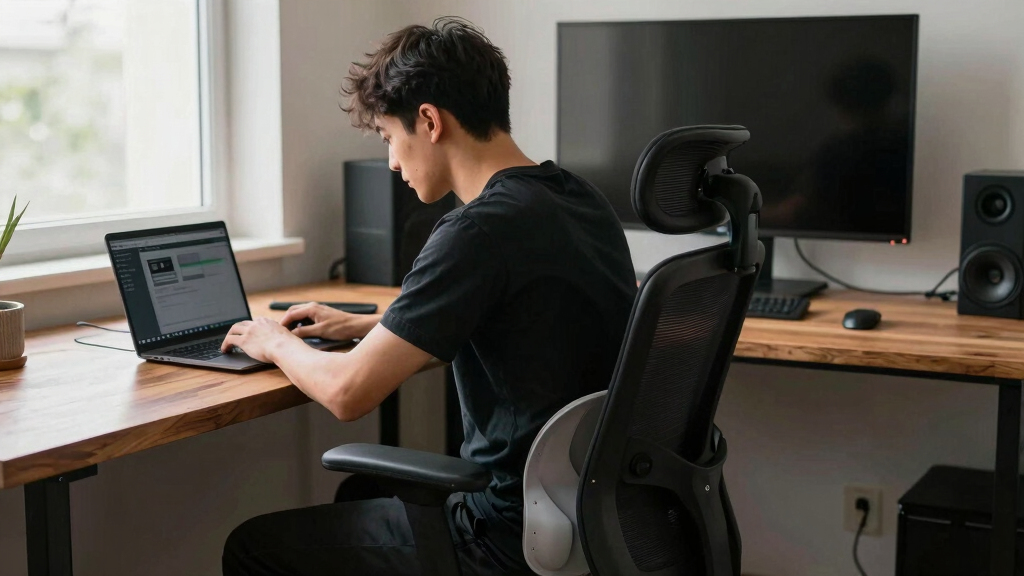
Start with your chair and monitor. Your chair should support your lower back with good lumbar support, and your feet need a firm place on the floor or a footrest. Your monitor should be eye level, about an arm’s length away, to prevent neck strain.
Imagine sitting in a throne — your feet flat, hips at a 90-degree angle, shoulders relaxed. Adjust your chair height so your thighs are parallel to the ground. Use ergonomic accessories like a wrist rest or footstool if needed. These small details keep your spine in a neutral position, reducing unnecessary strain.
| Feature | Recommended Setup |
|---|---|
| Chair height | Feet flat, knees at 90°, hips supported |
| Monitor position | Eye level, about an arm’s length away |
| Lumbar support | Firm, adjustable support for lower back |
| Desk height | Elbows at 90° when typing |
Proper setup isn’t just comfort — it’s about keeping your spine aligned and reducing fatigue as hours tick by. When your workspace is ergonomically optimized, it minimizes the risk of developing musculoskeletal issues. Poor setup, on the other hand, can lead to uneven pressure distribution, muscle imbalance, and increased strain that accumulates over time, potentially causing chronic pain or injury. Investing in good ergonomics is a proactive way to safeguard your long-term back health while maintaining productivity.
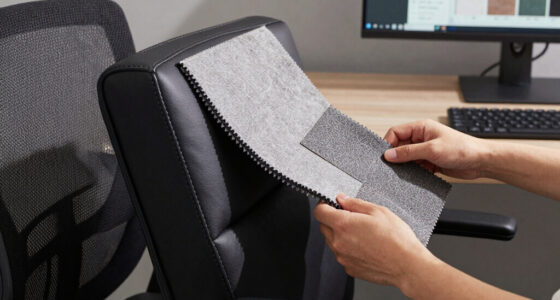
ergonomic office chair with lumbar support
As an affiliate, we earn on qualifying purchases.
As an affiliate, we earn on qualifying purchases.
Why Your Posture Matters and How to Maintain It
Good posture isn’t just about appearances; it’s about how your body distributes weight and handles stress during prolonged sitting. Sitting upright with shoulders relaxed, chest open, and back supported ensures that your spine maintains its natural curves. Slouching or leaning forward shifts weight onto discs and muscles that aren’t designed to bear it, leading to early fatigue and pain.
Think of your spine as a delicate structure that needs balanced support. When you slouch, you increase pressure on the discs, which can cause herniation or degeneration over time. Conversely, maintaining an aligned posture evenly distributes loads across your vertebrae and muscles, reducing the risk of strain and injury. This doesn’t mean stiffening up; it’s about finding a natural, comfortable position that supports your spine’s structure. The tradeoff is that poor posture might feel more comfortable initially, but it compromises your back’s integrity in the long run. Investing in proper alignment helps prevent the cycle of pain and discomfort that can develop from chronic poor posture, ultimately preserving mobility and reducing healthcare costs.
- Set your chair so your hips are pushed back into the lumbar support, maintaining the spine’s natural curve.
- Keep your feet flat and your knees at a 90-degree angle to avoid putting excessive pressure on your lower back and hips.
- Align your monitor so you aren’t craning your neck down or up; this reduces strain on your cervical spine and shoulders.
- Relax your shoulders and avoid tensing your neck muscles, which can lead to headaches and shoulder pain over time.
This posture might feel unnatural at first because it requires conscious effort, but over time, it becomes a habit that significantly reduces back fatigue. Consistently maintaining proper posture supports your spine’s health and prevents the development of chronic musculoskeletal issues, making your workday more comfortable and sustainable.
As an affiliate, we earn on qualifying purchases.
How Regular Movement Prevents Back Pain
Sitting still for hours is like a plant left in one spot — stiffness and discomfort follow. When muscles remain inactive, blood flow decreases, joints become stiff, and the risk of developing pain or injury increases. Moving every 30 minutes isn’t just about comfort; it’s about interrupting these negative processes. Micro-movements stimulate circulation, keep muscles flexible, and prevent the buildup of tension that can lead to discomfort or injury.
For example, setting a timer to remind you to stand, stretch, or walk for two minutes can dramatically reduce stiffness. These movements aren’t just physical; they reset your body’s alignment and mental focus. Simple actions like shoulder rolls, seated twists, or calf raises help release tension accumulated during static postures. Think of your back as a tense rubber band — gentle, periodic stretches loosen it, restoring flexibility and reducing strain. Even a quick walk around your room can break the cycle of static load, preventing long-term damage. The key is consistency: integrating these micro-movements into your routine transforms a sedentary workday into a healthier, pain-free experience.
Failing to move regularly can lead to chronic issues, including herniated discs, muscle atrophy, and joint degeneration. Conversely, regular movement fosters resilience, enhances circulation, and keeps your muscles and joints functioning optimally. It’s a simple yet powerful way to safeguard your back, especially during extended periods of sitting.
monitor arm mount for ergonomic setup
As an affiliate, we earn on qualifying purchases.
As an affiliate, we earn on qualifying purchases.
Frequently Asked Questions
How often should I stretch or move during a workday?
Aim to move or stretch at least once every 30 minutes. Even 2-minute breaks for walking, stretching, or changing position can significantly reduce back strain.Can standing all day be better than sitting?
Standing helps, but it’s not a cure-all. The best approach is alternating between sitting and standing, combined with regular movement, to keep your back healthy.What are some quick stretches I can do at my desk?
Try seated spinal twists, shoulder rolls, neck stretches, or calf raises. These can be done in a minute or two and help prevent stiffness and discomfort.Are ergonomic chairs enough to prevent back pain?
They’re a great start. But true comfort comes from how you sit, move, and incorporate activity throughout the day. Ergonomics is part of a bigger picture.What signs tell me my sitting habits are hurting my back?
Persistent pain, numbness, tingling, or stiffness after sitting are signs you need to reassess your habits and workspace setup.desk exercise equipment for office
As an affiliate, we earn on qualifying purchases.
As an affiliate, we earn on qualifying purchases.
Conclusion
Long hours of sitting don’t have to wreck your back. The secret lies in small, consistent habits: setting up your workspace right, moving regularly, and strengthening your core.
Imagine your back as a sturdy bridge — well-supported and flexible enough to handle the traffic of daily life. With these strategies, you’ll keep that bridge strong, no matter how long your workday stretches.
Fall Picks
fall essentials
As an affiliate, we earn on qualifying purchases.