For most dedicated home theater rooms, I’d start with the Epson Home Cinema 3800: its 4K PRO-UHD presentation and 3LCD design make it a strong balance of detail and practical home viewing. The Optoma UHZ36 and ViewSonic LS901-4K are higher-end laser alternatives, while the Epson Home Cinema 980 is a simpler 1080p choice. The main tradeoffs are resolution, brightness, setup flexibility, built-in streaming, and the cost and complexity of moving up to laser or 4K. A compact smart projector may suit casual use, but a fixed theater room usually benefits more from image performance and reliable installation than extra apps. Read on for the full breakdown of all 15 options and which compromises make sense for your room.

Get business pricing on your home office setup
- Business-only prices and quantity discounts
- Tax-exempt purchasing
- Multiple users, one account, clear invoices
Complete the kit


Key Takeaways
- The Epson Home Cinema 3800 is the strongest all-around fit in this lineup for buyers who want a home-theater-focused image without jumping to a laser model.
- The Optoma UHZ36 and ViewSonic LS901-4K stand apart as premium laser options; their appeal is tied to 4K-class presentation and installation needs, not simply having more features.
- The ViewSonic LS740HD offers a laser-based Full HD alternative, making it a more targeted choice for buyers who value brightness and laser operation over 4K resolution.
- The Epson Home Cinema 980 and Optoma HD146X show why a well-matched 1080p projector can be a sensible theater-room choice when budget and viewing distance matter more than 4K.
- The portable and smart models—including the Aurzen Roku TV D1R, HAPPRUN H1, and several Wi-Fi 6 options—prioritize convenience, but their flexibility does not automatically make them the best fit for a permanently installed theater.
| NexAurea Smart Projector with Built-In Apps, Native 1080p, 4K Decoding, Wi-Fi 6, and Bluetooth 5.4 |  | Best for Built-In Audio | Native resolution: 1080p | Video decoding: 4K | HDR: HDR10+ | VIEW LATEST PRICE | See Our Full Breakdown |
| WiMiUS P62 Pro Smart Outdoor Projector, Native 1080p with 4K Support |  | Best for Flexible Connections | Native resolution: 1920 × 1080 | Brightness: 600 ANSI lumens | HDR: HDR10 | VIEW LATEST PRICE | See Our Full Breakdown |
| ViewSonic LS740HD Full HD Laser Projector |  | Best for Bright, Fixed Installations | Native resolution: 1920 × 1080 | Brightness: 5,500 ANSI lumens | Throw ratio: 1.13–1.47 | VIEW LATEST PRICE | See Our Full Breakdown |
| X9 Pro Smart Projector with VIDAA OS, Native 1080p, 4K Decoding, Dolby Audio, Wi-Fi 6, and Bluetooth 5.4 |  | Best for Apple Home Theater Setups | Operating system: VIDAA OS | Native resolution: 1080p | Brightness: 920 ANSI lumens | VIEW LATEST PRICE | See Our Full Breakdown |
| VIDAA Smart Projector with Native 1080p, 4K Decoding, Wi-Fi 6, and Dolby Audio |  | Best for App and Live TV Variety | Native resolution: 1920 × 1080 | Brightness: 550 ANSI lumens | Display type: LCD | VIEW LATEST PRICE | See Our Full Breakdown |
| Optoma UHZ36 4K UHD Laser HDR Home Theater Projector – Black |  | Best for Bright 4K Home Theater Rooms | Resolution: 3840 × 2160 | Brightness: 3,500 lumens | Contrast ratio: 1,500,000:1 | VIEW LATEST PRICE | See Our Full Breakdown |
| Epson Home Cinema 3800 4K PRO-UHD 3LCD Projector |  | Best for Flexible Room Placement | Projection technology: 3-chip 3LCD with pixel shifting | Resolution: 4K PRO-UHD; accepts 4K HDR input | Brightness: 3,000 lumens color and white | VIEW LATEST PRICE | See Our Full Breakdown |
| ViewSonic LS901-4K 4K UHD Laser Projector |  | Best for Large, Bright Screens and Gaming | Resolution: 3840 × 2160 | Brightness: 5,500 ANSI lumens | Refresh rate: Up to 240 Hz | VIEW LATEST PRICE | See Our Full Breakdown |
| HAPPRUN H1 Native 1080p Portable Bluetooth Projector |  | Best for Occasional Movie Nights | Native resolution: 1920 × 1080 | Brightness: 300 ANSI lumens | Maximum image size: 200 inches | VIEW LATEST PRICE | See Our Full Breakdown |
| YGSKK Mini Projector with Wi-Fi 6, Bluetooth 5.3, Built-In Apps, and Native 1080p |  | Best for Simple Streaming Setup | Resolution: Native 1080p; compatible with 4K input | Brightness: 300 ANSI lumens | Screen size: 50–200 inches | VIEW LATEST PRICE | See Our Full Breakdown |
| Optoma HD146X 1080p Full HD Home Theater Projector |  | Best for Bright-Room Gaming | Native resolution: 1920 x 1080 | Brightness: 3,600 lumens | Contrast ratio: 25,000:1 | VIEW LATEST PRICE | See Our Full Breakdown |
| Aurzen Roku TV D1R Portable Smart Projector |  | Best for Easy Streaming Setup | Native resolution: 1920 x 1080 | Display type: LCD | Image size: 40 to 200 inches | VIEW LATEST PRICE | See Our Full Breakdown |
| Epson Home Cinema 980 1080p 3LCD Projector | 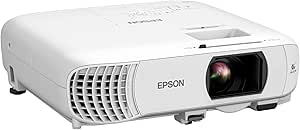 | Best for Colorful Sports and Movies | Native resolution: 1920 x 1080 | Display technology: 3-chip 3LCD | Brightness: 4,000 lumens color and white | VIEW LATEST PRICE | See Our Full Breakdown |
| ONOAYO ONO5Pro 2.0 Smart Projector with 4K Support, Wi-Fi 6, Bluetooth, and Dolby Audio |  | Best for Automated Setup and Built-In Sound | Resolution support: 4K support; native resolution not specified | Operating system: Smart TV Pro OS 2.0 | Audio: Dual 60W Dolby Audio | VIEW LATEST PRICE | See Our Full Breakdown |
| HAPPRUN 3000 ANSI Lumens Projector with Google TV and Auto Focus |  | Best Portable Smart-Theater Pick | Native resolution: 1920 x 1080 | Brightness: 3,000 ANSI lumens | Contrast ratio: 20,000:1 | VIEW LATEST PRICE | See Our Full Breakdown |
| projectors for home theater room | Brightness | Native resolution | Connectivity |
|---|---|---|---|
| NexAurea Smart Projector with | — | 1080p | — |
| WiMiUS P62 Pro Smart Outdoor P | 600 ANSI lumens | 1920 × 1080 | Wi-Fi 6, Bluetooth 5.2, 2× HDMI, 2× USB, 3.5 mm audio |
| ViewSonic LS740HD Full HD Lase | 5,500 ANSI lumens | 1920 × 1080 | Dual HDMI 1.4, USB Type-A, RS232, 3.5 mm audio out |
| X9 Pro Smart Projector with VI | 920 ANSI lumens | 1080p | — |
| VIDAA Smart Projector with Nat | 550 ANSI lumens | 1920 × 1080 | Wi-Fi 6, Bluetooth 5.4, HDMI 2.1 CEC/ARC, 3.5 mm jack |
| Optoma UHZ36 4K UHD Laser HDR | 3,500 lumens | — | HDMI, USB, RCA |
| Epson Home Cinema 3800 4K PRO- | 3,000 lumens color and white | — | — |
| ViewSonic LS901-4K 4K UHD Lase | 5,500 ANSI lumens | — | — |
| HAPPRUN H1 Native 1080p Portab | 300 ANSI lumens | 1920 × 1080 | HDMI, USB, Bluetooth 5.3, 3.5 mm jack, IR |
| YGSKK Mini Projector with Wi-F | 300 ANSI lumens | — | Wi-Fi 6, Bluetooth 5.3, HDMI, USB, 3.5 mm audio |
| Optoma HD146X 1080p Full HD Ho | 3,600 lumens | 1920 x 1080 | HDMI, USB, RCA |
| Aurzen Roku TV D1R Portable Sm | — | 1920 x 1080 | — |
| Epson Home Cinema 980 1080p 3L | 4,000 lumens color and white | 1920 x 1080 | Two HDMI ports, USB |
| ONOAYO ONO5Pro 2.0 Smart Proje | — | — | — |
| HAPPRUN 3000 ANSI Lumens Proje | 3,000 ANSI lumens | 1920 x 1080 | — |
More Details on Our Top Picks
NexAurea Smart Projector with Built-In Apps, Native 1080p, 4K Decoding, Wi-Fi 6, and Bluetooth 5.4
The NexAurea is a strong fit for a home theater room where a simple setup matters as much as the image: its built-in streaming apps and dual 25W speakers can reduce the need for separate playback and audio equipment. Auto focus, 6D keystone correction, obstacle avoidance, and electronic zoom also make placement less fussy than with the installation-focused ViewSonic LS740HD. Its audio features are the clearest distinction in this group, including Dolby Audio, DTS decoding, and eARC support. The tradeoff is image detail: native 1080p means 4K video is decoded, not displayed at 4K resolution. For a dark, dedicated theater room, it offers convenient all-in-one playback, but buyers prioritizing true 4K should compare it with the Epson Home Cinema 3800 instead.
Pros:- Built-in Netflix, YouTube, Prime Video, and other streaming apps simplify playback.
- Dual 25W speakers with Dolby Audio, DTS decoding, and eARC offer more audio flexibility than the WiMiUS P62 Pro’s dual 10W speakers.
- Autofocus, 6D keystone correction, obstacle avoidance, and electronic zoom help accommodate imperfect room placement.
- Wi-Fi 6 and two-way Bluetooth 5.4 support wireless streaming and audio connections.
Cons:- Native resolution is 1080p, so 4K decoding does not deliver a native 4K image.
- Some audio and picture features depend on compatible devices or content.
- The listed maximum image size of 300 inches does not establish how bright or detailed the image will look at that size.
Best for: Home theater buyers who want streaming apps and stronger built-in speakers without adding a receiver or soundbar right away.
Not ideal for: Viewers seeking native 4K detail or planning a permanent theater system with a separate high-performance sound setup.
- Native resolution:1080p
- Video decoding:4K
- HDR:HDR10+
- Built-in apps:Netflix, YouTube, Prime Video, and other streaming apps
- Speakers:Dual 25W
- Focus and adjustment:Autofocus, 6D keystone correction, obstacle avoidance, 50%–100% electronic zoom
- Wireless connectivity:Wi-Fi 6, two-way Bluetooth 5.4
- Maximum display size:300 inches
- Warranty and support:3-year warranty, lifetime technical support
Our verdict“Choose the NexAurea if you want an easy-to-place 1080p theater projector with unusually substantial built-in audio, not native 4K resolution.”
WiMiUS P62 Pro Smart Outdoor Projector, Native 1080p with 4K Support
The WiMiUS P62 Pro suits a theater room that needs to serve more than one source: two HDMI ports, two USB ports, and built-in streaming apps make it easier to switch between a console, disc player, and streaming content. Its 600 ANSI lumens and native 1080p image place it in a different category from the far brighter ViewSonic LS740HD, which is better equipped for ambient light and large multipurpose spaces. The WiMiUS is a more approachable fit for a dim room, with autofocus, auto keystone, obstacle avoidance, and screen alignment helping simplify setup. Its dual 10W speakers are less substantial than the NexAurea’s 25W pair, so a dedicated sound system may be more appealing for movie nights. 4K content is supported but displayed at native 1080p.
Pros:- Two HDMI and two USB ports accommodate multiple playback devices.
- Built-in Prime Video, YouTube, and other apps provide a direct streaming option.
- Autofocus, auto keystone correction, obstacle avoidance, screen alignment, and zoom ease setup.
- Wi-Fi 6 and Bluetooth 5.2 complement wired connections.
Cons:- Native 1080p resolution limits the detail shown from 4K sources.
- Dual 10W speakers are less powerful on paper than the NexAurea’s dual 25W speakers.
- The listed 600 ANSI lumens may be limiting in a bright home theater room, and no carrying case is included.
Best for: Home theater owners with several HDMI sources who want built-in streaming and automatic image adjustments for a dim viewing room.
Not ideal for: Buyers who need a bright picture in a lit room, native 4K detail, or a projector supplied with a carrying case for frequent transport.
- Native resolution:1920 × 1080
- Brightness:600 ANSI lumens
- HDR:HDR10
- Built-in apps:Prime Video, YouTube, and others
- Connectivity:Wi-Fi 6, Bluetooth 5.2, 2× HDMI, 2× USB, 3.5 mm audio
- Speakers:Dual 10W Hi-Fi speakers with Dolby audio
- Image adjustment:Autofocus, auto keystone correction, obstacle avoidance, screen alignment, 50%–100% zoom
- Noise level:Under 30 dB
- Warranty and support:3-year repair coverage, lifetime technical support
Our verdict“Pick the WiMiUS P62 Pro for a dim-room setup that benefits from multiple wired sources and easy automatic alignment, rather than for native 4K or bright-room viewing.”
ViewSonic LS740HD Full HD Laser Projector
The ViewSonic LS740HD is the outlier in this group: rather than prioritizing streaming apps and compact convenience, it provides 5,500 ANSI lumens and installation controls for a fixed, large-screen setup. That brightness is a stronger match for a room with some ambient light than the 550-lumen VIDAA Smart Projector, though neither figure guarantees a particular screen result. The LS740HD also offers a 1.3x optical zoom, keystone and corner adjustment, and 360-degree projection, giving installers more placement options than the mostly automatic setup systems on the X9 Pro. Its 1080p resolution is still a step below native 4K alternatives such as the Optoma UHZ36. With HDMI, USB, and RS232 connections rather than built-in apps, this model makes the most sense when a separate source and permanent mounting plan are already part of the room.
Pros:- 5,500 ANSI lumens suit rooms where full light control is not practical.
- A 1.3x optical zoom and installation adjustments support flexible fixed placement.
- 360-degree projection and portrait mode allow mounting orientations beyond standard ceiling placement.
- Laser light source is rated for up to 30,000 hours in Dynamic Eco mode.
Cons:- Native resolution is 1080p, below the detail level of native 4K models such as the Optoma UHZ36.
- No built-in streaming apps are listed, so an external source is needed for app-based viewing.
- Ceiling-mount-oriented design and HDMI, USB, and RS232 connections make it less convenient as a portable, all-in-one option.
Best for: Home theater owners building a fixed, large-screen installation who need high listed brightness and flexible mounting orientation.
Not ideal for: Buyers seeking built-in streaming, native 4K detail, portable use, or a compact projector that can be moved between rooms.
- Native resolution:1920 × 1080
- Brightness:5,500 ANSI lumens
- Throw ratio:1.13–1.47
- Optical zoom:1.3x
- Image size:30–300 inches
- Light source life:Up to 30,000 hours in Dynamic Eco mode
- Connectivity:Dual HDMI 1.4, USB Type-A, RS232, 3.5 mm audio out
- Built-in speaker:15 W
- Projection features:Keystone correction, corner adjustment, 360-degree projection, portrait mode
Our verdict“Choose the LS740HD for a bright, permanently installed 1080p theater setup with flexible mounting, provided you are supplying your own streaming source.”
X9 Pro Smart Projector with VIDAA OS, Native 1080p, 4K Decoding, Dolby Audio, Wi-Fi 6, and Bluetooth 5.4
The X9 Pro earns its place through a combination aimed at connected living rooms: VIDAA streaming, AirPlay 2, and Apple HomeKit support make it a particularly convenient match for households already using Apple devices. Its 920 ANSI lumens give it a higher listed brightness than the 550-lumen VIDAA Smart Projector, while the latter advertises a larger content library and HDR10+ rather than HDR10. Automatic focus, 6D keystone correction, obstacle avoidance, and screen fit reduce setup work, and HDMI ARC/CEC can help connect compatible audio equipment. This is still a native 1080p projector; 4K decoding does not make it a native 4K rival to the Epson Home Cinema 3800. Its 2 × 20W speakers are useful for casual viewing, though dedicated theater audio remains a likely upgrade.
Pros:- AirPlay 2 and Apple HomeKit support suit Apple-centered homes.
- VIDAA OS provides built-in streaming apps and more than 1,000 live TV channels.
- Autofocus, 6D keystone correction, obstacle avoidance, and auto screen fit simplify setup.
- HDMI ARC/CEC, Wi-Fi 6, Bluetooth 5.4, and dual 20W speakers add useful connection and audio options.
Cons:- Native resolution is 1080p, so 4K video is decoded rather than displayed at native 4K.
- HDR is listed as HDR10, while the other VIDAA projector specifies HDR10+.
- Built-in speakers may not meet the needs of buyers creating a dedicated surround-sound theater.
Best for: Apple-device households seeking built-in streaming, AirPlay 2, HomeKit compatibility, and automatic setup for a 1080p theater room.
Not ideal for: Viewers who require native 4K detail or buyers who want the widest listed app selection and HDR10+ support offered by the other VIDAA model.
- Operating system:VIDAA OS
- Native resolution:1080p
- Brightness:920 ANSI lumens
- HDR:HDR10
- Speakers:2 × 20 W
- Wireless connectivity:Wi-Fi 6, Bluetooth 5.4
- Smart home compatibility:AirPlay 2, Apple HomeKit
- Ports:HDMI with ARC/CEC, USB, 3.5 mm headphone jack
- Automatic setup:Autofocus, 6D keystone correction, obstacle avoidance, auto screen fit
Our verdict“The X9 Pro is the better fit for Apple-connected homes that want a smart 1080p projector, but not for buyers prioritizing native 4K or HDR10+.”
VIDAA Smart Projector with Native 1080p, 4K Decoding, Wi-Fi 6, and Dolby Audio
This VIDAA projector is the pick for viewers who want a broad range of built-in content: its listed 1,200-plus apps and 1,000 live TV channels exceed the X9 Pro’s stated live-channel count. It adds HDR10+, MEMC, AirPlay support, and automatic focus and screen alignment, making it a flexible choice for mixed streaming and live programming. The main limitation for a dedicated theater room is its 550 ANSI lumens. That is far below the ViewSonic LS740HD’s 5,500 ANSI lumens, so this model is better matched to a dark room than to a space that stays lit during viewing. Like the X9 Pro and NexAurea, it decodes 4K but displays at native 1080p. Its 300-inch maximum image claim offers placement flexibility, but buyers should weigh that against the modest brightness specification.
Pros:- VIDAA offers more than 1,200 apps and 1,000 live TV channels.
- HDR10+, MEMC, and AirPlay support offer useful picture and streaming options.
- AI autofocus, 6D keystone correction, obstacle avoidance, and auto screen alignment simplify setup.
- Wi-Fi 6, Bluetooth 5.4, and HDMI 2.1 CEC/ARC provide flexible connections.
Cons:- Native resolution is 1080p despite 4K decoding support.
- Listed brightness of 550 ANSI lumens is lower than the X9 Pro’s 920 ANSI lumens and may limit use in ambient light.
- The extensive maximum image-size claim does not offset the low brightness for large-screen viewing.
Best for: Viewers who want extensive built-in app and live TV access, automatic image setup, and a projector for a light-controlled room.
Not ideal for: People watching with room lights on or buyers expecting native 4K detail or a bright image at very large screen sizes.
- Native resolution:1920 × 1080
- Brightness:550 ANSI lumens
- Display type:LCD
- HDR and motion features:HDR10+, MEMC
- Maximum image size:300 inches
- Throw distance:4.5–16.4 feet
- Connectivity:Wi-Fi 6, Bluetooth 5.4, HDMI 2.1 CEC/ARC, 3.5 mm jack
- Content access:More than 1,200 apps and 1,000 live TV channels
- Mounting:Ceiling, tabletop, or wall mount
Our verdict“Choose this VIDAA model for app and live TV variety in a dark room, but look to a brighter projector if your theater space has ambient light.”
Optoma UHZ36 4K UHD Laser HDR Home Theater Projector – Black
The Optoma UHZ36 suits a dedicated theater room that also gets some ambient light, where its 3,500-lumen output can help preserve a clear, watchable image. Its laser light source is rated for up to 30,000 hours, so it avoids the lamp replacement cycle associated with many traditional projectors. Filmmaker Mode and HDR support target movie viewing, while MEMC can smooth fast sports motion. Compared with the Epson Home Cinema 3800, the UHZ36 offers a laser light source and higher stated brightness; the Epson counters with lens shift, Bluetooth, and active 3D. The Optoma’s 15 W speaker is useful for basic setup but is not a substitute for theater audio, and its 10.4-pound body may take more effort to mount securely. I’d choose it for bright, flexible viewing, not a minimalist all-in-one system.
Pros:- 3,500 lumens can help maintain a visible image when the room is not fully dark.
- 4K UHD resolution supports detailed large-screen movie viewing.
- Laser light source is rated for up to 30,000 hours.
- Filmmaker Mode, HDR support, and MEMC suit both movies and sports.
Cons:- At 10.4 pounds, it is heavier to mount than a compact projector.
- The 15 W built-in speaker is modest for home theater sound.
- The supplied specs do not list lens shift, limiting placement flexibility compared with the Epson Home Cinema 3800.
Best for: Home theater owners who want 4K projection, a long-life laser light source, and enough brightness for occasional ambient light.
Not ideal for: Buyers who need a lightweight ceiling-mounted projector or expect built-in audio to fill a theater room.
- Resolution:3840 × 2160
- Brightness:3,500 lumens
- Contrast ratio:1,500,000:1
- Light source life:Up to 30,000 hours
- Maximum image size:300 inches
- Throw distance:3.19–34.6 feet
- Connectivity:HDMI, USB, RCA
- Speaker power:15 W
- Weight:10.4 pounds
Our verdict“Choose the UHZ36 for bright 4K laser projection and long light-source life if you plan to pair it with a separate sound system.”
Epson Home Cinema 3800 4K PRO-UHD 3LCD Projector
The Epson Home Cinema 3800 is a strong fit when a theater room’s seating, screen, or ceiling mount makes projector placement difficult. Its horizontal and vertical lens shift let you reposition the image without relying entirely on digital correction, while the precision lens is designed for edge-to-edge focus. The 3-chip 3LCD system delivers 3,000 lumens of both color and white brightness, and pixel shifting produces 4K PRO-UHD from a lower native imaging resolution. That distinction matters if native 4K is a must: the Optoma UHZ36 is the more direct choice for stated 4K UHD laser projection, while the Epson’s placement tools and built-in Bluetooth are more accommodating. Its 4K HDR input supports up to 60 Hz, and active 3D adds an option the Optoma specs do not list. The tradeoffs are a lamp-based design and built-in speakers that still fall short of a full cinema audio setup.
Pros:- Horizontal and vertical lens shift make screen alignment easier in rooms with limited mounting options.
- 3,000 lumens of color and white brightness support bright, colorful images.
- HDMI 2.0 accepts 4K HDR signals up to 60 Hz.
- Bluetooth and active 3D offer features not listed for the Optoma UHZ36.
Cons:- Pixel shifting creates 4K PRO-UHD rather than using native 4K imaging.
- Built-in stereo speakers are unlikely to replace a dedicated theater sound system.
- The listed specs do not provide a light-source lifespan for comparison with the Optoma UHZ36 laser.
Best for: Home theater buyers who need lens-shift flexibility, balanced color and white brightness, and support for 4K HDR sources up to 60 Hz.
Not ideal for: Viewers who specifically want native 4K imaging or a laser light source with a long rated lifespan.
- Projection technology:3-chip 3LCD with pixel shifting
- Resolution:4K PRO-UHD; accepts 4K HDR input
- Brightness:3,000 lumens color and white
- Contrast ratio:100,000:1
- HDR:Full 10-bit HDR
- HDMI:HDMI 2.0, 18 Gbps; 4K HDR up to 60 Hz
- Maximum image size:300 inches
- Audio:Dual 10 W built-in stereo speakers; Bluetooth
- 3D support:Active 3D
Our verdict“Pick the Epson Home Cinema 3800 if flexible lens placement matters more to your room than native 4K imaging or laser longevity.”
ViewSonic LS901-4K 4K UHD Laser Projector
The ViewSonic LS901-4K takes a different approach from the more conventional home theater picks: its 5,500 ANSI lumens, 21:9 aspect ratio, and high refresh-rate support suit a large room used for both movies and gaming. The stated 240 Hz refresh rate and 4.2 ms input lag make it the clearest gaming-focused option here, while HDR/HLG and 4K resolution serve film and streaming sources. Compared with the Optoma UHZ36, the ViewSonic claims substantially higher brightness and adds a 1.7x optical zoom with 360-degree projection for more installation possibilities. That flexibility comes with room-planning caveats: its listed maximum throw distance is 10.96 meters, and the specs give a maximum image size of 300 inches despite a conflicting description reference to 150 inches. I’d verify the desired screen size and throw before choosing it. Its 20,000-hour light-source rating is also shorter than the Optoma’s stated 30,000 hours.
Pros:- 5,500 ANSI lumens suit large screens and rooms with some ambient light.
- 240 Hz refresh rate and 4.2 ms input lag target responsive gaming.
- 1.7x optical zoom and 360-degree projection support flexible installation.
- 4K resolution and HDR/HLG support cover high-resolution video sources.
Cons:- The listed 300-inch maximum conflicts with a 150-inch figure in the product description.
- Maximum throw distance of 10.96 meters may not fit every room layout.
- The 20,000-hour light-source rating is shorter than the Optoma UHZ36’s stated 30,000 hours.
Best for: Buyers building a large-screen room for both gaming and movies, especially those who need high brightness and flexible mounting.
Not ideal for: People with a short, fixed throw distance or anyone unwilling to confirm the intended screen size against the conflicting product details.
- Resolution:3840 × 2160
- Brightness:5,500 ANSI lumens
- Refresh rate:Up to 240 Hz
- Input lag:4.2 ms
- Aspect ratio:21:9
- Optical zoom:1.7x
- Projection:360-degree projection
- Light source life:20,000 hours
- Maximum image size:Listed as 300 inches; product description also references 150 inches
Our verdict“Choose the LS901-4K for a bright, gaming-capable large-screen room if its throw range and actual supported image size fit your layout.”
HAPPRUN H1 Native 1080p Portable Bluetooth Projector
The HAPPRUN H1 is the simplest fit here for a spare room or occasional movie night, rather than a dedicated theater that stays ready for daily viewing. Its native 1080p resolution avoids the lower-resolution source image of many entry-level portable choices, and it can project up to 200 inches when the room and image brightness allow. That last condition matters: at 300 ANSI lumens, it is better suited to a dark room and a more modest screen than to the large, bright setups possible with the ViewSonic LS901-4K or Optoma UHZ36. Bluetooth 5.3 is for audio, not video casting, so streaming still requires a connected device; streaming sticks and phone adapters are sold separately. Its multiple mounting options make it adaptable, but the supplied data does not specify its weight, which makes portability harder to judge. I’d treat it as a flexible secondary projector, not the centerpiece of a high-impact theater.
Pros:- Native 1080p resolution gives it a clear resolution advantage over many basic portable projectors.
- Desktop, tripod, and ceiling-mount options suit temporary or varied setups.
- Bluetooth 5.3 supports wireless audio connections.
- A stated maximum image size of 200 inches allows flexible screen sizing in a dark room.
Cons:- 300 ANSI lumens limit its usefulness in rooms with ambient light and on very large screens.
- Streaming sticks and phone-to-HDMI adapters are sold separately.
- Bluetooth handles audio only, not wireless video casting.
Best for: People setting up an occasional movie room who want native 1080p, simple HDMI connections, and Bluetooth audio in a portable format.
Not ideal for: Dedicated theater owners who want a bright image on a very large screen, built-in streaming, or wireless video casting.
- Native resolution:1920 × 1080
- Brightness:300 ANSI lumens
- Maximum image size:200 inches
- Minimum image size:40 inches
- Contrast ratio:10,000:1
- Connectivity:HDMI, USB, Bluetooth 5.3, 3.5 mm jack, IR
- Installation:Desktop, tripod, or ceiling mount
- Maximum throw distance:7 meters
- Light-source operating life:100,000 hours
Our verdict“Choose the HAPPRUN H1 for occasional, dark-room 1080p viewing, but skip it as a bright, full-time home theater centerpiece.”
YGSKK Mini Projector with Wi-Fi 6, Bluetooth 5.3, Built-In Apps, and Native 1080p
The YGSKK is the more convenient portable pick for a secondary viewing room if you want streaming apps on the projector itself. Its native 1080p resolution, Wi-Fi 6, built-in apps, and electric focus reduce the number of setup steps compared with the HAPPRUN H1, which requires a separate streaming stick for that kind of viewing. The rotating base, digital keystone correction, and 210-degree rotation also help when you cannot place the projector directly in front of the screen. But convenience does not make it a strong choice for a bright, dedicated theater: its 300 ANSI lumens favor a dark room and a restrained screen size. The YGSKK accepts 4K input, but its native display resolution remains 1080p. Its stated phone-mirroring limitations may also add friction, so I would check that your preferred source device connects the way you expect before buying.
Pros:- Built-in streaming apps can reduce the need for a separate streaming device.
- Electric focus and a rotating base simplify setup and image positioning.
- Native 1080p display with compatibility for 4K input.
- Wi-Fi 6 and Bluetooth 5.3 support wireless networking and audio devices.
Cons:- 300 ANSI lumens make it a poor match for ambient-light viewing or very large theater screens.
- Android phone mirroring requires an additional program, and Bluetooth does not connect to smartphones as described.
- 4K input compatibility does not make the displayed image native 4K.
Best for: Viewers who want a portable 1080p projector with built-in streaming apps, electric focus, and flexible placement for a dark secondary room.
Not ideal for: Home theater buyers seeking a bright large-screen image, native 4K display, or straightforward wireless mirroring from every phone.
- Resolution:Native 1080p; compatible with 4K input
- Brightness:300 ANSI lumens
- Screen size:50–200 inches
- Connectivity:Wi-Fi 6, Bluetooth 5.3, HDMI, USB, 3.5 mm audio
- Rotation:210 degrees
- Focus:Electric focus
- Built-in features:Streaming apps, app store, stereo speakers, digital keystone correction
- Warranty:3 years
Our verdict“Pick the YGSKK for easy app-based viewing in a dark secondary room, not for a bright or native-4K home theater.”
Optoma HD146X 1080p Full HD Home Theater Projector
The Optoma HD146X is the most straightforward choice here for buyers who want a dedicated, ceiling-mounted setup that can handle both movies and gaming. Its 3,600-lumen output gives it more room to compete with ambient light than the portable Aurzen Roku TV D1R, while 16 ms input response makes it the faster gaming pick compared with the ONOAYO ONO5Pro’s 18 ms. The native 1080p image is a sensible match for a Full HD theater, but this is not a 4K projector like the Epson Home Cinema 3800. Plan around the HD146X’s throw distance: its large-image range suits a room with space to mount it, not a compact den. The 15,000-hour lamp rating helps with long-term use, though the lamp’s 90-day warranty is a limitation.
Pros:- 3,600 lumens provides useful brightness for rooms that are not fully dark
- 16 ms input response suits casual and competitive gaming better than the ONOAYO ONO5Pro
- Native 1080p resolution keeps Full HD movies and games sharp
- Lamp is rated for up to 15,000 hours in Dynamic mode
Cons:- The throw distance and large maximum image size call for a room with adequate placement space
- The lamp warranty is limited to 90 days
- It lacks the 4K resolution offered by models such as the Epson Home Cinema 3800
Best for: Home theater buyers with a dedicated room who want a bright 1080p picture and responsive gaming from a ceiling-mounted projector.
Not ideal for: Buyers seeking native 4K detail, a compact portable setup, or generous lamp-warranty coverage.
- Native resolution:1920 x 1080
- Brightness:3,600 lumens
- Contrast ratio:25,000:1
- Maximum image size:301 inches
- Throw distance:3.2 to 35.37 feet
- Gaming input response:16 ms
- Lamp life:Up to 15,000 hours
- Connectivity:HDMI, USB, RCA
Our verdict“Choose the HD146X for a bright, gaming-friendly 1080p theater in a room with enough space for a fixed installation.”
Aurzen Roku TV D1R Portable Smart Projector
For a home theater that needs to double as a flexible family viewing space, the Aurzen Roku TV D1R puts Roku streaming and automatic setup ahead of fixed-installation performance. Its autofocus and auto keystone correction reduce the effort of moving it between rooms, while the 2.1 kg body is easier to relocate than the ceiling-oriented Optoma HD146X. The tradeoff is that the supplied details do not give a brightness rating, so I would not choose it over the Epson Home Cinema 980 for a room where lights stay on. Its 1080p resolution and 40–200-inch image range suit adaptable movie nights, but the built-in dual 5W speakers are modest for a theater-scale experience. Roku activation also requires an account and internet access, and fan noise may be noticeable during quiet scenes.
Pros:- Built-in Roku provides direct access to streaming apps and free channels
- Autofocus and auto keystone correction simplify setup after repositioning
- 1080p resolution supports clear Full HD viewing
- Portable design includes dual 5W speakers and Bluetooth 5.2
Cons:- Activation requires a Roku account and an internet connection
- Cooling fan noise may be distracting in a quiet theater room
- No brightness figure is provided, making comparison with the Epson Home Cinema 980 difficult
Best for: Households that want a movable 1080p projector with familiar streaming apps and automatic image setup for different rooms.
Not ideal for: Dedicated theater builders prioritizing specified high brightness, quiet operation, or room-filling sound without external speakers.
- Native resolution:1920 x 1080
- Display type:LCD
- Image size:40 to 200 inches
- Throw distance:3.71 to 18.58 feet
- Speakers:Dual 5W
- Wireless connectivity:Dual-band Wi-Fi, Bluetooth 5.2, AirPlay mirroring
- Connections:HDMI, USB, audio
- Weight:2.1 kg
Our verdict“Pick the D1R if easy Roku streaming and room-to-room flexibility matter more than specified brightness or theater-grade audio.”
Epson Home Cinema 980 1080p 3LCD Projector
The Epson Home Cinema 980 earns its place for buyers who value bright, consistent color across sports, films, and everyday viewing. Its 3-chip 3LCD system is paired with 4,000 lumens of both color and white brightness, a stronger stated brightness specification than the Optoma HD146X’s 3,600 lumens. That makes the Epson a more compelling fit when a room cannot be fully darkened, though neither model offers the 4K detail found in the Epson Home Cinema 3800. The listed 1-to-9-foot throw distance also makes placement planning important, particularly in rooms where the projector must sit farther back. Two HDMI ports and a USB power port support a simple wired setup, while the built-in speaker is convenient but not a substitute for a dedicated theater sound system.
Pros:- 4,000 lumens of color and white brightness supports viewing with some room light
- 3-chip 3LCD technology is suited to vivid color presentation
- Supports images up to 337 inches for large-room installations
- Two HDMI ports and USB power simplify connecting sources and streaming devices
Cons:- Native resolution is 1080p rather than 4K like the Epson Home Cinema 3800
- Listed throw distance of 1 to 9 feet may constrain placement in some theater rooms
- Light source operating life is listed at 6,000 hours
Best for: Movie and sports viewers who want bright, vivid Full HD color in a room with some ambient light.
Not ideal for: Buyers whose main priorities are native 4K resolution, wireless convenience, or a long listed lamp life.
- Native resolution:1920 x 1080
- Display technology:3-chip 3LCD
- Brightness:4,000 lumens color and white
- Contrast ratio:16,000:1
- Image size:34 to 337 inches
- Throw distance:1 to 9 feet
- Light source operating life:6,000 hours
- Connectivity:Two HDMI ports, USB
Our verdict“Choose the Home Cinema 980 for bright, colorful Full HD viewing when room light matters more than 4K resolution.”
ONOAYO ONO5Pro 2.0 Smart Projector with 4K Support, Wi-Fi 6, Bluetooth, and Dolby Audio
The ONOAYO ONO5Pro is aimed at buyers who want a projector to handle much of the setup and streaming work itself. Autofocus, keystone correction, obstacle avoidance, and screen fit can reduce repeated manual adjustments, a more automation-focused approach than the basic setup details listed for the Optoma HD146X. Its dual 60W Dolby Audio system is also a major convenience advantage over the Epson Home Cinema 980’s built-in speaker, though a separate sound system may still suit a dedicated theater better. The important qualification is that the product data lists 4K support but not native resolution; buyers should not treat that as proof of a native 4K image. Brightness is also unreported, making it harder to judge performance in a room with ambient light. Its 18 ms game mode is responsive, but slightly slower than the Optoma’s 16 ms figure.
Pros:- Autofocus, keystone correction, screen fit, and obstacle avoidance reduce manual setup
- Dual 60W Dolby Audio offers substantially more onboard sound power than the Epson Home Cinema 980 speaker
- Built-in streaming apps and Chromecast support flexible viewing
- 18 ms game mode and HDMI 2.1 support gaming-focused connections
Cons:- Native resolution is not specified, so 4K support does not confirm a native 4K image
- No measurable brightness rating is provided for judging ambient-light performance
- 18 ms input latency is higher than the Optoma HD146X’s 16 ms figure
Best for: Buyers who want built-in streaming, automatic image adjustments, and powerful onboard audio in a flexible home theater setup.
Not ideal for: Viewers who need confirmed native 4K resolution, a stated brightness rating, or the lowest listed gaming latency.
- Resolution support:4K support; native resolution not specified
- Operating system:Smart TV Pro OS 2.0
- Audio:Dual 60W Dolby Audio
- Input latency:18 ms
- Video connection:HDMI 2.1
- Wireless connectivity:Wi-Fi 6, Bluetooth
- Screen adjustment:50%–100% dynamic zoom
- Automatic features:Autofocus, keystone correction, obstacle avoidance, screen fit, orientation detection, ambient-light adjustment
Our verdict“Pick the ONO5Pro for automated setup and strong built-in audio, but not if confirmed native resolution and brightness data are must-haves.”
HAPPRUN 3000 ANSI Lumens Projector with Google TV and Auto Focus
The HAPPRUN pairs native 1080p resolution and 3,000 ANSI lumens with Google TV, making it a more clearly specified smart option than the Aurzen Roku TV D1R, whose brightness figure is not provided. Automatic focus and screen alignment help when moving the projector between a tabletop, tripod, or ceiling mount, and its 300-inch maximum image size gives it flexibility for larger viewing spaces. Still, maximum image size alone does not establish how bright the picture will look at that scale; the Optoma HD146X lists a higher 3,600-lumen output and is the more clearly positioned choice for brighter-room gaming. The HAPPRUN’s dual 10W Dolby Audio is more substantial than the Aurzen’s dual 5W speakers, but it remains an all-in-one convenience rather than a replacement for a theater sound system. Battery-powered operation is not specified, so portability means moving the unit, not necessarily using it without a power outlet.
Pros:- Native 1080p resolution and 3,000 ANSI lumens are clearly specified
- Built-in Google TV provides streaming apps without requiring a separate streaming stick
- Autofocus and automatic screen alignment ease setup in different locations
- Dual 10W speakers with Dolby Audio offer more stated speaker power than the Aurzen Roku TV D1R
Cons:- Native resolution is 1080p, not 4K
- Battery-powered operation is not specified, limiting use away from an outlet
- Its 3,000 ANSI lumens are below the Optoma HD146X’s stated 3,600 lumens
Best for: Viewers who want a portable, Full HD smart projector with Google TV, automatic alignment, and a stated brightness rating.
Not ideal for: Buyers expecting native 4K, battery-powered viewing, or the stronger stated brightness of the Optoma HD146X.
- Native resolution:1920 x 1080
- Brightness:3,000 ANSI lumens
- Contrast ratio:20,000:1
- Display type:LCD
- Maximum image size:300 inches
- Throw distance:5.48 to 22 feet
- Audio:Dual 10W speakers with Dolby Audio
- Wireless connectivity:Wi-Fi 6, Bluetooth 5.2
- Mounting options:Ceiling, floor, tabletop, tripod, wall
Our verdict“Choose the HAPPRUN for portable Full HD streaming with automatic setup, provided you have access to power and do not need native 4K.”

How We Picked
I ranked these projectors by how well their stated features serve a dedicated home theater room, rather than treating portability or built-in apps as a substitute for image quality. Resolution and image technology, light output, laser versus lamp design, and suitability for a fixed screen were the main performance factors. I also weighed setup convenience, the likely need for external streaming or audio equipment, and whether a model’s strengths match a specific buyer rather than trying to name one winner for every room.
This is a comparison of the listed specifications and product positioning, not a claim of hands-on testing. The Epson Home Cinema 3800 ranks first for its balanced theater-oriented feature set; the premium 4K laser models follow for buyers willing to prioritize that class of performance and installation. Full HD and entry-level smart options rank lower for a dedicated room, but retain clear value for buyers who want a simpler, more flexible, or lower-commitment setup.
Factors to Consider When Choosing Projectors For Home Theater Rooms
Before choosing a model, I’d match the projector to the room and viewing habits—not just the headline resolution. These factors can prevent common mismatches, such as buying a bright portable unit for a light-controlled theater or paying for features that a receiver and streaming device already provide.
Start With Room Light and Screen Size
A projector’s brightness only helps if it suits the screen size and the amount of light in the room. A dedicated theater with dark walls and controlled lighting can make a more modest output usable, while ambient light washes out contrast and can make even a capable projector look flat. Avoid choosing from a lumen figure alone: manufacturers may report brightness differently, and screen material, image size, and placement all affect the result. If you cannot darken the room, prioritize a setup designed for brighter viewing and consider whether a television would serve that space better. For a theater room, controlling light often improves the picture more than upgrading one tier of projector.
Choose Resolution for Your Seating Distance
4K-class resolution can reveal finer detail, but the benefit depends on screen size, source quality, and how close you sit. At a modest screen size or longer viewing distance, Full HD may look sufficiently sharp, leaving more room in the budget for a better screen, sound system, or installation. Also distinguish native resolution from decoding or compatibility claims: a projector that accepts a 4K signal does not necessarily display a native 4K image. Check the manufacturer’s exact imaging specifications before comparing models. I’d prioritize genuine image performance over a 4K label when the projector will mainly show compressed streams or lower-resolution content.
Plan Placement Before You Buy
A projector’s lens and installation options determine whether it can fill your screen from the location your room permits. Measure the throw distance, screen width, ceiling height, and mounting position before ordering; a projector that cannot be placed correctly can force compromises in image size or alignment. Zoom and lens shift can make installation easier, while digital correction may alter the image to compensate for a poor angle. Do not assume that keystone correction makes every placement acceptable, especially in a fixed theater where sharpness matters. If the room has limited mounting choices, favor fit and adjustment range over a small specification advantage.
Compare Laser and Lamp Ownership
Laser models appeal to buyers who want a different light-source approach and are building a long-term installation, while lamp-based projectors can remain compelling when their image and feature set fit the room. The purchase decision should include expected operating habits, maintenance preferences, and the cost of replacing components over time—not just the initial specification sheet. A room used for nightly films puts more emphasis on long-term ownership than a projector brought out occasionally. Check the manufacturer’s stated light-source life and warranty details, and avoid assuming every laser model is maintenance-free. Paying more makes sense when the light source and performance align with frequent use.
Decide Whether Built-In Streaming Matters
Built-in apps can simplify casual viewing, but they should not decide a theater-room purchase on their own. App availability and software support can change, and a separate streaming device may offer a more familiar interface or longer-term flexibility. Smart projectors are useful when you want fewer components or move the unit between rooms; a permanent theater setup may already use a receiver, media player, or console. Check connectivity and audio routing as well as app support, since the projector’s internal speaker may not match a dedicated sound system. Pay for integrated convenience only when it removes equipment you would otherwise use.
Budget for the Whole Theater
The projector is only one part of the image and sound chain. A suitable screen, secure mount, cable run, receiver, and speakers can shape the finished experience as much as a step up in projector specifications. A common mistake is spending the full budget on the projector and then using a wall, awkward mount, or basic audio that limits the room. Set aside funds for the pieces your space actually needs, and compare the total setup rather than isolated product features. If your budget is fixed, a dependable Full HD projector paired with a good screen and sound system may deliver a better-balanced room than a premium projector without those essentials.
Frequently Asked Questions
Is a 4K projector worth choosing over a 1080p model for a dedicated theater room?
It can be, especially if you use a large screen, sit relatively close, and watch high-quality 4K sources. The difference is less persuasive on a smaller screen or from a distant seat, where Full HD may already look detailed. Check whether the projector’s listed resolution is native or describes signal support; accepting a 4K input is not the same as displaying native 4K. In this lineup, the Epson Home Cinema 3800 offers a middle ground, while the Optoma UHZ36 and ViewSonic LS901-4K target buyers who want a more premium 4K-class setup. I’d choose based on room geometry and sources rather than the resolution label alone.
Should I buy a laser projector for a room used mostly for movies at night?
A laser projector can suit frequent use and a fixed installation, but it is not automatically the best match for every dark theater. Screen size, image quality, placement, and total system budget still matter, and a lamp-based model may be a more balanced choice if it meets your needs. The ViewSonic LS740HD is a Full HD laser option, while the Optoma UHZ36 and ViewSonic LS901-4K add a 4K-class focus. Compare stated light-source life, warranty, and installation requirements rather than treating laser as a guarantee of superior results. If your room is used only occasionally, redirecting some of the budget to the screen or audio may make more sense.
Can a smart portable projector replace a fixed projector in a home theater room?
It can work for casual viewing, but portability and built-in apps do not guarantee that a model is suited to a permanent theater setup. Fixed rooms often reward consistent placement, screen matching, and integration with external audio more than easy relocation. Options such as the Aurzen Roku TV D1R and HAPPRUN H1 make more sense when flexibility is part of the plan. Before using one as the main theater projector, confirm its image output, installation fit, connectivity, and compatibility with your screen size. If you watch mostly in a dark room from a fixed seat, compare it carefully with the dedicated home-theater models in this list.
How do I know whether a projector will fit my room and screen?
Measure the available distance from the intended lens position to the screen and compare it with the projector’s published throw range for your screen width. Include ceiling height, mount location, cable access, and any obstacles in that measurement. Check zoom and lens-shift specifications, since they can make a fixed installation easier without relying on digital image correction. If the projector must sit off-center or at a steep angle, confirm that the manufacturer’s adjustments can handle the layout while preserving a sharp image. A simple room sketch and measurements can rule out a poor fit before you compare image features.
Should I prioritize projector brightness or room darkening?
For a dedicated movie room, controlling stray light is often the better first move because it helps preserve contrast across the image. Higher brightness can help in rooms with some ambient light or on larger screens, but it cannot fully restore the depth lost when light reflects around the room. Dark curtains, matte surfaces, and sensible screen placement may improve viewing without requiring a more powerful projector. If the room must stay bright for other uses, then brightness becomes a higher priority and you may need to accept a less cinema-like picture. Choose based on how the room will actually be used, not a brightness specification in isolation.
Conclusion
For a balanced theater-room setup, my best overall pick is the Epson Home Cinema 3800. Buyers seeking a premium laser route should compare the Optoma UHZ36 and ViewSonic LS901-4K, while the Epson Home Cinema 980 is my value-minded choice for a straightforward Full HD installation. Beginners who want a simpler first setup may prefer a smart model such as the X9 Pro or VIDAA Smart Projector, provided convenience matters more than dedicated-room image priorities. For portable viewing, the Aurzen Roku TV D1R or HAPPRUN H1 fits more naturally than a permanently mounted theater projector. Match your choice to the room, screen, and viewing routine, and put installation fit ahead of features you may never use.