
Standing desk converters let you alternate between sitting and standing without replacing your desk. My best overall pick is the VIVO Dual-Tier 36-Inch, a versatile layout for people who want room for a monitor and a separate keyboard area. The VERSADESK PowerPro 40-Inch stands out for buyers who prefer electric adjustment and a wider work surface, while the Venmark 24 x 12-Inch Riser suits a compact setup. The main tradeoffs are manual versus electric lifting, available desktop space, and whether you need a dedicated keyboard tray or monitor support. Read on for the full comparison and guidance on choosing a converter that fits your equipment and work habits.

Get business pricing on your home office setup
- Business-only prices and quantity discounts
- Tax-exempt purchasing
- Multiple users, one account, clear invoices
Complete the kit



Key Takeaways
- The VIVO Dual-Tier 36-Inch is the broadest all-around choice in this lineup, pairing a separate keyboard level with a surface suited to a standard monitor-and-keyboard setup.
- Electric models trade lower-effort height changes for greater dependence on power; the VERSADESK PowerPro 40-Inch offers the widest listed work area among the electric options.
- Compact risers serve a different purpose than full converters: the Venmark 24 x 12-Inch model occupies less space but offers less room for a complete workstation.
- Keyboard trays and monitor arms are meaningful layout distinctions, not automatic upgrades; they help when your equipment needs dedicated positioning but can constrain what fits.
- Several 32-to-36-inch models overlap in footprint, so choosing between them should hinge on adjustment method, tray layout, and monitor setup rather than width alone.
| VIVO Dual-Tier Standing Desk Converter, 36-Inch, Black |  | Best for Spacious Dual-Monitor Setups | Desktop dimensions: 36 x 22 inches | Keyboard tray dimensions: 64 x 27 cm | Height adjustment range: 17–43 cm | VIEW LATEST PRICE | See Our Full Breakdown |
| VIVO Manual Height-Adjustable Standing Desk Converter with 32-Inch Black Top |  | Best Value Manual Converter | Desktop dimensions: 31.5 x 15.7 inches | Keyboard tray dimensions: 31.3 x 11.8 inches | Height adjustment range: 4.5–20 inches | VIEW LATEST PRICE | See Our Full Breakdown |
| Height-Adjustable Standing Desk Converter, 23.6-Inch, Black |  | Best Compact Freestanding Pick | Work surface dimensions: 23.62 x 13.38 inches | Height range: 2.3–15.6 inches | Mounting type: Freestanding | VIEW LATEST PRICE | See Our Full Breakdown |
| VERSADESK EvoLift 32-Inch Electric Standing Desk Converter |  | Best for One-Touch Adjustments | Height range: 5–20 inches | Work surface: 32 x 24 inches | Keyboard tray: 31.5 x 11.6 inches | VIEW LATEST PRICE | See Our Full Breakdown |
| VERSADESK PowerPro 40-Inch Electric Standing Desk Converter |  | Best for Heavy, Multi-Monitor Setups | Width: 40 inches | Maximum weight capacity: 80 pounds | Height adjustment: Electric, push-button | VIEW LATEST PRICE | See Our Full Breakdown |
| SANODESK 36-Inch Adjustable Standing Desk Converter with Keyboard Tray |  | Best for a Wide Keyboard Workspace | Workspace: 36 x 16.3 inches | Keyboard tray: 34.6 x 12.2 inches | Height range: 4.7–19.6 inches | VIEW LATEST PRICE | See Our Full Breakdown |
| FITUEYES Height-Adjustable Standing Desk Converter, 32-Inch |  | Best for Smooth, Wide-Range Adjustment | Work surface: 31.5 x 15.7 inches | Height range: 4.3–19.8 inches | Load capacity: 33 lbs | VIEW LATEST PRICE | See Our Full Breakdown |
| Venmark Height-Adjustable Keyboard and Mouse Riser, 24 x 12 Inch |  | Best Compact Riser | Platform dimensions: 24 x 12 inches | Height settings: 6 | Frame: Reinforced scissor-style steel X-frame | VIEW LATEST PRICE | See Our Full Breakdown |
| VIVO 32-Inch Standing Desk Converter with Dual Monitor Stand |  | Best for Adjustable Dual Monitors | Desktop dimensions: 31.5 x 15.7 inches | Keyboard tray dimensions: 31.3 x 11.8 inches; 10.5 inches at center | Height range: 4.5–20 inches | VIEW LATEST PRICE | See Our Full Breakdown |
| VIVO Manual Height-Adjustable Standing Desk Converter, 28-Inch Black |  | Best for a Smaller Two-Tier Setup | Desktop dimensions: 27.6 x 15.8 inches | Height range: 4.9–17.2 inches | Weight capacity: 28.6 lbs | VIEW LATEST PRICE | See Our Full Breakdown |
| Mount-It! Electric Standing Desk Converter with Dual Monitor Arms |  | Best for Dual-Monitor Setups | Height range: 6.3–19.3 inches | Work surface: 35.4 x 23 inches | Monitor capacity: Two monitors, up to 32 inches each | VIEW LATEST PRICE | See Our Full Breakdown |
| VariDesk Essential 36 Two-Tier Standing Desk Converter, 36-Inch, Black |  | Best for No-Assembly Setup | Width: 36 inches | Dimensions: 24 x 36 x 4.5 inches | Weight: 53.3 pounds | VIEW LATEST PRICE | See Our Full Breakdown |
| 36-Inch Electric Standing Desk Converter with Wireless Charging, Dark Gray |  | Best for Connected Workstations | Desktop dimensions: 36 x 20.6 inches | Keyboard tray depth: 15.75 inches | Height range: 5.5–20 inches | VIEW LATEST PRICE | See Our Full Breakdown |
| FLEXISPOT 36-Inch Height-Adjustable Standing Desk Converter |  | Best Manual Pick for a Lighter Setup | Dimensions: 24.9 x 36 x 19.6 inches | Weight: 34.5 pounds | Maximum height: 91.4 centimeters | VIEW LATEST PRICE | See Our Full Breakdown |
| SANODESK Electric Standing Desk Converter with Keyboard Tray, 35-Inch |  | Best for a Wide Height Range | Desktop width: 34.6 inches | Desktop depth: 16.3 inches | Height range: 4.7–21.7 inches | VIEW LATEST PRICE | See Our Full Breakdown |
| standing desk converter | Item weight | Height range |
|---|---|---|
| VIVO Dual-Tier Standing Desk C | 33 pounds | — |
| VIVO Manual Height-Adjustable | 26 pounds | — |
| Height-Adjustable Standing Des | 12.8 ounces | 2.3–15.6 inches |
| VERSADESK EvoLift 32-Inch Elec | 27.1 pounds | 5–20 inches |
| VERSADESK PowerPro 40-Inch Ele | — | — |
| SANODESK 36-Inch Adjustable St | — | 4.7–19.6 inches |
| FITUEYES Height-Adjustable Sta | 27 lbs | 4.3–19.8 inches |
| Venmark Height-Adjustable Keyb | — | — |
| VIVO 32-Inch Standing Desk Con | — | 4.5–20 inches |
| VIVO Manual Height-Adjustable | 25.3 lbs | 4.9–17.2 inches |
| Mount-It! Electric Standing De | 59 pounds | 6.3–19.3 inches |
| VariDesk Essential 36 Two-Tier | — | — |
| 36-Inch Electric Standing Desk | 43 pounds | 5.5–20 inches |
| FLEXISPOT 36-Inch Height-Adjus | — | — |
| SANODESK Electric Standing Des | 38.1 pounds | 4.7–21.7 inches |
More Details on Our Top Picks
VIVO Dual-Tier Standing Desk Converter, 36-Inch, Black
The 36-inch desktop gives this VIVO more room for monitors and everyday work gear than the VIVO 32-Inch Manual Height-Adjustable Converter, making it a stronger fit when a smaller surface feels cramped. Its dual pneumatic springs assist with height changes, while the keyboard tray rises with the desktop so your typing position stays paired with your screen height. Minimal assembly also makes setup simpler than a fully built desk replacement.
The tradeoff is its footprint and heft: at 33 pounds, it is less convenient to move between desks, and it still depends on an existing desk for support. Choose it for a generous two-tier workspace, not portability or a standalone workstation.
Pros:- 36 x 22-inch desktop provides room for monitors and work essentials
- Keyboard tray moves with the desktop to maintain a consistent typing setup
- Dual pneumatic springs assist with height adjustment
- Minimal assembly is required
Cons:- The 33-pound frame is cumbersome to reposition
- Requires an existing desk rather than serving as a freestanding workstation
Best for: People with an existing desk who need room for one or two monitors and want a separate keyboard level.
Not ideal for: Anyone who frequently moves their workstation or lacks a sturdy desk to support the converter.
- Desktop dimensions:36 x 22 inches
- Keyboard tray dimensions:64 x 27 cm
- Height adjustment range:17–43 cm
- Desktop material:Plastic
- Frame material:Alloy steel
- Item weight:33 pounds
- Color:Black
- Warranty:3 years
Our verdict“Choose this VIVO over the smaller VIVO 32-inch model when workspace and a moving keyboard tray matter more than a lighter, less bulky converter.”
VIVO Manual Height-Adjustable Standing Desk Converter with 32-Inch Black Top
This 32-inch VIVO is a practical middle ground for buyers who want a two-tier converter without stepping up to the wider 36-inch VIVO Dual-Tier model. Its 31.5 x 15.7-inch top can accommodate dual monitors, while the synchronized keyboard tray keeps the keyboard and screen moving together. The lift-assist mechanism and locking adjustment give the user a manual option without requiring an electrical outlet.
Its main limit is the 33-pound capacity, which leaves less headroom for a heavy monitor arrangement and accessories than the VERSADESK PowerPro 40-inch. The relatively shallow top also offers less room for spreading out papers or larger equipment. This makes sense for a compact, established desk setup, but not for a heavily loaded workstation.
Pros:- Keyboard tray rises in sync with the main surface
- 31.5-inch desktop can accommodate dual monitors
- Height-locking lift assist supports manual adjustment
- Minimal assembly is required
Cons:- 33-pound maximum capacity limits heavier equipment setups
- 15.7-inch desktop depth leaves limited room for accessories
- Requires an existing desk as its base
Best for: Desk workers with one or two lighter monitors who want a manual converter with a synchronized keyboard tray.
Not ideal for: People with heavy monitor arms, substantial equipment, or a need for a deep work surface.
- Desktop dimensions:31.5 x 15.7 inches
- Keyboard tray dimensions:31.3 x 11.8 inches
- Height adjustment range:4.5–20 inches
- Maximum weight capacity:33 pounds
- Item weight:26 pounds
- Frame material:Alloy steel
- Top material:Engineered wood
- Warranty:3-year manufacturer warranty
Our verdict“Pick this over the larger VIVO 36-inch converter if a smaller footprint and manual lift suit your desk, and your equipment stays within its capacity.”
Height-Adjustable Standing Desk Converter, 23.6-Inch, Black
Unlike the VIVO converters, which sit on an existing desk, this freestanding 23.6-inch riser can serve as a small independent work surface. It arrives ready to use with no assembly, making it a straightforward choice for a laptop-focused setup or a compact room where a full-size converter would take up too much space. Its 2.3–15.6-inch height range provides adjustment for seated and standing positions.
The compact footprint is also the main compromise: at 23.62 x 13.38 inches, it offers far less working room than the VIVO 32-inch model and may not suit a large monitor plus keyboard arrangement. The manual lift requires both hands, so changing height is less convenient than the electric VERSADESK options. Choose it for simplicity and small-scale use, not a broad desktop workspace.
Pros:- Freestanding design does not require an existing desk
- No assembly is required
- Height adjusts from 2.3 to 15.6 inches
- Compact surface suits a laptop or single small monitor
Cons:- 23.62 x 13.38-inch work surface limits equipment and accessory space
- Manual height changes require both hands
- Much less workspace than the VIVO 32-inch converter
Best for: Laptop users in compact rooms who want a freestanding, ready-to-use surface for occasional seated and standing work.
Not ideal for: People using dual monitors or needing space for a separate keyboard, mouse, and paperwork.
- Work surface dimensions:23.62 x 13.38 inches
- Height range:2.3–15.6 inches
- Mounting type:Freestanding
- Assembly:No assembly required
- Top material:Wood
- Base material:Metal
- Color:Black and white
- Item weight:12.8 ounces
Our verdict“Choose this compact riser over the desk-mounted VIVO models when freestanding use and a small footprint matter more than workspace capacity.”
VERSADESK EvoLift 32-Inch Electric Standing Desk Converter
The EvoLift’s electric, one-touch adjustment makes frequent posture changes easier than raising the manual VIVO 32-inch converter. Its 32 x 24-inch surface is also notably deep for this size class, giving monitors and work essentials more room than the VIVO’s 31.5 x 15.7-inch top. A wide keyboard tray, device stand, and cable management help organize a complete setup, and it arrives mostly assembled.
There is a meaningful specification conflict: product information lists a 40-pound capacity, while the description states 50 pounds. I would not plan a heavy monitor setup around the higher figure without confirming it with the manufacturer. It also needs an electrical outlet, unlike the manual VIVO. The lifetime warranty is a strong differentiator, but power access and the capacity ambiguity make this a less straightforward choice for equipment-heavy desks.
Pros:- One-touch electric height adjustment
- 32 x 24-inch surface offers more depth than the VIVO 32-inch manual model
- Includes a keyboard tray, device stand, and cable management
- Mostly assembled and backed by a lifetime warranty
Cons:- Listed capacity conflicts between 40 and 50 pounds
- Requires access to an electrical outlet
- At 27.1 pounds, it is not a lightweight workstation accessory
Best for: People who regularly alternate between sitting and standing and want electric adjustment plus a deeper-than-usual work surface.
Not ideal for: Buyers without a nearby outlet or anyone whose monitor setup requires a clearly confirmed capacity above 40 pounds.
- Height range:5–20 inches
- Work surface:32 x 24 inches
- Keyboard tray:31.5 x 11.6 inches
- Maximum weight capacity:40 pounds in product information; 50 pounds in description
- Item weight:27.1 pounds
- Materials:Carbon steel, engineered wood, plastic
- Warranty:Lifetime
- Power:Electric; requires an outlet
Our verdict“Choose the EvoLift over the manual VIVO if electric adjustment and a deep surface are priorities, but verify its load limit before adding heavier equipment.”
VERSADESK PowerPro 40-Inch Electric Standing Desk Converter
The PowerPro’s 80-pound capacity sets it apart from the other converters in this batch, particularly the EvoLift, whose listed capacity conflicts between 40 and 50 pounds. Its 40-inch, split-level workspace is designed for a broader setup, with room for monitors, a laptop, and a separate keyboard. Push-button electric adjustment avoids the manual lifting required by both VIVO models, while the USB port and three cable-routing grommets help keep a crowded workstation organized.
This is a larger, more equipment-oriented choice, not the compact solution offered by the 23.6-inch freestanding riser. It ships fully assembled, but the monitors and monitor arm are not included, so the stated capacity does not mean those accessories come with it. Choose it when load support and a two-tier layout matter more than a smaller footprint.
Pros:- 80-pound maximum capacity supports heavier equipment setups
- 40-inch split-level layout accommodates monitors, a laptop, and a keyboard
- Push-button electric height adjustment
- Built-in USB port, three cable-routing grommets, and child safety lock
Cons:- Monitors and monitor arms are sold separately
- Wider workspace takes up more room than compact converters
- Electric adjustment requires access to power
Best for: People building a multi-monitor workstation who need a high stated load capacity, electric adjustment, and room for a laptop and keyboard.
Not ideal for: Laptop-only users with limited desk space or buyers expecting monitors and a monitor arm to be included.
- Width:40 inches
- Maximum weight capacity:80 pounds
- Height adjustment:Electric, push-button
- Workspace design:Split-level, two-tier
- Charging:Built-in USB port
- Cable management:Three grommet holes
- Safety feature:Child safety lock
- Assembly:Fully assembled
- Warranty:Lifetime
Our verdict“Choose the PowerPro over the EvoLift when you need a larger multi-monitor platform and its higher stated capacity, and have room for the 40-inch footprint.”
SANODESK 36-Inch Adjustable Standing Desk Converter with Keyboard Tray
The SANODESK is the strongest fit here for buyers who want room to spread out: its 36 x 16.3-inch main surface is wider than the 32-inch FITUEYES and VIVO converters in this group. That extra width can make a dual-monitor arrangement easier to place, while the keyboard tray rises in sync so the typing position follows the work surface. Its mechanical spring lift spans 4.7 to 19.6 inches, covering a broad range of seated and standing heights. The tradeoff is capacity: the main surface supports 33 pounds, and the tray is limited to 4.4 pounds, so a heavy monitor setup or loaded tray may not suit it. Unlike the compact Venmark riser, this is a full workstation converter, but it needs more desk space and the tray requires screwdriver assembly.
Pros:- 36-inch-wide work surface offers more room than the 32-inch FITUEYES and VIVO converters.
- Keyboard tray moves with the main surface to maintain the same relative typing position.
- Mechanical spring lift adjusts from 4.7 to 19.6 inches.
- Designed for quick assembly with included screws and a step-by-step guide.
Cons:- Main surface capacity is limited to 33 pounds, which may restrict heavier monitor arrangements.
- Keyboard tray supports only 4.4 pounds.
- Keyboard tray assembly requires a screwdriver.
Best for: People with a wide existing desk who want a broad converter surface for two monitors and a synchronized keyboard tray.
Not ideal for: Users with heavy equipment or limited desk space, since the main surface is rated for 33 pounds and the converter is 36 inches wide.
- Workspace:36 x 16.3 inches
- Keyboard tray:34.6 x 12.2 inches
- Height range:4.7–19.6 inches
- Main surface capacity:33 lbs
- Keyboard tray capacity:4.4 lbs
- Lift mechanism:Mechanical spring
- Frame and top:Metal frame; wood top
- Dimensions:24.9 x 36 x 4.7 inches
Our verdict“Choose the SANODESK if you want a wider work surface and synchronized keyboard tray, but skip it if your equipment is heavy or your desk is small.”
FITUEYES Height-Adjustable Standing Desk Converter, 32-Inch
The FITUEYES earns its place as a straightforward full-size converter with a dual gas-spring lift and a particularly broad 4.3-to-19.8-inch height range. That extra reach may help buyers whose seated and standing positions differ more than the range offered by the VIVO 28-inch model. Its 31.5-inch work surface can accommodate a laptop or monitor arrangement, and the included keyboard tray keeps this closer to a complete two-tier workstation than the Venmark riser, which only provides a single platform. The main compromise is depth: 15.7 inches leaves less front-to-back room for monitors and accessories than a deeper desk setup might need. Capacity is 33 pounds, so this is best for a moderate load rather than a heavy collection of screens and gear.
Pros:- Dual gas springs support smooth height adjustment.
- Height range of 4.3 to 19.8 inches offers broad positioning flexibility.
- 31.5-inch surface suits many single- or dual-monitor arrangements.
- Includes a separate keyboard tray.
Cons:- The 15.7-inch work-surface depth may feel tight with larger monitors or accessories.
- 33-pound load capacity limits heavier equipment setups.
Best for: Desk workers who want a full-size converter with a broad height range and a separate keyboard tray for a standard monitor setup.
Not ideal for: People who need extra-deep monitor space or plan to load the platform beyond its 33-pound capacity.
- Work surface:31.5 x 15.7 inches
- Height range:4.3–19.8 inches
- Load capacity:33 lbs
- Lift mechanism:Dual gas springs
- Item weight:27 lbs
- Dimensions:31.5 x 24.2 x 19.8 inches
- Material and finish:Metal with powder-coated finish
- Included component:Keyboard tray
Our verdict“Pick the FITUEYES for a broad adjustment range and full two-tier layout, provided its shallow surface fits your equipment.”
Venmark Height-Adjustable Keyboard and Mouse Riser, 24 x 12 Inch
The Venmark is the compact alternative in this set: rather than lifting a full desktop and keyboard tray like the SANODESK or FITUEYES, it raises a single 24 x 12-inch platform for a keyboard, mouse, or laptop. Its six fixed height settings give buyers defined positions without the larger footprint of a two-tier converter, and the fully assembled, tool-free setup makes it the simplest option to put into use. The reinforced X-frame is designed to limit wobble, while three cable clips help keep a small setup tidy. That compactness is also the main limitation. There is no separate keyboard tray, and the platform may not fit a laptop alongside a full-size keyboard and mouse. For a broader workstation, the VIVO 32-inch converter is a better match; for a focused typing station, the Venmark is easier to accommodate.
Pros:- Compact 24 x 12-inch platform takes up less room than full-size converters.
- Six height settings provide several fixed typing positions.
- Arrives assembled and adjusts without tools.
- Includes three cable organizer clips.
Cons:- The single-level platform lacks a separate keyboard tray.
- Limited surface area may not fit a larger workstation arrangement.
- Six preset heights offer less fine adjustment than continuously adjustable converters.
Best for: Remote workers with a small desk who want to raise a keyboard and mouse, or occasionally a laptop, without adding a full-size converter.
Not ideal for: People who need a separate keyboard tray, room for multiple monitors, or a broad surface for a laptop, keyboard, and mouse at once.
- Platform dimensions:24 x 12 inches
- Height settings:6
- Frame:Reinforced scissor-style steel X-frame
- Adjustment:Tool-free lift handle with safety lock
- Setup:Fully assembled
- Cable management:3 silicone clips
- Weight:9.53 lbs
- Manufacturer part number:KB-MS-RSR-BK
Our verdict“Choose the Venmark for a small, simple raised typing station, not as a replacement for a full two-tier monitor converter.”
VIVO 32-Inch Standing Desk Converter with Dual Monitor Stand
The VIVO stands apart from the other converters here by including a dual monitor mount, rather than relying on the desktop alone to position screens. Its arms support two 13-to-30-inch monitors and allow tilt, swivel, and rotation, giving multi-screen users more control over alignment than the SANODESK or FITUEYES provides. The desktop measures 31.5 x 15.7 inches, and a wide keyboard tray keeps the controls below the main work surface. Height adjusts from 4.5 to 20 inches, making the overall setup suitable for seated and standing work. The compromise is that each monitor must stay within the mount’s 17.6-pound limit and use a compatible VESA pattern. It also requires assembly. Compared with the simpler VIVO 28-inch model, this is the more specialized choice for dual screens, but its mount adds compatibility checks.
Pros:- Dual arms support two 13-to-30-inch monitors.
- Monitor mounts offer tilt, swivel, and rotation adjustments.
- Height range extends from 4.5 to 20 inches.
- Includes a wide keyboard tray beneath the desktop.
Cons:- Each monitor is limited to 17.6 pounds.
- Requires VESA 75 x 75 mm or 100 x 100 mm monitor compatibility.
- Some assembly is required.
Best for: People who use two VESA-compatible monitors and want adjustable screen positioning built into a standing desk converter.
Not ideal for: Users with monitors heavier than 17.6 pounds each, non-compatible mounting patterns, or a preference for minimal assembly.
- Desktop dimensions:31.5 x 15.7 inches
- Keyboard tray dimensions:31.3 x 11.8 inches; 10.5 inches at center
- Height range:4.5–20 inches
- Monitor capacity:Two monitors, 13–30 inches each
- Monitor weight limit:17.6 lbs per monitor
- Monitor compatibility:VESA 75 x 75 mm or 100 x 100 mm
- Monitor adjustment:±45° tilt, 180° swivel, 360° rotation
- Desktop capacity:33 lbs
- Warranty:3 years
Our verdict“Choose this VIVO over simpler converters if you want adjustable dual-monitor arms and your screens meet its weight and VESA requirements.”
VIVO Manual Height-Adjustable Standing Desk Converter, 28-Inch Black
This 28-inch VIVO is the more space-conscious full converter in the lineup, with a 27.6 x 15.8-inch desktop and a keyboard tray that rises alongside it. That two-tier arrangement makes it more suitable for a separate keyboard and monitor position than the compact Venmark riser, while taking up less width than the SANODESK 36-inch model. A pneumatic spring adjusts the platform from 4.9 to 17.2 inches, a narrower range than the FITUEYES or VIVO 32-inch converter. Its 28.6-pound capacity also calls for a lighter setup, such as a laptop or modest monitor arrangement. The lift is manual, so changing height means raising the converter rather than pressing a control. This makes sense when desk space matters more than maximum range or load capacity.
Pros:- Narrower 27.6-inch desktop takes up less width than the 36-inch SANODESK.
- Keyboard tray rises with the desktop.
- Pneumatic spring provides smooth manual height adjustment.
- Minimal assembly is required.
Cons:- 28.6-pound capacity is lower than the 33-pound FITUEYES and SANODESK converters.
- Height range stops at 17.2 inches, below the ranges of the other full-size converters here.
- Manual adjustment requires lifting the converter.
Best for: People with limited desk width who want a compact two-tier converter for a laptop or lighter monitor setup.
Not ideal for: Users who need a high standing position, a broad dual-monitor surface, or capacity for heavier equipment.
- Desktop dimensions:27.6 x 15.8 inches
- Height range:4.9–17.2 inches
- Weight capacity:28.6 lbs
- Item weight:25.3 lbs
- Lifting mechanism:Pneumatic spring
- Frame material:Alloy steel
- Top material:Engineered wood
- Included component:Keyboard tray
Our verdict“Pick this VIVO for a smaller two-tier setup and lighter equipment, but choose a wider, higher-capacity converter for multiple heavy monitors.”
Mount-It! Electric Standing Desk Converter with Dual Monitor Arms
I’d put the Mount-It! Electric Standing Desk Converter near the top for anyone who wants two large monitors mounted directly to the converter. Its adjustable arms support screens up to 32 inches each, while the 35.4-by-23-inch surface leaves room for desk essentials. The motor raises the unit from 6.3 to 19.3 inches, avoiding the lifting effort of a manual model such as the VariDesk Essential 36. A keyboard tray, device channel, and USB charging station add useful workspace organization.
The tradeoff is its substantial 59-pound weight and required assembly, so it is a poor fit for frequent rearrangement or buyers seeking a quick, lightweight setup. I’d choose it over converters without monitor arms when screen positioning is the priority, but buyers with one monitor may be carrying extra hardware they do not need.
Pros:- Motorized adjustment spans 6.3 to 19.3 inches.
- Adjustable arms accommodate two monitors up to 32 inches each.
- 35.4-by-23-inch work surface includes a keyboard tray.
- Integrated USB charging station and device channel help organize accessories.
Cons:- At 59 pounds, it is cumbersome to reposition.
- Assembly is required, unlike the fully assembled VariDesk Essential 36.
- The dual-monitor arm setup may be unnecessary for single-screen users.
Best for: Remote workers using two monitors up to 32 inches who want powered height adjustment and monitor positioning built into the converter.
Not ideal for: People who frequently move their workstation, want a lightweight setup, or use only a laptop and do not need dual monitor arms.
- Height range:6.3–19.3 inches
- Work surface:35.4 x 23 inches
- Monitor capacity:Two monitors, up to 32 inches each
- Item weight:59 pounds
- Frame material:Alloy steel
- Top material:Engineered wood
- Color:Black
- Assembly:Required; tools included
Our verdict“Choose this converter if you want powered height changes and built-in arms for a two-monitor workstation and can accommodate its heavy, assembly-required frame.”
VariDesk Essential 36 Two-Tier Standing Desk Converter, 36-Inch, Black
The VariDesk Essential 36 is the straightforward pick for buyers who want a 36-inch, two-tier converter ready to place on a desk. It ships fully assembled, and its dual-handle, spring-assisted lift offers 11 height settings up to 17.5 inches. That makes it simpler to get started than the assembly-required Mount-It! model, though the Mount-It! adds electric adjustment and dedicated dual-monitor arms.
The main constraint is its 25-pound load capacity. That leaves less headroom for a heavier monitor-and-accessory setup than the electric Kcourorouge converter, which lists a 95-pound total capacity. At 53.3 pounds, this VariDesk is also no lightweight, so it suits a stable workstation better than frequent moves. I’d choose it for uncomplicated setup and manual height changes, not for maximum load or powered convenience.
Pros:- Ships fully assembled for placement on an existing desk.
- Dual-handle spring-assisted lift has 11 height settings.
- Two-tier layout includes a keyboard tray.
- Raises the work surface up to 17.5 inches above the desk.
Cons:- The 25-pound load capacity limits heavier equipment setups.
- At 53.3 pounds, it is difficult to reposition.
- Manual lifting lacks the powered adjustment offered by the Mount-It! and SANODESK models.
Best for: Office workers who want a ready-to-place, 36-inch converter with a keyboard tray and prefer manual adjustment over a motor.
Not ideal for: People with heavy monitor setups, frequent height changes, or a need to move the converter around often.
- Width:36 inches
- Dimensions:24 x 36 x 4.5 inches
- Weight:53.3 pounds
- Load capacity:25 pounds
- Height settings:11
- Maximum height:17.5 inches above desk surface
- Levels:2
- Assembly:Fully assembled
Our verdict“Pick the VariDesk Essential 36 if a fully assembled manual converter matters more than high load capacity or electric adjustment.”
36-Inch Electric Standing Desk Converter with Wireless Charging, Dark Gray
This Kcourorouge converter puts charging and capacity ahead of monitor-specific hardware. Its 36-by-20.6-inch dual-level workspace has a wireless charging pad, USB and USB-C ports, and a keyboard tray, while the steel frame is rated for 95 pounds total. That gives it more stated load headroom than the SANODESK converter’s 40-pound recommendation and makes it a stronger fit for a monitor-heavy desk. Electric one-touch adjustment spans 5.5 to 20 inches, with an anti-collision feature listed.
The compromise is that the keyboard tray needs installation, and the 43-pound unit is still substantial to move. Unlike the Mount-It!, it does not include dual monitor arms, so screen placement depends on the buyer’s own stands. I’d favor this model for charging access and a higher listed capacity, but skip it if integrated monitor mounting is the deciding feature.
Pros:- One-touch electric height adjustment ranges from 5.5 to 20 inches.
- Wireless charging, USB, and USB-C are built into the workspace.
- 95-pound total capacity is higher than the listed capacity of the other products in this batch.
- Arrives mostly assembled, with an anti-collision feature listed.
Cons:- The keyboard tray still needs installation.
- At 43 pounds, it is not convenient to move frequently.
- No monitor arms are included, unlike the Mount-It! dual-monitor model.
Best for: Users with several devices and a heavier desktop setup who want powered adjustment, multiple charging options, and a spacious two-level surface.
Not ideal for: Buyers who need built-in monitor arms, want a lightweight converter, or prefer a setup that requires no assembly steps.
- Desktop dimensions:36 x 20.6 inches
- Keyboard tray depth:15.75 inches
- Height range:5.5–20 inches
- Weight capacity:95 pounds total: 70 pounds desktop and 25 pounds keyboard tray
- Item weight:43 pounds
- Material:Carbon steel
- Color:Dark gray
- Features:Electric height adjustment, wireless charging, USB, USB-C, anti-collision
Our verdict“Choose this converter for a connected, higher-capacity electric workstation, provided you do not need included monitor arms.”
FLEXISPOT 36-Inch Height-Adjustable Standing Desk Converter
The FLEXISPOT 36-Inch converter is the manual choice for buyers who want a broad work surface without adding a motor. Its mechanical spring lift adjusts between sitting and standing heights, and the unit arrives mostly assembled, making setup simpler than the Mount-It! electric converter. The 34.5-pound weight is also lower than the VariDesk Essential 36’s 53.3 pounds, although it is still a sizeable piece of equipment rather than something to shift casually.
Its desktop supports 33 pounds, but the keyboard tray is rated for only 4.4 pounds. That is a meaningful limit for anyone planning to rest a heavier keyboard, wrist rest, or other gear there. The product is described as suitable for dual monitors, yet it does not list monitor arms. Compared with the powered SANODESK, this FLEXISPOT avoids a motor but gives up push-button height adjustment.
Pros:- Mechanical spring lift provides manual height adjustment.
- 36-inch desktop accommodates a broad work setup.
- Mostly assembled for quicker setup.
- Desktop capacity is 33 pounds.
Cons:- Keyboard tray capacity is limited to 4.4 pounds.
- Manual adjustment is less convenient than the electric SANODESK.
- At 34.5 pounds, it can still be awkward to reposition.
Best for: Buyers wanting a mostly assembled, 36-inch manual converter for a modest-weight desktop setup and a lightweight keyboard tray load.
Not ideal for: People who want electric height changes, need to load the keyboard tray with heavier accessories, or expect to move the converter often despite its weight.
- Dimensions:24.9 x 36 x 19.6 inches
- Weight:34.5 pounds
- Maximum height:91.4 centimeters
- Desktop weight capacity:33 pounds
- Keyboard tray capacity:4.4 pounds
- Desktop material:Engineered wood
- Frame material:Metal
- Assembly:Mostly assembled
Our verdict“Pick this FLEXISPOT for a mostly assembled manual converter with a roomy desktop, but avoid it if your keyboard tray needs to carry more than a light load.”
SANODESK Electric Standing Desk Converter with Keyboard Tray, 35-Inch
The SANODESK Electric converter has the widest stated adjustment span among these five products: 4.7 to 21.7 inches. That low starting height and higher maximum give buyers more flexibility when matching the converter to a desk and preferred standing position. Its motorized lift is easier to operate than the spring-assisted VariDesk Essential 36, and its dual-tier surface separates monitor space from the keyboard area. Only the keyboard tray needs installation.
Its 40-pound capacity is the catch. That is well below the 95-pound rating of the Kcourorouge electric model, making the SANODESK a better match for a moderate setup than a collection of heavier monitors and accessories. The 38.1-pound weight also makes it a fixture for most desks, not an easy-to-carry riser. I’d choose it for adjustment range and simple setup, not for maximum load capacity.
Pros:- Electric height adjustment spans 4.7 to 21.7 inches.
- Dual-tier surface separates monitors from keyboard and mouse.
- Keyboard tray is included.
- Only keyboard tray installation is required.
Cons:- 40-pound maximum weight recommendation is lower than the Kcourorouge model’s 95-pound total capacity.
- At 38.1 pounds, it is cumbersome to move.
- No integrated charging ports or monitor arms are listed.
Best for: People who want an electric converter with a broad height range for a moderate-weight monitor, laptop, keyboard, and mouse setup.
Not ideal for: Users with heavy monitor equipment who need capacity beyond 40 pounds, or anyone seeking a lightweight, easily portable converter.
- Desktop width:34.6 inches
- Desktop depth:16.3 inches
- Height range:4.7–21.7 inches
- Maximum weight recommendation:40 pounds
- Item weight:38.1 pounds
- Top material:Wood
- Frame material:Metal
- Assembly:Install the keyboard tray
Our verdict“Choose the SANODESK if a broad electric height range and minimal setup matter more than high load capacity or built-in charging.”
How We Picked
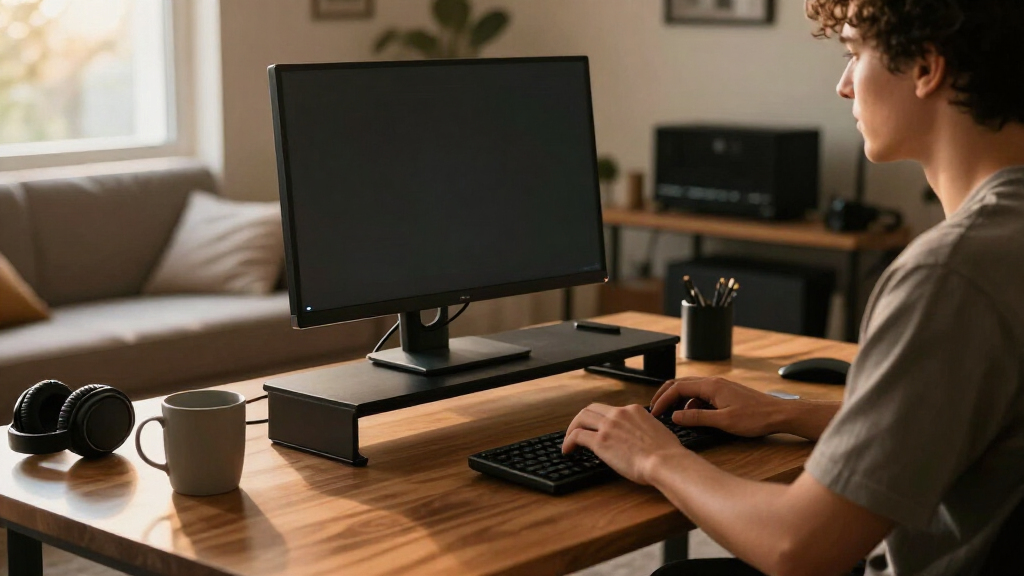
I compared these 15 standing desk converters by the factors that change day-to-day usability: listed work-surface size, manual or electric adjustment, keyboard-tray design, monitor support, and the likely footprint on an existing desk. I treated a converter as part of a working setup, not just a lifting platform, so room for a keyboard, mouse, and display mattered alongside the height-adjustment approach.
The ranking gives more weight to versatility across common workstation layouts than to a single standout feature. Models with broader surfaces and useful two-tier arrangements rank ahead of narrowly specialized risers, while electric options earn distinction for powered adjustment but do not automatically outrank manual models. Compact choices remain valuable for limited desk space, and feature-specific models rank well for buyers whose monitor or charging needs match their design. I avoid assuming that unlisted capacity, stability, or adjustment range is equivalent across products; buyers should confirm those details against their equipment and desk.
Factors to Consider When Choosing Standing Desk Converters
Choosing among converters is less about finding the longest feature list and more about matching the lift platform to your desk, equipment, and tolerance for setup constraints. These factors can help narrow the field before you compare individual models.
Measure the whole workstation, not just the converter
Start by measuring the usable desk depth and width, then account for the converter’s footprint and the space left for other items. A 36-inch top may fit a monitor and keyboard, but it can leave little room for notebooks, speakers, or a second display. Also check how far the platform can move without hitting a wall, shelf, or monitor mounted behind it. A common mistake is measuring only the desktop surface and overlooking the converter’s base or movement path. If your desk is shared or narrow, a smaller riser may fit better even if it means keeping some equipment off the platform. Match the listed dimensions to your full setup rather than choosing by width alone.
Choose manual or electric based on how often you will adjust
Manual converters avoid reliance on a powered lift and may suit people who make only occasional height changes. Electric models can make repeated adjustments easier, especially when several people share a workstation or you alternate positions often. Their powered mechanism also means you need access to an outlet and should check cable routing before placing the converter. Do not assume electric adjustment guarantees a faster or smoother setup; the listing details and instructions should clarify operation and movement range. Compare the effort of adjusting against how often you expect to do it. Paying for electric operation makes the most sense when frequent changes are part of your routine, not simply because the feature sounds convenient.
Decide whether a separate keyboard level helps your posture
A two-tier design or keyboard tray can keep the keyboard and mouse below the monitor surface, which may make it easier to place each at a comfortable height. That layout can also reduce the main surface available for papers or other equipment. Before choosing a tray, check its width and depth against your keyboard, mouse, and preferred spacing; a tray that technically fits both may still feel cramped. Buyers with a compact keyboard or laptop-only setup may prefer an open surface instead. Think about where your forearms rest and whether your monitor can sit at a comfortable viewing height at both sitting and standing positions. The best layout is the one that accommodates your gear without forcing awkward reaching.
Check monitor support and total equipment load
Monitor stands and arms can free surface area, but they also create compatibility questions. Confirm whether the model supports the monitor arrangement you want and check any stated attachment requirements, weight limits, or mounting details directly in the product specifications. A dual-monitor label does not by itself confirm that every screen size or mounting pattern will fit. Include the weight of the monitor, laptop, keyboard, and other items when comparing stated capacity. A frequent oversight is placing a heavy display on the converter while ignoring how the load is distributed across its surface. If your equipment is unusually large or heavy, prioritize verified limits and a stable, well-matched layout over extra convenience features.
Account for your existing desk and daily workflow
A converter raises equipment above the original desk, so check the height of the existing desk and the space below it for your legs. At sitting height, the added platform can place a keyboard too high for comfortable use, depending on your chair and desk dimensions. At standing height, confirm that the converter reaches a position that suits your own height and monitor placement; listed adjustment ranges are more useful than broad claims. If you work with paper, drawing tools, or multiple devices, leave room for those tasks before committing to a smaller platform. Buyers who move between sitting and standing throughout the day should weigh adjustment convenience more heavily than occasional users. A converter should support both positions without making one feel like an afterthought.
Pay for features that solve a real workspace problem
Electric lifts, monitor arms, wireless charging, and keyboard trays can all be useful, but each adds complexity or takes space. A basic manual model may be a better fit if your setup is simple and you do not change heights often. A wider powered converter can make more sense for frequent adjustment and a broad workstation, while a compact riser is a practical answer to limited desk space. Before choosing an added feature, ask what task it improves and whether a separate accessory would provide more flexibility. Verify which accessories are included rather than assuming a pictured monitor arm or charging surface comes with the product. Spending more is most defensible when the feature addresses a specific limitation in your current setup.
Frequently Asked Questions
Will a standing desk converter fit on my existing desk?
Measure your desk’s usable width and depth, then compare them with the converter’s full footprint, including any base that extends beyond the top. Leave room for the platform to move and check for nearby walls, shelves, or monitor mounts. A wide converter can occupy most of a desk even when its top appears to fit. Also account for items you plan to keep beside it, such as a lamp or notebook. If the measurements are close, a compact model may be a safer fit than a full-width two-tier design.
Should I choose an electric or manual standing desk converter?
Choose based on how frequently you expect to change height and whether a power outlet is convenient. Electric models can reduce the effort of repeated adjustments, while manual models avoid needing powered operation. Check the adjustment range and operating details rather than relying on the electric or manual label alone. If you share the workstation or plan to alternate positions often, powered adjustment may be worth prioritizing. For occasional changes and a straightforward setup, manual operation may be sufficient.
Can I use a converter with two monitors?
Some models in this roundup are designed around dual-monitor setups or include monitor support, but compatibility depends on the screens, mounting method, and available surface. Check the product’s stated weight capacity, attachment requirements, and monitor arrangement before buying. Include the weight of both displays and any laptop or accessories placed on the platform. A wide surface can help with spacing, but width alone does not confirm that a dual-monitor configuration is supported. If your displays use mounts, verify the mounting details for your exact setup.
Do I need a keyboard tray, or is a single-level surface enough?
A keyboard tray can separate typing height from monitor height and give the main platform a dedicated display area. It also adds a fixed layout and may limit room for a larger keyboard, mouse, or papers. A single-level surface offers more open space and may suit a laptop-centered workstation or a compact keyboard setup. Compare tray dimensions with your actual peripherals rather than assuming the standard layout will fit. Your desk and chair heights matter too, since a raised typing surface may feel too high when sitting.
What should I verify before putting a heavy monitor on a converter?
Check the product’s stated capacity, how that capacity is measured, and whether it applies to the full platform or a particular mounting point. Add the weight of the monitor, stand or arm, keyboard, laptop, and other items you plan to place on it. Confirm mounting compatibility and keep the load positioned as the manufacturer specifies. Do not assume that a model with monitor arms can hold every monitor configuration. If the listed details do not cover your equipment, seek clarification before relying on the converter for that setup.
Conclusion
For the broadest mix of workspace and layout flexibility, I recommend the VIVO Dual-Tier 36-Inch as the best overall. Buyers seeking best value should compare the manual VIVO 28- and 32-inch models against their space and tray needs, while the VERSADESK PowerPro 40-Inch is my best premium-style choice for those prioritizing a wide electric platform. New users who want a straightforward manual setup can start with the VIVO Manual 32-Inch; its simpler approach makes more sense than paying for powered adjustment before knowing how often they will change height. For a compact desk, consider the Venmark 24 x 12-Inch riser, and for powered adjustment with a dedicated keyboard tray, compare the SANODESK and VERSADESK electric options. Check dimensions, equipment weight, and adjustment details against your setup before choosing.
Halloween Picks

Spirit Halloween 54-Inch Sitting Scarecrow Animatronic

Vexalify 11-Inch Halloween Pumpkin Fog Machine with 12-Color Lights

Kalolary 12ft Halloween Witch Haunted House Inflatable Archway
As an affiliate, we earn on qualifying purchases.