
TL;DR

Get business pricing on your home office setup
- Business-only prices and quantity discounts
- Tax-exempt purchasing
- Multiple users, one account, clear invoices
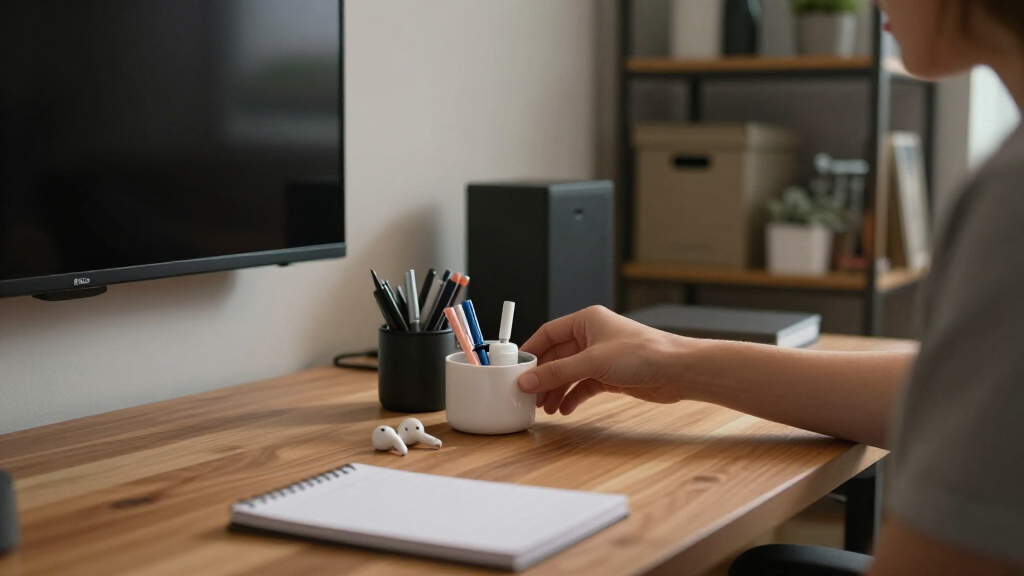
A focus kit is a curated collection of essential items kept within arm’s reach to eliminate distractions and streamline your workflow. Customizing and organizing your kit ensures you stay focused, whether working remotely or studying. Regular updates keep it effective and relevant.
Customize your focus kit based on your specific tasks and preferences.
Keep your essential items organized in a tidy, accessible setup to reduce friction.
Incorporate wellness and tech tools to support mental clarity and focus.
Regularly review and refresh your kit to stay aligned with your evolving needs.
Combine physical and digital tools for a balanced, effective focus environment.
Building a Focus Kit: What to Keep Within Arm’s Reach
A focus kit is a deliberately small collection of tools that removes tiny interruptions before they break your concentration. Keep the essentials close, organize them by frequency of use, and refresh the system as your work evolves.
“Build a mini-command center—not a miniature supply closet.”
Three essentials that protect your flow
These tools solve the most common interruptions: capturing a thought, keeping devices alive, and controlling unwanted noise. Add personal tools only after this foundation is covered.
Reliable pen or highlighter
Capture ideas immediately, mark priority information, and anchor your thinking without opening another app.
Reduces capture frictionCharger or power bank
Prevent a dead device from ending a productive session. Keep the correct cable bundled and ready.
Prevents hard stopsNoise-canceling headphones
Create a repeatable bubble of calm in shared offices, busy homes, libraries, or coffee shops.
Blocks ambient distractionOrganize by reach, not by category
Your setup should reflect how often an item enters the workflow. Prime desk space is reserved for high-frequency, low-distraction tools.
Front row
Pen, notebook, water, headphones, charger, and today’s active materials.
Second row
Sticky notes, spare cables, snacks, flashcards, and occasional reference tools.
Out of sight
Duplicates, rarely used supplies, novelty items, and anything that invites fiddling.
Physical or digital? Use each where it wins
Physical tools offer tactile immediacy; digital tools add automation and flexibility. A resilient focus environment combines both without letting software become another distraction.
| Focus need | Physical option | Digital option | Best fit |
|---|---|---|---|
| Capture ideas | Notebook, pen, sticky notes | Notes app, voice capture | ✓Physical for instant capture |
| Manage time | Desk timer, printed schedule | Pomodoro app, calendar alerts | ~Hybrid works best |
| Control noise | Headphones, earplugs | Ambient sound, focus playlists | ✓Pair both layers |
| Block distraction | Clear desk, phone drawer | Website blocker, app limits | ✓Use both boundaries |
| Store everything | Oversized desktop organizer | Too many productivity apps | ✗Avoid tool accumulation |
From empty tray to working system
Keep the first version deliberately small. A focus kit earns new items through repeated usefulness—not through novelty.
Identify core tasks
List the work you repeat and the tools that directly support it.
Choose a container
Select a shallow tray, divider, pouch, or compact desktop box.
Gather essentials
Add your pen, power, sound control, water, and task-specific items.
Arrange by use
Put the most frequently used tools closest to your dominant hand.
Schedule a review
Audit the kit every few months and remove what no longer helps.
One principle, three different kits
The best kit reflects the work in front of you. Copy the logic of an effective setup, not its exact shopping list.
Protect calls and deep work
Headphones, charging cable, water bottle, webcam notes, timer, and a compact snack.
Support active recall
Notebook, highlighters, flashcards, headphones, charger, page flags, and a study timer.
Capture before polishing
Sketchbook, selected markers, reference cards, stylus, headphones, and a quick-capture pad.
Small environmental choices compound
The kit does not create focus by magic. It protects attention by removing repeated moments of searching, switching, and deciding.
Refresh the kit before it becomes clutter
Workflows change, supplies wear out, and once-useful objects become background noise. A short recurring audit keeps the system lean and aligned.
What Makes a Focus Kit Actually Work for You?
A focus kit is a personalized collection of tools designed to keep you productive. It’s not one-size-fits-all. For instance, a writer might prioritize pens, sticky notes, and a favorite notebook, while a developer might keep headphones, a second monitor, and a stress ball nearby. The secret is to include items that support your specific tasks and keep your environment tidy.
Think of it as creating a mini-command center. When everything you need is within reach, you spend less time rummaging and more time producing. It’s about reducing those little friction points that drain your mental energy. For example, a remote worker might keep a water bottle and a snack close, because a hydrated brain is a focused brain.
As an affiliate, we earn on qualifying purchases.
3 Must-Have Items for Your Focus Kit
Some items are universal — they boost focus no matter what you do. First, a reliable pen or highlighter. It’s amazing how a simple pen can anchor your thinking or emphasize key points, helping you stay organized mentally. Second, a charging cable or power bank. Nothing kills flow faster than a dead device, and having a backup power source ensures your work isn’t interrupted. Third, noise-canceling headphones or earbuds. They block out distractions and help you dive into deep work, especially in noisy environments.
Imagine a student studying at a noisy coffee shop. With headphones on and a notebook within arm’s reach, they carve out a bubble of calm. These essentials form the backbone of a focus kit that works for most scenarios. Including these items minimizes interruptions and mental fatigue, allowing you to sustain concentration longer. The tradeoff, however, is that focusing on just a few core tools may overlook other personalized needs, so consider what additional items could further support your workflow.
As an affiliate, we earn on qualifying purchases.
The Perfect Organization Setup — Keep It Tidy & Accessible
Organization turns your focus kit from chaos into clarity. Use small trays, drawer dividers, or portable containers to keep items sorted. For example, a shallow tray for pens, sticky notes, and paper clips means you can grab what you need without digging through clutter. Keep your most-used items at the front, so you don’t waste seconds searching.
Imagine a desk where your favorite pen, a sticky note pad, and your charging cable sit neatly in a bamboo tray. Every time you sit down, everything you need is right there, ready to go. This simple step reduces mental clutter and keeps your focus sharp. Good organization not only saves time but also reduces the cognitive load of searching, which can erode your mental energy over time. The tradeoff is that over-organizing might lead to rigidity; find a balance that allows quick access without creating a cluttered environment.
As an affiliate, we earn on qualifying purchases.
Trendy Focus Kit Add-Ons: What’s Worth Including?
Recent trends highlight adding wellness and tech tools to your focus kit. Think fidget toys, stress-relief squeeze balls, or aromatherapy rollers for calming your mind. Tech-wise, timers or focus apps can gamify your work sessions. For example, a Pomodoro timer helps break work into manageable chunks, keeping your attention sharp.
Imagine a remote worker using a small diffuser with calming essential oils while a timer counts down their work sprints. These additions aren’t just accessories; they actively support mental clarity and stress management. Including wellness tools can improve your overall focus by reducing anxiety and preventing burnout, but they may also introduce distractions if not used intentionally. The key is to select items that complement your focus style without overwhelming your setup.
As an affiliate, we earn on qualifying purchases.
Comparison Table: Physical vs. Digital Focus Tools
| Physical Focus Tools | Digital Focus Tools |
|---|---|
| Notebooks, pens, sticky notes | Focus apps, website blockers, timers |
| Noise-canceling headphones | Focus music playlists, ambient sound apps |
| Desk organizers, trays | Task management software, calendar alerts |
Both types serve different needs. Physical tools bring tactile comfort, which can aid memory and focus, while digital tools offer automation and customization that adapt to your workflow. Combining both allows you to leverage the strengths of each, creating a more resilient and flexible focus environment. The tradeoff here is that digital tools can sometimes lead to over-reliance or distraction if not managed carefully, so balance is key.
How to Build Your Focus Kit Step-by-Step
- Identify your core tasks and what tools support them best.
- Select a small container or tray that fits your space and style.
- Gather your essentials: pens, charger, headphones, and any personal items.
- Arrange everything for easy reach, with your most-used items at the front.
- Set a reminder to review and refresh your kit every few months.
For example, a student might start by collecting their favorite pens, a notebook, and headphones, then find a small wooden tray to keep it all together. Every few months, they swap out worn-out supplies or add new tools like flashcards or stickers to keep it engaging. This process not only keeps your kit functional but also allows for reflection on what helps you maintain focus, making adjustments as your needs evolve.
Keep Your Focus Kit Fresh & Relevant
Your focus kit isn’t a one-and-done. As your work or study habits evolve, so should your kit. Regularly assess if items are still useful or if new tools could boost your focus. For example, switching from paper notes to digital flashcards might save space and add variety, but also consider if your current tools are still effective or if new technology or wellness items could better support your goals.
Set a calendar reminder to review your kit every 3-4 months. During this review, replace worn items, try new wellness tools, or tweak your setup based on what’s working or not. This ongoing evaluation ensures your environment remains stimulating and aligned with your evolving needs, helping you avoid stagnation and maintain high levels of focus over time.
Frequently Asked Questions
What are the absolute essentials for a focus kit?
The core essentials include a reliable pen or highlighter, a charger or power bank, noise-canceling headphones, and organizational containers. These support your tasks and keep distractions at bay.How often should I update my focus kit?
Aim to review your kit every 3-4 months. Replace worn supplies, add new tools, or tweak the setup to match your current work or study habits.Can I include wellness items in my focus kit?
Absolutely. Items like stress balls, fidget toys, or aromatherapy rollers can help manage stress and maintain mental clarity during intense work sessions.What’s the best way to keep my focus kit organized?
Use small trays, drawer dividers, or portable containers. Place frequently used items at the front for quick access, and keep everything tidy to minimize mental clutter.Conclusion
A well-curated focus kit transforms your workspace into a sanctuary of clarity. When everything you need is within arm’s reach, distractions fade, and flow takes over. Keep it simple, organized, and fresh — your best work depends on it. Now, ask yourself: what’s the first item you should add today to make your focus stronger?Halloween Picks
halloween
As an affiliate, we earn on qualifying purchases.