
TL;DR

Get business pricing on your home office setup
- Business-only prices and quantity discounts
- Tax-exempt purchasing
- Multiple users, one account, clear invoices
A well-designed dual-monitor standing desk setup improves comfort and productivity. Focus on ergonomic placement, supporting weight capacity, and cable management to create a stable, efficient workspace.
Imagine spending hours at your desk, screens at eye level, feeling totally comfortable. That’s what a smart dual-monitor standing desk setup can do for your posture and focus.
But it’s not just about placement—weight support, desk size, and accessories matter just as much. This guide walks you through creating a setup that’s both safe and efficient, so you can work longer without discomfort or worry.
Position monitors so the top edge aligns with your eye level at standing height to prevent neck strain.
Always verify that your monitor mounts and desk can support the combined weight of your displays, especially for heavier models.
Use monitor arms and cable management tools to maximize space and minimize clutter, improving stability and safety.
Select a desk size that comfortably fits your monitors and accessories, or plan to use support accessories like monitor arms for smaller spaces.
Stay updated on ergonomic innovations, such as electric desks and smart sensors, to make standing setups more adaptable and health-conscious.
How to Choose the Right Layout for Your Dual Monitors
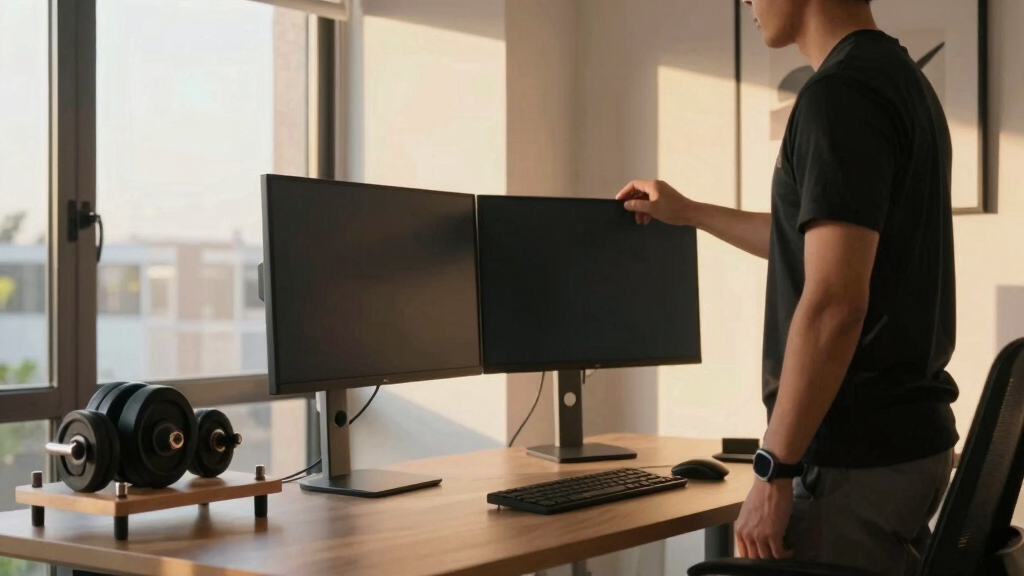
Start by asking what kind of work you do. For multitasking and quick switching, side-by-side is most common. But if space is tight, stacking monitors vertically can save room and keep your workflow organized.
An example: a graphic designer might prefer side-by-side for editing images, while a programmer with limited space might opt for a stacked setup to keep everything within reach.
Here’s a quick breakdown:
| Layout Type | Best For | Pros | Cons |
|---|---|---|---|
| Side-by-side | Multitasking, multitab work | Easy to view both screens at once | Requires wider desk |
| Stacked | Limited space, vertical workflows | Compact, saves width | Neck may twist to view top monitor |
Choosing the right layout affects your workflow efficiency and physical comfort. For example, side-by-side layouts facilitate seamless multitasking but demand more desk space, which could lead to clutter or cramped positioning if space is limited. Stacked monitors, while space-saving, may force you to turn your neck more often, increasing strain over time. Consider your work habits and available space to balance convenience with ergonomic benefits.
dual monitor adjustable monitor arms
As an affiliate, we earn on qualifying purchases.
As an affiliate, we earn on qualifying purchases.
How to Support Heavy Monitors Without Wobbling or Tipping
Dual monitors can range from lightweight displays to hefty, 25-pound screens. Ensuring your desk and mounts can handle this weight is key to avoiding accidents.
For example, a 27-inch 4K monitor might tip a flimsy mount or cause desk wobble if unsupported. Always check the weight capacity of your monitor arms—look for models rated for at least 20-30 lbs per arm.
To support heavy monitors:
- Use high-capacity monitor arms with reinforced joints. These arms distribute weight more evenly and reduce the risk of sagging or failure over time, which is crucial for maintaining proper monitor alignment and avoiding accidental falls.
- Opt for a sturdy, wide desk with reinforced construction. A solid surface prevents wobbling, especially when multiple heavy monitors are in use, ensuring stability during adjustments or accidental bumps.
- Secure mounts directly into the desk or wall if possible. Anchoring your support system minimizes movement and enhances safety, especially in dynamic environments or shared spaces.
Understanding the importance of proper weight support is critical because inadequate support not only jeopardizes your equipment but can also cause physical injury or damage to your workspace. Heavy monitors that wobble or tip can lead to sudden falls, risking breakage and injury, and can also cause long-term strain if your setup constantly shifts or is unstable. Investing in robust support systems ensures safety, prolongs equipment lifespan, and maintains a professional, clutter-free workspace.
ergonomic standing desk with weight capacity
As an affiliate, we earn on qualifying purchases.
As an affiliate, we earn on qualifying purchases.
Easy Steps to Arrange Your Monitors at Eye Level When Standing
Positionting monitors at eye level is crucial to avoid neck strain. For standing desks, your goal is to keep the top of the screen roughly at or just below your eye line.
Here are simple steps:
- Measure your eye height while standing—this is usually around 48-52 inches from the floor.
- Adjust monitor height so the top edge aligns with this measurement. Properly aligning the top of your monitor with your eye level ensures that your neck remains in a neutral position, reducing fatigue and discomfort during prolonged work sessions.
- If using monitor arms, set the height first, then fine-tune the tilt for glare reduction. This flexibility allows you to customize the viewing angle, minimizing eye strain and reflections that can cause headaches.
- Maintain about an arm’s length distance—roughly 20-30 inches—from your eyes to the screen. This distance helps prevent eye strain and allows you to see the entire display comfortably without leaning forward or squinting.
Imagine a scenario: you’re working on a project, and your monitors sit perfectly at eye level, reducing neck pain and keeping your focus sharp all day. Proper ergonomic positioning not only improves comfort but also boosts productivity by reducing physical fatigue.
cable management tools for dual monitors
As an affiliate, we earn on qualifying purchases.
As an affiliate, we earn on qualifying purchases.
Frequently Asked Questions
How do I determine the best monitor height for standing?
Set your monitor so the top edge is at or just below eye level when standing. This reduces neck strain and keeps your gaze comfortable. Use a measuring tape or adjustable mount to fine-tune your setup.What weight capacity should I look for in monitor arms?
Choose mounts rated for at least 20-30 lbs per arm, especially for large or heavy monitors. Confirm your monitors’ weight before buying, and opt for reinforced, high-quality mounts to ensure stability.Can I support two heavy monitors on a single desk?
Yes, as long as your desk is sturdy and the mounts can handle the combined weight. Reinforced desks and heavy-duty mounts prevent wobble and tipping, making your setup safe and reliable.What accessories help keep a dual-monitor setup organized?
Use cable clips or sleeves for managed cords, ergonomic keyboard trays, footrests, and anti-fatigue mats. These accessories improve comfort, safety, and workspace tidiness.How often should I adjust my standing desk height?
Adjust your desk every 30-60 minutes to prevent stiffness and promote movement. Consider desks with programmable presets or sensors that remind you to shift positions.electric height adjustable standing desk
As an affiliate, we earn on qualifying purchases.
As an affiliate, we earn on qualifying purchases.
Conclusion
Investing in a well-planned dual-monitor standing desk setup pays off in daily comfort and long-term health. Think of it as creating a sturdy, ergonomic stage where your productivity can truly shine.
Remember: proper placement, weight support, and thoughtful layout turn a good setup into a great one. Your body and work will thank you for it—so start adjusting today and enjoy the difference.
Fall Picks
fall essentials
As an affiliate, we earn on qualifying purchases.