
TL;DR

Get business pricing on your home office setup
- Business-only prices and quantity discounts
- Tax-exempt purchasing
- Multiple users, one account, clear invoices
Setting your standing desk at the right height ensures your elbows are at a 90-100° angle when typing and the monitor is at eye level. Adjustability and proper positioning help prevent discomfort and improve focus, especially when alternating between sitting and standing.
Imagine working at a standing desk, feeling that familiar ache creeping into your neck, shoulders, or wrists. The secret isn’t just in standing, but in how you set up your workspace. Getting the height right can transform your work experience from discomfort to comfort, keeping you focused and pain-free.
In this guide, you’ll learn exactly how to adjust your standing desk for optimal typing and viewing angles. It’s about more than just height — it’s about creating a workspace that supports your body naturally, whether you’re typing out emails or scrolling through reports.
Adjust your desk height so your elbows are at a 90-100° angle when typing, roughly 43-48 inches for most people.
Position your monitor so the top is at or just below eye level, about 20-30 inches away, to prevent neck strain.
Set your keyboard and mouse to a height where wrists stay straight, reducing wrist and shoulder discomfort.
Use supportive footwear or anti-fatigue mats to make prolonged standing more comfortable.
Alternate between sitting and standing, using adjustable desks and ergonomic accessories to stay healthy and focused.
Setting the Right Height for Typing and Viewing
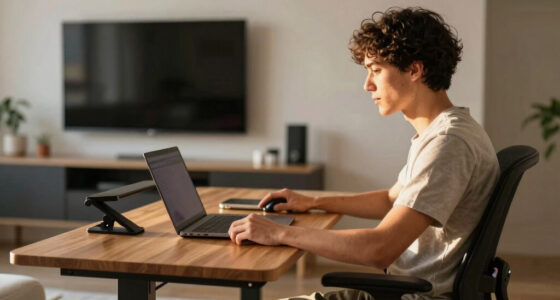
Comfort at a standing desk starts with alignment: elbows bent at 90 to 100 degrees, wrists straight, shoulders relaxed, and the monitor top at or slightly below eye level. Small adjustments reduce strain and make alternating between sitting and standing easier to sustain.
Adjustable height and proper positioning can reduce musculoskeletal discomfort by up to 60% in ergonomic study findings.
The Five-Point Setup Check
Think of standing desk height as a chain of linked positions. If one point is too high or too low, your body compensates through the neck, shoulders, wrists, hips, or feet.
Set the desk at elbow height.
Stand naturally, bend your elbows, and raise or lower the work surface until forearms are almost parallel to the floor.
Place the screen at eye level.
The top edge should sit at or slightly below your eye line so your head stays upright instead of tilting down.
Keep typing neutral.
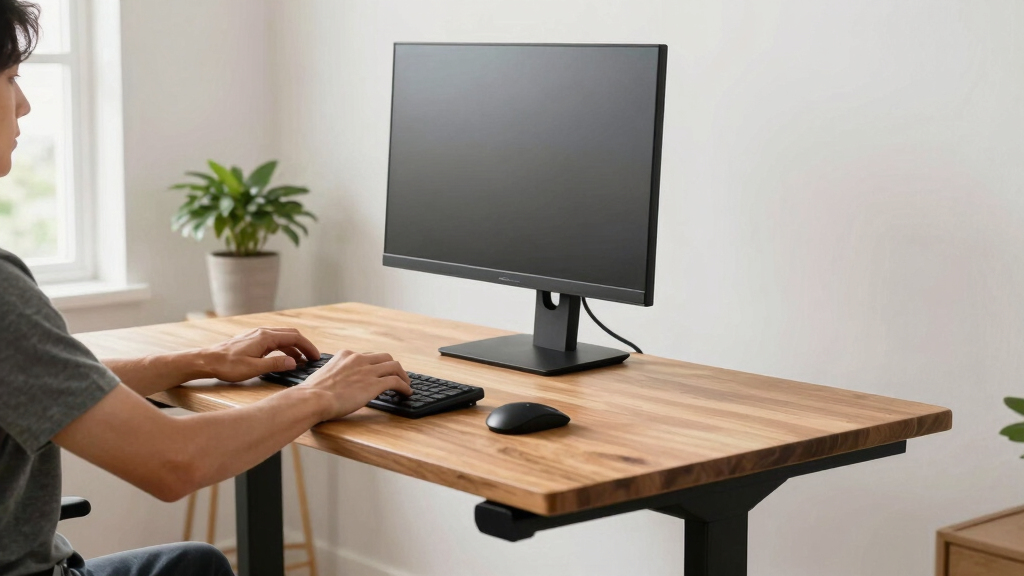
Your keyboard and mouse should let wrists stay straight, with no upward bend and no hard surface pressing into them.
Cushion long standing periods.
Supportive shoes or an anti-fatigue mat reduce foot pressure and help make standing feel manageable.
Alternate positions often.
Use sit-stand presets, shift weight, bend knees slightly, and take short movement breaks during the day.
Customize the final inches.
Monitor arms, laptop stands, keyboard trays, footrests, and risers help fine-tune the setup for your body.
Comfort Signals by Position
Use these visual checks to diagnose whether your current standing desk setup supports typing and viewing or quietly creates strain.
Best ergonomic alignment
Elbows sit at 90 to 100 degrees, shoulders drop naturally, wrists stay straight, the screen top is near eye level, and the monitor remains 20 to 30 inches away.
Impact of each adjustment
More adjustment usually means less compensating. The biggest wins often come from matching desk height to elbow height and raising the monitor independently.
Quick Comparison: Correct vs. Strained Setup
A good standing desk does not force one fixed posture. It gives you enough adjustability to keep the body neutral while typing, viewing, and switching positions.
| Ergonomic Area | Correct Setup | Warning Sign | Best Fix | Status |
|---|---|---|---|---|
| Desk Height | Surface meets natural elbow height. | Shoulders lift or elbows flare outward. | Adjust desk until elbows reach 90 to 100 degrees. | ✓ Ideal |
| Monitor | Top edge at or slightly below eye level. | Neck tilts down or chin lifts up. | Use a monitor arm, stand, or laptop riser. | ✓ Ideal |
| Keyboard and Mouse | Wrists straight, shoulders relaxed. | Wrists bend upward or rest on hard edges. | Add a tray, riser, or softer wrist support. | ~ Adjust |
| Standing Posture | Weight shifts, knees stay soft. | Knees lock, back tightens, feet ache. | Use supportive shoes or an anti-fatigue mat. | ~ Monitor |
| Work Rhythm | Sitting, standing, and movement rotate. | Standing still for long blocks. | Try the 20-8-2 sit, stand, move pattern. | ✗ Avoid static |
The Adjustment Flow
Follow this order whenever you reset your desk. It starts with your body, then tunes the tools around it.
Stand naturally
Feet grounded, shoulders loose, arms hanging comfortably at your sides.
Bend elbows
Bring forearms forward until the angle feels close to 90 to 100 degrees.
Set surface
Move the desk so the keyboard sits where wrists can remain straight.
Raise monitor
Position the screen top at eye level and keep it an arm’s length away.
Add movement
Alternate sitting, standing, and walking breaks throughout the day.
Traceability Chain: From Setup to Focus
Each ergonomic choice has a practical result. Better height creates better posture, which makes long work sessions less tiring.
Reader Questions, Answered Fast
Use these as a troubleshooting checklist when your setup feels close, but not quite comfortable.
How do I determine the correct height?
Measure your elbow height while standing naturally, then set the desk so your elbows sit at a 90 to 100 degree angle.
Where should the monitor go?
Place the top edge at or slightly below eye level, about 20 to 30 inches away, so your neck stays neutral.
How long should I stand?
Try the 20-8-2 rule: sit for 20 minutes, stand for 8 minutes, then move for 2 minutes.
What accessories help most?
Monitor arms, anti-fatigue mats, footrests, keyboard trays, and laptop stands help customize height and reduce strain.
Stand smart, not just more often.
The right standing desk height supports your body instead of asking your neck, shoulders, wrists, and feet to compensate. Adjust the desk to your elbows, raise the screen to your eyes, keep wrists neutral, and rotate positions so comfort lasts beyond the first hour.
How to Find the Perfect Desk Height for Your Elbows and Wrists
The first step in ergonomic setup: your elbows should be at a 90- to 100-degree angle when typing. This means your forearms are almost parallel to the ground, reducing strain on your shoulders and wrists.
For most people, this translates to your desk surface being roughly at elbow height when standing naturally. Imagine standing with your arms hanging loosely by your sides, then bending your elbows to a comfortable angle — that’s your ideal desk height.
For example, if your elbows are at 90 degrees and your forearms are parallel to the floor, your desk height should be around 43-48 inches, depending on your height.
As an affiliate, we earn on qualifying purchases.
Set Your Monitor at Eye Level to Prevent Neck Pain
Your monitor should be positioned so that the top of the screen is at or just below your eye level when standing naturally. This keeps your neck in a neutral position, avoiding the downward tilt that causes strain.
Picture sitting or standing in front of your monitor, and adjusting its height until you see the top edge without tilting your head. For most, this means the monitor is about 20-30 inches away, with the top at or slightly below eye level.
For example, if you use a laptop, consider a stand or a monitor arm to elevate the screen to eye level, reducing neck tension during long work sessions.
As an affiliate, we earn on qualifying purchases.
How to Adjust Keyboard and Mouse Height for Comfort
Placing your keyboard and mouse at the correct height is crucial for avoiding wrist pain. They should be positioned so your wrists stay straight and your shoulders relax.
This usually means setting your keyboard about 4-6 inches below your elbow height. When typing, your wrists should not bend up or down, but stay in a neutral position.
If your desk height doesn’t match your keyboard, consider using an adjustable keyboard tray or a raised platform. For example, a simple foam riser can help position your keyboard at the right level.
As an affiliate, we earn on qualifying purchases.
Choosing the Right Footwear and Standing Posture
Standing for hours can tire your legs and back. Wearing supportive shoes or standing on an anti-fatigue mat makes a big difference. They cushion your feet, reduce fatigue, and encourage better posture.
Imagine shifting your weight from one foot to the other every few minutes, or slightly bending your knees — these small adjustments prevent stiffness and promote circulation.
For example, a pair of comfortable sneakers or a cushioned mat can turn standing from a chore into a manageable part of your day.
As an affiliate, we earn on qualifying purchases.
Latest Trends: Adjustable Desks and Ergonomic Accessories
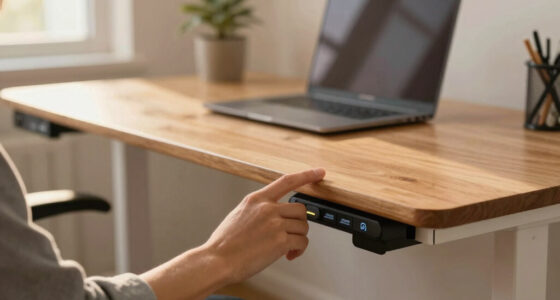
Modern desks now come with electric height adjustments, letting you seamlessly switch between sitting and standing. Many feature programmable settings for convenience.
Pairing your desk with ergonomic accessories — like monitor arms, footrests, and anti-fatigue mats — boosts comfort further. Research from ergonomic studies shows alternating between sitting and standing reduces health risks linked to static postures.
For example, an electric desk that adjusts in seconds can help you stay comfortable throughout your workday, whether typing, viewing, or resting.
Frequently Asked Questions
How do I determine the correct height for my standing desk?
Measure your elbow height when standing naturally, then set your desk so your elbows are at a 90-100° angle. Usually, this is around 43-48 inches for most people, but it varies depending on your height and arm length.
What are the best practices for monitor placement at a standing desk?
Position the monitor so the top edge is at or slightly below eye level, about an arm’s length away, roughly 20-30 inches. Adjust the height with a monitor arm or stand to avoid tilting your head down or up.
How long should I stand versus sit during the workday?
The 20-8-2 rule suggests sitting for 20 minutes, then standing for 8 minutes, with 2 minutes of movement. This pattern helps reduce fatigue and promotes better circulation.
What accessories can improve my standing desk ergonomics?
Consider monitor arms, anti-fatigue mats, footrests, and adjustable keyboard trays. These tools help you customize your setup for comfort and support during long work sessions.
How can I prevent fatigue and discomfort while standing for long periods?
Wear supportive shoes or use cushioned mats, shift your weight regularly, and avoid locking your knees. Moving around every 20-30 minutes also helps keep circulation flowing and reduces stiffness.
Conclusion
Your standing desk setup isn’t just about standing — it’s about standing smartly. When you fine-tune your desk height, monitor position, and accessories, you create a workspace that works with your body, not against it.
Next time you adjust your setup, picture your body in perfect alignment — shoulders relaxed, wrists straight, neck comfortable. Small tweaks lead to big comfort, making your workday smoother and less tiring.
Halloween Picks
halloween
As an affiliate, we earn on qualifying purchases.