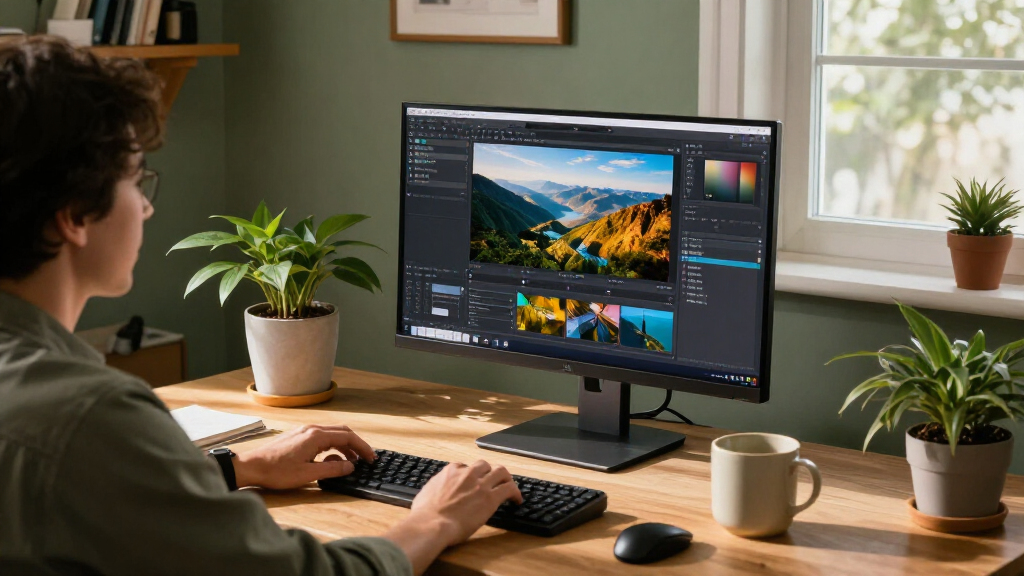

For most home offices, I’d start with the ASUS ProArt PA279CV: its 27-inch 4K screen and USB-C connectivity make it a balanced choice for work and creative tasks. The Dell 27 Plus S2725QC is a strong alternative if everyday convenience matters most, while the ViewSonic VP3276T-4K offers a larger workspace and docking features for a more demanding desk setup. The main tradeoffs are screen size versus desk space, built-in connectivity versus simpler setups, and professional features versus basic everyday use. Not every 4K monitor includes USB-C power delivery or a useful stand, so matching features to your laptop and workspace matters. Continue reading for my full breakdown of all 11 options and a guide to choosing the right fit.

Get business pricing on your home office setup
- Business-only prices and quantity discounts
- Tax-exempt purchasing
- Multiple users, one account, clear invoices
Complete the kit


Key Takeaways
- The ASUS ProArt PA279CV leads as the most balanced 27-inch pick because it combines a home-office-friendly size with USB-C connectivity and a professional focus.
- USB-C is the clearest dividing line in this lineup: the ProArt, Dell S2725QC, and ViewSonic VP3276T-4K are better suited to streamlined laptop desks than models with simpler connections.
- A 32-inch 4K screen is a workspace choice, not an automatic upgrade. The ViewSonic VP3276T-4K adds docking features, while the ASUS VP327Q and Samsung S70H offer larger viewing areas without the same emphasis on docking.
- The LG 27UP650K-W and LG 27US500-W suit buyers who want a conventional 27-inch 4K monitor without making laptop docking the center of the decision.
- The Upperizon 18.4-inch portable monitor serves a different job from the desktop models: it fits mobile or space-constrained setups, but its small panel is not a direct substitute for a full-size office display.
| ASUS ProArt PA279CV 27-Inch 4K UHD USB-C Professional Monitor |  | Best for Color-Critical Home Work | Screen size: 27 inches (description also contains a conflicting 23.8-inch reference) | Resolution: 3840 x 2160 (4K UHD) | Panel: IPS LCD with LED backlight | VIEW LATEST PRICE | See Our Full Breakdown |
| Dell 27 Plus 4K USB-C Monitor (S2725QC) |  | Best for Smooth Everyday Use | Screen size: 27 inches | Resolution: 3840 x 2160 (4K UHD) | Panel: IPS LED | VIEW LATEST PRICE | See Our Full Breakdown |
| Samsung 27-inch ViewFinity S7 (S71H) 4K UHD IPS Monitor |  | Best for a Straightforward Office Setup | Screen size: 27 inches | Resolution: 3840 x 2160 (4K UHD) | Panel: IPS | VIEW LATEST PRICE | See Our Full Breakdown |
| LG 27UP650K-W 27-Inch 4K UHD IPS Monitor |  | Best for Wider-Gamut Picture Work | Screen size: 27 inches | Resolution: 3840 x 2160 (4K UHD) | Panel: IPS | VIEW LATEST PRICE | See Our Full Breakdown |
| LG 27US500-W UltraFine 27-Inch 4K UHD IPS Monitor |  | Best for a Simple 4K Creative Desk | Screen size: 27 inches | Resolution: 3840 x 2160 (4K UHD) | Panel: IPS | VIEW LATEST PRICE | See Our Full Breakdown |
| 27-Inch 4K UHD IPS Monitor with HDR10 |  | Best for Color-Accurate Everyday Work | Screen size: 27 inches | Resolution: 3840 × 2160 (4K UHD) | Panel type: IPS LCD | VIEW LATEST PRICE | See Our Full Breakdown |
| Z-Edge 27-Inch 4K UHD IPS Monitor |  | Best for Multi-Device Desk Setups | Screen size: 27 inches | Resolution: 3840 × 2160 (4K UHD) | Panel type: IPS | VIEW LATEST PRICE | See Our Full Breakdown |
| ViewSonic VP3276T-4K 32-Inch 4K UHD IPS Docking Monitor |  | Best Premium Docking Monitor | Screen size: 32 inches | Resolution: 3840 × 2160 (4K UHD) | Panel type: IPS LED | VIEW LATEST PRICE | See Our Full Breakdown |
| Upperizon 18.4-Inch 4K UHD Portable Monitor with Kickstand |  | Best Portable Second Screen | Screen size: 18.4 inches | Resolution: 3840 × 2160 (4K UHD) | Panel type: IPS | VIEW LATEST PRICE | See Our Full Breakdown |
| ASUS VP327Q 32-Inch 4K UHD Monitor |  | Best Large-Screen Everyday Office Pick | Screen size: 31.5 inches | Resolution: 3840 × 2160 (4K UHD) | Panel type: IPS | VIEW LATEST PRICE | See Our Full Breakdown |
| Samsung ViewFinity S7 32″ 4K UHD Monitor (S70H) |  | Best for a Spacious, Eye-Comfortable Home Office | Screen size: 32 inches | Resolution: 4K UHD (3840 x 2160) | Panel type: VA | VIEW LATEST PRICE | See Our Full Breakdown |
| 4K computer monitors for home office | Screen size | Resolution | Refresh rate | Connectivity |
|---|---|---|---|---|
| ASUS ProArt PA279CV 27-Inch 4K | 27 inches (description also contains a conflicting 23.8-inch reference) | 3840 x 2160 (4K UHD) | 60 Hz | USB-C with up to 65W power delivery, DisplayPort, HDMI, 4 x USB 3.2 Gen 1 Type-A |
| Dell 27 Plus 4K USB-C Monitor | 27 inches | 3840 x 2160 (4K UHD) | Up to 120Hz | HDMI, USB-C |
| Samsung 27-inch ViewFinity S7 | 27 inches | 3840 x 2160 (4K UHD) | 60 Hz | — |
| LG 27UP650K-W 27-Inch 4K UHD I | 27 inches | 3840 x 2160 (4K UHD) | 60 Hz | 2 HDMI, 1 USB, DisplayPort |
| LG 27US500-W UltraFine 27-Inch | 27 inches | 3840 x 2160 (4K UHD) | 60 Hz | HDMI, DisplayPort |
| 27-Inch 4K UHD IPS Monitor wit | 27 inches | 3840 × 2160 (4K UHD) | 60 Hz | — |
| Z-Edge 27-Inch 4K UHD IPS Moni | 27 inches | 3840 × 2160 (4K UHD) | 60 Hz | — |
| ViewSonic VP3276T-4K 32-Inch 4 | 32 inches | 3840 × 2160 (4K UHD) | 60 Hz | — |
| Upperizon 18.4-Inch 4K UHD Por | 18.4 inches | 3840 × 2160 (4K UHD) | 60 Hz | 2 USB-C ports, 1 HDMI port |
| ASUS VP327Q 32-Inch 4K UHD Mon | 31.5 inches | 3840 × 2160 (4K UHD) | 60 Hz | Dual HDMI, DisplayPort |
| Samsung ViewFinity S7 32" 4K U | 32 inches | 4K UHD (3840 x 2160) | 60 Hz | 1x HDMI, 1x DisplayPort |
More Details on Our Top Picks
ASUS ProArt PA279CV 27-Inch 4K UHD USB-C Professional Monitor
The ASUS ProArt PA279CV is the strongest fit here for home-office work where color consistency matters more than a high refresh rate. Its factory-verified Delta E < 2 accuracy and full sRGB and Rec. 709 coverage suit photo editing, design, and video destined for standard displays. Compared with the LG 27UP650K-W, it trades that model’s wider DCI-P3 coverage and HDR support for clearer calibration credentials and a more useful USB-C setup: one cable can carry video, connect the USB hub, and deliver up to 65W to a laptop. The fully adjustable stand also makes portrait documents easier to arrange. Its main compromise is 60Hz operation, which feels less fluid than the Dell 27 Plus. The supplied description also contains conflicting size references, so I would verify the exact listing before buying.
Pros:- Factory-calibrated color with Calman verification and Delta E < 2.
- 100% sRGB and Rec. 709 coverage suits common creative and video workflows.
- USB-C provides up to 65W power delivery and connects to a built-in USB hub.
- Stand adjusts for height, tilt, swivel, and pivot.
Cons:- 60Hz refresh rate is less fluid than the Dell 27 Plus at up to 120Hz.
- The product description conflicts on whether the screen is 23.8 or 27 inches.
- Its color coverage is focused on sRGB and Rec. 709 rather than the wider DCI-P3 coverage listed for the LG 27UP650K-W.
Best for: Home-based designers, photographers, and video editors who need calibrated sRGB or Rec. 709 color and want USB-C laptop charging at the desk.
Not ideal for: Buyers prioritizing smooth high-refresh motion, wider DCI-P3 coverage, or a listing with unambiguous size details.
- Screen size:27 inches (description also contains a conflicting 23.8-inch reference)
- Resolution:3840 x 2160 (4K UHD)
- Panel:IPS LCD with LED backlight
- Refresh rate:60 Hz
- Color coverage:100% sRGB and 100% Rec. 709
- Color accuracy:Calman Verified, Delta E < 2
- Connectivity:USB-C with up to 65W power delivery, DisplayPort, HDMI, 4 x USB 3.2 Gen 1 Type-A
- Stand adjustments:Height, pivot, swivel, and tilt
Our verdict“Choose the PA279CV for calibrated standard-gamut creative work and one-cable laptop docking, not for high-refresh motion.”
Dell 27 Plus 4K USB-C Monitor (S2725QC)
The Dell 27 Plus S2725QC stands out for a home office shared between spreadsheets, video calls, and occasional gaming. Its 4K resolution and up-to-120Hz refresh rate make scrolling and moving windows feel smoother than on the 60Hz ASUS ProArt PA279CV or either LG in this group. USB-C with up to 65W power delivery supports a tidier laptop setup, while the included speakers can handle basic calls without a separate audio device. Dell also lists FreeSync Premium and ComfortView Plus, adding motion support and reduced blue-light output to its everyday appeal. The tradeoff is that its 99% sRGB coverage is less compelling for color-critical work than the ProArt’s stated calibrated accuracy. The supplied response-time figures conflict, too, and its one-year service term is shorter than the ASUS’s stated five-year warranty with registration.
Pros:- Up to 120Hz refresh rate and AMD FreeSync Premium support smoother motion.
- USB-C provides up to 65W power delivery for a single-cable laptop connection.
- 99% sRGB coverage suits general office and everyday media use.
- Built-in speakers and ComfortView Plus add convenience for calls and long work sessions.
Cons:- The listed 0.03ms response time conflicts with a 4ms figure in the title.
- Its 65W USB-C delivery may not meet the charging needs of every laptop.
- The stated one-year service term is shorter than the ASUS ProArt PA279CV’s five-year warranty with online registration.
Best for: Laptop-based home-office users who move between documents, video calls, and casual gaming and want USB-C charging with smoother-than-60Hz motion.
Not ideal for: Color-critical editors who need documented factory calibration, or buyers seeking a longer stated warranty.
- Screen size:27 inches
- Resolution:3840 x 2160 (4K UHD)
- Panel:IPS LED
- Refresh rate:Up to 120Hz
- Color coverage:99% sRGB
- Adaptive sync:AMD FreeSync Premium
- USB-C power delivery:Up to 65W
- Connectivity:HDMI, USB-C
- Stand adjustments:Height, pivot, swivel, and tilt
Our verdict“Pick the Dell for a versatile home desk where smoother motion and USB-C convenience matter more than color-calibration credentials.”
Samsung 27-inch ViewFinity S7 (S71H) 4K UHD IPS Monitor
The Samsung ViewFinity S7 S71H is the simpler pick for a home office that needs a sharp 4K workspace without paying for features the buyer may not use. Its 27-inch IPS panel offers broad viewing angles, while HDR10 and the TÜV-certified Eye Saver Mode add support for compatible content and screen-comfort settings. Compared with the ASUS ProArt PA279CV, Samsung does not list USB-C laptop charging, a USB hub, or factory-calibrated color accuracy; that makes it less suited to a one-cable laptop desk or color-critical editing. It also trails the Dell 27 Plus on motion, with a 60Hz refresh rate rather than up to 120Hz. HDMI and DisplayPort cover basic desktop connections, but only one HDMI port is listed. This is a focused office display, not a connectivity hub.
Pros:- 4K resolution provides detailed space for documents and multiple windows.
- IPS panel offers a 178-degree viewing angle.
- HDR10 support is available for compatible content.
- TÜV-certified Eye Saver Mode is designed to reduce blue light and flicker.
Cons:- 60Hz refresh rate lacks the smoother motion available on the Dell 27 Plus.
- Only one HDMI port is listed.
- No USB-C connection or factory color calibration is listed, unlike the ASUS ProArt PA279CV.
Best for: Desktop-PC users who want a 27-inch 4K IPS screen for documents, browsing, and occasional HDR content, with Eye Saver Mode available.
Not ideal for: Laptop users seeking USB-C charging, multi-device hub connections, or creative workers who need verified color accuracy.
- Screen size:27 inches
- Resolution:3840 x 2160 (4K UHD)
- Panel:IPS
- Refresh rate:60 Hz
- Brightness:300 cd/m²
- Contrast ratio:1000:1
- HDR:HDR10
- Connections:1 HDMI, DisplayPort
- Response time:5 ms
Our verdict“Choose the ViewFinity S7 for a basic 4K desktop workspace, but look to ASUS or Dell for USB-C docking and extra workflow features.”
LG 27UP650K-W 27-Inch 4K UHD IPS Monitor
The LG 27UP650K-W is the better match for home-office users who want more color range and HDR support than a basic document monitor provides. Its stated up-to-95% DCI-P3 coverage gives it a wider-gamut focus than the Samsung ViewFinity S7’s listed specifications, while DisplayHDR 400 and 400 cd/m² brightness add support for compatible HDR material. The stand’s height, tilt, and pivot adjustments help place the screen comfortably for long desk sessions. Against the ASUS ProArt PA279CV, though, the LG lists wider DCI-P3 coverage but not the same factory-calibration claim or USB-C laptop charging. It also runs at 60Hz, so the Dell 27 Plus is the more fluid choice for frequent gaming or fast-moving content. Its connections cover HDMI and DisplayPort, with one USB port listed.
Pros:- Up to 95% DCI-P3 coverage supports a wider-gamut image workflow.
- VESA DisplayHDR 400 support and 400 cd/m² brightness suit compatible HDR content.
- Stand adjusts for height, tilt, and pivot.
- Includes two HDMI ports, DisplayPort, and one USB port.
Cons:- 60Hz refresh rate is less fluid than the Dell 27 Plus’s up-to-120Hz display.
- No USB-C connection or laptop power delivery is listed, unlike the ASUS ProArt PA279CV and Dell 27 Plus.
- Factory color calibration is not listed.
Best for: Home-office users who work with wide-gamut images or HDR content and want an adjustable 27-inch 4K screen without needing USB-C docking.
Not ideal for: Laptop users who want one-cable charging, or buyers who prioritize high refresh rates and verified factory calibration.
- Screen size:27 inches
- Resolution:3840 x 2160 (4K UHD)
- Panel:IPS
- Refresh rate:60 Hz
- Color gamut:Up to 95% DCI-P3
- HDR:VESA DisplayHDR 400
- Brightness:400 cd/m²
- Connectivity:2 HDMI, 1 USB, DisplayPort
- Stand adjustments:Height, tilt, and pivot
Our verdict“Choose the LG 27UP650K-W for wider-gamut and HDR-focused desk work, not for USB-C docking or high-refresh motion.”
LG 27US500-W UltraFine 27-Inch 4K UHD IPS Monitor
The LG 27US500-W UltraFine brings 4K detail and a stated 90% DCI-P3 gamut to a pared-back home-office setup. That makes it a stronger fit for image-focused work than the basic Samsung ViewFinity S7 on paper, while HDR10 support adds compatibility for HDR sources. LG’s OnScreen Control software offers workspace customization and screen-splitting tools, which can help organize a small desktop. The limits are practical: its stand only tilts, so height and swivel adjustments require a separate monitor arm or riser. Compared with the LG 27UP650K-W, it has lower stated DCI-P3 coverage and brightness, and its connection list omits a USB hub. It also shares the group’s common 60Hz refresh rate, rather than the Dell 27 Plus’s faster motion. The result is a capable but less ergonomic option for a fixed desk.
Pros:- 4K UHD resolution provides a detailed 27-inch workspace.
- 90% DCI-P3 coverage and HDR10 support suit image-focused work and compatible content.
- OnScreen Control offers workspace customization and screen-splitting features.
- HDMI and DisplayPort support common desktop and laptop connections.
Cons:- Stand supports tilt only, with no height, pivot, or swivel adjustment.
- No USB-C, USB hub, or laptop power delivery is listed.
- Its 90% DCI-P3 coverage is below the LG 27UP650K-W’s stated up-to-95% coverage.
Best for: Home workers who want 4K detail and wide-gamut coverage for occasional creative tasks, have a fixed viewing position, and are comfortable using HDMI or DisplayPort.
Not ideal for: Buyers who need height adjustment, USB-C laptop charging, a USB hub, or smoother-than-60Hz motion.
- Screen size:27 inches
- Resolution:3840 x 2160 (4K UHD)
- Panel:IPS
- Refresh rate:60 Hz
- Color gamut:90% DCI-P3
- Brightness:300 cd/m²
- HDR:HDR10
- Connectivity:HDMI, DisplayPort
- Stand adjustment:Tilt
Our verdict“Pick the 27US500-W for a fixed-position desk that needs affordable-in-features 4K creative capability, but choose the 27UP650K-W for better stand flexibility and broader color coverage.”
27-Inch 4K UHD IPS Monitor with HDR10
For a home office centered on documents, spreadsheets, and occasional color-sensitive work, this 27-inch 4K IPS display offers a straightforward balance. Its 100% sRGB coverage and 178-degree viewing angles support consistent color when you shift position or share the screen, while the matte finish helps limit reflections. Compared with the Z-Edge 27-Inch 4K UHD IPS Monitor, it has fewer listed video inputs, but adds a USB port and specifies DisplayPort 1.4. FreeSync can reduce tearing during casual gaming, though the 60 Hz refresh rate is not aimed at fast motion. The main compromises are a tilt-only stand and no built-in speakers; plan on an arm or separate audio if those matter to your setup.
Pros:- 4K resolution provides fine detail for text and dense spreadsheets.
- 100% sRGB coverage suits standard color-focused work.
- IPS viewing angles help keep the image consistent when viewed off-center.
- DisplayPort 1.4, HDMI 2.0, and VESA compatibility offer useful connection and placement options.
Cons:- The included stand adjusts only for tilt.
- No built-in speakers, so audio requires separate equipment.
- A 60 Hz refresh rate is less suited to fast-moving content than higher-refresh displays.
Best for: Home-office users who want a compact 4K screen for detailed documents, everyday multitasking, and sRGB-focused creative tasks.
Not ideal for: People who need a height-adjustable stand, built-in audio, or several devices connected at once.
- Screen size:27 inches
- Resolution:3840 × 2160 (4K UHD)
- Panel type:IPS LCD
- Refresh rate:60 Hz
- Color gamut:100% sRGB
- Ports:1 HDMI 2.0, DisplayPort 1.4, 1 USB, 1 USB 3.0
- Stand adjustment:Tilt
- VESA mount:100 × 100 mm
Our verdict“Choose it for a color-capable 27-inch 4K desk display if you can live with a basic stand and separate speakers.”
Z-Edge 27-Inch 4K UHD IPS Monitor
The Z-Edge’s clearest home-office advantage is its four video inputs: two HDMI and two DisplayPort connections make it easier to keep a work computer and other sources plugged in. Its 27-inch 4K IPS panel, matte surface, and 100% sRGB coverage suit everyday office work, while low-blue-light features offer an additional display setting for long sessions. Compared with the 27-Inch 4K UHD IPS Monitor with HDR10, this model gives up the listed USB ports but provides more video connections. FreeSync is useful for occasional gaming, yet the 60 Hz refresh rate keeps it in the standard office category. HDR is listed without performance details, so I would not choose it for HDR-focused work. It also has a one-year warranty and no stated ergonomic stand adjustments.
Pros:- Four video inputs reduce the need to unplug devices.
- 4K IPS panel with 100% sRGB coverage supports detailed office and general creative work.
- Matte finish and 178-degree viewing angle suit varied desk positions.
- 100 × 100 mm mounting pattern supports a compatible arm or wall mount.
Cons:- 60 Hz refresh rate is a basic fit for office use rather than high-refresh gaming.
- HDR is listed, but no brightness or other HDR performance details are supplied.
- No USB-C connection is listed for one-cable laptop docking.
Best for: People who regularly switch between a work PC, personal computer, and other HDMI- or DisplayPort-equipped devices.
Not ideal for: Buyers seeking a USB-C dock, detailed HDR performance, or a stand with specified ergonomic adjustments.
- Screen size:27 inches
- Resolution:3840 × 2160 (4K UHD)
- Panel type:IPS
- Refresh rate:60 Hz
- Brightness:300 cd/m²
- Color gamut:100% sRGB
- Ports:2 HDMI, 2 DisplayPort
- Mounting pattern:100 × 100 mm
Our verdict“Pick the Z-Edge if keeping multiple video sources connected matters more than USB-C docking or documented HDR performance.”
ViewSonic VP3276T-4K 32-Inch 4K UHD IPS Docking Monitor
This ViewSonic is the most complete desk-hub option in this group. Its 32-inch 4K screen gives documents and creative timelines more room than the 27-inch Z-Edge, while Thunderbolt 4 with up to 100W power delivery can connect and charge a compatible laptop through one cable. A broad port selection, including RJ45 Ethernet, also suits a fixed workstation with wired networking and peripherals. For color work, the stated 100% sRGB and 98% DCI-P3 coverage, 400-nit brightness, and HDR400 support make it more purpose-built than the simpler ASUS VP327Q. The tradeoff is a 60 Hz panel with a 5 ms response time, so it is less compelling for fast gaming. Its 32-inch footprint and 17.2-pound weight also call for a substantial desk or mount.
Pros:- Thunderbolt 4 offers up to 100W laptop power delivery and supports compatible dual-4K setups.
- 100% sRGB and 98% DCI-P3 coverage suit creative and professional color work.
- 400-nit brightness and HDR400 support provide a more fully specified HDR feature set.
- HDMI, DisplayPort, USB ports, and RJ45 Ethernet cover a wide range of workstation needs.
Cons:- 60 Hz refresh rate and 5 ms response time are modest for fast-paced gaming.
- The 32-inch size and 17.2-pound weight need ample desk or mount capacity.
- Its docking features offer less value to users with a desktop that does not need laptop charging or network connectivity.
Best for: Laptop-based home-office professionals who want a large 4K display, one-cable charging, wired networking, and broad color coverage.
Not ideal for: Small-desk users, high-refresh-rate gamers, or anyone whose computer cannot use Thunderbolt or USB-C docking features.
- Screen size:32 inches
- Resolution:3840 × 2160 (4K UHD)
- Panel type:IPS LED
- Refresh rate:60 Hz
- Brightness:400 nits
- Color gamut:100% sRGB, 98% DCI-P3
- Thunderbolt:Thunderbolt 4, up to 40 Gbps and 100W power delivery
- Ports:2 HDMI, 2 Thunderbolt, 5 USB ports, DisplayPort, USB-C, RJ45
- Mounting:100 × 100 mm
Our verdict“Choose this ViewSonic for a premium, color-focused laptop workstation that benefits from Thunderbolt docking and a large screen.”
Upperizon 18.4-Inch 4K UHD Portable Monitor with Kickstand
The Upperizon is a different kind of home-office pick: a portable 18.4-inch 4K screen for a compact desk, shared workspace, or laptop-based setup that needs a second display. Its adjustable kickstand, included sleeve and cables, and USB-C and HDMI inputs make it easier to move between locations than the full-size ASUS VP327Q. The 130% sRGB claim and stated brightness of up to 470 nits are notable for a portable screen, but brightness falls to 300 nits over single-cable USB-C. That connection also requires a compatible full-featured USB-C or Thunderbolt port. Unlike the larger desktop monitors in this roundup, it has built-in speakers, though the small screen area limits side-by-side document work. VESA mounting is available, but the required screws are not included.
Pros:- Compact 18.4-inch 4K IPS panel adds a high-resolution second screen without a full-size monitor footprint.
- USB-C and HDMI connectivity support use with compatible laptops and other sources.
- Adjustable kickstand, protective sleeve, cables, and power adapter are included.
- Built-in speakers and 75 × 75 mm VESA mounting add flexible setup options.
Cons:- Single-cable USB-C operation is limited to 300 nits and requires a compatible full-featured port.
- The small screen area is less comfortable than a 27- or 32-inch display for primary workstation use.
- VESA mounting screws are not included.
Best for: Remote workers who move between rooms or need a sharp portable second screen alongside a laptop.
Not ideal for: Buyers looking for a primary large-screen workstation display or a one-cable setup without checking laptop compatibility.
- Screen size:18.4 inches
- Resolution:3840 × 2160 (4K UHD)
- Panel type:IPS
- Refresh rate:60 Hz
- Brightness:Up to 470 nits; up to 300 nits over single-cable USB-C
- Color gamut:130% sRGB
- Connectivity:2 USB-C ports, 1 HDMI port
- Speakers:Dual 1.8W
- VESA mount:75 × 75 mm; M4 × 6 mm screws required and not included
Our verdict“Choose the Upperizon as a portable 4K companion display, not as a substitute for a spacious primary office monitor.”
ASUS VP327Q 32-Inch 4K UHD Monitor
The ASUS VP327Q suits a home office where a large 31.5-inch workspace matters more than laptop docking. Its 4K IPS panel, 99% sRGB coverage, and 178-degree viewing angles offer a useful combination for multitasking and everyday color work. Built-in stereo speakers simplify a basic desk setup, and flicker-free and low-blue-light features add screen options for long work sessions. Compared with the ViewSonic VP3276T-4K, the ASUS is less equipped as a workstation hub: it lists dual HDMI and DisplayPort but not Thunderbolt, USB-C, or Ethernet. Its Adaptive-Sync is a bonus for casual gaming, while the 60 Hz refresh rate remains a limit for fast motion. The listed brightness figure uses lumens, so it is not directly comparable with the ViewSonic’s nit rating.
Pros:- 31.5-inch 4K IPS display gives documents and multiple windows more room than a 27-inch monitor.
- 99% sRGB coverage and 178-degree viewing angles suit everyday visual work.
- Built-in stereo speakers reduce the need for separate basic audio equipment.
- Adaptive-Sync, flicker-free, low-blue-light, and VESA features support a flexible home setup.
Cons:- No USB-C or Thunderbolt docking is listed.
- The 60 Hz refresh rate is a limitation for fast-motion gaming.
- Brightness is reported in lumens, making it difficult to compare directly with monitor ratings in nits.
Best for: Home-office users who want a large 4K screen with built-in audio for documents, multitasking, and general entertainment.
Not ideal for: Laptop users who want USB-C charging and docking, or buyers who need a clearly specified brightness level for bright rooms.
- Screen size:31.5 inches
- Resolution:3840 × 2160 (4K UHD)
- Panel type:IPS
- Refresh rate:60 Hz
- Color gamut:99% sRGB
- Display features:HDR-10, Adaptive-Sync
- Connectivity:Dual HDMI, DisplayPort
- Audio:Built-in stereo speakers
- Mounting:VESA compatible
Our verdict“Pick the ASUS for a spacious everyday office display with built-in audio, but choose the ViewSonic if docking and wired networking matter more.”
Samsung ViewFinity S7 32″ 4K UHD Monitor (S70H)
The 32-inch 4K screen gives spreadsheets, reference documents, and side-by-side windows more room than the 27-inch Samsung ViewFinity S7 (S71H), making this a strong fit for a desk where multitasking matters. Its VA panel and 3000:1 contrast ratio produce deeper blacks than many IPS office displays, while HDR10 support adds compatibility for HDR content. For long workdays, TÜV-certified Eye Comfort Technology uses blue-light reduction and flicker-free operation; Samsung Display Manager also supports split-screen layouts and KVM switching. The tradeoff is a straightforward port selection: one HDMI and one DisplayPort offer less flexibility than a monitor with USB-C docking. Its 60 Hz refresh rate and 5 ms response time suit typical office tasks, but the ViewSonic VP3276T-4K is a better match for buyers prioritizing docking features.
Pros:- 32-inch 4K UHD screen provides generous space for detailed work and side-by-side windows.
- VA panel with a 3000:1 contrast ratio supports deeper blacks than many IPS office displays.
- TÜV-certified eye-comfort features include blue-light reduction and flicker-free operation.
- Samsung Display Manager supports split-screen layouts and KVM switching.
Cons:- One HDMI port limits convenience when connecting multiple HDMI devices.
- No USB-C connection is listed for laptop docking or charging.
- The 60 Hz refresh rate and 5 ms response time are less suited to fast-paced gaming.
Best for: Home-office workers who want a large 4K workspace for documents and multitasking, plus eye-comfort features for extended screen time.
Not ideal for: People who need USB-C laptop charging and docking, several HDMI-connected devices, or a high-refresh display for fast-paced gaming.
- Screen size:32 inches
- Resolution:4K UHD (3840 x 2160)
- Panel type:VA
- Refresh rate:60 Hz
- Brightness:300 cd/m²
- Contrast ratio:3000:1
- Connectivity:1x HDMI, 1x DisplayPort
- Dimensions:7.88″D x 28.21″W x 20.72″H
Our verdict“Choose this Samsung if you want a large, high-contrast 4K workspace with eye-comfort features, and can work with its limited connectivity.”
How We Picked
I ranked these monitors around the needs of a home office: clear 4K workspace, practical screen size, connection convenience, and how readily each display can fit into a daily desk setup. I gave added weight to features that reduce clutter or solve common work-from-home needs, such as USB-C connectivity and docking, while also considering whether a larger or portable format brings a clear benefit for a specific workspace.
The order reflects role and versatility, not a claim that every buyer needs the same monitor. The ProArt earns the overall lead for its mix of professional focus and laptop-friendly use; the Dell follows as a convenient everyday option, and the ViewSonic stands out for buyers who want a larger dock-centered setup. More straightforward 27-inch models rank well for uncomplicated desk use, while the 32-inch and portable options rank by how well their specialized formats fit particular needs. I also weighed meaningful tradeoffs: a monitor may be less suitable if its size, connectivity, or intended use does not match the buyer’s desk and computer.
Factors to Consider When Choosing 4K Computer Monitors For Home Offices
Choosing a home-office display is less about collecting the most features and more about avoiding a mismatch between the monitor, your computer, and your desk. I’d settle the workspace and connection questions before comparing extra display features.
Match Screen Size to Viewing Distance and Desk Space
A 27-inch 4K display is a practical starting point for many desks: it provides a detailed image without taking up as much width as a 32-inch model. A larger screen can make side-by-side documents feel less cramped, but it also needs more desk depth and may require more head movement. Before buying, measure the available width and check how far you sit from the screen. Also think about whether you use a monitor arm, since stand dimensions can affect the space left for a keyboard and other equipment. A portable 18.4-inch display solves a different problem, such as occasional second-screen use or a temporary workstation. Avoid choosing a larger panel just because the resolution is the same; consider how it fits your actual working distance.
Check USB-C Power and Data, Not Just the Port Name
USB-C can make a laptop desk simpler by carrying video, data, and power over one cable, but the label alone does not tell you what a monitor can deliver. Check whether the display supplies enough power for your laptop and whether its ports support the peripherals you plan to leave connected. If a monitor does not provide the charging or hub features you need, you may still need a separate charger or dock. That can add cost and cable clutter even when the screen itself is a good fit. Desktop PC users may gain little from paying extra for laptop-oriented connectivity. Match the monitor’s connection details to your computer’s ports before treating USB-C as a deciding advantage.
Decide Whether a Docking Monitor Replaces Equipment You Own
A docking display is most useful when it can replace a separate hub or simplify a laptop setup used every day. Count the devices you connect, such as a keyboard, mouse, storage drive, or network cable, then compare that list with the monitor’s available connections. If you already own a reliable dock, a docking monitor may duplicate features rather than improve your setup. A simpler monitor can be the cleaner choice for a desktop computer that stays connected to the same accessories. Check how easily you can switch between computers if you share a desk with another person or device. Buy the docking features that solve a real cable or workflow problem, not just the most impressive connection list.
Think About Text Scaling Before Buying 4K
4K provides fine detail, but the amount of comfortable screen space depends on operating-system scaling and how you like text to look. If you make text larger for long work sessions, you may not use all the extra workspace suggested by the resolution alone. If you keep several windows open, scaling choices can affect how much content fits side by side. Check that your computer handles 4K at the refresh rate and connection type you plan to use. A high-resolution monitor will not fix an awkward viewing distance or a font size that strains your eyes. If possible, compare scaling settings on a similar-size display before deciding between 27 and 32 inches.
Budget for the Whole Desk Setup
The monitor is only one part of the cost and effort of a comfortable workstation. A stand with the right adjustment range can matter more day to day than a feature you rarely use, and a monitor arm may be an extra purchase if desk height is awkward. Likewise, a basic display may need a separate dock, speakers, or cables to match the convenience of a more connected model. Consider which accessories you already own before comparing models by feature list. Leave room for the monitor’s physical footprint, cable routing, and any laptop stand you use. A good-value choice is the one that completes your setup without forcing you to buy several add-ons to make it work.
Separate Work Priorities From Occasional Entertainment
Home-office monitors often serve more than one role, but a display chosen for document work may not be the best fit for every creative or entertainment task. If color-sensitive work is part of your routine, look for a model whose stated color features suit your workflow rather than assuming every 4K IPS screen is interchangeable. For general office tasks, prioritize legible text, comfortable positioning, and connections you will use daily. HDR labeling alone is not a reliable shortcut for judging overall image quality or suitability for creative work. Consider how often you will use the monitor outside work, then decide whether those needs justify a different size or feature set. A clear primary use makes it easier to avoid paying for capabilities that do not improve your workday.
Frequently Asked Questions
Is a 27-inch 4K monitor enough for working with two documents at once?
It can be, particularly if your applications support window snapping and you are comfortable choosing a suitable text-scaling setting. The ASUS ProArt PA279CV, Dell S2725QC, and the LG 27-inch models all represent the more compact desktop format in this lineup. A 32-inch display gives each window more physical room, but it also occupies more desk space. If you frequently compare long documents or keep several applications visible, think about your viewing distance and desk depth before moving up in size. The right answer depends on the amount of usable workspace you want, not resolution alone.
Should I choose a USB-C monitor if my laptop already has a dock?
Not automatically. A USB-C monitor may let you remove a separate dock if it supports the charging, data, and peripheral connections your setup requires. If your current dock already handles those tasks reliably, a monitor without docking features may be the simpler purchase. Compare the monitor’s port selection and laptop power needs with your existing equipment before paying for overlapping functions. The Dell S2725QC and ASUS ProArt PA279CV suit buyers seeking laptop-friendly connectivity, while the ViewSonic VP3276T-4K is aimed at a more feature-rich docking setup. The useful question is whether the monitor replaces something you use now.
Is a 32-inch 4K monitor a better choice than a 27-inch model for spreadsheets?
A 32-inch display can make wide spreadsheets and multiple windows easier to view at once, but it is not automatically better for every desk. It needs more room and may feel less comfortable if you sit close or have limited depth. The ViewSonic VP3276T-4K adds docking-oriented functionality, while the ASUS VP327Q and Samsung S70H offer 32-inch alternatives for buyers focused on a larger screen. Compare the monitor’s physical footprint with your seating distance and how much of the spreadsheet you need visible at once. If you mostly work in one window, a 27-inch 4K screen may be a more balanced fit.
Can a portable 4K monitor replace a regular home-office monitor?
The Upperizon 18.4-inch model is better viewed as a portable or space-saving display than as a direct replacement for a full-size desktop monitor. Its smaller panel may suit travel, a temporary workstation, or a second screen that is put away when work ends. For long daily sessions, a 27-inch or 32-inch monitor gives you a much larger viewing area. Check how you will support and position the portable screen, since its kickstand-based format differs from a conventional desk setup. Choose it when portability or limited space is the main requirement, not simply because it also offers 4K resolution.
What should I check before connecting a 4K monitor to my work laptop?
Confirm that the laptop can output 4K at the connection and refresh rate supported by the monitor, and check which ports are available on both devices. For a USB-C setup, verify that the monitor provides enough power for the laptop and supports any peripherals you plan to connect through it. If your laptop relies on an adapter, check that the adapter supports the intended resolution rather than assuming any USB-C adapter will do. Also review your operating system’s scaling options so text and application controls remain comfortable to read. These checks can prevent a capable monitor from becoming an inconvenient addition to the desk.
Conclusion
For most laptop-based home offices, I’d choose the ASUS ProArt PA279CV as the best overall because its 27-inch format and USB-C focus make a balanced everyday setup. For a straightforward connected desk, the Dell 27 Plus S2725QC is my best value-style pick among the options that emphasize convenience; buyers who want a simpler display should compare the LG 27UP650K-W and LG 27US500-W. The ViewSonic VP3276T-4K is my best premium choice for someone who wants a larger 32-inch workspace with docking features. For beginners, I’d favor a conventional 27-inch model such as the Samsung ViewFinity S7 S71H if the priority is a clear, uncomplicated desktop display rather than a docking hub. For specific needs, choose the Upperizon portable monitor for mobility, or a 32-inch option such as the ASUS VP327Q or Samsung S70H when screen area matters most. Before deciding, match the connection features and physical size to your computer and desk; those two checks will narrow this lineup quickly.
Evergreen bestsellers Picks

TCL 75-Inch QM6K QLED Mini LED 4K HDR Smart Google TV, 144Hz

KitchenAid Artisan Series 5-Quart Tilt-Head Stand Mixer with Pouring Shield, Cherry Tomato

Ninja Espresso and Coffee Maker with Built-In Frother, CFN601
As an affiliate, we earn on qualifying purchases.