TL;DR

Get business pricing on your home office setup
- Business-only prices and quantity discounts
- Tax-exempt purchasing
- Multiple users, one account, clear invoices
Pairing time blocking with a visual timer helps you visualize your remaining work, stay focused, and reduce procrastination. This beginner’s guide explains how to implement it step-by-step for better productivity.
Imagine seeing a bright red bar shrinking steadily, signaling your remaining work time. It’s a simple image, but it can dramatically boost your focus. That’s what a visual timer does—turns the passage of time into a visual cue you can’t ignore.
If you’re tired of staring at plain clocks or ignoring digital timers, a visual timer adds clarity and motivation to your day. When paired with time blocking, it transforms your schedule from a vague plan into a tangible, visual journey. Ready to learn how? Let’s walk through the basics and practical steps so you can start using this powerful combo today.
Pair a visual timer with your time blocks to see progress and stay motivated.
Start small—25-minute sessions are perfect for beginners and easy to build on.
Choose the right timer—physical or digital—based on your environment and preferences.
Focus on your task, minimize distractions, and use the timer as a visual cue to stay on track.
Be flexible—adjust your time estimates and task sizes as you learn what works best.
What is time blocking, and why does it work?
Time blocking is a simple idea: carve your day into chunks, each dedicated to specific tasks. Instead of working haphazardly, you assign a set period—say, 45 minutes—to emails, meetings, or focused work. It’s like giving each task its own appointment slot.
This method helps you avoid multitasking and decision fatigue. When you allocate specific blocks, your brain recognizes that it’s focusing on a particular task during that time, reducing the mental clutter of switching contexts. It also creates a sense of accountability, as you’re committing to a timeframe rather than an open-ended task. This structure encourages discipline and minimizes distractions—crucial factors in productivity.
According to productivity research, structured time blocks increase focus and reduce procrastination—especially when paired with a visual cue that emphasizes the passage of time. The visual element reinforces your awareness of the schedule, making it easier to stay engaged and committed to your work segments.
As an affiliate, we earn on qualifying purchases.
Why a visual timer makes all the difference
Visual timers turn the abstract concept of time into a vivid, easy-to-understand display. Instead of just hearing a beep or watching a numerical countdown, you see a color-shifting bar, a pie chart, or animated progress. This visual element taps into your natural ability to process images faster than numbers, making your perception of time more intuitive.
Imagine working on a project and watching a red bar shrink as minutes pass. It’s like a visual heartbeat of your task—an ongoing, real-time indicator of progress. This immediate feedback not only keeps you aware of how much time remains but also creates a sense of urgency that can motivate you to stay focused. Conversely, it helps you recognize when you’re spending too much time on a task and need to switch gears.
Research shows that visual cues can improve time awareness and task completion by up to 25%. This means you’re more likely to stay on track, avoid procrastination, and finish tasks efficiently. Bright visuals and clear progress indicators serve as constant reminders of your goals, helping you develop better time management habits over time. Many successful systems leverage this principle because visual cues tap into our natural tendency to respond to visual stimuli, making your productivity tools more engaging and effective.
As an affiliate, we earn on qualifying purchases.
How to set up your first time block with a visual timer
- Pick a task—something important but manageable. For beginners, starting with 25-minute sessions, similar to the Pomodoro Technique, helps build focus without feeling overwhelming. This duration is short enough to maintain concentration but long enough to make meaningful progress.
- Estimate how long it will take. Be honest and realistic—start with shorter time frames to prevent burnout and frustration. As you become more comfortable, you can extend the duration gradually.
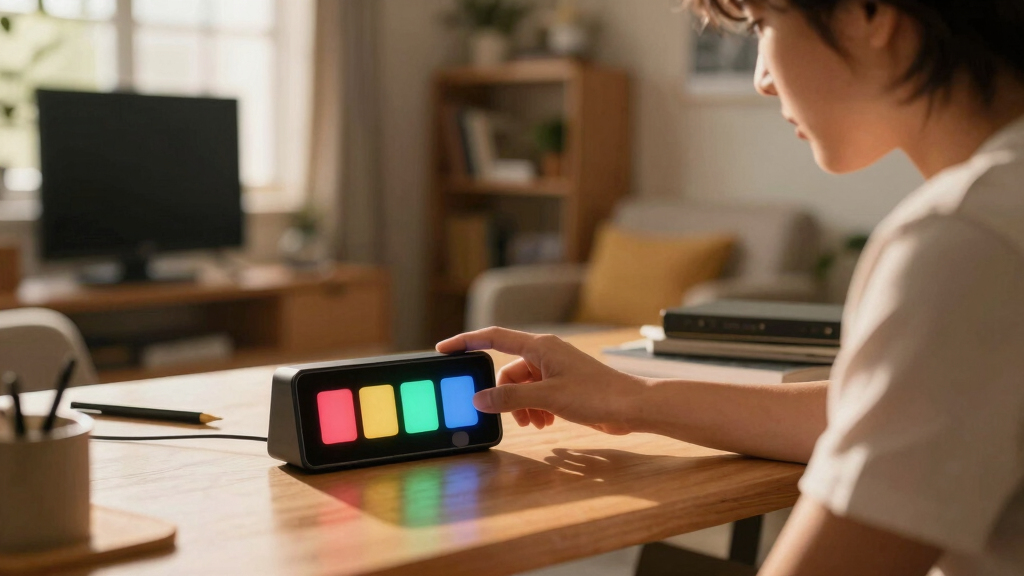
- Choose your visual timer. It could be a physical device like a Time Timer or a digital app such as Focus Booster or Be Focused. Consider your environment and preferences—physical timers give tactile feedback, while digital ones offer customization and portability.
- Set the timer for your chosen duration. As it runs, watch the visual cue change—colors fade, bars shrink, or segments fill—providing immediate, continuous feedback on your progress.
- Focus solely on your task. When the timer ends, acknowledge your accomplishment, take a short break, or reassess your next step. This reinforces the habit of focused work and helps you recognize the importance of time boundaries.
- Repeat the process, adjusting your time blocks based on what you learn about your pace and task complexity. Over time, you’ll refine your estimates and improve your ability to gauge how long tasks really take.
This straightforward process helps you build a habit of focused work, reinforced by the visual cue that keeps you aware of your progress. It encourages discipline, reduces the likelihood of burnout, and makes your work sessions more intentional and effective.
As an affiliate, we earn on qualifying purchases.
Comparing physical and digital visual timers: which suits you?
| Feature | Physical Timer | Digital Timer |
|---|---|---|
| Visual cues | Bright, large display, easy to see from afar | Customizable colors, animations, and sounds |
| Portability | Good for desk or wall mounting | Accessible anywhere via smartphone or computer |
| Ease of use | Simple dial or buttons | Tap, swipe, or click; often more features |
| Cost | Usually affordable, no extra charges | Many free or inexpensive apps available |
Choose based on your environment. If you like physical tactile feedback or work in a fixed space, a timer with a large display on your desk might be best. For flexibility and customization, a digital app offers more options.
As an affiliate, we earn on qualifying purchases.
Tips to keep your focus sharp during time blocks
- Minimize distractions—silence notifications, close unrelated tabs.
- Prepare your workspace—have everything you need within arm’s reach.
- Set a clear goal for each session—know exactly what you want to accomplish.
- Use a visual timer that’s easy to see—place it where your eyes naturally land.
- Take short breaks after each block—stretch or breathe to reset your focus.
For example, during a 25-minute writing session, keep your phone face down, and use a visual timer on your desk. When the timer hits zero, get up, stretch, and reset for the next round.
What if you don’t finish in the allotted time?
It’s common to underestimate or overestimate how long tasks take. If you don’t finish, don’t panic. Review what took longer—was it distractions, complexity, or underestimated time?
Understanding why you didn’t complete the task within the set time helps you make better estimates in the future. Maybe you need to break the task into smaller chunks or eliminate certain distractions. Recognizing these patterns allows you to tailor your schedule and tools more effectively, making your time blocks more realistic and achievable. Remember, the goal is progress, not perfection, and each session is a learning opportunity to refine your timing and focus skills.
Adjust your schedule accordingly. Break large tasks into smaller segments. For example, split a 2-hour report into two 1-hour blocks. This keeps progress steady and manageable.
Remember, the goal isn’t perfection but building a habit of focused work. Over time, your estimates will become more accurate, and your confidence will grow.
The final step: making it a habit that sticks
Consistency turns a good idea into a routine. Set a specific time each day to plan your blocks and review your timer sessions. Use a visual timer every day for at least a week.
Track your progress—notice how much more you get done. Celebrate small wins. Over time, this process becomes second nature, and your focus sharpens naturally.
For example, schedule your morning work session with a visual timer for 30 minutes. Keep doing it daily, and soon, it becomes part of your workflow.
Frequently Asked Questions
How do I choose the right visual timer for me?
Think about your workspace and preferences. Physical timers are great if you like tactile feedback and a large display, while digital timers or apps offer customization and portability. Try a few and see what motivates you best.Can I use a visual timer for tasks longer than an hour?
Absolutely. Many timers allow you to set multiple intervals or countdowns. Break longer tasks into chunks—say, 45 minutes work, 10-minute break—and monitor each with the timer. This approach helps you maintain focus over extended periods and prevents burnout by ensuring regular breaks, which are crucial for sustained productivity.What if I get distracted during a timed session?
Distractions happen. When they do, pause if possible, reset your focus, and remind yourself of your goal. Using a visual timer helps you stay aware of how much time you’ve lost and regain your rhythm quickly.How can I stay motivated to keep using this system?
Track your progress and celebrate small wins. Each successful session builds momentum. Remember, the goal is steady improvement, not perfection—over time, it becomes a natural part of your routine.Conclusion
Using a visual timer alongside time blocking turns your schedule into a vivid map of your day. It’s like having a friendly coach reminding you how much time remains, keeping you focused and motivated.
Start small. Pick a task, set your timer, and watch your productivity grow. Before long, this simple habit can transform your entire approach to work and study—making each moment count.
Fall Picks
fall essentials
As an affiliate, we earn on qualifying purchases.