
TL;DR

Get your home office setup delivered free — and shop member deals
- Fast, free delivery on millions of items
- Access to Prime Big Deal Days deals on October 6–7
- Prime Video, Amazon Music and more included
Standing desk presets let you easily switch between heights for sitting and standing. Programming them correctly ensures better posture, reduces strain, and makes your workspace more adaptable. Regular updates keep your setup aligned with your needs.
Program your presets at your ideal ergonomic heights—typically elbows at 90° and monitor at eye level.
Use the comparison table to decide between manual and smart presets based on your tech comfort and needs.
Regularly review and update presets as your body or workspace changes to stay comfortable.
Leverage smart desk features like app control and automation to simplify height adjustments.
Support multiple users by setting individual profiles, making shared desks ergonomic for everyone.
How to Program Your Standing Desk Presets in 3 Simple Steps
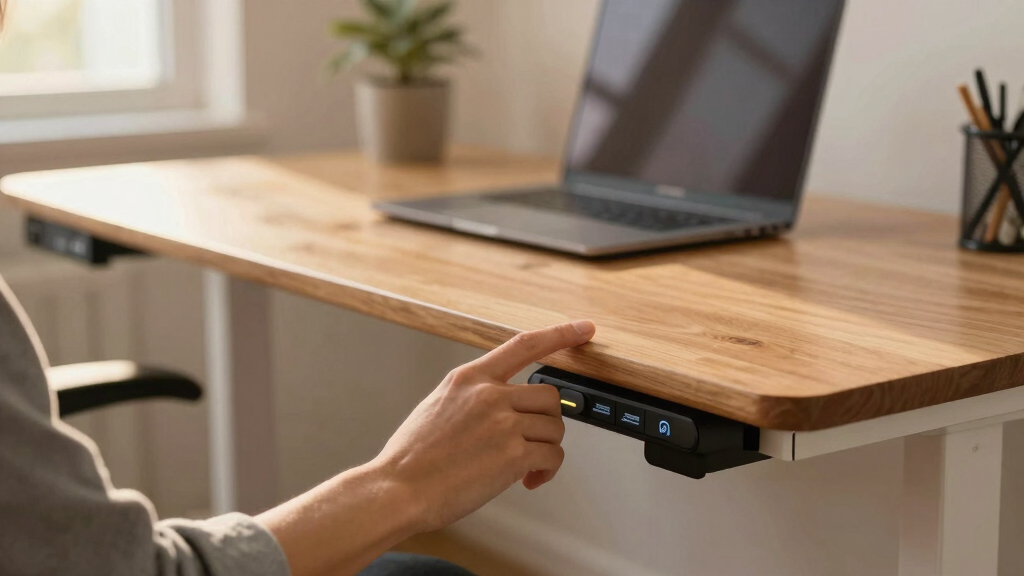
Most standing desks with presets follow a straightforward process. First, adjust the desk to your ideal standing height—typically where your elbows are at a 90-degree angle. Then, press and hold the preset button until it clicks or flashes, saving that position. Repeat for other preferred heights, like sitting or different standing heights. Once saved, switching between presets takes just a tap.
For example, you might set one preset at 43 inches for standing, another at 30 inches for sitting, and a third at 38 inches for a more relaxed stand. When your workspace supports app control, programming can be done via Bluetooth or Wi-Fi, often allowing multiple profiles.
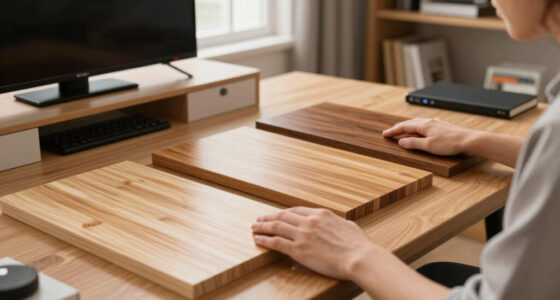
adjustable standing desk with programmable presets
As an affiliate, we earn on qualifying purchases.
As an affiliate, we earn on qualifying purchases.
Choosing the Best Heights for Your Presets — Practical Tips
Getting the height right is the key to comfort. Aim for your elbows to be at a 90-degree angle when standing, with your monitor at eye level. For most people, that’s between 40 and 45 inches from the floor. But if you’re taller or shorter, tweak accordingly.
Suppose you’re 5’10”. You might preset your desk at 44 inches for standing, then lower it to 30 inches for sitting. Don’t forget to include a relaxed arm position and monitor height—your neck should stay straight, not tilted.
Experiment with different heights for a week, then adjust. Your ideal preset should feel natural, not strained.
Choosing the right preset heights is crucial because it directly impacts your posture and comfort. If your presets are too high or too low, you risk developing neck, shoulder, or back pain over time. Conversely, well-calibrated presets promote better spinal alignment and reduce fatigue, especially during long work sessions. This balance often involves some trial and error, but also understanding the implications of misalignment. Poorly set presets can lead to sustained awkward postures, muscle strain, and long-term musculoskeletal issues. Therefore, investing time in precise calibration is essential for maintaining ergonomic health. Periodic reassessment ensures that your setup evolves with your body’s changes, preventing discomfort and supporting sustained productivity.
As an affiliate, we earn on qualifying purchases.
Comparison Table: Manual vs. Smart Preset Programming
| Feature | Manual Presets | Smart Presets |
|---|---|---|
| Setup process | Adjust, press and hold button, save | Adjust via app, save remotely |
| Number of presets | Usually 3-4 | More options, sometimes unlimited |
| Sharing profiles | Limited or none | Multiple user profiles supported |
| Automation | No | Yes, can schedule or auto-adjust |
standing desk height memory presets
As an affiliate, we earn on qualifying purchases.
As an affiliate, we earn on qualifying purchases.
Why Updating Your Presets Regularly Boosts Comfort
Your body changes over time—your height, posture habits, or even the desk setup itself. Regular updates to your presets keep your workspace aligned with your current needs. For example, if you gain a few pounds or start using a different monitor, a quick height tweak can prevent discomfort.
Think of presets as a personalized suit. It needs fitting from time to time to stay comfortable. Setting a reminder every few months to review your presets helps maintain ergonomic health.
Updating your presets isn’t just about comfort; it can prevent long-term musculoskeletal issues. As your body adapts or changes, old presets may no longer support proper posture, leading to strain or repetitive stress injuries. Regularly revisiting and adjusting your presets ensures your workspace remains ergonomic, reducing the risk of discomfort and health problems over time. This proactive approach can significantly improve your overall well-being and productivity by maintaining optimal alignment and support as your body evolves.
As an affiliate, we earn on qualifying purchases.
Smart Desk Features That Make Presets Even Easier
Many desks now sync with apps or voice commands. Imagine arriving at your desk and saying, ‘Set to my standing height,’ and the desk adjusts automatically. Some models learn your routines and suggest preset changes, based on your schedule or activity patterns.
For example, a smart desk might recognize you start working at 9 am and automatically elevate to your standing preset. These features can help you stay consistent without remembering to manually adjust.
However, these advanced features typically require compatible apps and reliable Bluetooth or Wi-Fi connections. Consider your tech comfort level before choosing a desk with automation. While automation can streamline your workflow and encourage healthier habits, it also introduces dependencies on technology that may fail or require updates. Balancing convenience with reliability is key; some users prefer manual control to avoid potential technical issues, while others appreciate the seamless adjustments that smart features offer for maintaining ergonomic standards effortlessly.
How to Make Presets Work for Multiple Users
If you share your workspace, presets become even more valuable. Many desks support multiple profiles—each person can store their preferred heights, ensuring quick, ergonomic adjustments. For example, in a shared office, your partner might have a sitting preset at 28 inches, while you prefer 44 inches for standing.
Set up profiles on your desk or app, label them clearly, and switch with a few taps. It’s a small step that saves a lot of hassle—and prevents awkward, unhealthy postures.
Supporting multiple users with distinct presets not only enhances comfort but also promotes better health practices. When each user can quickly switch to their personalized setup, it reduces the temptation to compromise ergonomics, which can lead to discomfort or injury. Clear labeling and easy access are crucial, especially in busy shared environments, to ensure everyone maintains proper posture and reduces strain. This collaborative approach fosters a healthier workspace culture, encouraging everyone to prioritize their ergonomic needs without hassle or delay.
Frequently Asked Questions
How do I program my standing desk presets?
Adjust your desk to the desired height, then press and hold the program or save button until it confirms the setting. Repeat for each preset you want. Consult your desk’s manual for specific steps, especially for digital or app-based models.
What height should my presets be set at?
For standing, aim for your elbows at a 90-degree angle and your monitor at eye level. This usually means around 40-45 inches from the floor, but adjust based on your height and comfort.
Can I have presets for multiple users?
Yes, many desks support multiple profiles. Each user can save their preferred heights, making it quick and easy to switch between ergonomic setups.
How often should I update my presets?
Review and adjust your presets whenever your posture, height, or workspace setup changes—roughly every few months or when you notice discomfort.
Are there desks that automate height adjustments?
Yes, smart desks with app integration or voice control can automatically switch presets based on schedules or activity detection, making ergonomic adjustments effortless.
Conclusion
Mastering your standing desk presets turns a good setup into a great one. Regular tweaks and smart features ensure your workspace adapts to your evolving needs. Think of your desk as a partner in health—responsive, personalized, and always ready to support your best posture.Halloween Picks
halloween
As an affiliate, we earn on qualifying purchases.