
TL;DR

Get business pricing on your home office setup
- Business-only prices and quantity discounts
- Tax-exempt purchasing
- Multiple users, one account, clear invoices
Effective desk lighting combines ambient, task, and bias lighting to improve focus and reduce eye fatigue. The right setup depends on your work style, with recent tech trends making customization easier than ever.
If your workspace feels dim or overly harsh, your focus suffers. Proper lighting isn’t just about brightness; it’s about creating a balanced environment that keeps your eyes comfortable and your mind alert. Whether you’re working late into the night or just trying to stay sharp during the day, understanding the different types of desk lighting can make all the difference.
This guide breaks down three main lighting styles—ambient, task, and bias—and shows you how to combine them for a workspace that fuels your focus, reduces fatigue, and feels natural. You’ll learn practical tips, recent tech trends, and real-world scenarios to help you set up your ideal lighting scheme.
Combine ambient, task, and bias lighting for a tailored workspace that boosts focus and reduces eye strain.
Choose adjustable, flicker-free LED lights with appropriate color temperatures—cool for alertness, warm for relaxation.
Position lights to avoid glare and reflections—think side or overhead placement for task and ambient lights.
Smart lighting options provide customizable, automated solutions to fit your daily rhythm and workload.
Layer your lighting thoughtfully—use dimmers and controls to adapt your environment as needed.
What is ambient lighting, and why does it matter for focus?
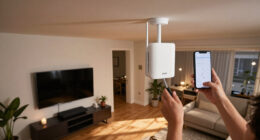
Ambient lighting is the soft, overall illumination that fills your workspace. Think of it as the background glow that sets the tone for your entire environment. It’s like the gentle morning light that wakes you up without startling your senses.
Imagine sitting at your desk with a warm, diffuse glow overhead, casting no harsh shadows. This type of lighting reduces eye strain, helps you see your surroundings clearly, and creates a calm atmosphere. Without good ambient light, your eyes work harder to distinguish objects, leading to fatigue over time.
Choosing the right ambient lighting is crucial because it establishes the foundation for your entire workspace. Too bright, and it can cause glare and discomfort; too dim, and your eyes strain to see. The tradeoff lies in balancing sufficient illumination without overwhelming or under-lighting your space. For example, a ceiling-mounted LED panel emitting 3000 lumens with a matte diffuser spreads light evenly across your room, preventing glare and shadows. This setup supports focus by providing a neutral, comfortable background that doesn’t compete with your work.
As an affiliate, we earn on qualifying purchases.
How to choose the right task lighting for maximum productivity
- Pick a bright, focused light source—ideally an adjustable desk lamp with a flexible arm. This allows you to direct light precisely where needed, reducing shadows and glare that can distract or cause eye strain.
- Set the color temperature around 5000K–6500K—mimicking daylight to boost alertness. Cooler temperatures stimulate alertness but can be harsh if too bright; warmer tones are more relaxing but may reduce focus if overused.
- Position the light so it shines directly onto your work surface without creating glare on your screen. Proper placement prevents reflections that can cause discomfort and distraction.
- Adjust brightness to match your needs, increasing during detailed tasks and lowering for general reading. This flexibility helps maintain visual comfort and reduces fatigue over long periods.
- Use diffusers or lampshades to soften shadows and prevent harsh spots. Soft, even lighting minimizes eye strain and creates a more comfortable environment.
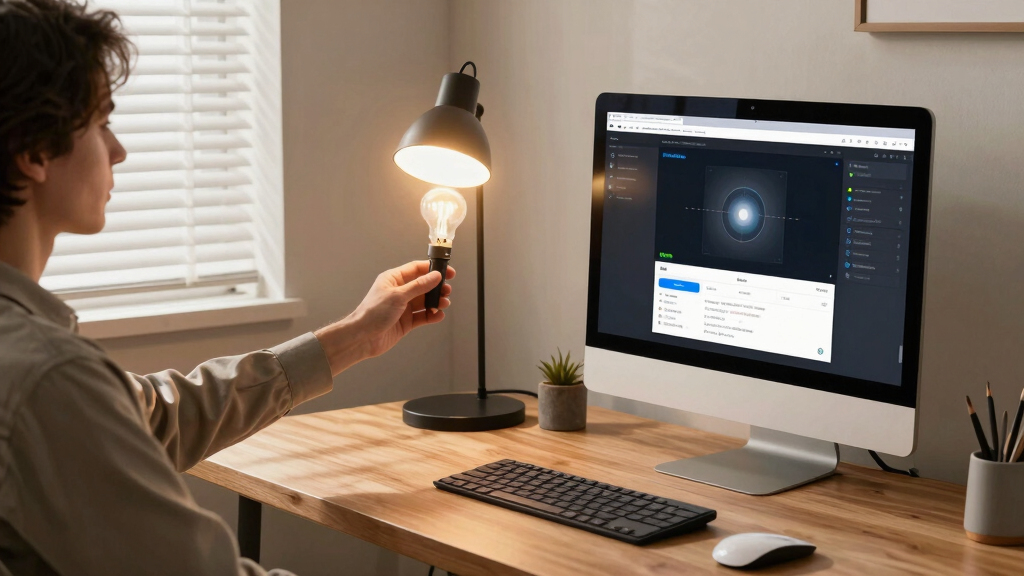
For example, a task lamp with a dimmable LED bulb placed to the side of your monitor ensures you see your keyboard clearly without causing glare or reflections on your screen. This targeted lighting not only improves visibility but also helps prevent headaches and eye fatigue, especially during extended work sessions. The tradeoff here involves balancing enough illumination for clarity without over-illuminating the space, which can lead to discomfort or energy waste.
flicker-free task lighting for desk
As an affiliate, we earn on qualifying purchases.
As an affiliate, we earn on qualifying purchases.
Why bias lighting is the secret weapon for long screen sessions
Bias lighting is the indirect light placed behind your monitor, creating a gentle glow around the screen’s edges. It’s like the soft halo that reduces contrast between your bright screen and a dark room.
This subtle backlight helps your eyes adjust better to the screen, reducing the constant strain caused by high contrast between the bright display and darker surroundings. It minimizes eye fatigue during extended use and can improve perceived image clarity, making details pop without additional glare. The implication is that bias lighting not only eases immediate visual discomfort but also helps preserve long-term eye health by reducing cumulative strain.
Picture watching a movie in a dim room with a soft amber light behind the TV—your eyes relax, and you stay immersed. The same principle applies to your desk: bias lighting can cut eye strain by up to 30%, according to recent research, which can be especially beneficial during long hours of work or study. The tradeoff involves ensuring the bias light isn’t too bright or distracting, as excessive or poorly placed backlighting can cause reflections or reduce contrast, negating its benefits.
For instance, a LED strip placed behind your monitor, set to a warm 3000K, not only creates a calming environment but also supports your focus by reducing the visual load on your eyes during long work hours. Proper calibration of brightness and color temperature is key to maximizing the benefits without introducing new distractions or glare.
As an affiliate, we earn on qualifying purchases.
Frequently Asked Questions
What type of lighting is best for concentration and productivity?
A combination of bright, cool ambient lighting with a focused task light typically yields the best results. It keeps your environment comfortable and your eyes alert without overwhelming your space.
How do I choose the right color temperature for my desk?
For daytime work, 5000K–6500K mimics natural daylight, boosting focus. For evening or relaxed settings, warmer tones around 2700K–3000K help wind down and create a cozy vibe.
Can bias lighting really reduce eye strain?
Yes, bias lighting reduces the contrast between the bright screen and darker surroundings, easing eye fatigue during long sessions. It’s especially helpful if you spend many hours in front of a monitor.
Are smart desk lights worth the investment?
They offer precise control, automation, and customization—features that can make your workspace more comfortable and adaptable. If you value flexibility, they’re a smart upgrade.
How should I position my desk light to avoid glare?
Place lights to the side or above your workspace, avoiding direct reflections on your monitor. Experiment with angles and diffusers to find the glare-free sweet spot.
bias lighting for computer monitor
As an affiliate, we earn on qualifying purchases.
As an affiliate, we earn on qualifying purchases.
Conclusion
Lighting isn’t just about brightness; it’s about creating a visual environment that supports your focus and comfort. By understanding the roles of ambient, task, and bias lighting, you can craft a workspace that feels natural and energizing.
Remember, the right lighting setup is a personal equation—adjust until it feels right. Your best workspace is one where your eyes are happy, and your mind can zero in on what matters.
Fall Picks
fall essentials
As an affiliate, we earn on qualifying purchases.