
TL;DR

Get your home office setup delivered free — and shop member deals
- Fast, free delivery on millions of items
- Access to Prime Big Deal Days deals on October 6–7
- Prime Video, Amazon Music and more included
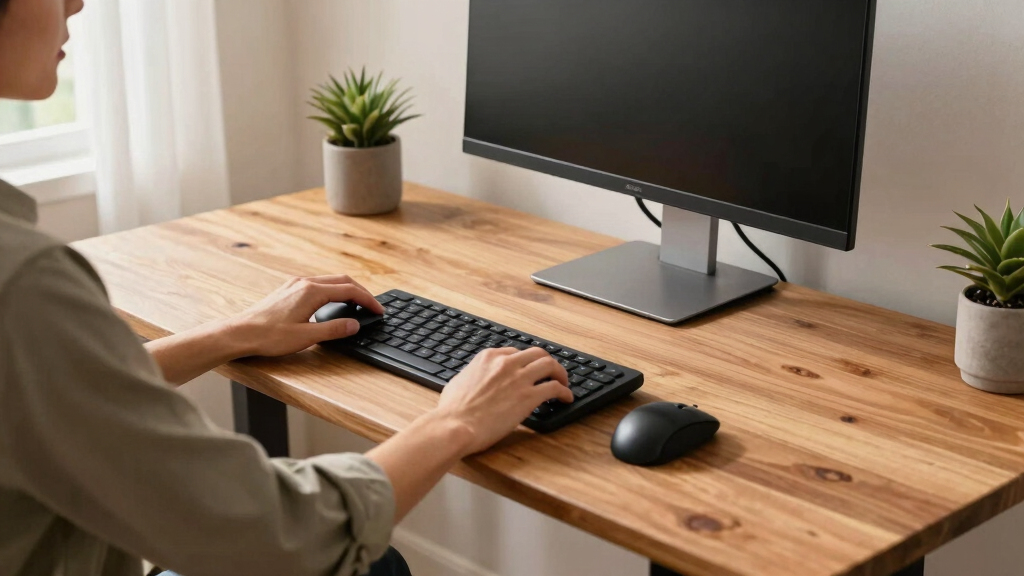
Sharing a standing desk works best when you choose a highly adjustable model and communicate clearly. Proper ergonomic setup prevents discomfort and boosts productivity for both users of different heights.
Imagine sharing a standing desk with your partner or roommate. One is 5’4″, the other 6’2″. How do you both work comfortably without constantly readjusting or risking discomfort? The secret lies in choosing the right desk and knowing a few simple setup tricks. If you’ve ever felt neck strain or wrist pain after switching from sitting to standing, you’re not alone. This guide will show you how to set up a shared desk that fits two users of different heights, so both can stay focused and pain-free.
Shared standing desks are increasingly popular, especially for remote workers or students sharing a space. But they come with unique challenges. The key is flexibility: a desk that can quickly adapt to each person’s needs, paired with ergonomic accessories and clear communication. Let’s explore practical tips to keep both of you comfortable, productive, and injury-free.
Pick a desk with a height range from at least 24 to 50 inches for flexibility.
Use ergonomic accessories like monitor arms and footrests to customize for each person.
Set clear routines and communicate preferences to avoid frustration and discomfort.
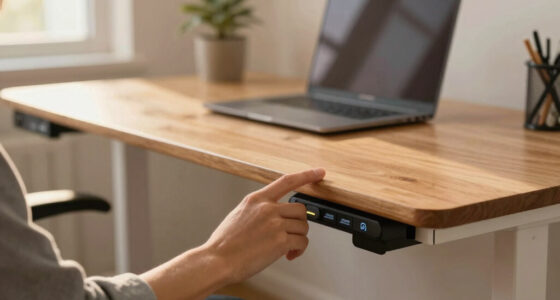
Consider electric desks for quick, precise adjustments—especially for frequent switches.
Measure each user’s ideal height before setting up to find the best middle ground.
Why Adjustable Height Matters More Than You Think
When sharing a standing desk, the first thing to consider is its height range. The ideal desk can go from around 24 inches to over 50 inches. Why? Because it needs to accommodate both a 5-foot-tall user and someone over 6 feet tall. Without this flexibility, one person might have to compromise, which can lead to discomfort or long-term issues.
For example, if your desk only adjusts to a maximum of 45 inches, your taller partner might find their monitor too low, causing neck strain. Meanwhile, the shorter user might have their keyboard too high, leading to wrist discomfort. An adjustable desk with a broad height range prevents these problems and makes sharing a breeze.
Beyond just fitting different heights, this flexibility influences overall ergonomics. A desk that can’t reach the optimal height for each user forces compromises—such as raising or lowering monitors or keyboards in ways that aren’t ideal. Over time, these compromises can lead to musculoskeletal issues like back pain, shoulder tension, or repetitive strain injuries. Therefore, selecting a desk with a wide height range isn’t merely about convenience; it’s about promoting long-term health. The ability to fine-tune height settings also encourages better posture, as each user can set their workspace to support natural alignment, reducing fatigue and discomfort during prolonged use.
adjustable standing desk for two users
As an affiliate, we earn on qualifying purchases.
As an affiliate, we earn on qualifying purchases.
How to Set Up a Shared Desk for Different Heights in 3 Easy Steps
- Measure each person’s ideal standing height. For the shorter user, this might be around 40 inches; for the taller, around 48 inches. Use a tape measure to identify the range that fits both comfortably. This step ensures you’re basing adjustments on actual ergonomic data rather than guesswork, which can lead to discomfort or postural issues.
- Adjust the desk to a middle ground. Set the height at a point that’s comfortable for both, or plan to switch between preset heights if your desk has memory functions. This middle ground should allow the shorter user to work without reaching excessively high, while the taller user can avoid stooping or craning their neck. Using ergonomic accessories like monitor arms and keyboard trays helps customize each side further, compensating for differences in arm length or eye level.
- Use accessories to fine-tune comfort. Attach adjustable monitor arms so each user can set their monitor at eye level, which is crucial for reducing neck strain and maintaining good posture. Add footrests if needed, especially for shorter users, to keep feet flat and knees at 90 degrees. These accessories aren’t just convenience features—they directly impact comfort and reduce the risk of repetitive strain injuries by supporting proper alignment and movement during work.
This step-by-step approach ensures both users feel supported without compromise. For example, a college roommate who shares a desk might set it at 44 inches, then tweak monitor heights and keyboard positions for each person. This flexibility allows both to maintain ergonomic postures, reducing fatigue and preventing discomfort during long work or study sessions.
As an affiliate, we earn on qualifying purchases.
Comparison: Manual vs. Electric Height-Adjustable Desks for Sharing
| Feature | Manual Desks | Electric Desks |
|---|---|---|
| Ease of Adjustment | Requires physical effort—turning knobs or cranking | One-touch electric controls, quick and effortless |
| Speed | Slow, especially if frequent adjustments needed | Instant, with preset options |
| Precision | Less precise, depending on effort | Highly precise, often with digital readouts |
| Cost | Generally more affordable | Higher price point, but offers convenience |
| Best for sharing? | Suitable if both users are patient and willing to manually adjust | Ideal for quick, frequent switches between users |
ergonomic monitor arm for standing desk
As an affiliate, we earn on qualifying purchases.
As an affiliate, we earn on qualifying purchases.
Top Accessories to Make Sharing Easier and Safer
- Adjustable monitor arms: Keep screens at eye level, easily repositioned for each user. This flexibility is critical because monitor height significantly impacts neck health. A monitor that’s too low causes neck extension, while one too high can lead to neck flexion, both of which cause strain over time.
- Keyboard trays: Slide in and out for ergonomic wrist positioning, especially if desk height isn’t perfect. Proper keyboard placement supports a neutral wrist position, reducing the risk of repetitive strain injuries like carpal tunnel syndrome.
- Footrests: Support shorter users, prevent dangling feet, and promote good posture. Footrests help maintain proper knee and hip angles, which are essential for reducing lower back pain and improving circulation during long periods of standing.
- Cable management systems: Keep cords tidy when adjusting height or switching users, reducing trip hazards and accidental disconnections. Organized cables also prevent frustration and ensure quick, safe adjustments, maintaining ergonomic consistency.
desk footrest for adjustable height
As an affiliate, we earn on qualifying purchases.
As an affiliate, we earn on qualifying purchases.
How to Talk About Sharing and Adjustments Without Frustration
Clear communication is vital. When you share a desk, set expectations and establish a routine. For example, agree on a time to switch heights or adjustments, and use preset memory functions if available. This proactive approach minimizes surprises and prevents frustration, making the shared workspace more harmonious.
Also, keep a mental note of each other’s preferences. If your partner prefers their monitor higher or keyboard lower, respect those needs. Think of it as a dance—small adjustments and mutual understanding make a big difference in comfort and focus. Regularly check in on how the setup feels, and be willing to make incremental changes that improve overall ergonomics.
For instance, a coworker and I set a weekly schedule for adjusting the desk. It became a simple ritual, avoiding awkward moments or discomfort during long work sessions. This routine not only streamlines adjustments but also fosters a cooperative environment, essential for maintaining health and productivity over time.
Frequently Asked Questions
How quickly can I switch the desk height when sharing with someone of a different height?
If your desk is electric, you can switch heights with a single button press, often in under 10 seconds. Manual desks take longer, requiring you to turn knobs or crank the height adjustment. Planning ahead and using preset memory buttons helps speed up the process.What’s the best way to prevent neck or wrist strain when sharing a standing desk?
Use adjustable monitor arms to keep screens at eye level. Add keyboard trays to maintain a 90-degree wrist angle. Also, take regular breaks to stretch and avoid static postures. Proper footwear and footrests support good overall posture.Are there desks designed specifically for multiple users?
Yes, some desks feature split surfaces or adjustable sections that cater to multiple users. These models often have separate height zones or modular designs, making shared use more ergonomic and flexible.What if I and my partner have very different heights, like 5’2″ and 6’4″?
In such cases, an electric desk with a broad height range becomes essential. Supplement with ergonomic accessories, and consider a setup where each side has customized monitor arms and keyboard trays. Flexibility is key to ensuring both users can work comfortably without compromise.Can sharing a standing desk improve overall health and productivity?
Yes, alternating between sitting and standing reduces fatigue and boosts focus. When both users feel comfortable, it encourages regular movement and better posture, which can lead to fewer aches and a more energized workday.Conclusion
Sharing a standing desk of different heights isn’t rocket science — it’s about flexibility, communication, and smart accessories. When you set up with care, both of you can enjoy the benefits of standing without pain or hassle. Think of your shared workspace as a dance floor, where every movement counts.
So, go ahead—measure, adjust, communicate, and enjoy a more comfortable, productive shared workspace. Your back and neck will thank you, and your focus will stay sharp.
Fall Picks
fall essentials
As an affiliate, we earn on qualifying purchases.