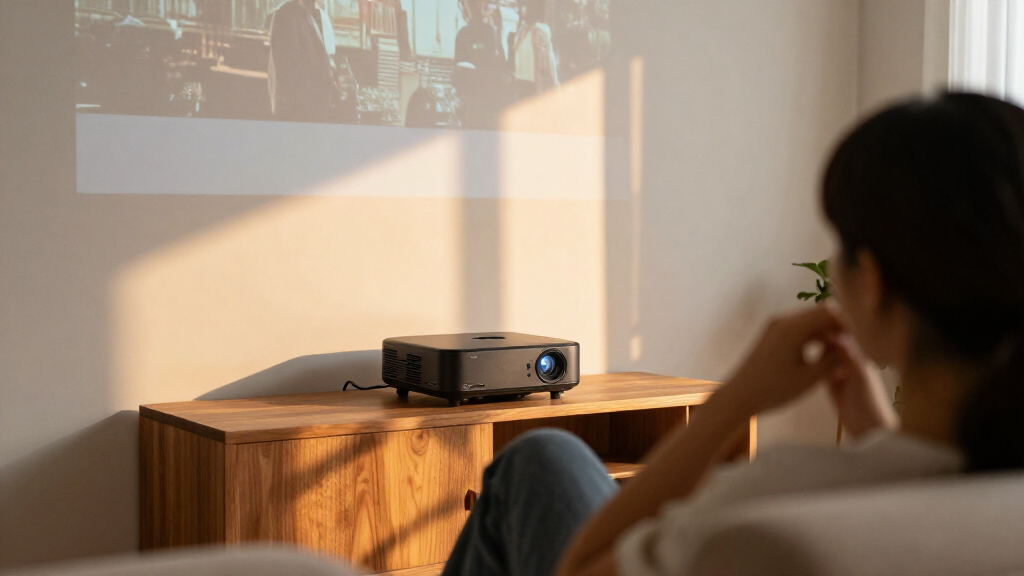
For a strong all-around home theater setup, I’d start with the Epson Home Cinema 980, whose 3LCD design makes it a compelling choice for buyers prioritizing bright, colorful 1080p viewing. The ViewSonic LS740HD stands out for laser projection and flexible use, while the HAPPRUN Google TV projector is a simpler pick for viewers who want streaming built in. The main tradeoffs are picture performance versus portability, and a dedicated projector versus the convenience of integrated smart features. Room brightness, screen size, and placement can matter as much as the model name. Read on for the full breakdown and guidance on matching a projector to your room.

Get business pricing on your home office setup
- Business-only prices and quantity discounts
- Tax-exempt purchasing
- Multiple users, one account, clear invoices
Complete the kit


Key Takeaways
- Room fit separates the leading choices: the Epson Home Cinema 980 and ViewSonic LS740HD suit buyers planning a more permanent setup, while the HAPPRUN and Aurzen options better match portable or casual viewing.
- Built-in streaming is a convenience, not a picture-quality guarantee: Google TV, Roku TV, and VIDAA reduce the need for a separate streamer, but buyers should still compare brightness, resolution, and placement needs.
- Laser projection changes the ownership equation: the ViewSonic LS740HD stands apart from the lamp-based options for buyers who value a different light-source approach and frequent use.
- Native 1080p claims deserve close attention: several compact models pair native 1080p with 4K decoding, which means they can accept 4K input without displaying native 4K resolution.
- Gaming and movie-room priorities are not identical: the Optoma HD146X may appeal to buyers focused on fast-paced viewing, while smart and portable models put more emphasis on setup convenience.
| HAPPRUN H1 Native 1080P Bluetooth Projector |  | Best Compact Pick | Native resolution: 1920 x 1080 | Display type: LCD | Brightness: 300 ANSI lumens | VIEW LATEST PRICE | See Our Full Breakdown |
| HAPPRUN Native 1080P Bluetooth Projector with Official Licensed Google TV |  | Best for Built-In Streaming | Native resolution: 1920 x 1080 | Supported input: 4K decoding | Brightness: 400 ANSI lumens | VIEW LATEST PRICE | See Our Full Breakdown |
| Aurzen Roku TV D1R Portable Smart Projector |  | Best for Simple Roku Setup | Native resolution: 1920 x 1080 | Display type: LCD | Image size: 40–200 inches | VIEW LATEST PRICE | See Our Full Breakdown |
| NexAurea Portable Home Theater Projector |  | Best for Flexible Placement | Model: A357B-Pro | Native resolution: 1920 x 1080 | Brightness: 1,000 ANSI lumens | VIEW LATEST PRICE | See Our Full Breakdown |
| ViewSonic LS740HD 1080P Laser Projector |  | Best for Bright Rooms and Fixed Installs | Resolution: 1920 x 1080 Full HD | Brightness: 5,500 ANSI lumens | Light source: Laser phosphor | VIEW LATEST PRICE | See Our Full Breakdown |
| NexAurea Smart Projector with WiFi 6, Bluetooth 5.4, Native 1080P/4K Decoding, Auto Focus, and Built-in Apps |  | Best for Quiet, All-in-One Viewing | Native resolution: 1080p | 4K support: 4K decoding | Connectivity: Wi-Fi 6, two-way Bluetooth 5.4, HDMI eARC | VIEW LATEST PRICE | See Our Full Breakdown |
| Epson Home Cinema 980 1080p 3LCD Projector | 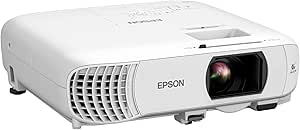 | Best for Bright Rooms | Native resolution: 1920 × 1080 | Brightness: 4,000 lumens | Contrast ratio: 16,000:1 | VIEW LATEST PRICE | See Our Full Breakdown |
| VIDAA Smart Projector with Native 1080p, 4K Decoding, Wi-Fi 6, Bluetooth 5.4, and Dolby Audio |  | Best for App and Live TV Access | Operating system: VIDAA OS | Native resolution: 1920 × 1080 | Maximum display resolution: 3840 × 2160 pixels | VIEW LATEST PRICE | See Our Full Breakdown |
| X9 PRO 4K Smart Projector with VIDAA OS, 920 ISO ANSI Lumens, Dolby Audio, and AI Auto Focus |  | Best Brightness-Spec Smart Pick | Native resolution: 1080p | 4K support: 4K decoding | Brightness: 920 ISO ANSI lumens | VIEW LATEST PRICE | See Our Full Breakdown |
| Optoma HD146X 1080p Full HD Home Theater Projector |  | Best for Casual Gaming | Native resolution: 1920 × 1080 | Brightness: 3,600 lumens | Contrast ratio: 25,000:1 | VIEW LATEST PRICE | See Our Full Breakdown |
| home theater projector | Connectivity | Native resolution | Brightness | Image size |
|---|---|---|---|---|
| HAPPRUN H1 Native 1080P Blueto | HDMI, USB, 3.5mm audio, Bluetooth 5.3, IR | 1920 x 1080 | 300 ANSI lumens | 40–200 inches |
| HAPPRUN Native 1080P Bluetooth | Wi-Fi 6, Bluetooth 5.2, HDMI, USB, 3.5mm audio | 1920 x 1080 | 400 ANSI lumens | 50–300 inches |
| Aurzen Roku TV D1R Portable Sm | Wi-Fi, Bluetooth 5.2, HDMI, USB, audio | 1920 x 1080 | — | 40–200 inches |
| NexAurea Portable Home Theater | HDMI, USB | 1920 x 1080 | 1,000 ANSI lumens | 30–300 inches |
| ViewSonic LS740HD 1080P Laser | Dual HDMI 1.4, USB Type A, RS232, audio out, 3.5mm jack | — | 5,500 ANSI lumens | 30–300 inches |
| NexAurea Smart Projector with | Wi-Fi 6, two-way Bluetooth 5.4, HDMI eARC | 1080p | — | — |
| Epson Home Cinema 980 1080p 3L | 2 HDMI ports, USB | 1920 × 1080 | 4,000 lumens | 34–337 inches |
| VIDAA Smart Projector with Nat | Wi-Fi 6, Bluetooth 5.4, HDMI 2.1, 3.5 mm jack | 1920 × 1080 | 550 ANSI lumens | — |
| X9 PRO 4K Smart Projector with | Wi-Fi 6, Bluetooth 5.4, HDMI with ARC/CEC, USB, 3.5 mm jack | 1080p | 920 ISO ANSI lumens | — |
| Optoma HD146X 1080p Full HD Ho | HDMI, USB, RCA | 1920 × 1080 | 3,600 lumens | — |
More Details on Our Top Picks
HAPPRUN H1 Native 1080P Bluetooth Projector
The HAPPRUN H1 suits buyers who want a portable native-1080p projector for a dark bedroom, movie night, or occasional camping trip. Its 300 ANSI lumens are the key limitation: compared with the ViewSonic LS740HD, which is rated at 5,500 ANSI lumens, the H1 needs a dim room and is a weaker choice for daytime viewing. It also lacks the built-in streaming platform found in the HAPPRUN Google TV projector, so you’ll need an HDMI source such as a streaming stick or console. In return, this model keeps the setup simple and travel-friendly, with Bluetooth 5.3 for audio and desktop, tripod, or ceiling mounting. Its 40-to-200-inch image range offers flexibility, but the largest picture is best reserved for a very dark space.
Pros:- Native 1920 x 1080 resolution gives Full HD detail without relying on 4K decoding.
- Compact design and tripod, desktop, and ceiling mounting suit flexible setups.
- Bluetooth 5.3 supports wireless audio connection to headphones or external speakers.
- Accepts image sizes from 40 to 200 inches.
Cons:- At 300 ANSI lumens, it is best used in a darkened room.
- Streaming stick or other HDMI source must be supplied separately.
- Bluetooth is for audio and does not provide wireless video casting.
Best for: Movie watchers who want a lightweight 1080p projector for a dark bedroom, occasional travel, or camping and already have an HDMI streaming device.
Not ideal for: Viewers who need built-in streaming, bright-room performance, or a large-screen image with ambient light; its 300 ANSI lumens make those uses a poor fit.
- Native resolution:1920 x 1080
- Display type:LCD
- Brightness:300 ANSI lumens
- Image size:40–200 inches
- Connectivity:HDMI, USB, 3.5mm audio, Bluetooth 5.3, IR
- Light source life:100,000 hours
- Mounting options:Desktop, tripod, ceiling
Our verdict“Choose the HAPPRUN H1 for portable Full HD viewing in dark spaces if you’re comfortable supplying your own streaming source.”
HAPPRUN Native 1080P Bluetooth Projector with Official Licensed Google TV
The main reason to choose this HAPPRUN is licensed Google TV built into the projector, which makes it easier to start streaming without connecting a separate stick. That gives it a more self-contained setup than the HAPPRUN H1, whose HDMI source is sold separately, and its 400 ANSI lumens are a modest step up from the H1’s 300. Still, this is a native 1080p projector, not a 4K display: 4K decoding describes accepted input, not the panel’s resolution. At 400 ANSI lumens, it remains better suited to a dim room than a bright living room or outdoor viewing before dark. Wi-Fi 6, Bluetooth 5.2, HDR10+, and multiple mounting options add flexibility, while the supplied details don’t specify auto focus or keystone correction.
Pros:- Licensed Google TV provides direct access to streaming apps without a separate streaming stick.
- Native 1920 x 1080 resolution is clearly specified alongside 4K input decoding.
- Wi-Fi 6 and Bluetooth 5.2 support wireless networking and audio peripherals.
- Ceiling, tabletop, tripod, and wall mounting broaden placement options.
Cons:- 400 ANSI lumens still calls for a dim viewing space.
- 4K decoding does not make the projected image native 4K.
- At 50 to 300 inches, the broad size range does not change its brightness limits.
Best for: Streaming-focused households that want Google TV apps on a portable native-1080p projector for a dim bedroom or media room.
Not ideal for: Buyers seeking true 4K resolution or a projector for bright daytime viewing; its native resolution is 1080p and its 400 ANSI lumens are limited for ambient light.
- Native resolution:1920 x 1080
- Supported input:4K decoding
- Brightness:400 ANSI lumens
- Image size:50–300 inches
- Throw distance:5.48–22 feet
- Connectivity:Wi-Fi 6, Bluetooth 5.2, HDMI, USB, 3.5mm audio
- Features:Google TV, Google Voice Assistant, Dolby Sound, HDR10+, AirPlay
- Light source life:100,000 hours
Our verdict“Pick this HAPPRUN if built-in Google TV matters more than bright-room performance or native 4K resolution.”
Aurzen Roku TV D1R Portable Smart Projector
The Aurzen’s strongest case is a built-in Roku interface paired with auto focus and keystone correction. Those setup aids make it a more straightforward choice for moving between rooms than the HAPPRUN H1, which offers manual flexibility through its mounting options but no listed built-in streaming platform. Both deliver native 1080p, and the Aurzen adds dual 5W speakers, AirPlay, and Bluetooth 5.2 for a convenient all-in-one setup. There are practical catches: activation requires both a Roku account and internet access, and its fan can reach 38.9 dB(A) at one meter. Unlike the bright ViewSonic LS740HD, no brightness figure is provided here, so I would not choose it on the assumption that it can handle a lit room. It is better matched to portable viewing where Roku convenience matters.
Pros:- Built-in Roku streaming reduces the need for a separate streaming device.
- Auto focus and keystone correction can simplify setup after repositioning.
- Native 1080p resolution and image sizes from 40 to 200 inches suit varied viewing spaces.
- Dual 5W speakers, Bluetooth 5.2, and AirPlay add playback options.
Cons:- Roku account and internet connection are required for activation.
- Fan noise is specified at up to 38.9 dB(A) at one meter.
- Brightness is not stated in the supplied specifications, making room-light suitability harder to judge.
Best for: Roku users who want a portable Full HD projector with built-in streaming and automatic picture setup for home or occasional outdoor use.
Not ideal for: Buyers who avoid account-based activation, need quiet operation, or require a documented brightness level for viewing with ambient light.
- Native resolution:1920 x 1080
- Display type:LCD
- Image size:40–200 inches
- Throw distance:3.71–18.58 feet
- Speakers:Dual 5W
- Connectivity:Wi-Fi, Bluetooth 5.2, HDMI, USB, audio
- Weight:2.1 kg
- Maximum fan noise:38.9 dB(A) at 1 meter
Our verdict“Choose the Aurzen if Roku streaming and quick automatic setup are priorities, and account activation and fan noise are acceptable.”
NexAurea Portable Home Theater Projector
The NexAurea combines native 1080p, built-in apps, and auto focus in a portable format, making it a reasonable fit for buyers who want fewer setup steps than the HAPPRUN H1 requires. Its listed 1,000 ANSI lumens exceed the H1’s 300, though that level still doesn’t make it the lineup’s bright-room choice; the ViewSonic LS740HD is rated at 5,500 ANSI lumens and is far better suited to ambient light. NexAurea’s 3-to-15-foot throw range helps in smaller rooms, but limits placement for viewers who need a longer throw. Built-in apps and speakers reduce extra hardware, while the supplied connectivity lists only HDMI and USB, so it offers fewer documented connection choices than the HAPPRUN models. Its 30,000-hour light-source life is also shorter than those HAPPRUN options’ stated 100,000 hours.
Pros:- Native 1920 x 1080 resolution supports Full HD playback.
- Built-in apps and speakers can reduce the need for separate playback equipment.
- Auto focus and vertical keystone correction help with setup.
- A 3-to-15-foot throw range can work in compact rooms.
Cons:- Its 1,000 ANSI lumens are well below the ViewSonic LS740HD’s 5,500 ANSI lumens.
- Maximum throw distance is 15 feet, restricting placement in larger rooms.
- Listed light-source life of 30,000 hours is shorter than the HAPPRUN models’ 100,000-hour figures.
Best for: Viewers setting up a fixed or semi-portable 1080p system in a small room who want built-in apps and automatic focus.
Not ideal for: Buyers with long-throw rooms, bright daytime viewing needs, or a preference for extensive documented wireless and audio connections.
- Model:A357B-Pro
- Native resolution:1920 x 1080
- Brightness:1,000 ANSI lumens
- Contrast ratio:2000:1
- Image size:30–300 inches
- Throw distance:3–15 feet
- Connectivity:HDMI, USB
- Weight:5.5 lbs
Our verdict“Choose the NexAurea for a small-room 1080p setup with built-in apps, but skip it if you need a long throw or strong ambient-light performance.”
ViewSonic LS740HD 1080P Laser Projector
The ViewSonic LS740HD is the clear choice here for buyers who need high brightness and installation flexibility, not a grab-and-go smart projector. Its 5,500 ANSI lumens are a substantial step above the HAPPRUN and NexAurea models, whose lower listed brightness favors darker rooms. That output makes the LS740HD more capable in spaces with ambient light, while Full HD resolution keeps the image at 1080p rather than native 4K. The laser phosphor light source, 1.3x optical zoom, keystone tools, and 360-degree and portrait projection support more involved setups, including the listed Golf Mode for simulator use. Unlike the Aurzen Roku TV D1R, it has no built-in streaming platform or listed Wi-Fi, so an external source is needed. Its stationary-mount design and 210-watt draw also make it less suited to casual portability.
Pros:- 5,500 ANSI lumens give it a clear brightness advantage over the portable projectors in this batch.
- Laser phosphor light source is rated for up to 30,000 hours in Dynamic Eco mode.
- 1.3x optical zoom, H/V keystone, and four-corner adjustment aid installation.
- 360-degree projection, portrait mode, and Golf Mode support specialist setups.
Cons:- No built-in Wi-Fi or wireless streaming is listed, so playback requires a connected source.
- Native resolution is Full HD rather than 4K.
- Stationary mounting and 210-watt power use make it a less portable, higher-draw option.
Best for: Home theater owners, golf-simulator users, and installers who need a bright Full HD projector for a fixed setup or a room with ambient light.
Not ideal for: Buyers seeking a portable projector with built-in streaming, simple wireless setup, or native 4K resolution.
- Resolution:1920 x 1080 Full HD
- Brightness:5,500 ANSI lumens
- Light source:Laser phosphor
- Light source life:Up to 30,000 hours in Dynamic Eco mode
- Throw ratio:1.13–1.47
- Optical zoom:1.3x
- Image size:30–300 inches
- Connectivity:Dual HDMI 1.4, USB Type A, RS232, audio out, 3.5mm jack
- Projection modes:360-degree projection, portrait mode, Golf Mode
Our verdict“Pick the ViewSonic for bright, flexible fixed installations or golf simulation, and skip it if you want a portable projector with streaming built in.”
NexAurea Smart Projector with WiFi 6, Bluetooth 5.4, Native 1080P/4K Decoding, Auto Focus, and Built-in Apps
I’d choose this NexAurea when a simple, quiet setup matters more than native 4K detail. Its built-in apps remove the need for a separate streaming stick, while auto focus and 6D keystone correction cut down on manual image adjustments. The dual 25W speakers are unusually substantial for a projector, giving bedroom viewers more sound than a basic built-in speaker can provide. Compared with the Epson Home Cinema 980, this model is more self-contained and claims quieter operation, but the Epson’s 4,000-lumen output is a stronger fit for rooms with ambient light. The key limitation is resolution: it accepts 4K decoding, but its native image is 1080p. I’d skip it if true 4K projection is a priority.
Pros:- Built-in apps, including Netflix and YouTube, reduce reliance on an external streaming device.
- Dual 25W speakers with Dolby Audio and DTS provide more built-in audio power than a typical projector speaker.
- Auto focus, 6D keystone correction, and obstacle avoidance simplify placement and setup.
- Stated noise level of 28 dB or less suits quieter rooms and late-night viewing.
Cons:- Native resolution is 1080p; 4K content is decoded rather than projected at native 4K resolution.
- No brightness figure is supplied, making it harder to judge performance in rooms with ambient light.
Best for: Bedroom viewers and casual home theater users who want streaming apps, automatic setup, and capable built-in audio without extra equipment.
Not ideal for: Buyers seeking native 4K detail or a bright projector for daytime viewing in a room with substantial ambient light.
- Native resolution:1080p
- 4K support:4K decoding
- Connectivity:Wi-Fi 6, two-way Bluetooth 5.4, HDMI eARC
- Audio:Dual 25W speakers, Dolby Audio, DTS
- Image features:HDR10+, MEMC, auto focus, 6D keystone, obstacle avoidance
- Noise level:≤28 dB
- Warranty and support:3-year warranty; lifetime technical support
Our verdict“Choose this NexAurea for a quiet, app-equipped 1080p setup with strong built-in sound, not for native 4K or bright-room projection.”
Epson Home Cinema 980 1080p 3LCD Projector
The Epson Home Cinema 980 is my pick for viewers who need high stated brightness more than built-in streaming or automatic setup. Its 4,000 lumens of color and white brightness give it a clear role against the smart-focused NexAurea and VIDAA models, whose supplied brightness figures are lower or unavailable. The 3-chip 3LCD system and Full HD resolution suit movies, sports, and casual gaming, while two HDMI ports make it easy to connect a streaming device and another source. The tradeoff is a less self-contained experience: there are no built-in streaming apps, and the speaker is best treated as a convenience rather than a replacement for a dedicated sound system. Its large stated maximum image size also depends on placement and viewing conditions, so I wouldn’t choose it on screen size alone.
Pros:- 4,000 lumens of stated color and white brightness suit more varied lighting than lower-brightness smart models.
- 3-chip 3LCD technology and 1080p resolution deliver a Full HD picture for movies and sports.
- Two HDMI ports allow connections for multiple video sources.
- USB power and a built-in speaker add convenience for basic setups.
Cons:- No built-in streaming apps, so streaming typically requires an external device.
- No automatic focus or keystone features are listed, which can make setup less hands-off than the NexAurea smart projector.
- The 337-inch maximum image size depends on room placement and viewing conditions.
Best for: Movie and sports viewers who want a bright Full HD picture and plan to connect their own streaming device or audio setup.
Not ideal for: Buyers who want built-in streaming apps, a quiet all-in-one bedroom setup, or a specified automatic focus and keystone system.
- Native resolution:1920 × 1080
- Brightness:4,000 lumens
- Contrast ratio:16,000:1
- Display type:3-chip 3LCD
- Connectivity:2 HDMI ports, USB
- Image size:34–337 inches
- Light source life:6,000 hours
- Mounting and form:Ceiling mount; portable form
Our verdict“Choose the Epson if brightness and 3LCD Full HD performance matter more than built-in apps and automated setup.”
VIDAA Smart Projector with Native 1080p, 4K Decoding, Wi-Fi 6, Bluetooth 5.4, and Dolby Audio
I’d shortlist this VIDAA projector for households that want a wide selection of apps and live TV built into a 1080p machine. AirPlay and voice control add useful ways to send or find content, while auto focus, keystone correction, obstacle avoidance, and screen alignment help when the projector is moved between rooms. Compared with the X9 PRO, it lists a larger app and live-channel selection, but the X9 PRO supplies a higher stated brightness figure and more specific speaker wattage. At 550 ANSI lumens, this model is better suited to a darkened room than a sunlit living room; its 4K decoding does not change the native 1080p resolution. I’d choose it for streaming flexibility, not for bright-room performance or true 4K projection.
Pros:- VIDAA OS offers access to more than 1,200 apps and 1,000 live TV channels.
- AirPlay and voice control provide flexible ways to send and find content.
- Auto focus, 6D keystone correction, obstacle avoidance, and screen alignment assist with setup.
- Wi-Fi 6, Bluetooth 5.4, HDMI 2.1, and a 3.5 mm jack cover common connections.
Cons:- 550 ANSI lumens may limit visibility in rooms with substantial ambient light.
- Native resolution is 1080p; 4K is supported through decoding rather than native display.
- The supplied information does not specify speaker wattage, unlike the X9 PRO’s 2×20W audio.
Best for: Streaming-focused households that want VIDAA apps, live channels, AirPlay, and automatic image adjustments for evening viewing.
Not ideal for: Viewers who regularly watch with lights or daylight in the room, or who expect native 4K resolution.
- Operating system:VIDAA OS
- Native resolution:1920 × 1080
- Maximum display resolution:3840 × 2160 pixels
- Brightness:550 ANSI lumens
- Apps and channels:1,200+ apps; 1,000+ live TV channels
- Connectivity:Wi-Fi 6, Bluetooth 5.4, HDMI 2.1, 3.5 mm jack
- Image features:HDR10+, MEMC, auto focus, 6D keystone, obstacle avoidance, auto screen alignment
- Throw distance and image size:4.5–16.4 feet; up to 300 inches
Our verdict“Choose this VIDAA model for its built-in app and live-TV selection in a room you can dim, rather than for bright-room or native 4K viewing.”
X9 PRO 4K Smart Projector with VIDAA OS, 920 ISO ANSI Lumens, Dolby Audio, and AI Auto Focus
The X9 PRO makes the strongest case among these compact smart options when you want VIDAA streaming and a stated 920 ISO ANSI lumens. That figure gives buyers a more concrete brightness reference than the VIDAA model listed at 550 ANSI lumens, though it still doesn’t make the X9 PRO a guaranteed choice for fully lit daytime viewing. Its 2×20W Dolby Audio speakers, auto focus, keystone correction, and obstacle avoidance aim to keep a setup straightforward and self-contained. AirPlay 2 and HomeKit add useful Apple-device integration. The main compromise is shared with the other smart projectors here: its native resolution is 1080p, not 4K. Compared with the Epson Home Cinema 980, it offers built-in smart features and more setup automation, while the Epson lists much higher brightness.
Pros:- VIDAA OS includes preloaded apps such as Netflix and YouTube.
- Stated 920 ISO ANSI lumens provide a specific brightness reference.
- Dual 20W Dolby Audio speakers offer substantial built-in sound.
- AI auto focus, 6D keystone, obstacle avoidance, AirPlay 2, and HomeKit support flexible setups.
Cons:- Native resolution is 1080p; 4K content is decoded rather than displayed at native 4K.
- Brightness may be insufficient for fully lit outdoor daytime use.
- Its stated brightness is below the Epson Home Cinema 980’s 4,000 lumens.
Best for: Streaming and Apple-device users who want built-in VIDAA apps, substantial onboard audio, and a stated brightness figure for a dim or moderately lit room.
Not ideal for: Buyers who need native 4K detail, rely on a projector for bright daytime outdoor viewing, or prioritize the Epson’s higher stated brightness.
- Native resolution:1080p
- 4K support:4K decoding
- Brightness:920 ISO ANSI lumens
- Operating system:VIDAA OS
- Audio:2×20W speakers with Dolby Audio
- Connectivity:Wi-Fi 6, Bluetooth 5.4, HDMI with ARC/CEC, USB, 3.5 mm jack
- Image features:HDR10, AI auto focus, 6D keystone, obstacle avoidance
- Smart features and warranty:AirPlay 2, HomeKit; 3-year warranty
Our verdict“Choose the X9 PRO for a feature-rich VIDAA setup with stronger stated brightness and onboard audio than the 550-lumen VIDAA option, but not for native 4K or daylight use.”
Optoma HD146X 1080p Full HD Home Theater Projector
The Optoma HD146X earns a distinct place for home theater buyers who also care about responsive casual gaming. Its stated 16 ms input response gives players a useful reason to pick it over the smart-focused NexAurea or VIDAA projectors, which emphasize apps and automated setup instead. The 3,600-lumen brightness and 25,000:1 contrast ratio support a large Full HD image, with a maximum stated size of 301 inches. That size calls for adequate room and suitable placement, so I wouldn’t treat it as a guaranteed result in every setup. Unlike the Epson Home Cinema 980, the Optoma lists no built-in speaker in the supplied details, and streaming apps are not listed. Its lamp is rated up to 15,000 hours in Dynamic mode, but the lamp warranty is only 90 days.
Pros:- 16 ms gaming input response is a clear advantage for casual gaming.
- 3,600 lumens of stated brightness support flexible home viewing.
- Native 1080p resolution and a stated contrast ratio of 25,000:1 suit Full HD movies and games.
- Lamp life is rated up to 15,000 hours in Dynamic mode.
Cons:- Streaming apps are not listed, so buyers may need an external streaming device.
- A built-in speaker is not specified, unlike the Epson Home Cinema 980.
- The lamp warranty is 90 days, and the 301-inch maximum image calls for suitable room space and placement.
Best for: Home theater owners who play casual games and want a Full HD projector with a specified 16 ms input response.
Not ideal for: Buyers who want built-in streaming, a self-contained audio setup, native 4K, or a short stated lamp warranty.
- Native resolution:1920 × 1080
- Brightness:3,600 lumens
- Contrast ratio:25,000:1
- Maximum image size:301 inches
- Gaming input response:16 ms
- Connectivity:HDMI, USB, RCA
- Lamp life:Up to 15,000 hours in Dynamic mode
- Dimensions and weight:12.4 × 9.5 × 4.3 inches; 8.2 pounds
- Warranty:1-year limited projector parts and labor; 90-day lamp warranty
Our verdict“Choose the HD146X if gaming response and Full HD home viewing matter more than built-in streaming, onboard audio, or a longer lamp warranty.”
How We Picked
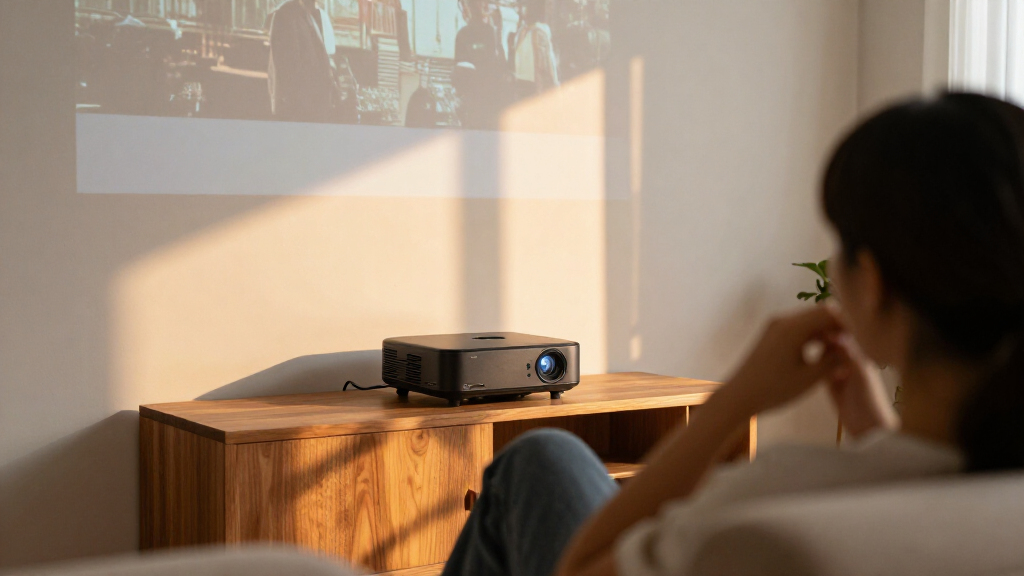
I compared these home theater projectors by how well their stated features serve real viewing setups: picture resolution, light source, brightness claims, smart platform, connectivity, portability, and ease of placement. I also separated native display resolution from 4K input support, since those are different capabilities and can shape expectations for image detail. A projector meant for a dark dedicated room has a different job from one used for occasional streaming in more than one room.
The ranking favors options with a clearer fit for movie viewing and a stronger balance of useful capabilities, rather than treating a long feature list as proof of better performance. Models with established projector designs and distinct light-source advantages rank ahead of generic smart models when their role is more clearly defined; compact options remain relevant for buyers who value convenience over a fixed installation. Because manufacturer claims do not replace room-specific testing, I also weighed practical tradeoffs such as dependence on a dark room, built-in app convenience, and the need to check throw distance and screen size before purchase.
Factors to Consider When Choosing Home Theater Projectors
Choosing a projector starts with the room and viewing habits, not the biggest resolution number on the box. These decisions help narrow the field before comparing individual models.
Match Brightness to the Room
Projectors rely on controlled light more than televisions do, so a bright living room can wash out an image even when the projector advertises a large picture. Think about when you watch: evening movies in a darkened room allow more models to work well, while daytime viewing calls for careful research into brightness and screen conditions. Manufacturer brightness figures may use different measurement methods, so they are not always directly comparable. A light-colored wall, nearby windows, and ambient lamps all affect perceived contrast. Before paying extra for a brighter model, ask whether curtains or a dedicated screen would solve the same problem. If the room cannot be darkened, a television may be a more satisfying choice.
Check Throw Distance Before Choosing a Screen
A projector can only create the image size its lens and placement allow. Measure the distance from the planned projector position to the screen, then use the manufacturer’s throw information to confirm the image size at that distance. Buyers often choose a large screen first and discover that their room cannot support the required placement. Short-throw and standard-throw models are not interchangeable, and digital keystone correction does not replace proper physical alignment. Ceiling mounts, shelves, and seating layouts can also limit where the projector sits. Confirm these measurements before ordering a screen or committing to an installation.
Separate Native Resolution from Input Support
Native resolution describes the pixels the projector can display, while decoding or input support describes the video signal it can accept. A projector labeled native 1080p with 4K decoding does not display a native 4K image. For many buyers, 1080p remains a practical match for a moderate screen and a sensible viewing distance. The difference becomes easier to notice as the screen grows or viewers sit closer, though room light and image quality also shape the result. Compare the projector’s actual display resolution rather than relying on a 4K phrase in the listing. This keeps expectations aligned with what the image can show.
Decide Whether Built-In Streaming Is Worth It
Integrated platforms such as Google TV, Roku TV, or VIDAA can reduce setup steps and keep a small entertainment space tidy. They may be a good fit for casual viewing, a guest room, or a portable setup that moves between locations. A separate streaming device can offer a familiar interface and may be easier to replace if app support changes. Built-in speakers and wireless connections also simplify installation, but they do not automatically provide the sound quality or stability of dedicated equipment. Check which apps and services are available in your region before treating a platform name as a complete solution. Buyers planning a receiver-based system may care less about onboard apps than about video connections and placement.
Compare Light-Source Life and Ownership Needs
Lamp and laser projectors can differ in maintenance routines, expected operating life, and replacement needs. A traditional lamp-based model may suit someone who watches occasionally and is comfortable checking replacement availability. A laser model can appeal to frequent viewers who prefer a different light-source design and want to reduce routine lamp-related planning. The light source alone does not determine image quality, and room conditions still have a major effect. Check the manufacturer’s stated service life and any maintenance guidance rather than assuming every laser projector is maintenance-free. Think about how many hours the projector will run each week before deciding whether the light-source premium matters to you.
Plan for Sound, Gaming, and Installation
Built-in audio can be convenient for a quick setup, but a large projected image may call for a separate soundbar or speaker system. If gaming is part of the plan, look for clearly stated input lag and supported refresh rates rather than inferring responsiveness from a “gaming” label or general video specifications. A permanent installation may also need a mount, longer cables, and a way to route power and signal neatly. Portable models trade some installation commitment for flexibility, but their placement and sound options may be more limited. Decide which accessories you already own and which ones you would need to add. This gives a more realistic picture of the complete setup than comparing projector features alone.
Frequently Asked Questions
Is a native 1080p projector enough for a large home theater screen?
It can be, but screen size and seating distance affect how clearly you see fine detail. At a moderate viewing distance, native 1080p can provide a satisfying movie image without requiring a higher-resolution model. Sitting close to a very large screen makes pixel structure and source quality more noticeable. Also check whether a product’s 4K wording means native display resolution or only input decoding. Match the projector to your room rather than choosing by resolution label alone.
Can I use a home theater projector in a bright living room?
You can, but ambient light reduces contrast and makes dark scenes harder to see. Closing curtains, dimming lamps, and using a suitable screen can help, though they may not fully overcome strong daylight. Compare brightness specifications carefully because measurement methods can vary between products. A projector designed for a dark room may be a poor fit for daytime family viewing. If controlling the light is not practical, consider whether a television would better suit that room.
Should I choose a projector with built-in streaming apps?
Built-in apps make sense if you want a simple setup with fewer devices and cables, particularly for casual viewing or a portable projector. A separate streamer may be preferable if you already use one, want a familiar interface, or value replacing the streaming device independently. App availability and software support can vary, so confirm that the services you use are offered. Smart features do not guarantee stronger image quality, and they should not outweigh room fit or resolution. Treat streaming as a convenience feature rather than the main measure of a theater projector.
What should I check before buying a projector for gaming?
Look for published input-lag figures and supported refresh rates for the specific resolution you plan to use. A 1080p label alone does not tell you how responsive a projector will feel during fast games. Check that the available HDMI connections suit your console or PC and that any gaming mode supports the features you need. Placement matters too: a projector that cannot sit in the right position may complicate your setup. If gaming is the main use, weigh responsiveness alongside movie performance rather than assuming one spec covers both.
Is a laser projector worth choosing over a lamp model?
That depends on usage frequency, maintenance preferences, and the projector’s overall fit for your room. A laser light source may appeal to frequent viewers who want a different ownership routine from a lamp-based design. A lamp projector can still be a sensible choice for occasional use, especially when its image and placement features suit the room. Compare the manufacturer’s service-life information and maintenance guidance instead of assuming the light source settles the decision. Brightness, throw distance, and the image you want remain central to the choice.
Conclusion
For the best overall balance in this lineup, I’d begin with the Epson Home Cinema 980; its 3LCD design and 1080p focus make it a strong candidate for a planned movie room. The ViewSonic LS740HD is my best premium-style pick for buyers drawn to laser projection and a more permanent setup. For best value, compare the straightforward HAPPRUN H1 with the Optoma HD146X based on whether you prioritize simple 1080p viewing or a home-theater-focused setup. Beginners who want fewer separate devices should look at the HAPPRUN Google TV or Aurzen Roku TV D1R, while the compact smart models suit buyers who prize portability and built-in apps. Choose around your room’s light, throw distance, and viewing habits first; those factors will narrow the field more reliably than a feature list alone.