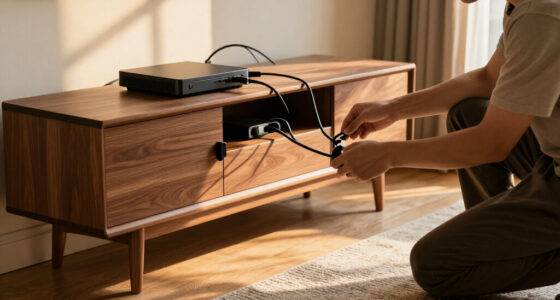
Standing desk converters sit on an existing desk and raise your work surface when you want to stand, without replacing the desk itself. My best overall pick is the FLEXISPOT 36-Inch Height-Adjustable Standing Desk Converter for its broad work surface and practical middle ground between compact and oversized models. The VIVO Electric 42-Inch stands out for buyers who prefer powered adjustment, while the VIVO 26-Inch Single Top suits tighter spaces and simpler setups. The main tradeoffs are footprint, keyboard ergonomics, adjustment effort, and whether your equipment fits securely. Read on for the full comparison and help matching a converter to your desk and daily setup.

Get business pricing on your home office setup
- Business-only prices and quantity discounts
- Tax-exempt purchasing
- Multiple users, one account, clear invoices
Complete the kit


Key Takeaways
- The 36-inch FLEXISPOT is the roundup’s strongest all-around fit: it offers more room than the compact 24- to 28-inch options without taking up as much width as the 42-inch converters.
- Powered adjustment is a distinct convenience, not a universal upgrade: the VIVO Electric 42-Inch is the powered pick, while manual models avoid reliance on a motor and electrical setup.
- Keyboard tray design changes how a converter feels to work at: several JOYSEEKER and JOY worker models include a separate tray, while single-top designs keep the layout simpler but may suit keyboard-and-mouse use less well.
- Compact models make meaningful space sacrifices: the 24-inch Omhuzsyo and 26-inch VIVO suit narrow desks, but buyers with multiple monitors or extra accessories should favor wider surfaces.
- Monitor mounting needs advance planning: the VIVO 32-Inch with Dual Monitor Mount serves a specific display setup, but a mount and converter must both fit the desk and the monitor arrangement.
| FITUEYES Height-Adjustable Standing Desk Converter, 32-Inch |  | Best Balanced Compact Pick | Work surface: 31.5 × 15.7 inches | Height range: 4.3–19.8 inches | Load capacity: 33 pounds | VIEW LATEST PRICE | See Our Full Breakdown |
| FITUEYES Height Adjustable Standing Desk Converter (36″ Wide) |  | Best for Dual-Monitor Space | Work surface: 36 × 24.2 inches | Height range: 4.3–19.8 inches | Load capacity: 33 pounds | VIEW LATEST PRICE | See Our Full Breakdown |
| TechOrbits Manual Height Adjustable Standing Desk Converter, 32″ Black Top |  | Best for Quick Setup | Work surface width: 31.5 inches | Work surface depth: 24.4 inches | Height range: 4.3–19.7 inches | VIEW LATEST PRICE | See Our Full Breakdown |
| JOYSEEKER 42-Inch Standing Desk Converter with Keyboard Tray |  | Best for a Wide Two-Monitor Layout | Work surface: 42 × 15.7 inches | Keyboard tray: 42 × 11.8 inches | Height range: 4.7–19.3 inches | VIEW LATEST PRICE | See Our Full Breakdown |
| VIVO Single Top Standing Desk Converter, 26″ Black |  | Best Compact, Preset-Height Pick | Dimensions: 26.4 × 21.7 × 15.9 inches | Weight: 17 pounds | Load capacity: 17.6 pounds | VIEW LATEST PRICE | See Our Full Breakdown |
| VIVO Electric Standing Desk Converter, 42-Inch, Black |  | Best for Large Setups | Desktop dimensions: 42 x 15.7 inches | Keyboard tray depth: 12 inches | Height range: 5.7–19.5 inches | VIEW LATEST PRICE | See Our Full Breakdown |
| VIVO Single-Tier Standing Desk Converter, 28-Inch, Black |  | Best Compact Pick | Surface dimensions: 27.5 x 12 inches | Height settings: 2, 6.5, 8.8, 10.3, 11.6, 12.6, 13.5, and 14 inches | Load capacity: 11 lbs | VIEW LATEST PRICE | See Our Full Breakdown |
| Omhuzsyo Height-Adjustable Standing Desk Converter, 24-Inch |  | Best No-Assembly Pick | Tabletop dimensions: 23.62 x 14.57 inches | Tabletop thickness: 0.59 inches | Height range: 2–15 inches | VIEW LATEST PRICE | See Our Full Breakdown |
| VIVO 28-Inch Manual Height-Adjustable Standing Desk Converter |  | Best Two-Tier Compact Workstation | Desktop dimensions: 27.6 × 15.8 inches | Height range: 4.9–17.2 inches | Desktop weight capacity: 28.6 lbs | VIEW LATEST PRICE | See Our Full Breakdown |
| FLEXISPOT 36-Inch Height-Adjustable Standing Desk Converter, Black |  | Best for Dual Monitors Without a Motor | Dimensions: 24.9 x 36 x 19.6 inches | Weight: 34.5 lbs | Maximum desktop load: 33 lbs | VIEW LATEST PRICE | See Our Full Breakdown |
| VIVO 32-Inch Standing Desk Converter with Dual Monitor Mount |  | Best for Ergonomic Flexibility | Brand: VIVO | Work Surface: 31.5 × 15.7 inches | Height Adjustment Range: 4.5–20 inches | VIEW LATEST PRICE | See Our Full Breakdown |
| JOY worker 35-Inch Height-Adjustable Standing Desk Converter with Keyboard Tray, White |  | Best for Aesthetic Integration | Brand: JOY worker | Color: White | Height Range: 4.9–19.3 inches | VIEW LATEST PRICE | See Our Full Breakdown |
| JYLH JOYSEEKER 28-Inch Standing Desk Converter with Keyboard Tray |  | Best Space-Saver (Clamp-On) | Desktop Size: 28 × 17.7 inches | Height Range: 4.7–16.1 inches | Desktop Weight Capacity: 17.6 lbs | VIEW LATEST PRICE | See Our Full Breakdown |
| VIVO Dual-Tier Standing Desk Converter, 36-Inch, Black |  | Best Large Surface Area | Brand: VIVO | Work Surface: 36 × 22 inches | Height Adjustment Range: 6.5–17 inches | VIEW LATEST PRICE | See Our Full Breakdown |
| VIVO Manual Height-Adjustable Standing Desk Converter, 32-Inch, Black |  | Best for Durability and Simplicity | Brand: VIVO | Adjustment Type: Manual | Adjustment Range: 4.2–19.7 inches | VIEW LATEST PRICE | See Our Full Breakdown |
| standing desk converter | Height range |
|---|---|
| FITUEYES Height-Adjustable Sta | 4.3–19.8 inches |
| FITUEYES Height Adjustable Sta | 4.3–19.8 inches |
| TechOrbits Manual Height Adjus | 4.3–19.7 inches |
| JOYSEEKER 42-Inch Standing Des | 4.7–19.3 inches |
| VIVO Single Top Standing Desk | — |
| VIVO Electric Standing Desk Co | 5.7–19.5 inches |
| VIVO Single-Tier Standing Desk | — |
| Omhuzsyo Height-Adjustable Sta | 2–15 inches |
| VIVO 28-Inch Manual Height-Adj | 4.9–17.2 inches |
| FLEXISPOT 36-Inch Height-Adjus | — |
| VIVO 32-Inch Standing Desk Con | — |
| JOY worker 35-Inch Height-Adju | 4.9–19.3 inches |
| JYLH JOYSEEKER 28-Inch Standin | 4.7–16.1 inches |
| VIVO Dual-Tier Standing Desk C | — |
| VIVO Manual Height-Adjustable | — |
More Details on Our Top Picks
FITUEYES Height-Adjustable Standing Desk Converter, 32-Inch
The 31.5-inch work surface gives this FITUEYES a useful middle ground: it can hold a monitor-and-laptop setup without taking up as much desk depth as its 36-inch sibling. Its dual gas-spring lift adjusts from 4.3 to 19.8 inches, while the touch lock lets you set the working height without relying on fixed steps. That range and its included keyboard tray make it a flexible choice for alternating between seated and standing work. The tradeoff is a 33-pound capacity, so heavier monitor arms or multiple displays may use up its allowance quickly. Compared with the TechOrbits 32-inch converter, this model has a slightly higher stated maximum height and a touch lock, while TechOrbits arrives mostly assembled. Choose this FITUEYES for a balanced footprint, not for a heavy workstation.
Pros:- Dual gas-spring mechanism adjusts across a broad 4.3–19.8-inch range.
- Touch height lock supports setting a chosen working height.
- 31.5 × 15.7-inch surface fits a monitor-and-laptop arrangement.
- Includes a separate keyboard tray.
Cons:- 33-pound load capacity may restrict heavier monitor configurations.
- The 15.7-inch-deep main surface leaves limited room for larger peripherals.
Best for: People with a standard-size desk who need room for one monitor and a laptop, plus a keyboard tray for regular sit-stand changes.
Not ideal for: Users with heavy dual-monitor equipment or monitor arms, because the 33-pound capacity may leave too little room for their full setup.
- Work surface:31.5 × 15.7 inches
- Height range:4.3–19.8 inches
- Load capacity:33 pounds
- Lift mechanism:Dual gas spring
- Material:Metal
- Finish:Powder coated
- Base type:Pedestal
- Item weight:27 pounds
Our verdict“Choose this FITUEYES if you want adjustable height and a keyboard tray in a more compact footprint than the 36-inch FITUEYES.”
FITUEYES Height Adjustable Standing Desk Converter (36″ Wide)
Among these two FITUEYES converters, this 36 × 24.2-inch surface is the clear choice when the smaller 32-inch model feels cramped. It offers room for a dual-monitor layout or a laptop beside a monitor, with a lower keyboard tray to keep typing separate from the main work area. The dual gas-spring adjustment spans 4.3 to 19.8 inches, and the touch lock makes it easier to settle on a height than a converter with preset positions, such as the VIVO Single Top 26-inch. Its limit is not the desktop footprint but the 33-pound load capacity: a wide surface does not mean it suits heavy equipment. It also needs an existing desk beneath it. I’d pick this over the 32-inch FITUEYES for workspace, but not for a heavier rig.
Pros:- 36 × 24.2-inch surface provides more room than the 32-inch FITUEYES.
- Dual gas springs adjust smoothly through a 4.3–19.8-inch range.
- Touch locking mechanism allows flexible height positioning.
- Includes a keyboard tray and requires only tray installation.
Cons:- 33-pound capacity can limit heavier dual-monitor setups.
- Requires an existing desk and adds its footprint on top of that surface.
Best for: Desk users who want a broad converter surface for two monitors or a laptop-and-monitor arrangement and already have a suitable desk.
Not ideal for: People with heavy displays, monitor arms, or equipment that pushes the setup above 33 pounds, and anyone who needs a standalone desk.
- Work surface:36 × 24.2 inches
- Height range:4.3–19.8 inches
- Load capacity:33 pounds
- Lift mechanism:Dual gas spring
- Material:Metal
- Finish:Powder coated
- Color:Black
- Included component:Keyboard tray
Our verdict“Choose this FITUEYES over the 32-inch version when desk space for a dual-monitor setup matters more than load capacity.”
TechOrbits Manual Height Adjustable Standing Desk Converter, 32″ Black Top
The TechOrbits makes sense for someone who wants a 32-inch sit-stand surface without a lengthy setup: it arrives mostly assembled, with the keyboard tray needing attachment. Its pneumatic lift uses body weight rather than electricity, so there is no motor or power connection to manage. Height adjustment reaches 19.7 inches, nearly matching the FITUEYES converters in this group, though this mechanism is manual and may be harder to operate for some users. The 33-pound capacity also puts it in the same general equipment range as the FITUEYES 32-inch, not above it. TechOrbits adds an aluminum frame, but its particle-board top is a less durable material choice than an all-metal work surface. Pick it for simple setup and manual operation; skip it if easy lifting or a tougher top matters more.
Pros:- Mostly assembled, with only the keyboard tray requiring attachment.
- Pneumatic manual lift does not require electricity.
- 31.5-inch-wide top provides space for monitors and peripherals.
- Includes a detachable keyboard tray.
Cons:- Body-weight adjustment may be difficult for some users.
- Particle-board top may be less durable than metal or solid wood alternatives.
- 33-pound capacity restricts heavier equipment setups.
Best for: People setting up a home workstation who want a mostly assembled, non-electric converter and have a monitor setup within the 33-pound limit.
Not ideal for: Users who find body-weight-operated adjustment difficult or want a more durable top than particle board.
- Work surface width:31.5 inches
- Work surface depth:24.4 inches
- Height range:4.3–19.7 inches
- Weight capacity:33 pounds
- Lift:Manual pneumatic
- Materials:Particle board, aluminum, and steel
- Color:Black
- Assembly:Mostly assembled; keyboard tray attachment required
Our verdict“Choose TechOrbits if quick setup and a non-electric pneumatic lift matter more than an especially durable desktop.”
JOYSEEKER 42-Inch Standing Desk Converter with Keyboard Tray
The JOYSEEKER’s main distinction is its 42-inch width, which gives two monitors room to sit side by side without squeezing peripherals onto a narrow top. A device slot and full-width lower keyboard tray also keep frequently used items organized across the workstation. Its gas-spring lift adjusts from 4.7 to 19.3 inches, a slightly shorter range than either FITUEYES model, and its 28.7-pound capacity is lower than their 33-pound limits. That makes the wide surface less suitable for heavy screens or accessories than its dimensions might suggest. It also needs keyboard-tray assembly, though the included tool and near-ready setup reduce the work involved. Compared with the FITUEYES 36-inch, JOYSEEKER gives up some load capacity and height range for extra width.
Pros:- 42-inch-wide surface accommodates side-by-side monitors.
- Full-width lower tray separates keyboard and mouse from the main surface.
- Device slot provides a designated place for a small device.
- Gas-spring lift offers adjustable standing and seated positions.
Cons:- 28.7-pound capacity is lower than the 33-pound FITUEYES models.
- Maximum height of 19.3 inches is below the FITUEYES converters’ 19.8 inches.
- Keyboard tray must be attached before use.
Best for: People with two lighter monitors who need a wide converter top and a dedicated lower tray for keyboard and mouse.
Not ideal for: Users with heavier dual-monitor equipment or those who need the higher load limit and taller adjustment range of the FITUEYES converters.
- Work surface:42 × 15.7 inches
- Keyboard tray:42 × 11.8 inches
- Height range:4.7–19.3 inches
- Weight capacity:28.7 pounds
- Lift mechanism:Pneumatic gas spring
- Frame:Heavy-duty steel
- Item weight:30.8 pounds
- Tabletop thickness:0.6 inches
Our verdict“Choose the JOYSEEKER when a wide, organized two-monitor layout matters more than a higher load limit.”
VIVO Single Top Standing Desk Converter, 26″ Black
For a small desk or a single-screen setup, the VIVO’s 26.4-inch-wide footprint is easier to accommodate than the 32-inch TechOrbits or the broad FITUEYES models. Its five lockable height positions, from 8.5 to 15.9 inches, suit buyers who prefer quick preset changes over a continuously adjustable gas-spring range. The tradeoff is a 17.6-pound load capacity and a surface intended for one monitor or a laptop, so this is not a scaled-down answer for a heavy dual-screen workstation. It also lacks the separate keyboard tray included with the FITUEYES converters. The VIVO arrives without assembly, which makes it appealing for a simple setup, but its preset heights offer less flexibility than the gas-spring models. Choose it to save space, not to expand your workstation.
Pros:- Compact 26.4-inch width fits smaller work areas.
- Five lockable height positions allow quick manual changes.
- No assembly is required.
- Steel frame supports equipment up to 17.6 pounds.
Cons:- 17.6-pound capacity rules out many heavier workstation setups.
- Designed for a single monitor or laptop rather than dual displays.
- Height is limited to five preset positions between 8.5 and 15.9 inches.
Best for: People with a compact home office who use one lightweight monitor or a laptop and want a converter ready to use without assembly.
Not ideal for: Dual-monitor users, people with heavy equipment, or anyone who needs a broad height range or a separate keyboard tray.
- Dimensions:26.4 × 21.7 × 15.9 inches
- Weight:17 pounds
- Load capacity:17.6 pounds
- Height settings:5 lockable positions
- Height positions:8.5, 10.4, 12, 14.4, and 15.9 inches
- Materials:Alloy steel, aluminum, engineered wood, plastic, and PVC
- Color:Black
- Warranty:3 years
Our verdict“Choose this VIVO for a small desk and lightweight single-screen setup, but pick a larger gas-spring converter for more equipment or height flexibility.”
VIVO Electric Standing Desk Converter, 42-Inch, Black
For a workstation that needs room and frequent height changes, this 42-inch electric converter is the strongest fit in this group. Its 50-pound capacity and broad surface can accommodate dual monitors alongside a laptop, while the push-button lift removes the effort of adjusting a loaded platform by hand. The keyboard tray rises with the desktop, keeping the two work surfaces together as you change posture. Compared with the compact VIVO Single-Tier 28-Inch, this model offers substantially more space and capacity, but takes up more of the desk and starts 5.7 inches above it. The plastic, particle-board, and melamine top is also less substantial than a solid wood surface. I’d choose it for a multi-device setup, not for a small desk or someone who needs the lowest possible starting height.
Pros:- Electric lift adjusts with a button rather than manual effort.
- 42-inch desktop and 50-pound capacity suit larger equipment setups.
- Keyboard tray moves with the desktop.
- Minimal assembly is limited to attaching the keyboard tray.
Cons:- The 5.7-inch minimum height may be too high for some seated setups.
- Its wide footprint can crowd a smaller desk.
- The top uses plastic, particle board, and melamine rather than a more substantial single material.
Best for: People with dual monitors and a laptop who want button-controlled height changes without lifting a loaded converter.
Not ideal for: Users with limited desk space or anyone who needs a converter that begins close to the existing desk surface.
- Desktop dimensions:42 x 15.7 inches
- Keyboard tray depth:12 inches
- Height range:5.7–19.5 inches
- Weight capacity:50 lbs
- Desktop thickness:0.75 inches
- Top materials:Plastic, particle board, and melamine
- Base material:Alloy steel
- Assembly:Attach the keyboard tray
Our verdict“Choose this VIVO if you need a wide, powered converter for multiple devices and can accommodate its footprint and elevated starting height.”
VIVO Single-Tier Standing Desk Converter, 28-Inch, Black
This single-tier VIVO prioritizes a small footprint and simple setup over workstation capacity. Its 27.5 x 12-inch surface is suited to a laptop or lightweight monitor, and the eight height settings provide a range from 2 to 14 inches above the desk. Because it arrives preassembled, it is a straightforward choice for someone who wants a basic riser without fitting a separate tray or operating a powered mechanism. Compared with the VIVO Manual 28-Inch converter, it gives up the second tier and synced keyboard tray, so it is less suited to a conventional monitor-and-keyboard workstation. The 11-pound load limit is the sharper constraint: heavier monitors and multi-device setups are out. I’d pick it for a light laptop setup, not for a flexible shared workstation.
Pros:- Compact 27.5 x 12-inch platform fits smaller desk layouts.
- Eight height settings span 2 to 14 inches.
- Scissor-lift mechanism raises the platform straight up.
- Arrives preassembled and ready to use.
Cons:- 11-pound capacity rules out many heavier monitor setups.
- Single-tier layout offers no separate keyboard tray.
- The 12-inch surface depth can feel restrictive with larger equipment.
Best for: Laptop users with a small desk who want a preassembled riser with several set height positions.
Not ideal for: People using heavier monitors, an external keyboard alongside their screen, or multiple work devices.
- Surface dimensions:27.5 x 12 inches
- Height settings:2, 6.5, 8.8, 10.3, 11.6, 12.6, 13.5, and 14 inches
- Load capacity:11 lbs
- Material:Alloy steel
- Finish:Laminated
- Item weight:11.6 lbs
- Assembly:Preassembled
- Warranty:3 years
Our verdict“Choose this model for a lightweight laptop station where compact size and ready-to-use simplicity matter more than workspace capacity.”
Omhuzsyo Height-Adjustable Standing Desk Converter, 24-Inch
The Omhuzsyo suits buyers who want a compact riser they can put to work straight away: it requires no assembly and adjusts manually from 2 to 15 inches with a handle. Its 23.62 x 14.57-inch wood tabletop gives a laptop more room than the VIVO Single-Tier 28-Inch’s narrower 12-inch-deep surface, while the 22-pound capacity allows a somewhat heavier setup than that VIVO’s 11-pound limit. The tradeoff is that this is still a small platform, not a dual-monitor workstation. Its manual adjustment also makes it less convenient for repeated changes than the electric VIVO 42-Inch. The reinforced X-frame and anti-slip pads are intended to help keep it stable, but buyers should match the load to the stated limit. I’d favor it for a small, simple setup where setup ease matters most.
Pros:- No assembly is required before use.
- Height adjusts from 2 to 15 inches using a manual handle.
- Wood tabletop is wider and deeper than the VIVO Single-Tier 28-Inch surface.
- Reinforced X-frame and anti-slip pads are designed to support stability.
Cons:- The 22-pound capacity limits heavier monitor and accessory setups.
- Compact tabletop is not suited to multi-monitor work.
- Manual handle requires more effort than the electric lift on the VIVO 42-Inch.
Best for: Laptop users who want a small wood-topped converter ready to use without assembly.
Not ideal for: Dual-monitor users or people who want frequent, effortless height changes or a larger working surface.
- Tabletop dimensions:23.62 x 14.57 inches
- Tabletop thickness:0.59 inches
- Height range:2–15 inches
- Maximum weight capacity:22 lbs
- Top material:Wood
- Frame material:Wood
- Leg style:X-type
- Assembly:No assembly required
- Warranty:1 year
Our verdict“Choose the Omhuzsyo for a small laptop setup when no-assembly convenience matters more than a broad platform or powered adjustment.”
VIVO 28-Inch Manual Height-Adjustable Standing Desk Converter
Unlike the single-tier VIVO 28-Inch, this model gives a compact desk a more complete workstation layout: its two-tier design includes a keyboard tray that rises with the desktop. The 27.6 x 15.8-inch work surface is paired with a pneumatic spring, so the platform moves vertically across a 4.9–17.2-inch range without relying on a motor. That makes it a better match for an external monitor and keyboard than the lighter, smaller-footprint single-tier option. Its 28.6-pound desktop limit, however, leaves less headroom than the VIVO Electric 42-Inch, and the lift moves straight up rather than forward or back. The steel frame and engineered-wood top offer a more substantial workstation format, but the unit itself weighs 25.3 pounds. I’d choose it when a synced tray matters more than electric controls or a larger desktop.
Pros:- Two-tier layout separates the keyboard from the main work surface.
- Keyboard tray rises in sync with the desktop.
- Pneumatic spring adjusts the platform across a 4.9–17.2-inch range.
- Alloy-steel frame supports a desktop load of up to 28.6 pounds.
Cons:- Desktop capacity is lower than the VIVO Electric 42-Inch’s 50-pound limit.
- The platform raises vertically without forward or backward travel.
- At 25.3 pounds, the converter is not a lightweight unit to move around.
Best for: People who want a compact monitor-and-keyboard station with a tray that follows the desktop during manual height changes.
Not ideal for: Users with heavy equipment, a need for powered adjustment, or a preference for a lift that moves forward and backward.
- Desktop dimensions:27.6 × 15.8 inches
- Height range:4.9–17.2 inches
- Desktop weight capacity:28.6 lbs
- Item weight:25.3 lbs
- Desktop material:Engineered wood
- Frame material:Alloy steel
- Lifting mechanism:Pneumatic spring
- Assembly:Minimal
Our verdict“Pick this VIVO if you need a compact two-tier workstation and prefer a pneumatic manual lift over a single-tier riser or electric converter.”
FLEXISPOT 36-Inch Height-Adjustable Standing Desk Converter, Black
The FLEXISPOT fills the middle ground between compact manual risers and the powered VIVO Electric 42-Inch. Its 36-inch engineered-wood desktop is sized for a dual-monitor setup, while the included keyboard tray gives the keyboard its own position rather than sharing the desktop. A mechanical spring lift handles height adjustment without an electric motor; the reinforced metal frame is designed to support the platform. Its maximum desktop load is 33 pounds, so it offers less capacity than the VIVO Electric 42-Inch’s 50 pounds, but it takes up less width. Unlike the VIVO 28-Inch Manual, the supplied description does not give a height range, so buyers cannot confirm the adjustment span from these specs. It arrives mostly assembled, though the keyboard tray still needs attaching. I’d choose it for a two-monitor setup that does not need powered adjustment.
Pros:- 36-inch desktop is intended to accommodate dual monitors.
- Mechanical spring lift avoids relying on a motor.
- Reinforced metal frame is designed for stability.
- Includes a separate keyboard tray and arrives mostly assembled.
Cons:- Desktop capacity is limited to 33 pounds, below the VIVO Electric 42-Inch’s 50-pound limit.
- The keyboard tray supports up to 11 pounds.
- The listed specifications do not provide a height-adjustment range.
Best for: Dual-monitor users who want a mid-width converter with a separate keyboard tray and a mechanical spring lift.
Not ideal for: People with heavier equipment who need more than 33 pounds of desktop capacity, or buyers who require a specified height range before choosing.
- Dimensions:24.9 x 36 x 19.6 inches
- Weight:34.5 lbs
- Maximum desktop load:33 lbs
- Maximum keyboard tray load:11 lbs
- Desktop material:Engineered wood
- Frame material:Metal
- Lift system:Mechanical spring
- Assembly:Mostly assembled; attach keyboard tray
Our verdict“Choose the FLEXISPOT for a dual-monitor workspace that needs a separate keyboard tray and spring-assisted adjustment but not electric controls.”
VIVO 32-Inch Standing Desk Converter with Dual Monitor Mount
This model stands out for its integrated dual monitor mount, a feature rarely found in standard converters. Unlike the VIVO Manual Height-Adjustable Standing Desk Converter, which offers a flat surface, this unit frees up desk space by lifting screens vertically. The 31.5 × 15.7-inch work surface is smaller than many competitors, but the tradeoff is significant ergonomic control. You get ±45° tilt and 360° rotation for each screen, allowing precise angle adjustments that flat tops simply cannot match. The wide keyboard tray provides a dedicated typing zone, though it requires assembly. This is ideal for users who prioritize posture correction over surface area, but those with large laptops or heavy accessories will find the 17.6 lbs per monitor limit restrictive.
Pros:- Integrated dual monitor arms save desk space
- Extensive ergonomic adjustments (tilt, swivel, rotation)
- Sturdy steel frame with protective padding
- Dedicated wide keyboard tray for typing
Cons:- Smaller work surface compared to competitors
- Monitor weight limit of 17.6 lbs restricts larger screens
- Assembly involves attaching multiple monitor arms
Best for: Users with two monitors who need precise tilt and swivel adjustments to reduce neck strain.
Not ideal for: Users with heavy monitors over 17.6 lbs or those who need maximum flat surface area for documents.
- Brand:VIVO
- Work Surface:31.5 × 15.7 inches
- Height Adjustment Range:4.5–20 inches
- Monitor Compatibility:Two 13–30-inch monitors
- Monitor Weight Capacity:17.6 lbs per monitor
- Materials:Alloy steel and engineered wood
- Warranty:3 years
Our verdict“Choose this if you have two lightweight monitors and value ergonomic adjustability over raw surface space.”
JOY worker 35-Inch Height-Adjustable Standing Desk Converter with Keyboard Tray, White
The JOY worker converter appeals to those who want a clean, modern look without sacrificing function. Its 35.5 × 15.7-inch top tier is wider than the VIVO 32-Inch Standing Desk Converter, offering more room for dual screens while maintaining a sleek white finish. The inclusion of six magnets and cable-management slots adds practical utility that keeps the workspace tidy. However, the lower tier capacity of 4.4 lbs is a notable limitation; you cannot store heavy books or equipment underneath. Compared to the JYLH JOYSEEKER, this unit offers more surface area but lacks the clamp-on base, requiring more desk footprint. It is a solid choice for minimalist setups where visual clutter is a concern.
Pros:- Sleek white finish blends with modern office decor
- Integrated cable-management slots reduce clutter
- Magnetic panel allows for easy note-taking
- Wide top tier accommodates dual monitors comfortably
Cons:- Lower tier weight capacity is very low at 4.4 lbs
- Keyboard tray requires separate installation steps
- MDF material may feel less premium than solid wood
Best for: Minimalists who prefer a white aesthetic and need built-in cable management and magnetic accessories.
Not ideal for: Users who need to store heavy items on the lower tier due to the 4.4 lbs weight limit.
- Brand:JOY worker
- Color:White
- Height Range:4.9–19.3 inches
- Top Tier Dimensions:35.5 × 15.7 inches
- Top Tier Weight Capacity:28.6 lbs
- Lower Tier Weight Capacity:4.4 lbs
- Frame Material:Alloy steel
- Features:Removable keyboard tray, cable-management slots, six magnets
Our verdict“This is the right pick if you prioritize a clean, white aesthetic and integrated cable management over heavy-duty storage capacity.”
JYLH JOYSEEKER 28-Inch Standing Desk Converter with Keyboard Tray
This clamp-on design is a distinct departure from traditional freestanding converters like the VIVO Dual-Tier Standing Desk Converter. Instead of occupying valuable desk real estate with a large base, the JYLH JOYSEEKER clamps to the edge, preserving space for other tasks. The pneumatic gas spring allows for smooth height changes from 4.7 to 16.1 inches. While the 28 × 17.7-inch desktop is smaller than most competitors, the tradeoff is worth it for tight workstations. The included cup holder and device slot add convenience. However, the clamp base requires a specific desk edge thickness and depth, which may not fit all furniture. It is best for users who cannot afford to lose desk surface area to a bulky base.
Pros:- Clamp-on base preserves valuable desk surface area
- Pneumatic adjustment offers smooth height changes
- Includes practical extras like cup holder and device slot
- Anti-slip pads protect desk surfaces from damage
Cons:- Requires compatible desk edge for installation
- Lower weight capacity limits heavy monitor setups
- Smaller 28-inch surface may feel cramped for dual monitors
Best for: Users with limited desk space who need to preserve surface area for other work items.
Not ideal for: Owners of desks with thick edges, rounded corners, or insufficient depth for the clamp mechanism.
- Desktop Size:28 × 17.7 inches
- Height Range:4.7–16.1 inches
- Desktop Weight Capacity:17.6 lbs
- Adjustment Mechanism:Pneumatic gas spring
- Base Type:Clamp base with anti-slip pads
- Item Weight:27.5 lbs
- Included Features:Cup holder, device slot, magnetic panel
Our verdict“Ideal for tight workspaces where a freestanding base would be too bulky, provided your desk edge is compatible.”
VIVO Dual-Tier Standing Desk Converter, 36-Inch, Black
With a 36 × 22-inch work surface, this converter is significantly deeper than the JOY worker 35-Inch model, offering ample room for large documents or multiple accessories. The dual pneumatic springs provide a smoother lift experience than manual mechanisms like the VIVO Manual Height-Adjustable Standing Desk Converter. The keyboard tray rises in sync with the desktop, maintaining ergonomic alignment. However, the plastic top material feels less premium than the engineered wood found on the VIVO 32-Inch Dual Monitor model. It is also quite heavy at 33 pounds, making it less portable. This pick makes sense for users who need maximum workspace depth and don’t mind the plastic surface finish.
Pros:- Deep 22-inch surface accommodates large work materials
- Dual pneumatic springs ensure smooth height adjustment
- Minimal assembly required for quick setup
- Keyboard tray moves with the desktop for consistent ergonomics
Cons:- Plastic top surface lacks the premium feel of wood
- Large footprint requires substantial desk depth
- Heavy at 33 pounds, making it difficult to move
Best for: Users who need extra depth for large notebooks, documents, or multi-monitor setups.
Not ideal for: Those who prefer wood finishes or need a lightweight unit for frequent relocation.
- Brand:VIVO
- Work Surface:36 × 22 inches
- Height Adjustment Range:6.5–17 inches
- Lift Assist:Dual pneumatic springs
- Top Material:Plastic
- Item Weight:33 pounds
- Warranty:3 years
Our verdict“Select this if you need the deepest work surface in the lineup and prioritize smooth pneumatic adjustment over material aesthetics.”
VIVO Manual Height-Adjustable Standing Desk Converter, 32-Inch, Black
This unit relies on a steel lift mechanism rather than gas springs, offering a robust, low-maintenance solution. Unlike the JYLH JOYSEEKER with its pneumatic system, this manual converter has fewer moving parts that can fail over time. The 31.5-by-15.7-inch top supports up to 33 lbs, which is higher than the JOY worker’s 28.6 lbs limit. The keyboard tray raises in sync, ensuring your typing position remains correct. However, manual adjustment requires physical effort, lacking the ease of the VIVO Dual-Tier Pneumatic model. The narrower keyboard tray compared to the desktop can also feel restrictive. This is a solid choice for users who value mechanical reliability and high weight capacity over effortless height changes.
Pros:- High 33 lbs weight capacity supports heavy setups
- Steel lift mechanism offers long-term durability
- Keyboard tray raises with the desktop for ergonomic alignment
- Wide 31.5-inch surface accommodates dual monitors
Cons:- Manual adjustment requires more physical effort
- Keyboard tray is narrower than the main desktop
- Assembly requires attaching the keyboard tray
Best for: Users who prioritize high weight capacity and mechanical durability over smooth pneumatic adjustment.
Not ideal for: Those who struggle with physical effort or prefer the ease of one-touch height changes.
- Brand:VIVO
- Adjustment Type:Manual
- Adjustment Range:4.2–19.7 inches
- Desktop Dimensions:31.5 x 15.7 inches
- Maximum Weight Capacity:33 lbs
- Top Material:Engineered wood
- Frame Material:Alloy steel
- Warranty:3-year manufacturer warranty
Our verdict“Best for those who need a sturdy, high-capacity converter and don’t mind the extra effort of manual height adjustment.”
How We Picked
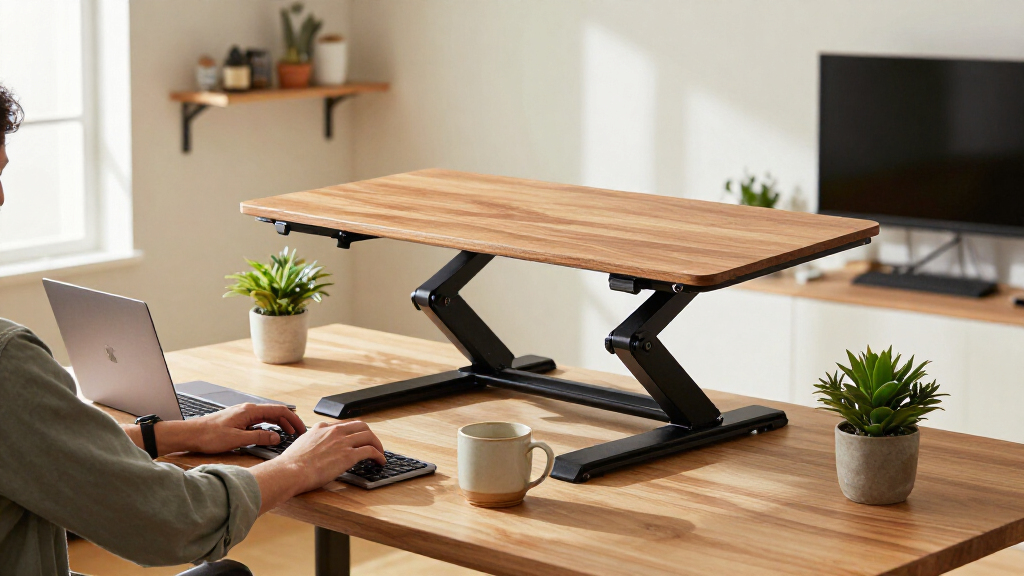
I compared these 15 standing desk converters around the decisions that most affect day-to-day fit: work-surface width, keyboard arrangement, adjustment style, display support, and the space each unit claims on an existing desk. I gave stronger consideration to designs that can accommodate a practical work setup without forcing buyers into a single monitor or keyboard layout. I also separated compact, single-tier, dual-tier, and powered designs because they solve different workspace problems rather than serving as direct substitutes.
The ranking favors versatility and clear use-case fit over a single headline feature. Wider models tend to suit broader equipment needs, but they rank below smaller options when footprint is the priority; powered adjustment earns a distinct role, not an automatic win. Product details supplied here do not establish exact load limits, adjustment ranges, assembly time, or stability under specific equipment, so I do not treat those as verified advantages. Buyers should confirm those specifications and measure their desk before ordering.
Factors to Consider When Choosing Standing Desk Converters
The best converter is the one that fits both your existing desk and the way you work. I would choose by checking the full setup—not just the width printed in a product name—then weighing how often you plan to change heights and what must move with the work surface.
Match the converter footprint to your desk
Measure the usable desk area, including space occupied by monitor stands, lamps, and cable routes. A converter’s listed width does not tell you whether its base will clear a rear lip, crossbar, or other desk feature. Compact 24- to 28-inch models can preserve room around the unit, but that smaller surface may leave little space for a laptop and external display together. Wider options such as 36- and 42-inch models give equipment more room while taking more of the desk away from other tasks. Avoid choosing by top-surface width alone; check the base dimensions and the space needed for the converter to move. If the desk is shallow, confirm that the raised work area will not place your screen too close to you.
Choose a keyboard layout that suits your posture
A separate keyboard tray can help keep the keyboard lower than the monitor surface, which may make a two-level layout easier to arrange. It also adds a component that takes up space and may affect where a mouse can sit. Single-top designs have a simpler layout, but the keyboard and display share one surface, so you may need to adjust monitor height independently. Before buying, sketch where your keyboard, mouse, laptop, and monitor will sit at both working heights. Pay attention to whether the mouse has enough room beside the keyboard, not only whether the keyboard fits. A tray is not automatically more ergonomic if its position or dimensions do not suit your reach.
Decide whether powered adjustment is worth the added complexity
An electric converter can make changing height easier when you expect to move between sitting and standing often. That convenience comes with dependence on a power connection and a motorized mechanism, so check cable routing and the product’s stated operating requirements. Manual converters avoid that electrical requirement and may be a more straightforward choice for occasional adjustments. Neither adjustment style is inherently right for everyone: frequency of use, available outlets, and willingness to operate the mechanism matter more than the label. Confirm the adjustment range against your seated and standing positions rather than assuming every converter reaches a suitable height. If you share the workstation, also think about whether more than one person will need different settings.
Plan for monitor weight, mounting, and movement
Multiple displays can make a wide surface or dedicated monitor-mount arrangement appealing, but screen count alone does not establish compatibility. Check each monitor’s weight, mounting pattern, stand footprint, and the converter’s documented capacity before placing equipment on it. A dual-monitor mount can free some surface area, yet it also adds leverage and may constrain where the converter can sit. If your monitors attach to the desk rather than the converter, confirm that their arms can move without colliding with the raised platform. Keep heavy equipment within the manufacturer’s stated limits and centered as directed. When specifications are unclear, contact the seller or manufacturer instead of estimating from the converter’s width.
Check standing height and sitting ergonomics together
A converter should work for both positions, not simply reach a high point. Compare the stated height range with your own desk height and the height needed to keep your wrists comfortable while standing. The converter adds height on top of the existing desk, so a tall desk can make some setups too high even when the converter’s range appears generous. At sitting height, the platform may also raise the keyboard beyond a comfortable level. Measure from the floor to your elbows in your usual shoes and compare that with the finished keyboard position. If several people will share the desk, a converter with a suitable adjustment range matters more than a spacious top alone.
Account for setup, storage, and the rest of the workstation
Converters occupy desk space even when you are seated, so consider where papers, a dock, and everyday accessories will go after installation. A large unit may reduce the open area you rely on for writing or other tasks. Check assembly instructions, component dimensions, and any clearance requirements before purchase, especially if the desk sits near a wall or window. Cable slack can become a problem when screens, keyboards, or hubs move with the platform; plan a route that does not snag. If you need to clear the desk often, a fixed converter can be less convenient than its simple premise suggests. Prioritize a layout that remains usable when the platform is lowered, not just when it is raised.
Frequently Asked Questions
How do I know whether a 32-, 36-, or 42-inch converter will fit my workstation?
Measure the usable width of your desk and the footprints of the equipment you plan to place on the converter. Leave room for the keyboard, mouse, and any monitor stand, and check the base dimensions as well as the top. A 32-inch unit can be a practical middle size, while 36- and 42-inch options suit broader setups but leave less open desk space. Also measure desk depth and check whether the platform’s movement will clear nearby walls or shelves. Compare those measurements with the product’s full specifications before choosing.
Should I pick an electric converter if I plan to alternate between sitting and standing often?
Powered adjustment may be helpful if you expect to change height frequently and want to avoid operating a manual mechanism each time. It also requires a suitable power connection and adds a motorized component to your setup. A manual model can be a better fit if adjustments will be occasional or you prefer not to route another cable. Compare the actual adjustment range and operating instructions, since powered operation alone does not prove that a unit will reach your preferred positions. Think about outlet access and cable slack before deciding.
Can I use a standing desk converter with two monitors?
Some models in this roundup are designed around wider surfaces or a dual-monitor mount, but compatibility depends on monitor size, weight, mounting method, and available space. Check the manufacturer’s capacity and mounting specifications for the converter and any included mount. Measure the monitor stands or arms along with the keyboard and mouse so the complete setup fits, not just the displays. A dual-monitor mount can free surface area but may affect balance and clearance. If the product documentation does not address your monitor arrangement, verify compatibility with the manufacturer before buying.
Is a separate keyboard tray worth choosing over a single-tier surface?
A separate tray gives you more control over the relationship between keyboard and monitor heights, which can help when the display needs to sit higher than the typing surface. It can also add bulk and limit where the mouse fits, depending on the design. A single-tier converter keeps the layout simpler and may suit a laptop or compact setup, but keyboard and screen height move together. Think about your monitor stand and how much room you need for mouse movement before choosing. The tray’s dimensions and position matter as much as its presence.
What should I check before putting a converter on a shallow or unusually shaped desk?
Measure the desk’s usable depth and width, then compare them with both the converter base and the moving platform. Look for rear lips, crossbars, wall clearance, or cable openings that could block placement or movement. A compact top may still have a base that occupies more space than expected. Confirm that the raised screen position will leave enough viewing distance and that the lowered keyboard height works for seated use. If the desk shape is unusual, use the product’s dimension drawings or ask the manufacturer to confirm clearance.
Conclusion
For most buyers, I would start with the FLEXISPOT 36-Inch as the best overall choice because its size offers a useful middle ground between compact and extra-wide designs. For best value, compare the manual 32- and 36-inch options against your required surface area and adjustment range, rather than paying for powered movement you may rarely use. The VIVO Electric 42-Inch is my best premium-style fit for buyers who prioritize powered adjustment and a broad platform, while the VIVO 26-Inch Single Top is the best beginner-friendly starting point for a simple, compact setup. For keyboard separation, look at the JOYSEEKER or JOY worker models with trays; for a dual-display arrangement, investigate the VIVO model with a dual monitor mount and confirm compatibility first. Measure your desk, verify capacity and height range, then choose the smallest format that comfortably holds your complete workstation.