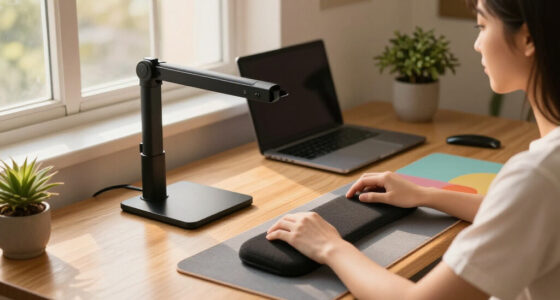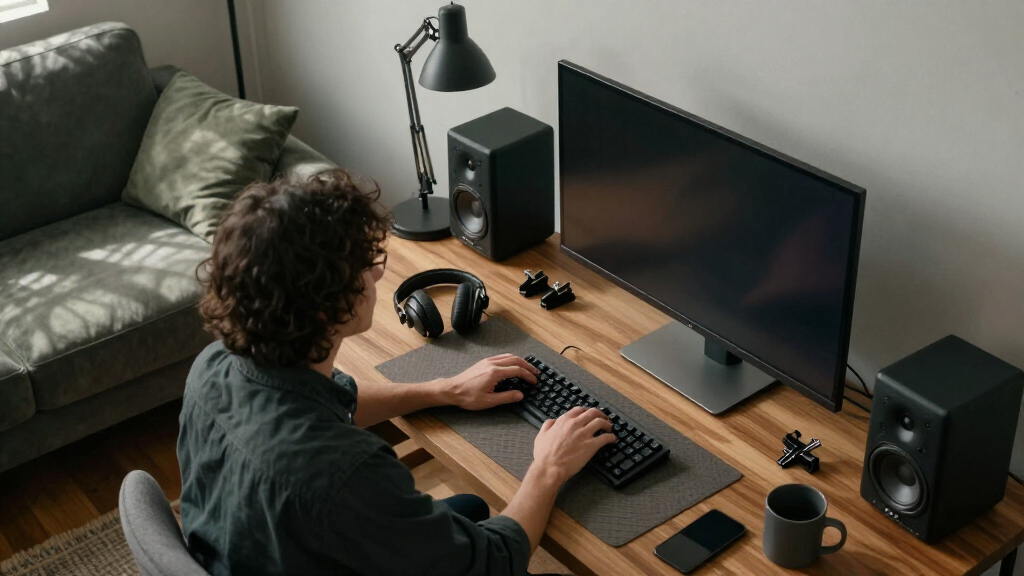

This checklist is for anyone building a comfortable media room and work setup—whether you’re refreshing a desk, organizing a shared space, or bringing work and entertainment together. It covers seating, a height-adjustable workstation, screen lighting, audio, acoustic wall treatment, and cable organization.

Get business pricing on your home office setup
- Business-only prices and quantity discounts
- Tax-exempt purchasing
- Multiple users, one account, clear invoices
The sections are arranged by what each item contributes: start with the chair and desk, then consider lighting and sound, followed by wall panels and cable management. Each section pairs a named pick with practical things to check before buying, so you can compare it with your room, equipment, and routines.
Use the list as a planning guide, not a bundle. Check measurements, connections, installation requirements, and how each piece fits alongside what you already own. Prioritize the items that solve your biggest everyday problem, then add the rest as your space and needs become clearer.
Ergonomic Office Chair
A chair shapes how comfortable your work area feels through long stretches at a desk, so check fit and adjustability before focusing on appearance. The Eurotech Ergohuman GEN2 High-Back Mesh Office Chair, Blue is the pick for this slot. Before buying, compare its published dimensions with your available floor space and your own seated posture; confirm that the seat, back, and armrests can be adjusted in ways that suit you.
A common mistake is assuming that a high back or mesh construction guarantees a good fit. Check the product specifications and adjustment details rather than relying on the chair’s name or photos. Make sure the chair can move freely around your desk, clear nearby drawers, and fit through doorways during delivery. If possible, review the return and assembly information before committing.
Also consider desk height and the chair’s range of adjustment together. Your feet should have a comfortable, stable position, and your arms should rest naturally while using the keyboard. Fit matters more than color, so treat the blue finish as a style choice after confirming the chair works for your body and workspace.
What to look for:
- Compare chair dimensions with your room and desk clearance.
- Check the documented seat-height and armrest adjustment ranges.
- Confirm the seat and back shape suit your posture and preferred sitting position.
- Review assembly, delivery access, and return requirements.
- Coordinate chair height with desk and keyboard placement.
Eurotech Ergohuman GEN2 High-Back Mesh Office Chair, Blue

The Eurotech Ergohuman GEN2 is an adjustable mesh office chair with flexible lumbar support, reclining, and tilt lock. Its seat, arms, backrest, and headrest offer multiple adjustments, and it has a 275-pound weight capacity and a limited lifetime warranty.
Pros:
- Adjustable lumbar support
- Multiple seat, arm, and backrest adjustments
- Reclining and tilt-lock functions
- 275-pound weight capacity
Cons:
- Weighs 55 pounds
- Assembly is required
Best for: Workspaces where adjustable seating and a high-back design are priorities
Not ideal for: Buyers who need a chair only after trying its fit in person
Bottom line: Check the adjustment range and dimensions against your body and desk before choosing this chair.
Height-Adjustable Desk
A height-adjustable desk can help a work area accommodate different working positions, but it needs to suit both the room and the equipment placed on it. The RedLemon 60-Inch L-Shaped 2-Tier Electric Standing Desk, Dark Walnut is the pick here. Measure the full footprint, including the L-shaped return, and map its position against doors, walkways, outlets, and nearby furniture before planning the rest of the setup.
Do not assume a large desktop automatically works in every room. Check the listed dimensions and height range, and confirm that the desk’s shape puts the main work surface on the side you need. Review assembly instructions and the placement requirements for the electric components. A crowded surface or blocked path can undermine an otherwise useful desk, so allow room for both seated and standing use.
Check compatibility with your chair, monitor, keyboard, and cable routing. Measure the equipment you plan to place on the desktop and confirm the product’s stated capacity and usable surface areas. Consider where cables will move as the desk changes height. Plan the footprint first, then verify that the desk’s adjustment range and layout support your daily tasks.
What to look for:
- Measure the complete L-shaped footprint and room clearances.
- Verify the stated height range suits seated and standing use.
- Confirm which side the return occupies and how it fits your layout.
- Check the documented desktop capacity against your equipment.
- Plan outlet access and cable slack for height changes.
RedLemon 60-Inch L-Shaped 2-Tier Electric Standing Desk, Dark Walnut

The RedLemon 60-inch L-shaped electric standing desk adjusts from 28" to 46" with 4 height memory presets and features an RGB LED light strip with 12 scene modes. It offers a spacious dual-purpose workspace with a monitor shelf, under-shelf storage, built-in power outlets, side hooks, a 360-degree rotating cup holder, keyboard tray, and two drawers.
Pros:
- Electric height adjustment with 4 memory presets for easy sit-stand switching
- Large 60×60 inch L-shaped workspace with monitor shelf and under-shelf storage
- Convenient built-in power outlets for charging devices
- Includes keyboard tray, drawers, hooks, and rotating cup holder for organization
Cons:
- Assembly required, which may take time despite labeled parts
- Large footprint may not fit small home offices
Best for: Rooms that can accommodate an L-shaped electric desk
Not ideal for: Compact spaces with limited floor area or awkward access
Bottom line: Measure the L-shaped footprint and check height and equipment compatibility before ordering.
Monitor Light Bar
Screen lighting can be a useful part of a desk setup, but the right choice depends on monitor shape, placement, and how you prefer to light your work area. The BenQ ScreenBar Halo 2 LED Monitor Light Bar is the pick for this slot. Check the product’s mounting guidance against your monitor’s frame, thickness, and curvature before buying, and confirm whether the setup suits a single screen or the arrangement you use.
A common mistake is treating every monitor top edge as interchangeable. Review compatibility details and installation instructions, especially if your display has an unusual housing or an attached camera. Also consider whether the light bar will interfere with other accessories or with the way you position the screen. Avoid assuming a particular lighting effect or control method without checking the product specifications.
Think about the rest of the room, too. A light bar should complement—not replace—your overall lighting plan, and its position should work with your screen angle and desk layout. Check the listed power connection and control details, then make sure there is a practical route for the cable. Confirm the monitor fit first so the light bar can sit securely without disrupting the equipment you already use.
What to look for:
- Check compatibility with your monitor’s frame shape and dimensions.
- Review the mounting and clearance requirements.
- Confirm the listed power connection and control method.
- Check whether cameras or other monitor accessories may be obstructed.
- Plan cable routing and screen positioning together.
BenQ ScreenBar Halo 2 LED Monitor Light Bar

This monitor light bar provides adjustable, glare-free front lighting and ambient backlighting to support comfortable screen use. Its wireless controller adjusts brightness, color temperature, and lighting modes, while smart features include ambient light adjustment and automatic monitor-linked operation.
Pros:
- Glare-free front lighting with adjustable ambient backlight
- Wireless controller with display for precise adjustments
- Adjustable brightness and color temperature
- Flicker-free LEDs with CRI > 95
Cons:
- Requires a USB electrical cable for power
Best for: Desk setups whose monitor meets the listed mounting requirements
Not ideal for: Displays with frames or accessories that conflict with the mounting fit
Bottom line: Verify monitor compatibility and accessory clearance before adding this light bar.
Surround Sound Speakers
Audio can help a media room feel more immersive, but the right setup depends on the room, the content you watch, and the equipment you already own. The pick is the Sonos Arc Ultra Soundbar with Dolby Atmos – Black. Before choosing it, check the product’s connection and setup requirements against your TV and other devices, and make sure the soundbar’s dimensions suit the furniture or mounting location you have in mind.
A frequent buying mistake is assuming that a soundbar will work equally well in every room or with every television. Confirm supported connections and any setup requirements using the product details, then consider how the room’s layout affects placement. Check whether the TV stand has sufficient width and clearance, or whether wall mounting is suitable for your space. Keep access to controls and connections in mind.
Also consider how this pick fits into a wider audio system. Do not assume that extra components are included or required; check the product listing and decide what you want from the setup. Match the soundbar to your TV and room before making it the centerpiece of a media space, and leave a clear route for power and connection cables.
What to look for:
- Confirm TV and device connection compatibility.
- Measure the soundbar and verify stand or mounting clearance.
- Review setup requirements and what is included.
- Plan cable access and a practical power location.
- Consider room layout and any existing audio components.
Sonos Arc Ultra Soundbar with Dolby Atmos – Black

The Sonos Arc Ultra is a sleek soundbar featuring Dolby Atmos and Sound Motion technology, delivering immersive 9.1.4 spatial audio with AI-powered Speech Enhancement. It offers effortless setup, versatile control options, and the ability to stream music via WiFi, Bluetooth, AirPlay 2, and Spotify Connect.
Pros:
- Immersive Dolby Atmos sound with 9.1.4 channels
- Easy setup with single HDMI eARC connection
- Versatile control options including app, voice, and remote
- Supports multiple streaming services and multi-room audio
Cons:
- Premium price may be high for some users
- Requires additional speakers for full surround sound experience
- Not water resistant, suitable only for indoor use
Best for: TV setups compatible with the soundbar’s documented connections
Not ideal for: Rooms without a suitable placement or connection plan
Bottom line: Check the TV connections, room placement, and included components before choosing this soundbar.
Acoustic Wall Panels
Wall panels can be a visual feature as well as part of a room’s acoustic plan, so check coverage and installation needs carefully. The Art3d 12" x 93" Acoustic Wood Slat Wall Panel, 8 pcs, 62 sq.ft, Walnut is the pick for this section. Measure the wall area you intend to cover, account for obstacles such as outlets and trim, and compare your plan with the listed panel dimensions and stated coverage.
One common mistake is ordering based only on a wall’s overall width and height. Decide where panels will begin and end, then consider cuts, edges, openings, and the visual alignment of the slats. Review the installation instructions and verify what mounting materials or tools are needed rather than assuming they are included. Check the surface requirements and ensure the wall can support the planned installation.
Think about the room’s purpose and appearance before committing to a full wall treatment. The walnut finish should coordinate with nearby furniture and surfaces, while the panel arrangement should work around screens and other fixtures. Plan coverage and installation together, and use the product’s published specifications to confirm how much material the package provides for your chosen layout.
What to look for:
- Measure the intended wall and compare it with stated package coverage.
- Account for outlets, trim, corners, and planned cuts.
- Check installation instructions, wall requirements, and needed supplies.
- Plan slat alignment around screens and other wall fixtures.
- Confirm the walnut finish works with nearby room materials.
Art3d 12" x 93" Acoustic Wood Slat Wall Panel, 8 pcs, 62 sq.ft, Walnut

These acoustic wood slat wall panels provide a stylish and effective solution for sound absorption, ideal for creating quiet, modern spaces such as home theaters, offices, or studios. Made from quality materials, they are easy to install and available in contemporary colors for a seamless look.
Pros:
- Effective sound absorption for quiet spaces
- Seamless, floor-to-ceiling installation
- Modern aesthetic with various color options
- Easy to align and install
Cons:
- Limited to specific color options
- Requires proper handling during installation
- May need additional panels for larger areas
Best for: Media rooms with a measured wall area and a clear installation plan
Not ideal for: Rentals or walls where mounting requirements cannot be met
Bottom line: Measure the actual coverage area and confirm installation needs before planning the panel layout.
Cable Management Tray
Cable organization is easier to plan before a desk becomes crowded, especially when a workstation includes multiple devices or a height-adjustable surface. The Eureka Ergonomic 316PCS Under Desk Metal Cable Kit, Black is the pick for this slot. Check the package contents and mounting instructions to understand what the kit includes, then compare its tray dimensions and attachment approach with the underside of your desk.
A common mistake is focusing on the number of pieces without checking whether they suit the cables and furniture at hand. Confirm that the tray can be installed where you want it, that desk materials and thickness are compatible, and that the cables can reach their devices without strain. Keep power connections accessible, and avoid routing cords where they can snag, pinch, or interfere with moving parts.
If you have an electric desk, plan for the full height-adjustment path before securing any cables. Leave enough slack for movement and test the route at different positions without pulling on plugs or connectors. Compatibility and cable slack come first; the kit is most useful when its components fit your desk and the number and types of cables you need to organize.
What to look for:
- Review the kit contents and tray dimensions.
- Confirm the attachment method suits your desk’s underside and material.
- Check that power connections remain accessible after installation.
- Plan slack for desk movement and avoid pinch or snag points.
- Match the included organizers to your cable types and layout.
Eureka Ergonomic 316PCS Under Desk Metal Cable Kit, Black

This versatile cable management kit includes 316 pieces, such as cable raceways, clips, sleeves, and ties, designed to organize and secure cables efficiently under desks or on walls. The open-top raceways and reusable ties allow easy addition, removal, and customization for a clutter-free workspace.
Pros:
- Comprehensive set with various cable management tools
- Reversible and reusable ties for flexibility
- Easy to install with strong adhesive options
- Open-top raceways for simple wire addition or removal
Cons:
- May require surface cleaning for optimal adhesion
- Some pieces might be unnecessary for small setups
- Limited color options (black and transparent)
Best for: Workstations with compatible desk space and several cables to route
Not ideal for: Desks whose underside cannot accommodate the listed mounting method
Bottom line: Check desk compatibility and moving-cable clearance before installing the kit.
When deciding what to buy first, prioritize the item that addresses your biggest daily frustration: begin with seating and desk fit if work comfort or layout is the issue, then add lighting or audio according to how you use the room. Plan cable management alongside any moving desk, and treat wall panels as a measured installation project rather than an afterthought.
You do not have to complete every part of a media room and work setup at once. Measure carefully, verify compatibility, and add pieces in a sensible order that suits your space. With a clear plan and a few well-matched essentials, you can build a room that supports both focused work and downtime.