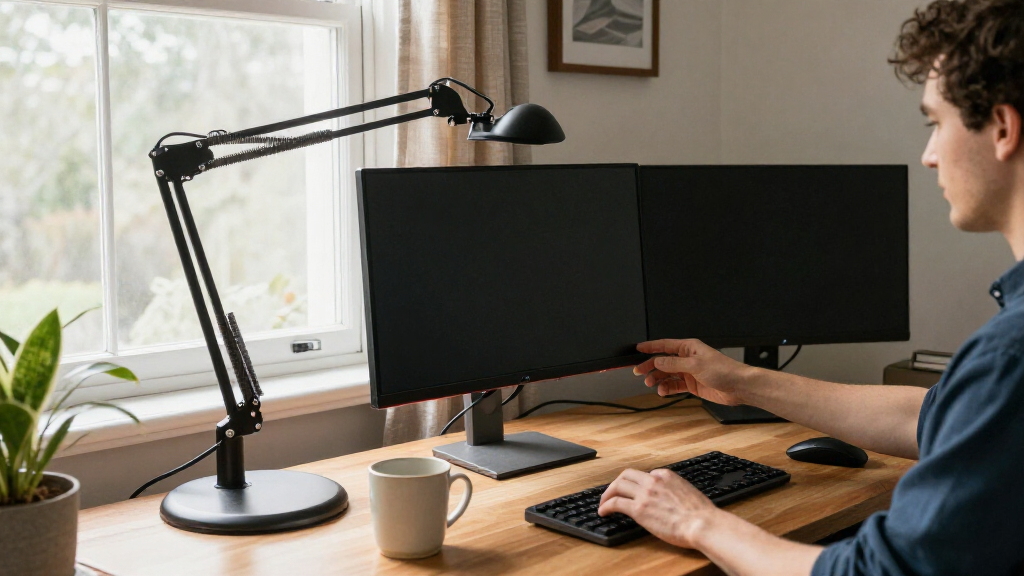

The best adjustable monitor stands for home offices depend on whether you need a better screen height, room for two displays, or storage that clears desk clutter. My best overall pick is the BoYata Adjustable Metal Monitor Stand for its straightforward height adjustment and focused single-screen setup. For a dual-monitor desk, the HUANUO FlowLift offers a more flexible arm-style alternative, while the Gianotter Dual Monitor Stand Riser adds a drawer and pen holders without moving to an arm mount. The main tradeoff is between simple risers that add a shelf and adjustable arms that free desk space but need compatible mounting and setup. Read on for the full breakdown and help matching a stand to your desk, screens, and work habits.

Get business pricing on your home office setup
- Business-only prices and quantity discounts
- Tax-exempt purchasing
- Multiple users, one account, clear invoices
Complete the kit


Key Takeaways
- The BoYata is the strongest all-around fit for one monitor: its adjustable metal riser focuses on screen height without the extra footprint and storage features of the larger risers.
- Dual-screen buyers have two distinct paths: the HUANUO FlowLift and MOUNTUP use freestanding monitor mounts, while Gianotter, OPNICE, and BONTEC offer shelf-style risers with storage.
- Storage is a real differentiator, not an automatic benefit: drawers, pen holders, and multiple compartments help organize small items but take up more of the desk than a simple metal stand.
- Two-pack risers suit matching workstations: BONTEC and ECOLOVI provide pairs, but buyers should check desk width and monitor placement before choosing two separate platforms.
- Adjustment means different things across this lineup: risers change platform height, while monitor arms offer screen positioning; choose based on whether you need a raised shelf or more flexible placement.
| Gianotter Dual Monitor Stand Riser with Drawer and Pen Holders |  | Best for Built-In Desk Organization | Material: Metal | Finish: Powder coated | Color: Black | VIEW LATEST PRICE | See Our Full Breakdown |
| BONTEC 2-Pack Adjustable Monitor Stand Riser with Drawer |  | Best for Flexible Two-Stand Setups | Quantity: 2 stands | Material: Powder-coated steel | Load capacity: 44 lbs per stand | VIEW LATEST PRICE | See Our Full Breakdown |
| BoYata Adjustable Metal Monitor Stand, Black |  | Best for a Simple Adjustable Setup | Brand and model: BoYata D1 | Material: Metal | Color: Black | VIEW LATEST PRICE | See Our Full Breakdown |
| ECOLOVI Adjustable Wood Monitor Stand Riser, 2-Pack, Brown |  | Best for Natural-Finish Height Choice | Quantity: 2 stands | Material: Wood | Color: Brown | VIEW LATEST PRICE | See Our Full Breakdown |
| OPNICE 2-Tier Monitor Stand with Drawer and Pen Holders |  | Best for Storage-Rich Workstations | Material: Carbon steel | Finish: Powder-coated | Color: Black | VIEW LATEST PRICE | See Our Full Breakdown |
| Amazon Basics Height-Adjustable Monitor Stand with Storage, Black | 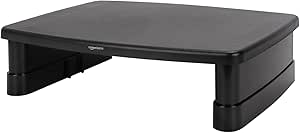 | Best for Simple, Lightweight Adjustability | Brand: Amazon Basics | Model: DHMSA | Material: ABS plastic | VIEW LATEST PRICE | See Our Full Breakdown |
| OPNICE Adjustable Wooden Monitor Stand Riser, Black |  | Best for Higher-Capacity Wooden Support | Brand: OPNICE | Material: Wood | Color: Black | VIEW LATEST PRICE | See Our Full Breakdown |
| WALI Adjustable Metal Monitor Stand with Under-Desk Storage |  | Best Metal Stand for Ventilation | Brand: WALI | Model: RDTT03 | Material: Metal | VIEW LATEST PRICE | See Our Full Breakdown |
| OPNICE Dual Monitor Stand Riser with Drawer and Pen Holders |  | Best for Dual-Monitor Desk Organization | Brand: OPNICE | Material: Alloy steel, plastic | Finish: Powder coated | VIEW LATEST PRICE | See Our Full Breakdown |
| BONTEC Adjustable Dual Monitor Stand Riser with Storage, White |  | Best for Expanding Desk Layouts | Brand: BONTEC | Material: Wood | Color: White | VIEW LATEST PRICE | See Our Full Breakdown |
| HUANUO FlowLift Dual Monitor Stand for 13–32-Inch Screens |  | Best for Dual-Screen Positioning | Brand and model: HUANUO HNDS6 | Screen compatibility: 13–32 inches per screen | Weight capacity: 4.4–19.8 lbs per arm | VIEW LATEST PRICE | See Our Full Breakdown |
| TAVR Adjustable Wooden Monitor Stand Riser with 3 Storage Spaces |  | Best for Adjustable-Length Storage | Brand: TAVR | Material and color: Wood; black | Adjustable length: 30.7–43.3 inches | VIEW LATEST PRICE | See Our Full Breakdown |
| MOUNTUP Freestanding Single Monitor Stand for 13–32-Inch Screens |  | Best for a Single Monitor Without Desk Clamps | Brand and model: MOUNTUP MU0023 | Mounting type: Tabletop, freestanding | Screen compatibility: 13–32 inches | VIEW LATEST PRICE | See Our Full Breakdown |
| adjustable monitor stands for home office | Material | Dimensions | Load capacity | Color |
|---|---|---|---|---|
| Gianotter Dual Monitor Stand R | Metal | 40.6 × 9.3 × 4.3 inches | — | Black |
| BONTEC 2-Pack Adjustable Monit | Powder-coated steel | 14.49 × 9.09 × 5.51 inches | 44 lbs per stand | Black |
| BoYata Adjustable Metal Monito | Metal | 9.3 × 7.87 × 4.3 inches | 33.1 pounds | Black |
| ECOLOVI Adjustable Wood Monito | Wood | 14.6 × 9.1 × 4 inches | 44 pounds | Brown |
| OPNICE 2-Tier Monitor Stand wi | Carbon steel | 20.5 × 9.5 × 6.3 inches | 44 pounds | Black |
| Amazon Basics Height-Adjustabl | ABS plastic | — | — | — |
| OPNICE Adjustable Wooden Monit | Wood | 14.6 x 9.1 x 4 inches | 44 pounds | Black |
| WALI Adjustable Metal Monitor | Metal | — | 44 lbs (20 kg) | — |
| OPNICE Dual Monitor Stand Rise | Alloy steel, plastic | 10 x 3.62 x 16.06 inches | — | — |
| BONTEC Adjustable Dual Monitor | Wood | — | 44 lb | White |
| HUANUO FlowLift Dual Monitor S | — | — | — | — |
| TAVR Adjustable Wooden Monitor | — | 43.3 × 9.3 × 3.6 inches | 44 pounds | — |
| MOUNTUP Freestanding Single Mo | — | — | — | — |
More Details on Our Top Picks
Gianotter Dual Monitor Stand Riser with Drawer and Pen Holders
The Gianotter suits a home office where clearing small supplies off the desktop matters as much as raising the screen. Its 40.6-inch-wide platform offers room for a broad monitor setup, while the drawer, two magnetic pen holders, and open space below give everyday accessories distinct places to go. Unlike the height-selectable BONTEC 2-Pack, this is a fixed-height riser, so it cannot be fine-tuned to match different users or seating positions. It does have a simpler setup advantage: it arrives ready to use, while the BoYata Adjustable Metal Monitor Stand requires screwdriver assembly. The tradeoff is desk real estate; the long footprint may crowd a compact workstation, and the single height may not suit every screen position. Choose it for storage and width, not ergonomic adjustability.
Pros:- Drawer and two magnetic pen holders organize small desk accessories.
- Open space underneath can hold a keyboard, mouse, or supplies.
- Wide platform accommodates a broad monitor setup.
- No assembly is required.
Cons:- Fixed single-level design does not allow height adjustment.
- The 40.6-inch width can consume substantial desk space.
Best for: Home-office users with a wide desk who want a ready-to-use riser and built-in places for pens and small supplies.
Not ideal for: People who need to adjust screen height for different chairs or users, or who have limited desk depth or width.
- Material:Metal
- Finish:Powder coated
- Color:Black
- Dimensions:40.6 × 9.3 × 4.3 inches
- Weight:3.08 kg
- Storage:Drawer, two magnetic pen holders, and open space underneath
- Levels:1
- Assembly:No assembly required
Our verdict“Choose the Gianotter if your priority is a wide, organized workstation and a fixed riser height already suits your setup.”
BONTEC 2-Pack Adjustable Monitor Stand Riser with Drawer
The BONTEC 2-Pack is the most adaptable choice here for a home office that needs to raise two separate screens or create matching risers across work areas. Each stand offers three height settings and a stated 44-pound capacity, giving buyers more control over screen placement than the fixed-height Gianotter or single-level BoYata. Built-in cable management and a pen holder help keep each station tidier, while tool-free assembly makes repositioning less of a chore. The tradeoff is the compact, fixed rectangular platform: it may not suit every desk layout or unusually wide devices, and the metal can be noisy when heavier items are set down. Compared with the wood ECOLOVI 2-Pack, BONTEC emphasizes steel construction and cable organization rather than multiple height steps and a wood finish.
Pros:- Three height settings allow more screen-position choice than fixed-height risers.
- Two stands can serve separate monitors or work areas.
- Built-in cable management and pen holder help reduce desktop clutter.
- Tool-free assembly simplifies setup.
Cons:- Fixed rectangular platforms may not fit every desk or device footprint.
- Metal construction may make noise when heavier items are placed on top.
Best for: People setting up two separate home-office screens or work areas who want multiple height choices and tool-free setup.
Not ideal for: Users with unusually wide monitors or desk layouts that do not suit compact rectangular risers, or anyone seeking a quieter surface for placing equipment.
- Quantity:2 stands
- Material:Powder-coated steel
- Load capacity:44 lbs per stand
- Height settings:3.9, 4.7, and 5.5 inches
- Dimensions:14.49 × 9.09 × 5.51 inches
- Weight:0.84 kg
- Color:Black
- Features:Cable management and pen holder
- Assembly:Tool-free
Our verdict“Pick the BONTEC set if you need two independently placed risers with several height options and straightforward setup.”
BoYata Adjustable Metal Monitor Stand, Black
The BoYata D1 keeps the arrangement straightforward: a metal platform, adjustable height, and open clearance for a keyboard or notebook. Its 33.1-pound capacity is a useful fit for many single-monitor home offices, though it falls below the stated 44-pound capacity of each BONTEC 2-Pack stand and the ECOLOVI 2-Pack. Skidproof pads help the riser stay put, while its compact footprint is less demanding than the broad Gianotter. The main compromise is sparse functionality: it has no drawer, extra storage tier, or listed height settings, so buyers get less organization and less precise adjustment information than with the BONTEC. Assembly also takes a screwdriver. This makes the BoYata a sensible pick for someone who wants a basic adjustable platform, but a poor match for a desk-storage system.
Pros:- Adjustable height supports a more comfortable screen position.
- Metal construction has a stated 33.1-pound load capacity.
- Open area underneath can hold a keyboard or notebook.
- Skidproof pads help limit movement on the desk.
Cons:- No drawer or additional storage tiers for organizing accessories.
- Requires screwdriver assembly.
- The product data does not specify its height settings.
Best for: Single-monitor users who want an adjustable metal riser with open space for a keyboard or notebook beneath it.
Not ideal for: Buyers who need a drawer, multiple storage tiers, two risers, or a clearly specified set of height positions.
- Brand and model:BoYata D1
- Material:Metal
- Color:Black
- Dimensions:9.3 × 7.87 × 4.3 inches
- Weight:2.63 kg
- Load capacity:33.1 pounds
- Height:Adjustable; specific settings not listed
- Levels:1
- Assembly:Requires included screwdriver
Our verdict“Choose the BoYata for a compact, basic adjustable stand when under-screen clearance matters more than built-in storage.”
ECOLOVI Adjustable Wood Monitor Stand Riser, 2-Pack, Brown
The ECOLOVI 2-Pack brings a brown wood look to a home office while giving each stand four height settings, from 4 to 6.1 inches. That range offers more defined positioning choices than the BoYata, whose height is described as adjustable without listed settings, and the pair can serve two screens or separate desks. A 44-pound capacity per the product description also makes it a more substantial choice than the BoYata’s stated 33.1-pound limit. Under-stand clearance measures 12.5 × 7 inches, so it can help with small accessories but may not fit every keyboard or bulky item. Unlike the storage-focused OPNICE 2-Tier, ECOLOVI has no drawer or pen holders. Its fixed rectangular footprint may also be awkward on crowded desks. Pick it for adjustable height and a wood appearance, not accessory storage.
Pros:- Four height settings offer a defined range for screen positioning.
- Two stands can support a pair of screens or separate work areas.
- Stated 44-pound capacity supports monitors and other devices.
- Non-slip rubber pads help secure the stand and protect the desk.
Cons:- Under-stand storage is limited to 12.5 × 7 inches.
- Fixed rectangular dimensions may not suit every desk layout.
- No drawer or pen holders for organizing small supplies.
Best for: Home-office buyers who want two wood-look risers with several defined height positions for matching screens or work areas.
Not ideal for: Users who need a drawer, pen holders, broad under-stand storage, or a platform shape tailored to an irregular desk.
- Quantity:2 stands
- Material:Wood
- Color:Brown
- Dimensions:14.6 × 9.1 × 4 inches
- Height settings:4, 4.8, 5.5, and 6.1 inches
- Under-stand storage area:12.5 × 7 inches
- Load capacity:44 pounds
- Non-slip pads:Rubber pads
Our verdict“Choose the ECOLOVI pair if you want a wood finish and several specified height settings more than built-in desk storage.”
OPNICE 2-Tier Monitor Stand with Drawer and Pen Holders
The OPNICE 2-Tier is the strongest fit in this group for a home-office user who wants a monitor riser to double as desk storage. Its two levels, drawer, and pair of hanging pen holders offer more ways to separate supplies than the single-platform BoYata or the ECOLOVI 2-Pack, which focuses on height settings instead. The carbon-steel frame has a stated 44-pound capacity, and adjustable non-slip pads can help protect the desk while leveling the stand. Unlike the BONTEC 2-Pack, OPNICE provides a drawer and two-tier layout rather than a pair of independently placed stands with defined height settings. The main tradeoff is its 20.5-inch width, which can crowd a compact desk. It also lacks listed height settings, so buyers should not assume the riser can be tuned like BONTEC or ECOLOVI.
Pros:- Two-tier layout adds workspace storage beyond a basic riser.
- Drawer and two hanging pen holders keep small supplies close at hand.
- Carbon-steel construction has a stated 44-pound load capacity.
- Adjustable non-slip pads help protect the desk surface.
Cons:- The 20.5-inch width may limit placement on smaller desks.
- Product data does not specify selectable height settings.
- A single stand cannot be separated into two independent risers.
Best for: Desk-bound workers with enough surface area who want a raised monitor plus a drawer and pen storage for daily supplies.
Not ideal for: People with narrow desks or buyers who need clearly specified, selectable height settings or two separate risers.
- Material:Carbon steel
- Finish:Powder-coated
- Color:Black
- Dimensions:20.5 × 9.5 × 6.3 inches
- Load capacity:44 pounds
- Levels:2
- Included storage:Drawer and two pen holders
- Special features:Adjustable non-slip pads; rust-resistant and scratchproof
Our verdict“Pick the OPNICE if your desk can accommodate its width and you value built-in storage more than multiple height choices.”
Amazon Basics Height-Adjustable Monitor Stand with Storage, Black
The Amazon Basics riser is the straightforward pick for a compact home office where a little screen lift and a few height choices matter more than a broad platform. Its detachable legs provide three fixed heights, so I can match the monitor position to my desk without dealing with a continuous adjustment mechanism. At up to 22 pounds, it suits many monitors, laptops, and small accessories, while the non-skid feet help keep it settled on a flat surface. Compared with the wider OPNICE Wooden Monitor Stand, its tapered, roughly 11.6-by-11-inch top is more restrictive for larger devices. The lightweight plastic is easy to move, but it feels less suited to heavy equipment, and its height settings are not a fixed-lock system. Choose it for basic, portable adjustment rather than maximum platform space.
Pros:- Three height settings accommodate different desk and seating setups.
- Lightweight ABS plastic is easy to reposition.
- Non-skid feet help limit movement on flat desks.
- Supports devices up to 22 pounds.
Cons:- Tapered top may not fit larger monitor bases or wider devices.
- Lower load capacity than the OPNICE and WALI stands.
- Fixed height choices do not provide continuous adjustment or a fixed-lock configuration.
Best for: Home-office users with a compact monitor or laptop who want a lightweight riser with several fixed height choices.
Not ideal for: People with oversized monitors, heavy equipment, or a need for a broad, flat platform; the tapered top and 22-pound limit narrow the fit.
- Brand:Amazon Basics
- Model:DHMSA
- Material:ABS plastic
- Top dimensions:Approximately 11.6 x 11 inches at center
- Height settings:2.87, 4.2, and 4.8 inches
- Maximum load:22 lbs (10 kg)
- Base type:Detachable legs
- Special features:Non-skid feet; storage organizer
Our verdict“Choose this compact riser if portability and three simple height options matter more than a large platform or heavy-duty support.”
OPNICE Adjustable Wooden Monitor Stand Riser, Black
For a home-office buyer who wants a wooden riser with more load headroom, the OPNICE stand offers a practical middle ground: four fixed height positions and support for up to 44 pounds. That capacity makes it more suitable for a heavier monitor or a printer than the lightweight Amazon Basics stand, while the open space below gives desk items somewhere to go. Anti-slip pads help protect the work surface and keep the riser from shifting. Its 14.6-by-9.1-inch platform is still fairly compact, so check the footprint of your device before choosing it. The settings are discrete rather than continuously adjustable, and the listed dimensions may rule out broad monitor bases. I’d favor this over the WALI if a wood construction and four height options matter more than a metal, ventilated platform.
Pros:- Four height settings offer more fixed-position choices than the Amazon Basics riser.
- 44-pound capacity supports heavier devices than the Amazon Basics model.
- Open space underneath can hold desk accessories.
- Anti-slip pads help protect the desk and limit sliding.
Cons:- The 14.6-by-9.1-inch platform may not fit wide device bases.
- Height changes are limited to four fixed positions.
- Does not provide the ventilated metal platform found on the WALI stand.
Best for: Home-office users with a monitor, laptop, or small printer who want a wooden riser, four fixed heights, and support up to 44 pounds.
Not ideal for: Owners of wide monitor bases or anyone who needs fine, continuous height adjustment; the platform is compact and its positions are fixed.
- Brand:OPNICE
- Material:Wood
- Color:Black
- Dimensions:14.6 x 9.1 x 4 inches
- Height settings:4
- Load capacity:44 pounds
- Shape:Rectangular
- Features:Height adjustable; non-slip
Our verdict“Pick this wooden riser if you need higher load capacity and four preset heights, provided your device fits its compact platform.”
WALI Adjustable Metal Monitor Stand with Under-Desk Storage
The WALI metal stand suits a home office that needs a sturdy, no-frills platform with airflow beneath a monitor or laptop. Its ventilated 14.6-by-9.3-inch top and 44-pound capacity give it a stronger, more open-platform profile than the smaller Amazon Basics riser. Three height settings—3.9, 4.7, or 5.5 inches—make it easy to select a lift, and the open space underneath can clear accessories from the desk surface. Rubber pads help protect the worktop, while the listed 0.78 kg weight keeps the stand relatively easy to move. Compared with the OPNICE wooden riser, this is the clearer choice for a metal build and ventilation, but it has one level and a similarly limited footprint. Skip it if you need multiple shelves or room for a particularly wide device base.
Pros:- Vented metal platform allows airflow around devices.
- 44-pound capacity matches the OPNICE wooden riser and exceeds the Amazon Basics model.
- Three preset heights support different viewing positions.
- Open underside and rubber pads add practical desk utility.
Cons:- Single-level design offers no extra shelf.
- Platform dimensions may be too small for wide device bases.
- Height adjustment is limited to three fixed positions.
Best for: Home-office users who want a ventilated metal platform for a monitor, laptop, or printer and value simple under-stand storage.
Not ideal for: People who need multiple shelf levels or a wide platform for oversized devices; its single 14.6-by-9.3-inch surface limits fit.
- Brand:WALI
- Model:RDTT03
- Material:Metal
- Platform dimensions:14.6 x 9.3 inches
- Adjustable heights:3.9, 4.7, or 5.5 inches
- Load capacity:44 lbs (20 kg)
- Item weight:0.78 kg
- Warranty:10 years
Our verdict“Choose the WALI if you want a ventilated metal riser with substantial load capacity and do not need extra tiers.”
OPNICE Dual Monitor Stand Riser with Drawer and Pen Holders
When a home office runs two screens and small supplies keep spreading across the desk, this OPNICE dual-monitor riser combines a raised platform with built-in organization. Its drawer and two hanging pen holders give everyday items dedicated spots, while the open area below can take a keyboard, mouse, or files. The powder-coated metal construction is a more desk-organizing-focused option than the single-device WALI stand, which instead offers preset height choices and a ventilated platform. This OPNICE model is 3.78 inches high and does not list multiple height settings, so it is a fixed-lift solution rather than an adjustable one. Its stated maximum width is 39 inches, and the listed dimensions may also limit under-stand storage. I’d choose it for built-in organization, not for adjustable screen height or a flexible layout.
Pros:- Designed to raise two monitors on one stand.
- Drawer and two hanging pen holders organize small desk supplies.
- Open space below can accommodate a keyboard, mouse, or files.
- No installation is required.
Cons:- Fixed 3.78-inch riser height does not offer adjustment like the WALI or Amazon Basics stands.
- Listed dimensions may limit the amount of gear stored underneath.
- Construction includes plastic as well as alloy steel.
Best for: Dual-monitor home-office users who want a fixed-height riser with a drawer, pen holders, and space for a keyboard underneath.
Not ideal for: Buyers who need adjustable height, a compact single-monitor setup, or extensive clearance beneath the stand; the lift is fixed and dimensions constrain storage.
- Brand:OPNICE
- Material:Alloy steel, plastic
- Finish:Powder coated
- Dimensions:10 x 3.62 x 16.06 inches
- Weight:3.39 kg
- Riser height:3.78 inches
- Maximum width:39 inches
- Storage:Drawer and two pen holders
- Assembly:No installation required
Our verdict“Pick this fixed-height dual-monitor riser if built-in supply storage matters more than adjustable screen positioning.”
BONTEC Adjustable Dual Monitor Stand Riser with Storage, White
The BONTEC riser is the most adaptable choice here for a home office that needs one stand to span a changing desk layout. Its length expands from 31.5 to 42.5 inches, and swivel side shelves can be arranged straight, angled, or in a corner—useful when monitors and desk space do not sit in a simple row. Three compartments, a phone slot, and a cable opening give it more desktop organization than the fixed-width OPNICE dual-monitor stand. The wooden platform supports up to 44 pounds, but that capacity is shared across the stand, so account for the combined load of everything placed on it. It remains a single-level riser, and its broad footprint is less suited to a small desk than the compact WALI. Choose it for layout flexibility and storage, not multiple height settings.
Pros:- Expands from 31.5 to 42.5 inches and supports straight, angled, or corner layouts.
- Three compartments, a phone slot, and cable opening help organize a workstation.
- 44-pound capacity supports a substantial combined setup.
- Non-slip pads help keep the stand in place.
Cons:- Large footprint takes more desk space than the WALI or Amazon Basics risers.
- Single-level design does not provide an additional shelf.
- The 44-pound capacity limits the total load placed on the stand.
Best for: Home-office users with two monitors or a changing desk arrangement who need an expandable platform, swivel shelves, and built-in organization.
Not ideal for: People with small desks, a need for multiple height positions, or equipment whose combined weight exceeds 44 pounds.
- Brand:BONTEC
- Material:Wood
- Color:White
- Adjustable length:31.5–42.5 inches
- Load capacity:44 lb
- Weight:3.3 kg
- Storage compartments:3
- Features:Swivel side shelves, phone holder slot, cable management opening, non-slip pads
- Assembly:Approximately 2 minutes
Our verdict“Choose the BONTEC if your monitor layout needs a wide, expandable platform and organized storage, and your desk has room for it.”
HUANUO FlowLift Dual Monitor Stand for 13–32-Inch Screens
For a home office built around two monitors, the HUANUO FlowLift offers more positioning freedom than a fixed riser such as the TAVR Adjustable Wooden Monitor Stand. Each arm supports a compatible 13–32-inch screen, with tilt, swivel, and full rotation adjustments that help align displays for a shared or angled setup. Its C-clamp or grommet mounting also frees desk surface, while built-in cable management helps keep the paired screens’ wiring together.
The tradeoff is a more demanding fit check than a tabletop stand: both displays need the right VESA pattern and weight, and the wooden desk underside must be clear where the mount attaches. It is not recommended for glass or plastic desks. Choose it over the single-screen MOUNTUP Freestanding Stand when two independently positioned displays matter; skip it if you want a simple riser or cannot verify desk clearance.
Pros:- Supports two 13–32-inch monitors within the per-arm weight range.
- Tilt, swivel, and 360° rotation allow flexible screen alignment.
- C-clamp and grommet mounting offer two attachment options.
- Raises monitors off the desk and includes cable management.
Cons:- Requires a compatible wooden desk with clear space beneath the mounting point.
- Both monitors must meet the listed weight, size, and VESA requirements.
- Not recommended for glass or plastic desks.
Best for: Home-office users with two VESA-compatible monitors who want adjustable positioning and a clear desk surface.
Not ideal for: Users with glass or plastic desks, obstructing underside beams, or monitors outside the stated size, weight, or VESA limits.
- Brand and model:HUANUO HNDS6
- Screen compatibility:13–32 inches per screen
- Weight capacity:4.4–19.8 lbs per arm
- VESA compatibility:75 × 75 mm and 100 × 100 mm
- Adjustments:Tilt +85°/−50°; swivel ±90°; rotation 360°
- Maximum height:15.75 inches
- Mounting and desk fit:C-clamp or grommet; wooden desks 0.59–3.54 inches thick with clear underside
- Cable management:Built-in
- Warranty:5 years
Our verdict“Choose the HUANUO if you need two adjustable displays and your desk meets its mounting requirements.”
TAVR Adjustable Wooden Monitor Stand Riser with 3 Storage Spaces
The TAVR wooden riser suits a home office where a broad platform and small-item storage matter more than fine-grained arm movement. Its length adjusts from 30.7 to 43.3 inches, and the end-piece angles can be changed to fit different desk and monitor arrangements. Three spaces underneath make room for desk accessories, while the 44-pound capacity accommodates a substantial load. Compared with the clamp-mounted HUANUO FlowLift, it is simpler to place and does not require a VESA mount or a clear desk underside.
That simplicity comes with limits: the listed 3.6-inch height is fixed, so it cannot match the height range of the MOUNTUP Freestanding Stand. Its 9.3-inch depth also claims a noticeable amount of desk space. I’d choose TAVR for storage and a wide shared platform, but not for users who need precise height changes or a compact workstation.
Pros:- Adjustable length and end-piece angles accommodate different desk and monitor layouts.
- Three under-stand storage spaces help organize accessories.
- Supports up to 44 pounds.
- Does not require VESA mounting or desk-edge clamping.
Cons:- The listed 3.6-inch height does not provide adjustable screen height.
- Its 9.3-inch depth can use substantial desk space.
- A wide platform may be more than a single-monitor setup needs.
Best for: Home-office users who want an adjustable-width wooden riser with storage for accessories and room for a broad monitor setup.
Not ideal for: People who need substantial height adjustment or have shallow desks where a 9.3-inch-deep riser would crowd the work area.
- Brand:TAVR
- Material and color:Wood; black
- Adjustable length:30.7–43.3 inches
- Dimensions:43.3 × 9.3 × 3.6 inches
- Weight:7.2 pounds
- Load capacity:44 pounds
- Storage:3 spaces underneath
- Warranty:10 years
Our verdict“Pick TAVR for a wide, storage-focused riser, but choose an adjustable arm if screen-height flexibility is your priority.”
MOUNTUP Freestanding Single Monitor Stand for 13–32-Inch Screens
The MOUNTUP Freestanding Single Monitor Stand is a useful middle ground for a home office that needs more screen-positioning range than a riser but cannot use a desk-edge clamp. Its tabletop base avoids the installation constraints of the dual-screen HUANUO FlowLift, and the stand adjusts up to 17.49 inches with tilt, swivel, and rotation for a compatible 13–32-inch monitor. A cable clip and tool storage slot add practical workspace organization.
Compared with the wooden TAVR riser, MOUNTUP gives more control over screen orientation and height, but its single-monitor design does not support a paired display setup. The freestanding base also occupies desk area rather than leaving the surface fully clear. Check the monitor’s VESA pattern and weight before choosing it; this stand supports up to 17.6 pounds and does not fit non-VESA displays without the listed mounting pattern.
Pros:- Freestanding tabletop installation avoids desk-edge clamping.
- Height adjusts up to 17.49 inches, with tilt, swivel, and rotation.
- Supports compatible 13–32-inch screens up to 17.6 pounds.
- Includes cable management and a tool storage slot.
Cons:- The base occupies desk space.
- Requires a 75 × 75 mm or 100 × 100 mm VESA mounting pattern.
- Supports one monitor only.
Best for: Home-office users with one VESA-compatible monitor who want adjustable positioning but cannot or do not want to clamp a mount to the desk.
Not ideal for: Dual-monitor users, owners of monitors above 17.6 pounds, or anyone trying to preserve every inch of desk surface.
- Brand and model:MOUNTUP MU0023
- Mounting type:Tabletop, freestanding
- Screen compatibility:13–32 inches
- Maximum load:17.6 lbs
- VESA compatibility:75 × 75 mm and 100 × 100 mm
- Height adjustment:Up to 17.49 inches
- Adjustments:Tilt ±45°; swivel ±25°; rotation ±180°
- Material and color:Alloy steel; black
- Workspace features:Cable management clip and tool storage slot
Our verdict“Choose MOUNTUP for adjustable positioning of one VESA monitor when a freestanding base suits your desk better than a clamp.”
How We Picked
I compared these 13 stands by the job they do at a home-office desk: raising a screen, supporting one or two monitors, adding usable storage, or giving the display more positioning flexibility. I weighed stated adjustment and screen compatibility against practical factors such as desk footprint, the amount of desk space left for daily work, and whether the design adds a useful shelf or simply occupies it. Build material and the likely stability demands of a single- or dual-screen setup also informed the comparison.
The ranking favors useful adjustability and a clear fit for common home-office needs over feature count alone. The BoYata leads for a straightforward single-screen riser; the HUANUO and MOUNTUP stand out for buyers seeking arm-style positioning, while storage-focused risers rank higher for shoppers who value an organized shelf. Two-packs and larger dual-monitor platforms can make sense for specific desk layouts, but they are less flexible when space is tight or a buyer needs precise screen positioning. I distinguish between product roles rather than treating every drawer or height setting as an equal advantage.
| adjustable monitor stands for home office | Material | Color |
|---|---|---|
| Gianotter Dual Monitor Stand R | Metal | Black |
| BONTEC 2-Pack Adjustable Monit | Powder-coated steel | Black |
| BoYata Adjustable Metal Monito | Metal | Black |
| ECOLOVI Adjustable Wood Monito | Wood | Brown |
| OPNICE 2-Tier Monitor Stand wi | Carbon steel | Black |
| Amazon Basics Height-Adjustabl | ABS plastic | — |
| OPNICE Adjustable Wooden Monit | Wood | Black |
| WALI Adjustable Metal Monitor | Metal | — |
| OPNICE Dual Monitor Stand Rise | Alloy steel, plastic | — |
| BONTEC Adjustable Dual Monitor | Wood | White |
| HUANUO FlowLift Dual Monitor S | — | — |
| TAVR Adjustable Wooden Monitor | — | — |
| MOUNTUP Freestanding Single Mo | — | — |
Factors to Consider When Choosing Adjustable Monitor Stands For Home Offices
Before choosing a stand, I would match its adjustment method to the way you work, then check that the desk, screens, and everyday equipment fit around it. A feature that helps one setup can add clutter or complexity to another.
Choose a Riser or an Arm Based on the Adjustment You Need
A riser raises a monitor by placing it on a platform, which can also create a shelf for a keyboard or small supplies. An arm-style stand moves the display independently, which can help when you change posture or need to reposition a screen during the day. These approaches are not interchangeable: a riser usually gives you a stable, simple surface, while an arm gives more freedom but needs compatible attachment and setup. A common mistake is buying a stand because it is labeled adjustable without checking what actually adjusts. Decide whether your priority is platform height, screen position, or both before comparing designs. If you only need a modest lift, the extra mechanics of an arm may not earn their desk space or setup effort.
Check Screen Size, Weight, and Mount Compatibility
Screen fit is more than whether a monitor looks small enough to sit on a platform. Check the stand’s stated size and weight limits, and for arm-style options confirm the mounting method matches the monitor and desk setup. A monitor without compatible mounting points may not work with a mount that relies on them, while a screen that exceeds a stand’s supported load can compromise stability. For two monitors, assess each display separately and consider how their combined placement affects the stand and available desk width. Avoid relying on a product name that says “dual” or lists a screen range as a substitute for checking the detailed specifications. When you plan to change monitors later, leave some headroom rather than buying to the edge of a stated limit.
Measure the Desk Before Adding a Shelf or Two-Pack
Measure the usable desk area, not just the desk’s full width: speakers, lamps, notebooks, and laptop docks all compete for the same surface. A single riser can create a handy raised zone, but a pair of platforms may divide the desk into separate occupied areas and constrain monitor placement. Storage drawers and pen holders add utility only if you can still reach them once the screens are in place. For a narrow desk, a more compact stand may preserve a useful work area better than a wide storage platform. Check depth as well as width, since a stand that projects toward you can reduce room for a keyboard or writing. Sketching the stand’s footprint on paper can reveal a poor fit before you buy.
Decide Whether Storage Will Reduce or Add Clutter
Drawers and compartments are useful for small items that otherwise spread across a desk, such as pens, notes, and cables. They are less helpful if the objects you use most often are too large for the storage or become awkward to retrieve under a monitor. A plain platform can be easier to keep clear and may suit a minimalist desk, while a multi-compartment riser can make more sense for shared or supply-heavy workspaces. Think about the items you actually want to store and whether you need open access or a drawer. Buyers sometimes pay desk space for storage they rarely use, so compare the storage capacity with the stand’s footprint. Also check that the raised shelf leaves enough clearance for anything you plan to place beneath it.
Balance Stability, Materials, and Portability
A stand needs to stay steady under the monitor and remain practical for the way the desk is used. Metal, wood, and composite designs can differ in weight, feel, and how easily they move, but material alone does not prove a stand will suit a particular screen. Consider whether you often reposition equipment, share the desk, or prefer a setup that stays in one place. A heavier or broader platform may feel less convenient to move, while a compact option can leave less room for accessories. For a two-monitor arrangement, stability deserves more attention because screen placement can magnify wobble or imbalance. Check the product’s load guidance and construction details instead of judging sturdiness by appearance alone.
Pay for Features You Will Use, Not Every Available Feature
A more elaborate stand earns its place when it solves a specific problem, such as giving two screens independent positioning or clearing a crowded desk with useful storage. If your only goal is to raise one monitor, added drawers, multiple compartments, or a larger platform may not improve your daily setup. At the other end, a basic riser may disappoint if you regularly need to shift the screen for posture or shared use. Think about your likely desk changes, including a future second monitor or a move to a smaller workspace. Beginners often benefit from a simple design with clear fit requirements, while experienced users may value greater positioning flexibility. The right choice is the least complicated option that meets your real needs.
Frequently Asked Questions
Should I choose a monitor riser or an adjustable monitor arm for a home office?
I would choose a riser when you mainly want to lift a screen and would use the platform or its storage. An arm makes more sense when you need to reposition the display, free the desk surface beneath it, or adjust screen placement more often. Before choosing an arm, check the monitor’s mounting compatibility and the stand’s stated limits. Before choosing a riser, confirm that its footprint will not crowd your keyboard or work area. The key difference is a raised shelf versus a display that can move more independently.
Can a dual-monitor riser work if my two screens are different sizes?
It can, but the stand’s width, load guidance, and the placement of both screens matter more than the word “dual” in the product name. Check that each monitor fits the platform and that the combined arrangement does not leave one screen poorly supported. Different screen sizes may also make the displays harder to align at a comfortable height. An arm-style option can offer more independent positioning, provided both screens fit its stated compatibility and mounting requirements. Measure the desk and plan the screen layout before ordering.
How do I know whether a monitor will sit at a comfortable height?
Start by sitting in your normal work position and noting where your eyes meet the screen, rather than choosing a stand based on height labels alone. The correct lift depends on your chair, desk, monitor size, and posture. Check how much height the stand can add and whether the adjustment is fixed to a few settings or allows more positioning flexibility. A riser may be enough if the screen only needs a modest lift; an arm may be better if you need to change its position regularly. Leave room to adjust your chair and keyboard too, since raising the display alone does not set up the whole workstation.
Is a two-pack monitor riser a good choice for a home office?
A two-pack can suit a dual-screen desk or two separate work areas, especially when matching platforms are useful. It can also consume more space than expected, so measure each stand’s footprint and include room for the monitors, keyboard, and other desk items. Separate risers may give you more flexibility to place screens apart, but they do not necessarily provide the independent screen movement of arms. Consider whether both platforms will be used at the same time and whether their storage features fit your needs. If only one monitor needs lifting, a single stand may leave more room for work.
When should I choose a monitor stand with drawers or compartments?
Choose built-in storage when you have small supplies that regularly clutter the desk and the stand’s compartments are accessible in your planned layout. Drawers and pen holders are less useful for larger items or supplies you need to grab constantly if the monitor blocks access. Storage-focused risers also take up more desk area than a simpler platform, so compare the footprint with the space you gain underneath. If your desk is already organized or tight, a compact stand may be a better fit. Think through what you would actually put away before treating storage as a benefit.
Conclusion
For most single-monitor home offices, I would start with the BoYata Adjustable Metal Monitor Stand as the best overall choice because it keeps the focus on straightforward height adjustment. The best value depends on your setup: the Amazon Basics Height-Adjustable Monitor Stand suits buyers who want a simple stand with storage, while the BONTEC 2-Pack is the more relevant option for two matching work areas. For best premium-style flexibility, choose the HUANUO FlowLift if its monitor compatibility and arm format match your desk; the MOUNTUP is a single-screen alternative. The best pick for beginners is a straightforward riser such as the BoYata, with fewer setup decisions than a monitor arm. For specific needs, choose Gianotter or OPNICE for drawers and pen holders, ECOLOVI for a two-pack wood look, or TAVR when several storage spaces matter most. Match the stand to your screen and desk dimensions first; then decide whether storage or flexible positioning deserves the space.