
TL;DR

Get business pricing on your home office setup
- Business-only prices and quantity discounts
- Tax-exempt purchasing
- Multiple users, one account, clear invoices
Electric desks adjust quickly at the push of a button, ideal for frequent position changes. Manual desks require effort but are more budget-friendly and durable. Your choice depends on how often you move and your budget constraints.
Imagine your workspace transforming instantly as you switch from sitting to standing, no sweat, no effort. That’s the promise of a good standing desk. But with two main types—electric and manual—the choice isn’t just about price. It’s about how you work, how often you shift positions, and what feels right for your body and budget.
In this guide, you’ll find a straightforward comparison of both options. We’ll explore what makes each type tick, real-world scenarios, and what recent innovations are shaping the future of adjustable desks. By the end, you’ll know which drive fits your workflow—fast, smooth, or simple.
Electric desks adjust faster—often in under 10 seconds—and can be preset for quick transitions.
Manual desks are more budget-friendly and durable, but require physical effort and take longer to adjust.
Your choice depends on how often you change positions and how much convenience matters to you.
Recent tech improvements make electric desks quieter and smarter, enhancing user experience.
Consider space and power needs before committing—electric desks need outlets, manual desks don’t.
Which Drive Fits Your Workflow?
TL;DR: Electric desks adjust quickly at the push of a button, ideal for frequent position changes. Manual desks require effort but are more budget-friendly and durable. The right choice depends on how often you move, how much convenience matters, and where your budget lands.
Fast, smooth, or simple: the best desk drive is the one your day will actually use.
Workflow Fit PrincipleOften reaches $1,000+ with motors, presets, and smart controls.
Typically tops out near $300 for simpler crank systems.
Simple mechanics usually mean fewer service points.
Heavy use may eventually require motor or electronics care.
Manual needs no outlet; electric needs cable planning.
How Each Drive Changes the Day
Electric desks remove friction when you switch often. Manual desks trade speed for simplicity, lower cost, and mechanical resilience. Both can support healthier sit-stand habits; the difference is how much effort sits between intention and movement.
Button vs crank
Electric desks move with push-button or programmable controls. Manual desks rely on a hand crank or lever, which can feel fine occasionally but tiring during repeated transitions.
Memory wins flow
Electric presets return to the same seated and standing heights every time. Manual precision depends on your patience, markings, and mechanism smoothness.
Cords change options
Electric models need an outlet and cable management. Manual desks can sit anywhere, which helps in compact rooms, flexible studios, and low-clutter setups.
Speed, Budget, and Effort
The practical trade-off is visible in seconds and dollars. Electric desks cost more upfront, but they protect focus when you change positions repeatedly. Manual desks cost less and last long, but every adjustment asks for effort.
Adjustment Time
Frequent switching magnifies small delays. A 20-second crank can become a reason not to stand.
Cost Spectrum
Manual desks win on entry price. Electric desks justify the premium when speed, presets, quiet motors, app controls, or anti-collision sensors materially improve the workday.
Feature Comparison
Use this table as a buying filter. The strongest choice is less about a universal winner and more about matching adjustment frequency, tolerance for effort, and workspace constraints.
| Decision Point | Electric Desk | Manual Desk | Workflow Signal |
|---|---|---|---|
| Frequent sit-stand shifts | ✓ Best fit; fast transitions and presets | ~ Possible, but effort adds up | Pick electric if you move many times daily |
| Lowest upfront cost | ✗ Higher motorized price range | ✓ Usually $100 to $300 | Pick manual for tighter budgets |
| Durability simplicity | ~ More parts to service over time | ✓ Simple mechanics, minimal upkeep | Manual suits set-it-and-forget-it buyers |
| Exact height repeatability | ✓ Programmable memory settings | ~ Depends on markings and crank control | Electric protects ergonomic consistency |
| Outlet-free placement | ✗ Requires power and cable routing | ✓ No power needed | Manual wins for flexible room layouts |
What’s New in Adjustable Desks
Electric models are getting quieter, smarter, and safer. Manual models are improving too, with lighter materials, smoother cranks, and more ergonomic mechanisms. The middle ground is emerging through hybrid designs and sustainability-focused builds.
Presets and apps
Memory heights, app connectivity, and customizable controls make repeated transitions nearly invisible.
Quiet movement
Modern motor systems reduce noise, improving fit for shared offices and video-heavy workdays.
Balance options
Some models blend manual simplicity with assisted features, aiming for less cost and less friction.
Choose by Workflow, Not Hype
A simple decision path keeps the desk choice grounded. Start with behavior, then check budget, power, and long-term maintenance expectations.
Count shifts
Multiple daily transitions point toward electric convenience.
Check effort
If cranking will discourage movement, automation matters.
Set budget
Manual saves money; electric buys speed and consistency.
Map space
Confirm outlets, cord routes, and desk placement flexibility.
Test feel
Try the mechanism if possible; comfort decides usage.
Frequently Asked Questions
These are the buying questions most likely to separate a good purchase from a desk that technically adjusts but rarely gets used.
Is an electric standing desk worth the extra cost?
Yes, if you change positions multiple times a day or value quick, effortless adjustments. For infrequent adjustments, manual may be more economical.
How much effort does a manual desk take?
Most manual desks take about 20-30 seconds of cranking or lever movement, with effort varying by mechanism quality and desk weight.
Can I upgrade manual to electric later?
Usually not in a practical way. It is generally better to choose the drive type that fits your needs from the start.
What maintenance do electric desks need?
Keep cables organized, avoid overloading, and expect possible motor or electronics servicing after years of heavy use.
Buy the drive your routine will reward.
Electric wins for fast, frequent, precise movement. Manual wins for simplicity, lower cost, outlet-free placement, and long mechanical life.
Pick electric when
- You shift sitting and standing several times daily.
- You want memory presets and consistent ergonomic height.
- Your setup has nearby power and clean cable routing.
Pick manual when
- You adjust only occasionally and want to spend less.
- You prefer durable mechanical simplicity.
- You need flexible placement without outlet dependence.
Which adjustment method makes your day easier?
Electric standing desks let you change heights with a press of a button. It’s like having a remote control for your workspace. For example, you can switch from sitting to standing in under 10 seconds, making it perfect for busy mornings or quick breaks.
Manual desks, on the other hand, use a crank or hand lever. It’s more physical effort—think of turning a bicycle handlebar—taking around 20–30 seconds to get to the right height. If you’re someone who values convenience or has a busy schedule, electric is usually the way to go.
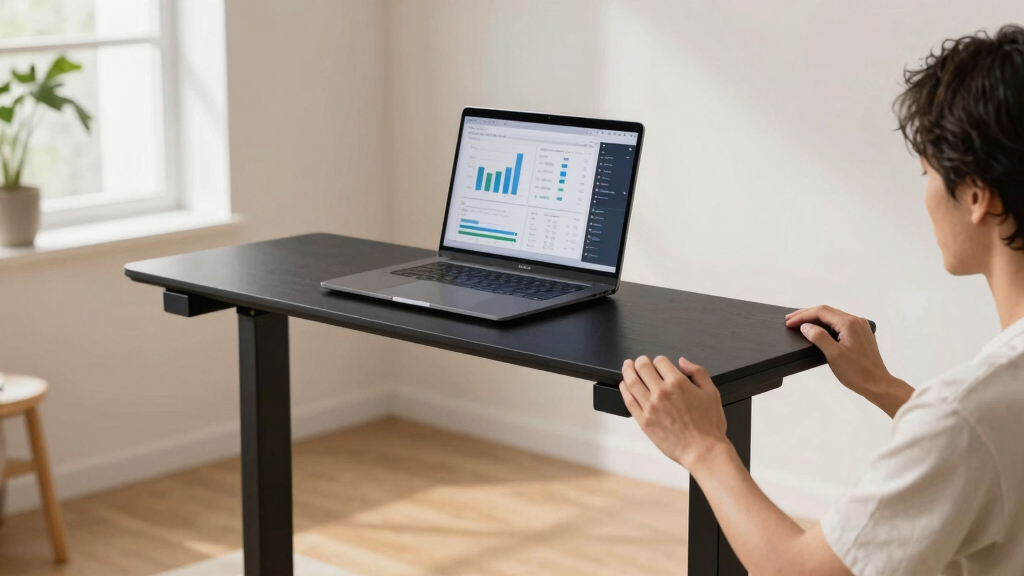
electric standing desk with preset heights
As an affiliate, we earn on qualifying purchases.
As an affiliate, we earn on qualifying purchases.
Speed and precision: Which desk keeps up with your work pace?
Electric desks adjust faster—often in less than 10 seconds—and can be preset to your favorite heights. This means you can switch from sitting to standing seamlessly, without breaking your flow.
Manual desks depend on your effort. Adjustment speed varies with your strength and mechanism quality. If your workday involves frequent position changes, electric desks reduce interruptions and keep your focus sharp.
As an affiliate, we earn on qualifying purchases.
Cost comparison: How much will your choice impact your budget?
| Type | Price Range |
|---|---|
| Electric Desks | $300 to over $1,000 |
| Manual Desks | $100 to $300 |
Electric desks tend to cost more because of the motor and tech features. Manual desks save you money but may require more effort and time to adjust. Consider your budget and how often you need to change heights daily.
electric sit stand desk for home office
As an affiliate, we earn on qualifying purchases.
As an affiliate, we earn on qualifying purchases.
Durability and maintenance: What lasts longer and stays trouble-free?
Electric desks involve motors and electronic parts, which may need occasional repairs or replacements—typically after 5–10 years of heavy use. Manual desks are mechanically simple, often lasting 10+ years with minimal upkeep.
If you prefer a set-it-and-forget-it approach, manual might be more reliable long-term. But if you’re okay with some electronic servicing, electric desks can serve you well for years.
manual height adjustable desk for budget
As an affiliate, we earn on qualifying purchases.
As an affiliate, we earn on qualifying purchases.
Space needs and power: What should you consider?
Electric desks require a nearby power outlet and cable management to keep things tidy. They can add clutter if cords aren’t managed well. Manual desks don’t need electricity, giving you more flexibility in where to place your workspace.
If your setup is limited or you prefer a clean look, a manual desk offers simplicity. Electric desks fit well in tech-heavy setups where quick adjustments are a priority.
Matching your workflow: When to pick electric or manual?
If your day involves frequent standing, sitting, and shifting—like a designer juggling multiple projects—an electric desk makes transitions smooth and quick. It keeps your focus on work, not on turning a crank.
For a student or occasional user who adjusts a few times a day, a manual desk offers simplicity and savings. It’s also perfect if you prefer a more tactile, hands-on approach to your workspace.
Consider your adjustment frequency, physical effort tolerance, and budget. The right choice aligns with your daily rhythm.
What’s new? Trends shaping electric and manual desks today
Electric desks now come with smart features: programmable presets, app controls, and even anti-collision sensors. Quiet motors and sleek designs mean they blend into modern offices seamlessly.
Manual desks are evolving too—using lighter materials, smoother cranks, and more ergonomic designs. Some models now incorporate hybrid features, giving users a taste of both worlds.
Eco-conscious choices are rising as well, with sustainable materials and energy-efficient motors gaining popularity.
What should you remember before buying?
Think about how often you’ll change positions. If it’s multiple times a day, electric is faster and more effortless. For occasional shifts, manual keeps costs down and lasts longer with less fuss.
Balance your budget against your need for convenience. Consider space, power, and how you want your workspace to feel. A quick test—if possible—can help you feel which mechanism matches your style.
Frequently Asked Questions
Is an electric standing desk worth the extra cost?
If you change positions multiple times a day or value quick, effortless adjustments, an electric desk can save you time and effort. For infrequent adjustments, a manual desk may be more economical and just as functional.
How much effort does it take to adjust a manual standing desk?
Adjusting a manual desk typically involves turning a crank or lever for about 20–30 seconds. It may require some physical effort, especially if the mechanism is stiff or the desk is heavy.
Can I upgrade a manual desk to electric later?
Generally, converting a manual desk to electric isn’t practical. It’s usually better to select the type that fits your needs from the start or buy a new electric desk if you want that feature.
What maintenance do electric desks need?
Electric desks may require occasional motor or electronic component servicing. Keeping cables organized and avoiding overloading can extend their lifespan.
Are there hybrid desks that combine both features?
Yes, some desks offer manual height adjustment with electric presets or vice versa. These hybrids aim to balance cost, effort, and convenience.
Conclusion
Picking the right standing desk drive isn’t just about price. It’s about matching your workflow—how often you shift, how quickly you need to change, and what feels natural to your body.
Think about your daily rhythm, your space, and your budget. A well-chosen desk turns your workspace into a smooth, adaptable zone—making work feel less like a chore and more like a flow.
Halloween Picks
halloween
As an affiliate, we earn on qualifying purchases.