
TL;DR

Get business pricing on your home office setup
- Business-only prices and quantity discounts
- Tax-exempt purchasing
- Multiple users, one account, clear invoices
Document holders and copy stands keep reference materials at eye level, reducing neck flexion and static load. Correct placement and adjustable features make a real difference in comfort and posture, especially during prolonged reading or transcription tasks.
Ever find yourself craning your neck over a desk, trying to read a document or transcribe notes? That position can lead to pain, fatigue, and long-term musculoskeletal issues. The good news: a simple tool — a well-chosen document holder or copy stand — can help you keep your head in a neutral, comfortable position. This guide will show you how these accessories work, what features matter most, and how to position them for maximum benefit.
If you’re spending hours at your desk, a small change like raising your reference materials to eye level can transform your comfort and reduce the risk of neck pain. Let’s explore the types of products, placement tips, and latest trends to keep your posture healthy while working or studying.
Position your document holder directly in line between your monitor and keyboard to promote natural head movement.
Choose an adjustable stand with a stable base and deep lip if handling thick books or heavy materials.
Set the top of your reference material at or just below eye level, with a 30–60° tilt for comfort and visibility.
Consider modern trends like eco-friendly materials and multi-function stands for flexibility and sustainability.
Remember, a well-positioned document holder is a simple but powerful step toward reducing neck strain during long work or study sessions.
Document Holders & Copy Stands for Neck-Friendly Reading
Craning over a flat desk to read or transcribe forces your neck into sustained flexion — a leading driver of pain, fatigue, and long-term musculoskeletal issues. A simple tool changes everything: raise your reference material to eye level, keep your ears over your shoulders, and cut the static load on your cervical spine.
The Hidden Load on Your Cervical Spine
Research published in Surgical Technology International (Hansraj, 2014) quantified what happens when the head tilts forward: the effective load on the neck climbs steeply with every degree of flexion. Reading flat documents routinely holds you at 30–45° — exactly the posture a document holder eliminates.
Beyond 15°, cervical load rises dramatically. A properly positioned document holder keeps flexion below 15° — like setting down a bowling ball your neck was carrying all day.
Prolonged flexion is linked to herniated discs, muscle strain, and joint degeneration — not just end-of-day stiffness.
A holder brings paper to eye level, keeping your head aligned over your shoulders and cutting static load for hours at a time.
A stand that wobbles or lacks adjustability forces constant readjustment — negating the ergonomic benefit entirely.
Five Types, Five Work Styles
Not all document holders are created equal. Match the design to your task, materials, and workspace — the right category matters more than the brand.
In-Line Slant Boards
Sit directly between keyboard and monitor at an adjustable angle. The standard recommendation for typing-from-paper work.
Monitor-Mounted Holders
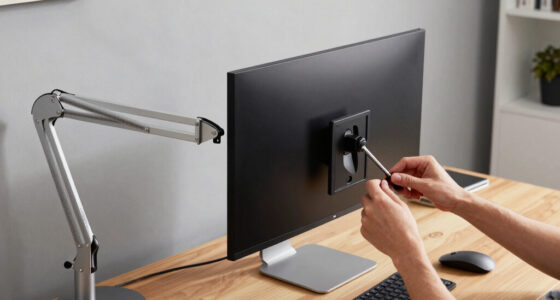
Clip or arm-mount beside the screen, bringing documents to screen height without cluttering the desk.
Freestanding Copy Stands
Weighted base, adjustable angled plate, and a deep lip that holds thick textbooks, sheet music, or cookbooks.
Articulating Arm Holders
Clamp to the desk with a multi-joint arm — reposition instantly as your task changes, reducing repetitive strain.
Portable Folding Stands
Lightweight and fold-flat — but lighter models may wobble under heavy materials. Portability trades against stability.
Features That Matter
Evaluate angle & height adjustability, stability, page retention (clips, elastic bands, line guides), lip depth, and build material.
Type Comparison at a Glance
Balance stability, adjustability, and ease of use. A stand that doesn’t fit your height or task leads to suboptimal positioning — and continued strain.
| Type | Best For | Key Feature | Stability | Portability | Thick Books |
|---|---|---|---|---|---|
| In-Line Slant BoardRecommended | Typing from paper, detailed transcription | Adjustable angle; sits between keyboard & monitor | ✓ | ~ | ~ |
| Monitor-Mounted | Heavy referencing, multitasking | Clips onto screen; document at eye level | ~ | ✗ | ✗ |
| Freestanding Copy Stand | Reading books, sheet music, cookbooks | Weighted base; wide lip for thick volumes | ✓ | ✗ | ✓ |
| Articulating Arm | Flexible positioning, frequent adjustments | Desk clamp; multi-joint movement | ✓ | ✗ | ~ |
| Portable Stand | Students, occasional users | Foldable, lightweight, easy to carry | ~ | ✓ | ✗ |
Positioning Matters as Much as the Product
Five steps to a neutral neck. Small adjustments — a few centimetres up or down — significantly improve comfort over long sessions.
Place It In-Line
Directly between keyboard and monitor — no twisting or leaning side to side.
Set the Height
Top of the document at or just below eye level, head upright, ears over shoulders.
Tilt 30–60°
Steeper for detailed reading — reduces glare and page-crane instinct.
Lock the Stability
No wobble when turning pages — shifts disrupt posture and focus.
Keep It Close
Within a few inches of your line of sight — eyes travel, the neck stays still.
Pair with a 40–70 cm viewing distance — similar to your monitor. The result, as one transcriptionist describes it: glancing between screen and page with almost no neck movement at all.
A holder is a compensatory control — it reduces static load but doesn’t replace movement. Per half hour: sit 20 min, stand 8, move 2.
What’s New — and Why It Matters
Since 2020, ergonomic accessories have moved from occupational-health purchases to mainstream consumer products. Three trends define the current market.
Fold-Flat & Portable Dominates
The home-office boom made portable, fold-flat stands the fastest-growing segment — built for people who move between desk, kitchen table, and campus.
Eco Materials Go Mainstream
Bamboo, FSC-certified wood, and recycled plastics appeal to eco-conscious buyers — with a warmer aesthetic that complements modern workspaces.
Multi-Function by Design
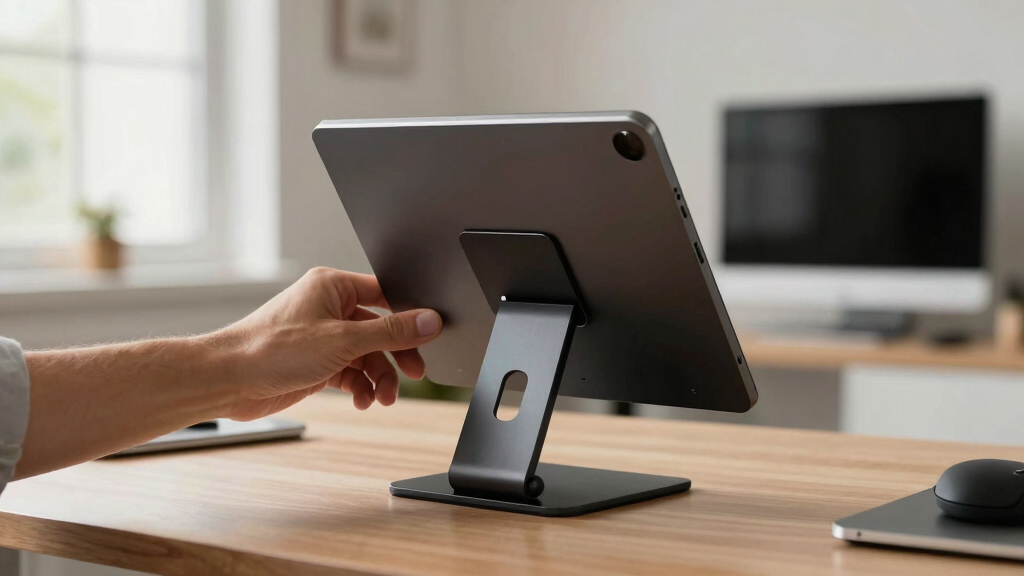
Stands now double as tablet and e-reader holders or combine a whiteboard writing surface — blending paper and digital workflows seamlessly.
From Flat Page to Neutral Posture
The full causal chain — and the single intervention point that breaks it.
Five Takeaways for a Healthier Neck
Position the holder directly in line between monitor and keyboard to promote natural, minimal head movement.
Choose an adjustable stand with a stable base and deep lip if you handle thick books or heavy materials.
Set the top of your material at or just below eye level, with a 30–60° tilt for comfort and visibility.
Consider modern trends — eco-friendly materials and multi-function stands — for flexibility and sustainability.
A well-positioned document holder is a simple but powerful step toward reducing neck strain in long work or study sessions.
Pair your setup with the 20-8-2 movement rhythm — no accessory replaces regular motion.
How a Document Holder Can Prevent Neck Pain in Simple Terms
A document holder is a device that elevates your papers or books to eye level. By doing so, you avoid bending your neck forward, reducing the strain on your cervical spine. For example, if you’re proofreading or transcribing, keeping your head upright feels more natural and less tiring. The human head weighs about 10-12 pounds; tilting it forward increases the load exponentially, sometimes feeling like you’re holding a bowling ball on your neck.
When your reference material sits below eye level, your neck stays in a flexed, strained position for hours. A proper holder brings the paper up, keeping your head aligned over your shoulders. This simple change cuts down static load and discomfort, especially during long work sessions.
Understanding why this matters is crucial: prolonged neck flexion not only causes immediate discomfort but can also lead to chronic issues like herniated discs, muscle strain, and joint degeneration. The tradeoff in choosing a good document holder involves balancing stability, adjustability, and ease of use. A poorly designed stand might wobble or shift, which can cause constant readjustments and frustration, negating its ergonomic benefits. Moreover, if the holder isn’t adjustable, it might not fit your specific height or task needs, leading to suboptimal positioning and continued strain. Therefore, investing in a quality, adjustable, and stable document holder is a proactive step to mitigate these risks and promote long-term neck health.
Products Worth Considering

DEWALT 10-Inch Jobsite Table Saw with Scissor Stand (DWE7491X)

DEWALT 8-1/4-Inch Compact Jobsite Table Saw with Rolling Stand (DWE7485 & DW7440RS)

Greenworks 40V Cordless Lawn Edger with 8-Inch Blade and 4.0Ah Battery
As an affiliate, we earn on qualifying purchases.
Choosing the Right Type of Document Holder for Your Work Style
Not all document holders are created equal. Here’s a quick run-through:
| Type | Best For | Key Feature |
|---|---|---|
| In-line/slant boards | Typing from paper, detailed transcription | Adjustable angle, sits between keyboard and monitor |
| Monitor-mounted holders | Heavy referencing, multitasking | Clips onto screen, brings document to eye level |
| Freestanding copy stands | Reading books, sheet music, cookbooks | Weighted base, adjustable angle, wide lip for thick books |
| Articulating arms | Flexible positioning, frequent adjustments | Clamp to desk, multi-joint movement |
| Portable stands | Students, occasional users | Foldable, lightweight, easy to carry |
Choosing the right type depends on your specific work habits and environment. For example, in-line slant boards are ideal for those who need to transcribe or type directly from papers, as they allow quick, ergonomic positioning that minimizes neck movement. Monitor-mounted holders are perfect for multitaskers needing quick access to multiple reference pages without cluttering the desk. Freestanding stands are better suited for reading or referencing entire books or large sheets, offering stability and ample space. Articulating arms provide maximum versatility, allowing you to reposition your document quickly as your task changes, which reduces repetitive strain. Portable stands are beneficial for students or remote workers who move between locations or need a lightweight option. The tradeoff here often involves balancing portability with stability and size—lighter models may wobble or lack the sturdiness needed for heavy materials. Ultimately, selecting a stand that aligns with your workload, workspace, and ergonomic needs ensures you get the maximum benefit and comfort.
How to Properly Position Your Document Holder for Neck Comfort
Positioning matters almost as much as the product itself. Here’s a simple step-by-step:
- Place the holder in-line — directly between your keyboard and monitor. This placement encourages a natural, minimal head movement pattern, reducing the tendency to twist or lean excessively.
- Adjust the height so the top of your document sits at or slightly below eye level. This ensures that your neck remains in a neutral position, preventing strain caused by looking up or down too much.
- Set the angle between 30–60°. If your work involves detailed reading or transcription, a steeper incline reduces glare and makes pages easier to see without craning your neck.
- Ensure the holder is stable and doesn’t wobble when turning pages or adjusting papers. Stability prevents accidental shifts that can disrupt your posture.
- Keep the pages close enough to your monitor so your eyes don’t have to travel far, which reduces eye strain and encourages a more natural head position. Ideally, the document should be within a few inches of your line of sight, minimizing unnecessary neck movement.
Imagine a transcriptionist who positions her document at a slight tilt, directly in front of her monitor, with her head upright and ears over shoulders. This setup allows her to glance between the screen and her materials with minimal neck movement, reducing fatigue and discomfort. Small adjustments, like raising or lowering the stand by a few centimeters, can significantly improve comfort over long periods. The key is to find a position that feels natural and sustainable, rather than forcing your neck into uncomfortable angles.
Latest Trends in Document Stands: What’s New and Why It Matters
The market for ergonomic accessories has evolved rapidly, especially since 2020. Portable, fold-flat, and multi-function stands now dominate the scene. Many products combine a whiteboard or writing surface with document-holding features, which is particularly useful for remote workers and students who need flexibility. These multi-use designs allow users to switch seamlessly between writing, referencing, and digital tasks without cluttering their workspace, promoting a more ergonomic workflow.
Another trend is sustainable materials. Bamboo, FSC-certified wood, and recycled plastics are increasingly popular, appealing to eco-conscious buyers. These materials not only reduce environmental impact but also often provide a warmer, more aesthetic look that can complement modern workspaces. Plus, many stands now double as tablet or e-reader holders, blending digital and paper workflows seamlessly, which is essential as hybrid work and learning environments become the norm.
In addition, the rise of “text neck” awareness has pushed product designers to focus on adjustable, lightweight, and versatile solutions that reduce static load and repetitive strain. Features like easy height adjustment, foldability, and lightweight construction help users frequently change positions, preventing stiffness and fatigue. The convergence of these features creates a more holistic approach to desk ergonomics, making it easier to maintain good posture even during long hours. These innovations reflect a greater understanding of ergonomic principles and a commitment to user comfort, emphasizing adaptability and sustainability.
For example, a recent popular model features a foldable bamboo stand with adjustable tilt, a clip for loose papers, and a slot for tablets. It’s lightweight, durable, and fits neatly into a backpack, making it ideal for mobile work. Such designs exemplify how ergonomic needs are driving innovation, making these tools more accessible and effective for a wide range of users.
What to Look for When Buying a Document Holder or Copy Stand
When shopping for your ergonomic ally, focus on these key features:
- Adjustability: Can you change height and angle easily? Flexibility is crucial for different tasks and body sizes. A highly adjustable stand allows you to customize your setup, which is essential for adapting to different tasks and reducing strain. Without proper adjustability, you might be forced into awkward positions that negate ergonomic benefits, leading to discomfort over time.
- Stability: Will it wobble or slip? Look for weighted bases or non-slip feet. Stability ensures your document stays in place during use, preventing sudden shifts that could cause you to lose your posture or focus. An unstable stand can also cause frustration and increase the risk of accidents or damage to your materials.
- Material: Metal, wood, plastic — consider durability and aesthetics. Eco-friendly options like bamboo are increasingly common. Durable materials support long-term use, while aesthetic considerations can enhance your workspace environment. The material choice also affects weight and portability, so think about your mobility needs.
- Page retention: Clips, elastic bands, or line guides help hold pages flat and prevent slipping. Good page retention features are essential, especially when working with multiple pages or thick materials. They help maintain a steady reading or writing surface, reducing the need for constant adjustments and minimizing awkward neck movements.
- Size and capacity: Will it hold your typical documents, books, or tablets? Check dimensions and lip depth. Selecting a stand that comfortably accommodates your materials prevents overloading and instability, which can cause wobbling or tipping. It also ensures your workspace remains organized and efficient.
- Portability: Foldable, lightweight options are ideal for students or remote workers on the move. Portability allows you to set up ergonomically wherever you are, promoting consistent good posture even outside your usual workspace. However, lightweight models may sacrifice some stability, so consider your priorities based on your typical usage.
For example, a graduate student who needs to transcribe from thick textbooks and take notes on her tablet benefits from a sturdy, adjustable stand with a wide lip and a clip-on magnifier. This combination supports her diverse materials while keeping her neck in a neutral position, making her workflow smoother and reducing fatigue. Balancing portability, stability, and adjustability is key to selecting a stand that truly enhances comfort and productivity.
The Bottom Line: Your Neck Will Thank You
Investing in the right document holder or copy stand isn’t just about convenience — it’s a step toward better neck health. Positioning your reference materials at eye level reduces static flexion, which research shows is a major contributor to neck pain. Small adjustments in setup can make hours of work more comfortable and prevent long-term discomfort or injury.
Remember, these tools are part of a broader approach: take microbreaks, alternate between sitting and standing, and stay mindful of your posture. Combining proper equipment with healthy habits maximizes the benefits and safeguards your neck for years to come.
So, next time you settle in to read or transcribe, ask yourself: is my document at the right height? If not, a simple stand could be a game-changer in preventing future neck issues and enhancing your comfort during long sessions.
Frequently Asked Questions
Do document holders really help with neck pain?
Yes, when positioned correctly, they keep your head aligned and reduce the static load on your neck. Proper setup is key, and using one should be part of a broader ergonomic routine.
What height and angle should my document holder be?
The top of your document should sit at or just below eye level, with an incline of about 30–60°. Adjustability is essential to match your height and task-specific needs.
Where should I place the document holder — in front or to the side?
Place it directly in front of you, inline with your monitor. This minimizes head-turning and keeps your posture straight during prolonged work or reading sessions.
Can a document holder hold thick textbooks or large binders?
Yes, but check for models with a deep lip and sturdy base. Heavy-duty models are designed to support thick materials safely and comfortably.
Is a document holder worth it if I only read paper occasionally?
Even occasional use benefits your neck. A simple foldable stand or a makeshift solution like a cookbook holder can improve comfort without a big investment.
Conclusion
Small ergonomic adjustments can lead to big relief. A properly placed document holder keeps your neck in a neutral position, reducing fatigue and discomfort. It’s a simple step with lasting benefits — your future self will thank you.
Next time you sit down at your desk, glance at your setup. Is your reference material at eye level? If not, a quick upgrade might be the best investment you make today for your long-term neck health.